- More
- Download




How to Check Futures Position Profit and Loss on the App:
In the BiyaPay App, you can view the profit and loss of current positions, and you can also query the profit and loss of historical closed position records. Please follow these steps:
1. View Current Position Profit and Loss
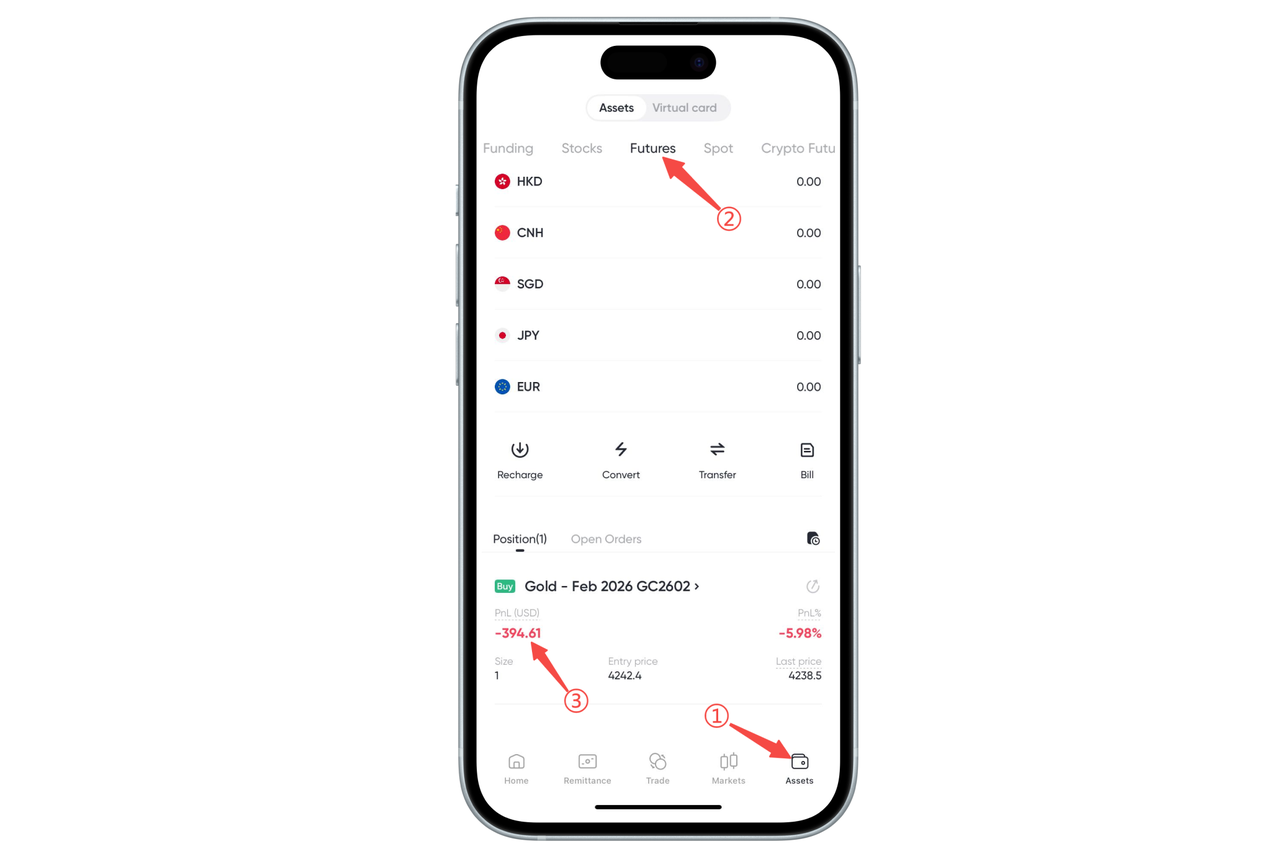
Step 1: Enter the Assets Page
Click "Assets" in the bottom navigation bar.
Step 2: Enter the Futures Account
Select "Futures" at the top of the assets.
Step 3: View Current Position Profit and Loss
In the "Positions" area, you can see the real-time profit and loss of each futures contract.
This displays the unrealized positions: Profit and loss amount (USD) Profit and loss rate Position quantity, opening price, latest price, etc.
2. View Historical Position Profit and Loss
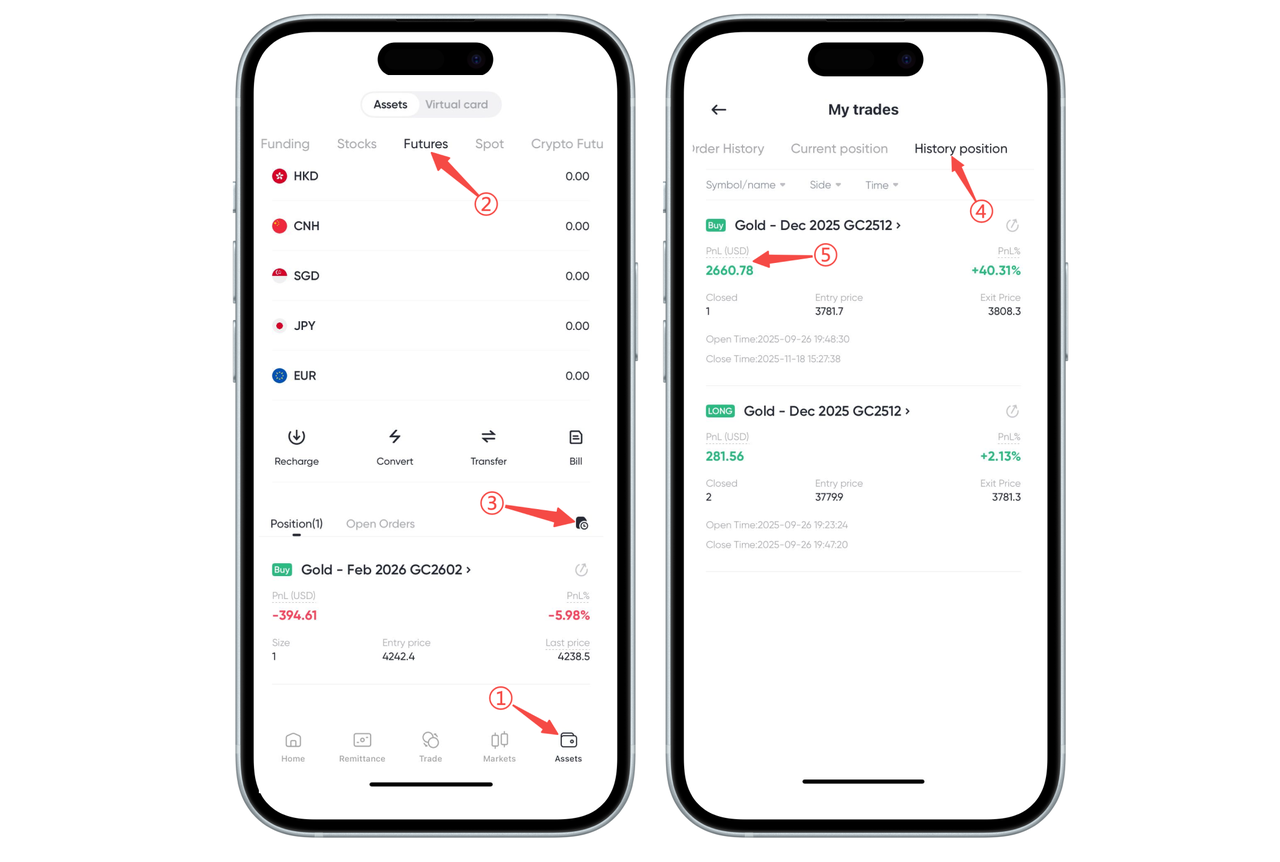
Step 1: Enter the Futures Assets Page
Enter "Assets" → "Futures" again.
Step 2: Enter Historical Position Records
Click the "Trading Records" icon on the right. Select the "Historical Positions" tab at the top.
Step 3: View Closed Position Profit and Loss
In the historical positions list, you can view: The final profit and loss amount of the contract Profit and loss rate Opening price, closing price Opening and closing time
How to Check Futures Position Profit and Loss on the Web:
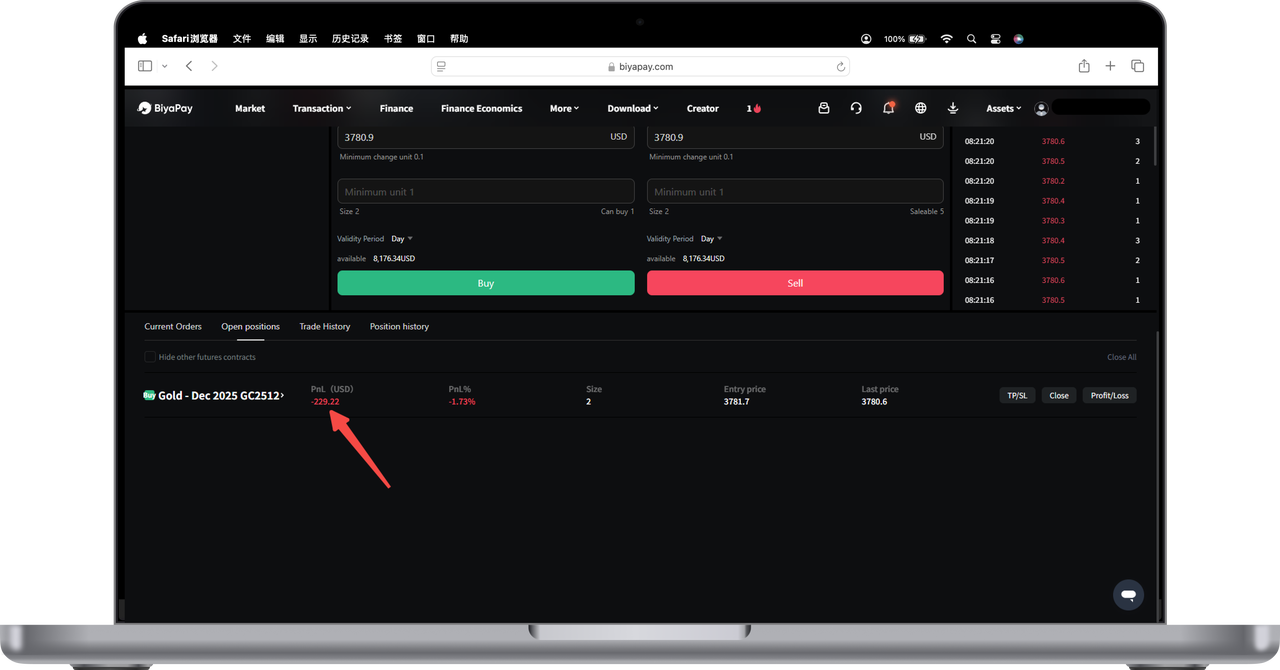
Current Position Profit and Loss View
You can view the position [Profit] in [Current Positions].
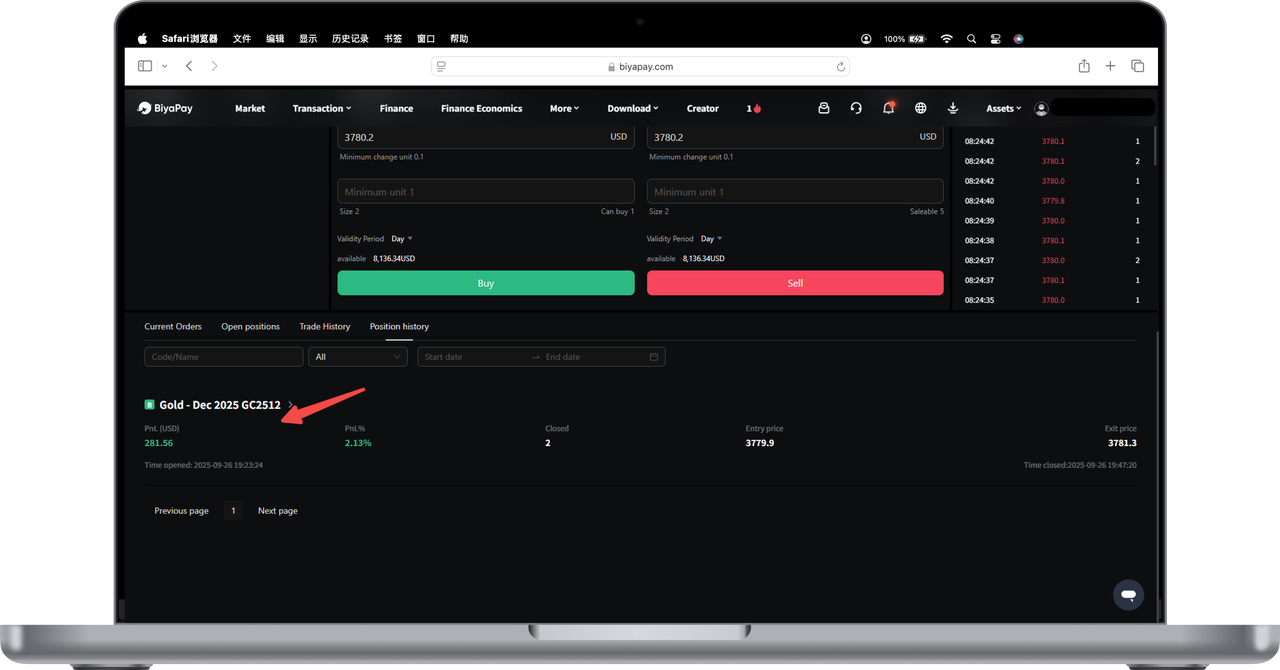
Historical Position Profit and Loss View
Click to enter the [Historical Positions] page, where you can view the [Profit] of historical positions.

Contact Us



