- More
- Download




How to Perform One-Click Position Closing in Futures Trading on the App:
When you want to quickly close all positions, you can use the "One-Click Close All" function to complete all position closing operations in one second. Please follow these steps:
Step 1: Enter the Futures Trading Page
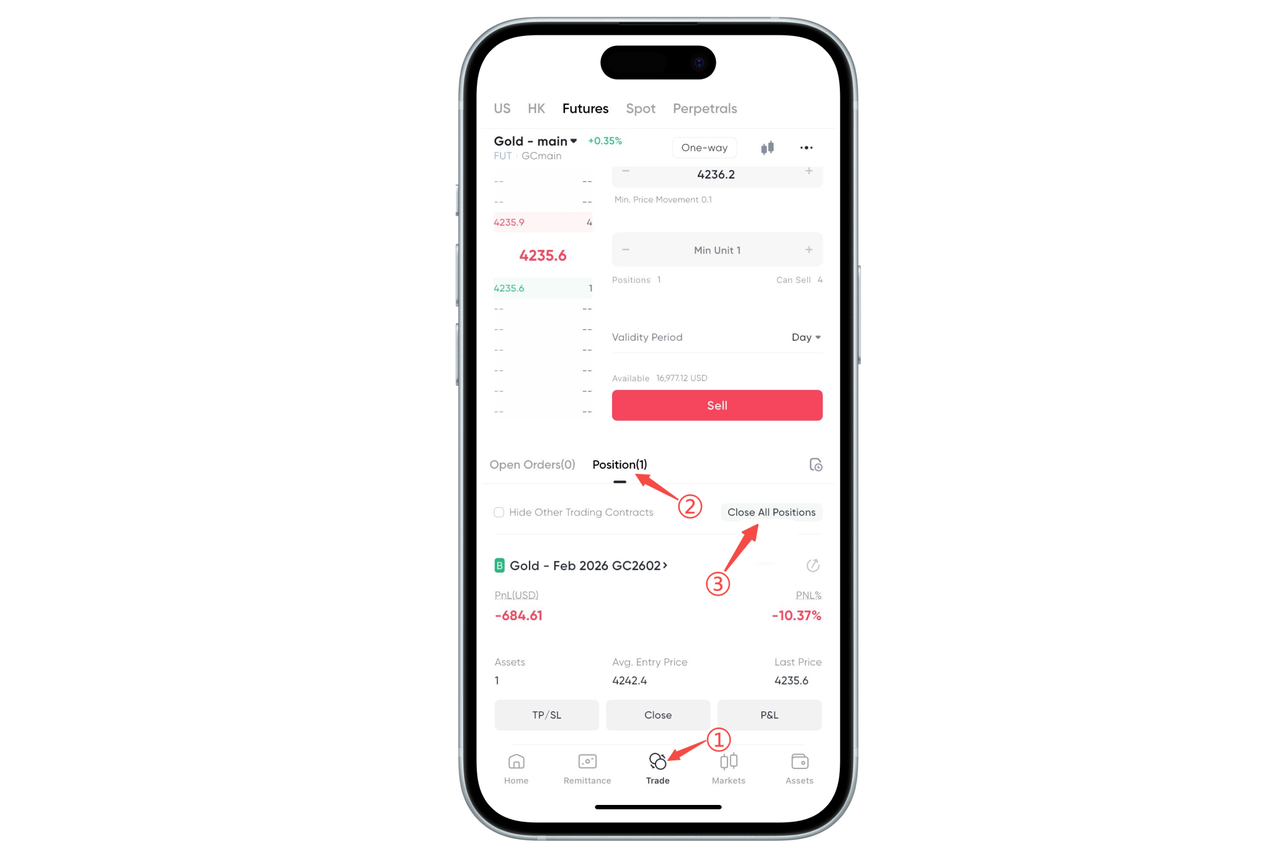
Open the App's bottom navigation bar and click "Trade". Select "Futures" at the top to enter the futures contract page you are trading.
Step 2: View Current Positions
Find the "Positions" tab below the order area. After expanding, you can view the profit and loss, position quantity, opening price and other information of all current futures positions.
Step 3: Click "One-Click Close All" to Complete Position Closing
Click the "One-Click Close All" button in the upper right corner of the position list. The system will automatically close all closeable positions for you without the need for individual operations.
How to Perform One-Click Position Closing in Futures Trading on the Web:
On the BiyaPay Web, you can quickly close all current positions through "One-Click Position Closing" without the need for individual operations. Please complete according to the following steps:
Step 1: Enter the Futures Trading Page
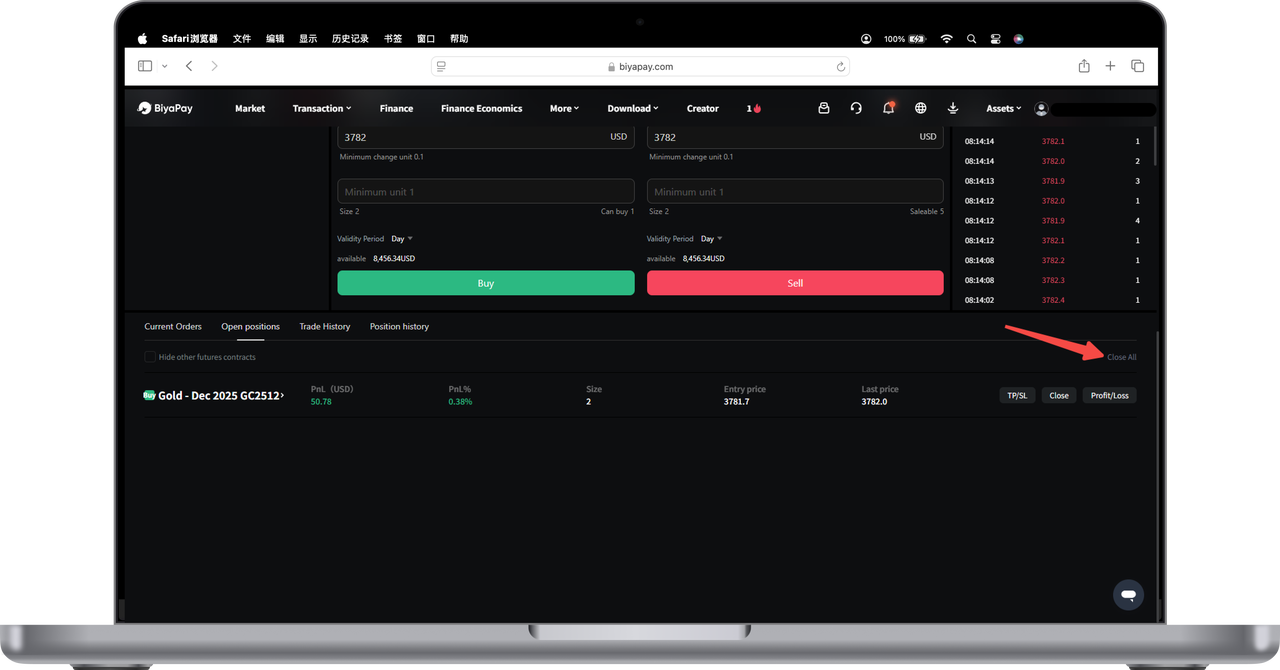
After logging into the BiyaPay Web, select any futures variety on the left to enter the trading interface. The current positions list will be automatically displayed below.
Step 2: View Position Information
In the "Current Positions" area, you can see the quantity, profit and loss, opening price, latest price and other information of each position. Please confirm the variety you want to close.
Step 3: Click "One-Click Position Closing" to Complete Position Closing
Find the "One-Click Position Closing" button in the upper right corner (as shown by the arrow in the figure). After clicking, the system will automatically help you close all current closeable positions.
After execution, the position list will be updated to the latest status, and all positions will be processed immediately according to market conditions.
Tips
"One-Click Position Closing" will close all current positions at the same time. Please operate with caution.
If you want to close only part of the positions, you can use the [Close Position] button after the corresponding position to operate one by one.

Contact Us



