- More
- Download




How to Close Long or Short Positions in Futures Trading on the App:
BiyaPay futures currently supports two trading methods: 【Open/Close Position Mode】 and 【Buy/Sell Mode】. The operations for closing positions differ slightly between these modes.
1. How to Close Positions in Open/Close Position Mode?
Method 1: Close Positions Directly in the Open/Close Position Interface
-
Click [Trade] at the bottom and switch to [Futures];
-
In [Open/Close Position Mode], switch to the [Close Position] tab;
-
Click [Close Short] or [Close Long] according to your position direction, and confirm to complete the position closing.
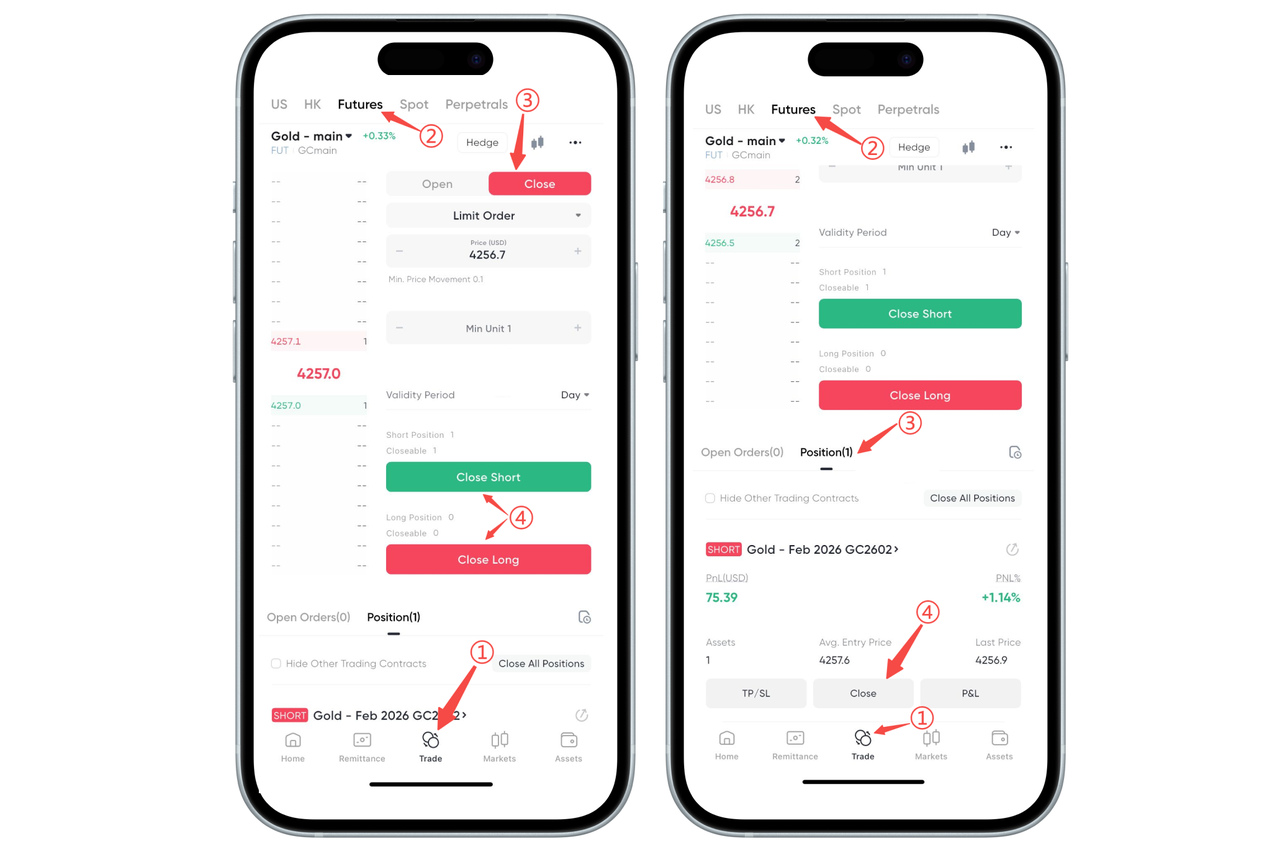
Method 2: Close Positions in the Position List
-
Find [Positions] below the futures trading interface;
-
Select the position you want to close and click [Close Position];
-
Select [Market Close] or [Limit Close] and confirm to submit.
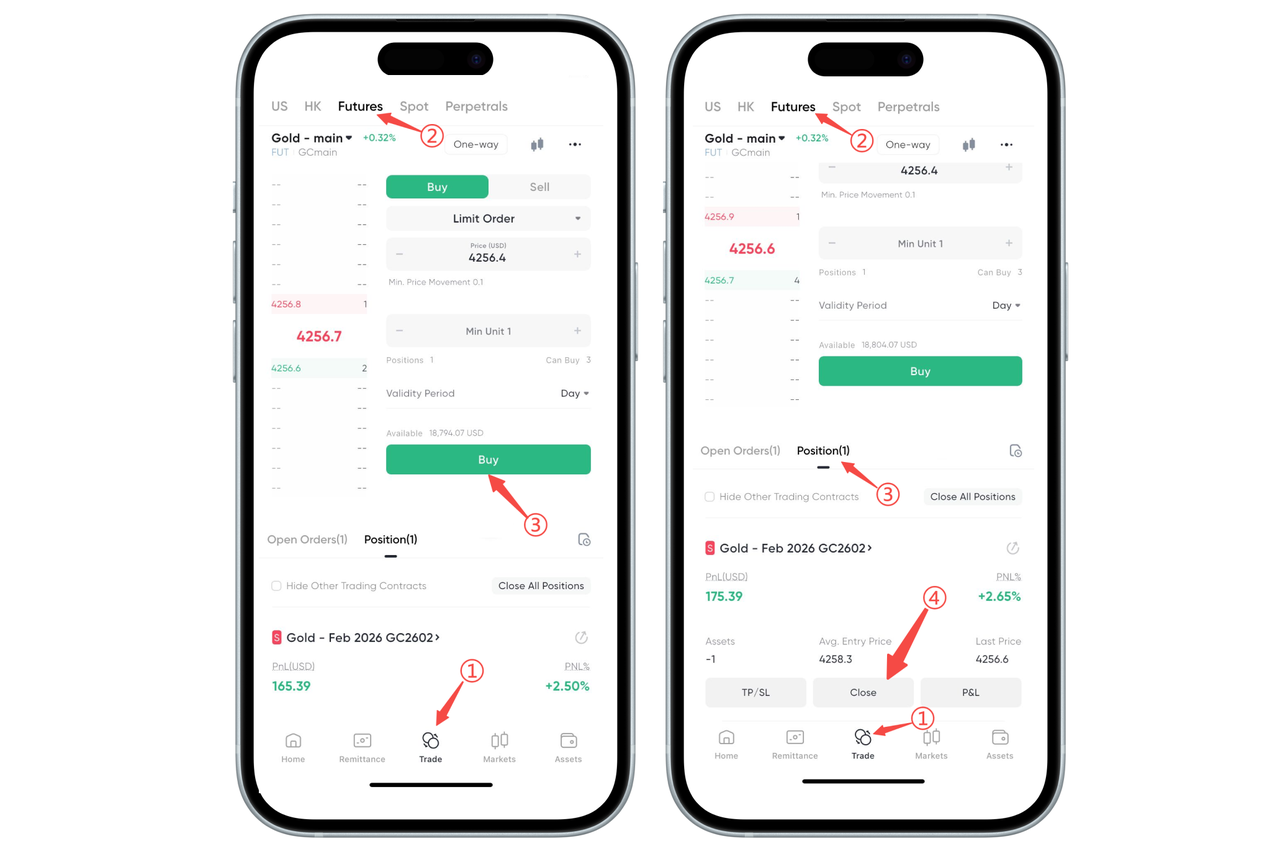
2. How to Close Positions in Buy/Sell Mode?
Method 1: Reverse Order to Close Positions
When holding a long position, click [Sell] and enter the same quantity as your position to submit, which will close the long position;
When holding a short position, click [Buy] and enter the same quantity as your position to submit, which will close the short position.
Method 2: Close Positions in the Position List
-
Enter [Positions] below the futures trading interface;
-
Find the contract you want to close and click [Close Position];
-
Select [Market Close] or [Limit Close] and confirm.
How to Close Long or Short Positions in Futures Trading on the Web:
BiyaPay supports two trading methods: Open/Close Position Mode and Buy/Sell Mode.
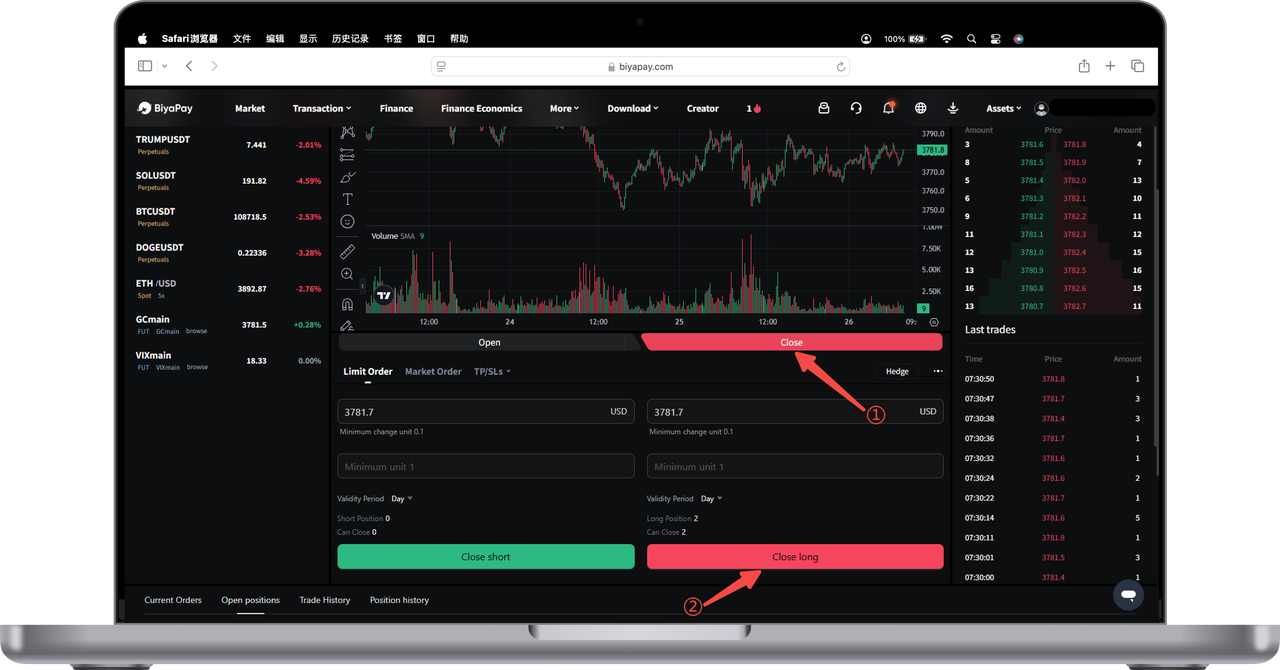
1. In Open/Close Position Mode, positions can be closed in the following two ways:
- Close Positions Through the Open/Close Position Interface
Find [Close Position] next to the [Open Position] button, and click [Close Short] or [Close Long] according to your position to perform the closing operation.
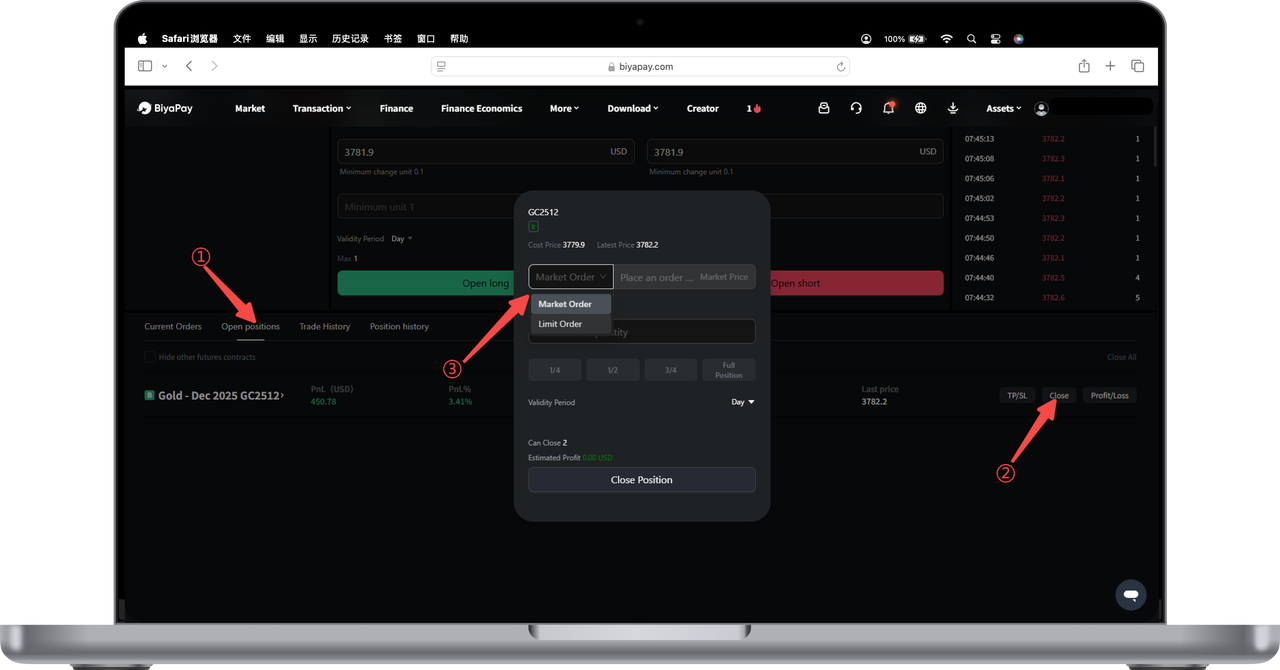
- Close Positions Through the Position Page
Enter the [Current Positions] page and find the position you want to close.
Click the [Close Position] button and select Market Close or Limit Close to perform the operation.
2. In Buy/Sell Mode, positions can be closed in the following two ways:
- Directly Execute Reverse Operations to Close Positions
If holding a long position (going long), click [Sell] with the same quantity as your position to close the position.
If holding a short position (going short), click [Buy] with the same quantity as your position to close the position.
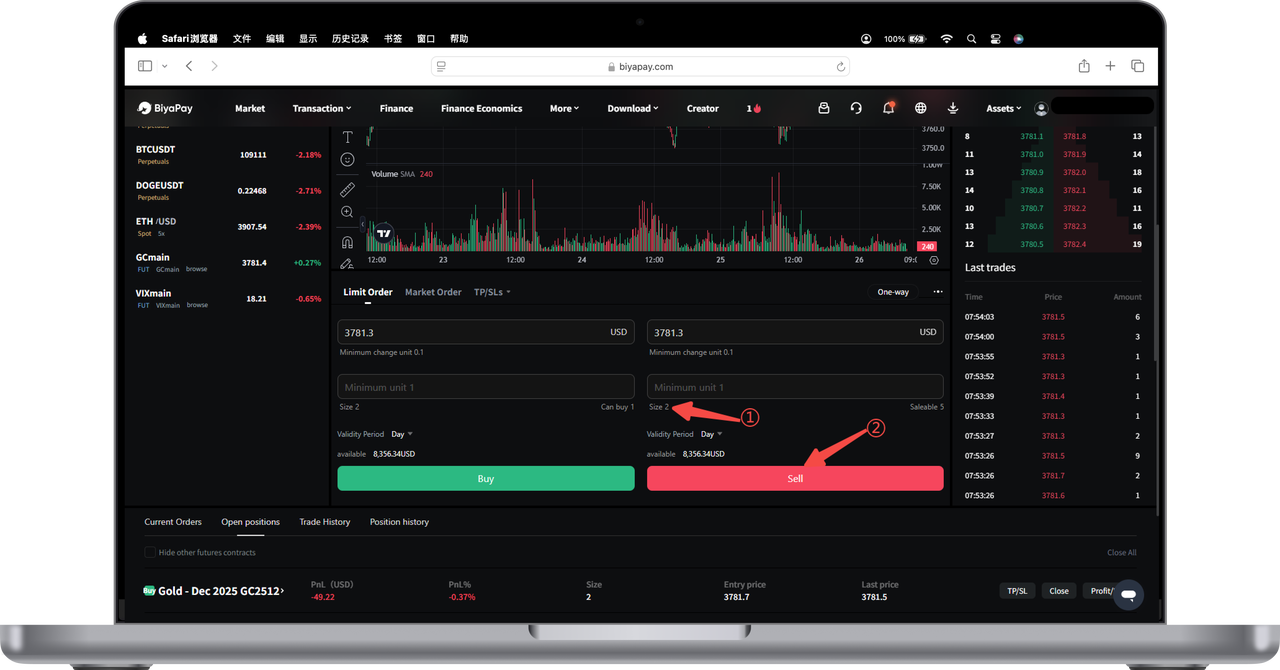
- Close Positions Through the Position Page
Enter the [Current Positions] page and find the futures you want to close.
Click the [Close Position] button and select Market Close or Limit Close to perform the operation.

Contact Us



