- More
- Download




How to Go Long or Short in Futures Trading on the App:
In the BiyaPay App, you can easily complete long (buy) or short (sell) operations through the order interface. Please follow these steps:
Step 1: Enter the Futures Trading Page
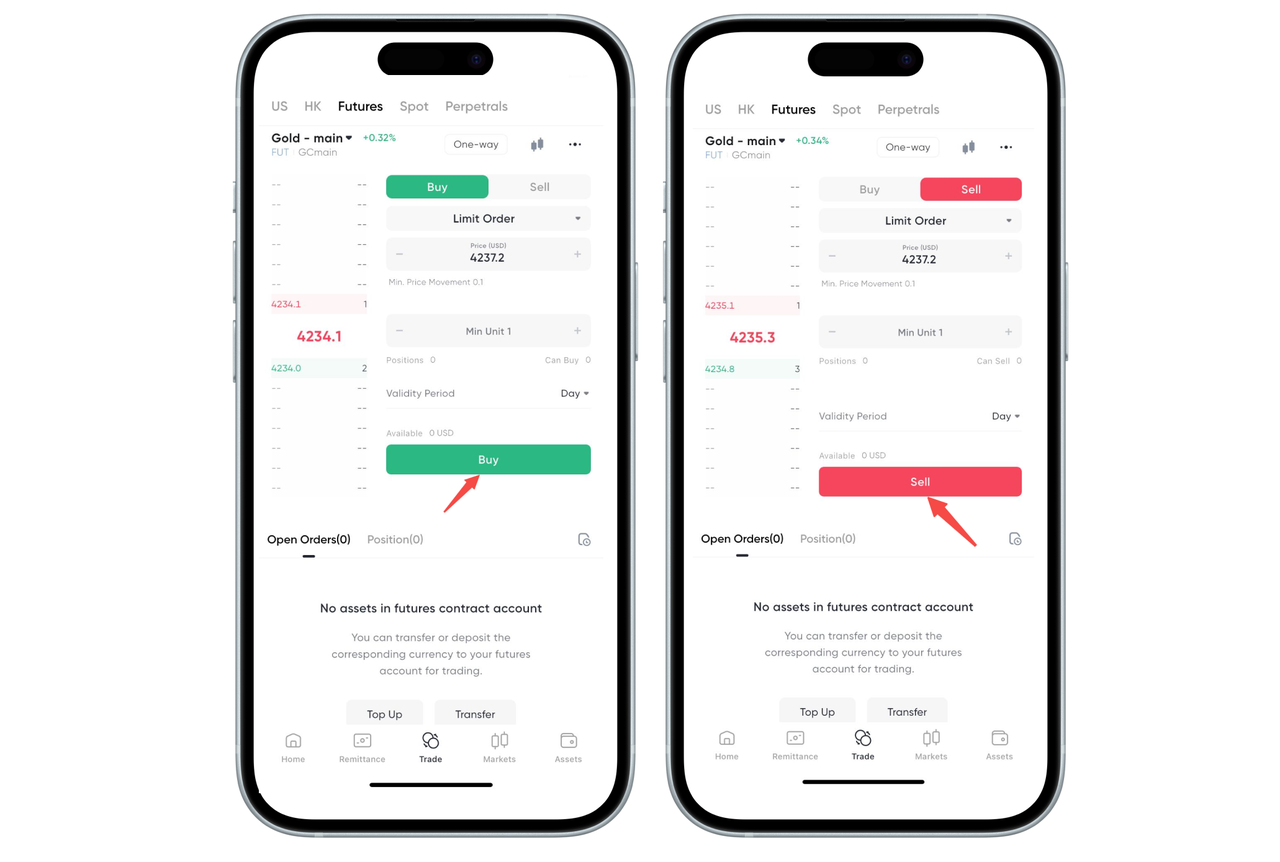
Click "Trade" in the bottom navigation bar. Select "Futures" in the top variety category and enter the futures variety page you want to trade.
Step 2: Fill in Order Information
In the order area:
Enter price (limit order) or select market order
Enter minimum unit / quantity
View available funds and position status
After confirming the information is correct, prepare to select the direction.
Step 3: Select Long or Short Direction
Click the green "Buy" button to go long (bullish) (as shown by the arrow in the figure).
Click the red "Sell" button to go short (bearish) (as shown by the arrow in the figure).
The system will execute the order or enter the order queue according to market conditions.
How to Go Long or Short in Futures Trading on the Web:
On the BiyaPay Web, you can easily complete long (buy) or short (sell) operations through the order area. Please follow these steps:
Step 1: Enter the Futures Trading Page
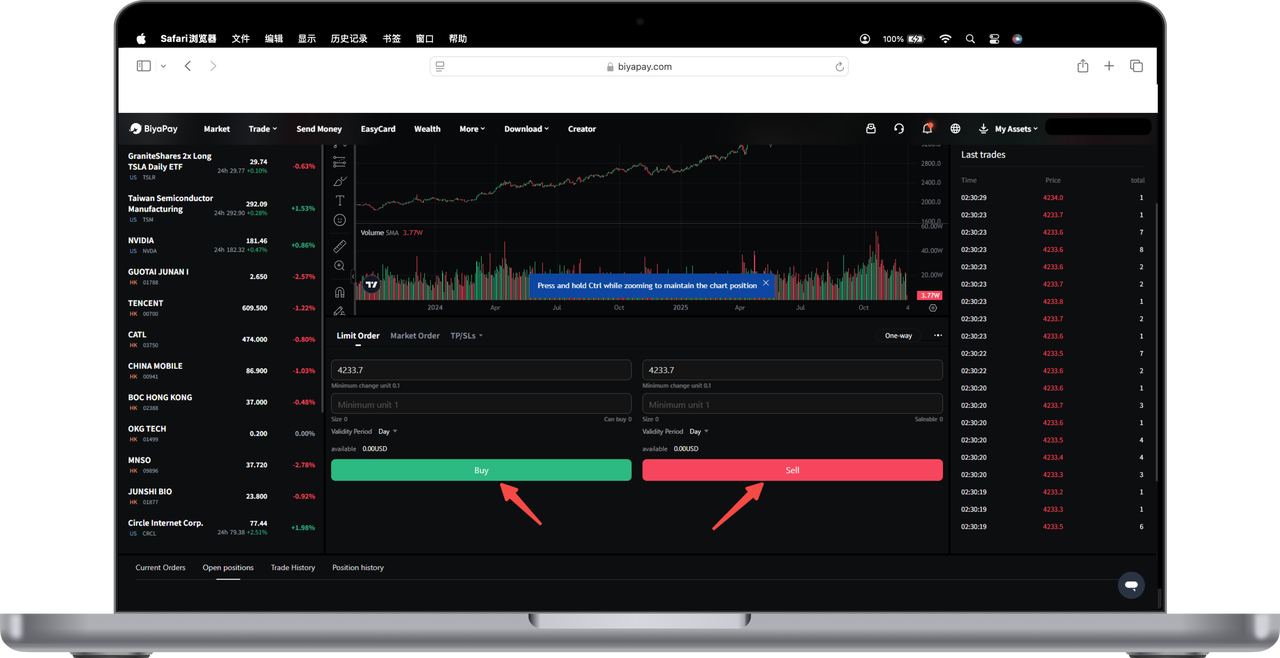
Open the website and log in to your account. Select the futures variety you want to trade in the left navigation bar to enter the corresponding trading interface.
Step 2: Fill in Order Information
In the order area at the bottom of the interface:
Enter price (select based on limit order / market order)
Enter minimum unit or trading quantity
Confirm validity period, available funds and other information
If using "Buy/Sell Mode", the system will automatically identify the direction; if using "Open/Close Position Mode", please select open or close position as needed.
Step 3: Select Long or Short
Click the green "Buy" button to go long (bullish)
Click the red "Sell" button to go short (bearish)
After the operation is completed, the order will be placed or executed immediately according to market conditions. You can view the current orders and positions below.

Contact Us



