- More
- Download




How to Switch Between Open/Close Position Mode and Buy/Sell Mode on the App:
In the BiyaPay App, you can freely switch between "Open/Close Position Mode" and "Buy/Sell Mode" according to your trading habits.
Step 1: Enter the Futures Trading Page
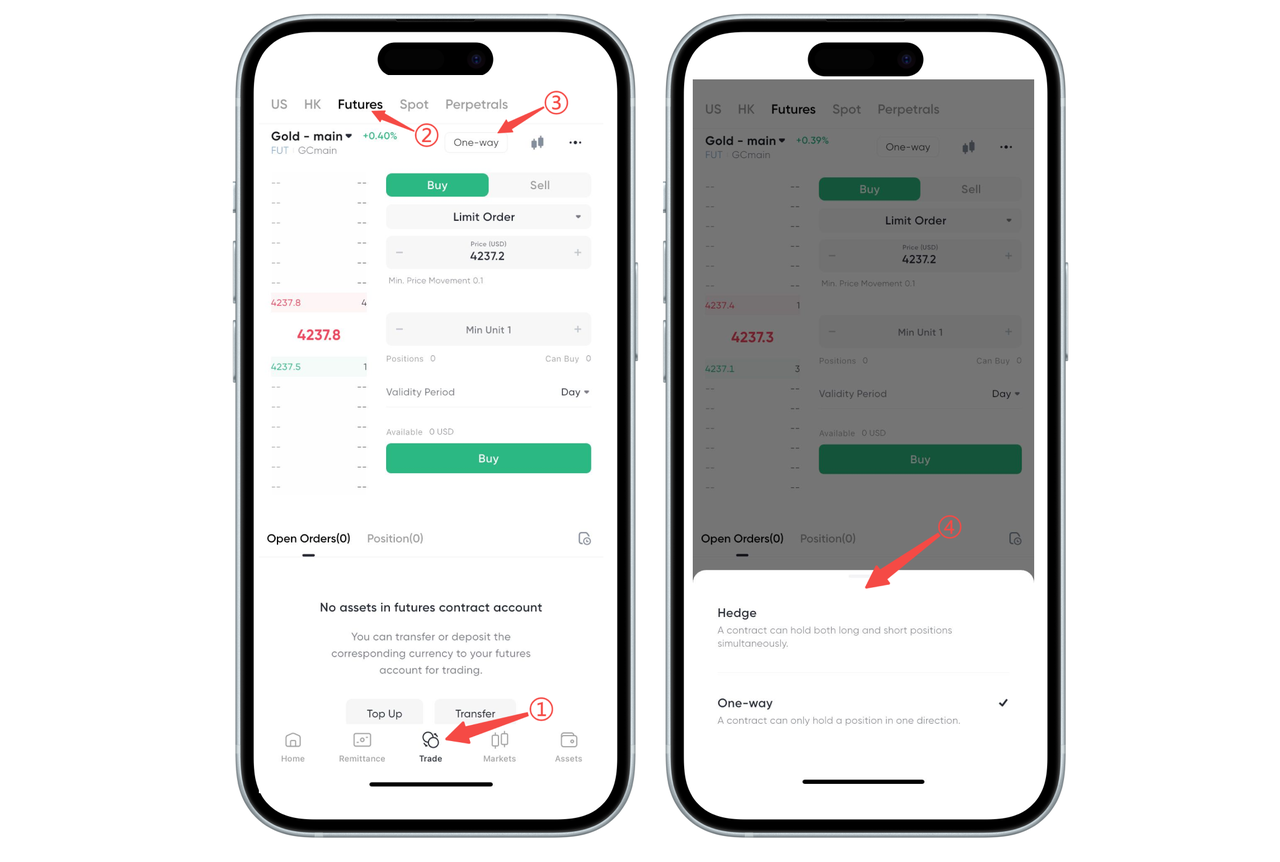
Click "Trade" in the bottom navigation bar. Select "Futures" in the top variety category and enter the futures contract page you want to trade.
Step 2: Open the Mode Switch Entry
Above the order area, click the currently displayed "Buy/Sell Mode" / "Open/Close Position Mode" button, and the system will pop up a mode selection window.
Step 3: Select Trading Mode
In the window that pops up at the bottom, select the mode you need to use:
Open/Close Position Mode: The same contract can hold both long and short positions simultaneously, suitable for hedging or multi-strategy management;
Buy/Sell Mode: The same contract only maintains one direction of position, making operations simpler and more intuitive.
After clicking the corresponding mode, the switch is complete, and subsequent orders will be executed according to the selected mode.
How to Switch Between Open/Close Position Mode and Buy/Sell Mode on the Web:
When trading futures on the BiyaPay Web, you can freely switch between Buy/Sell Mode and Open/Close Position Mode according to your trading needs. The detailed steps are as follows:
Step 1: Click the Mode Switch Button
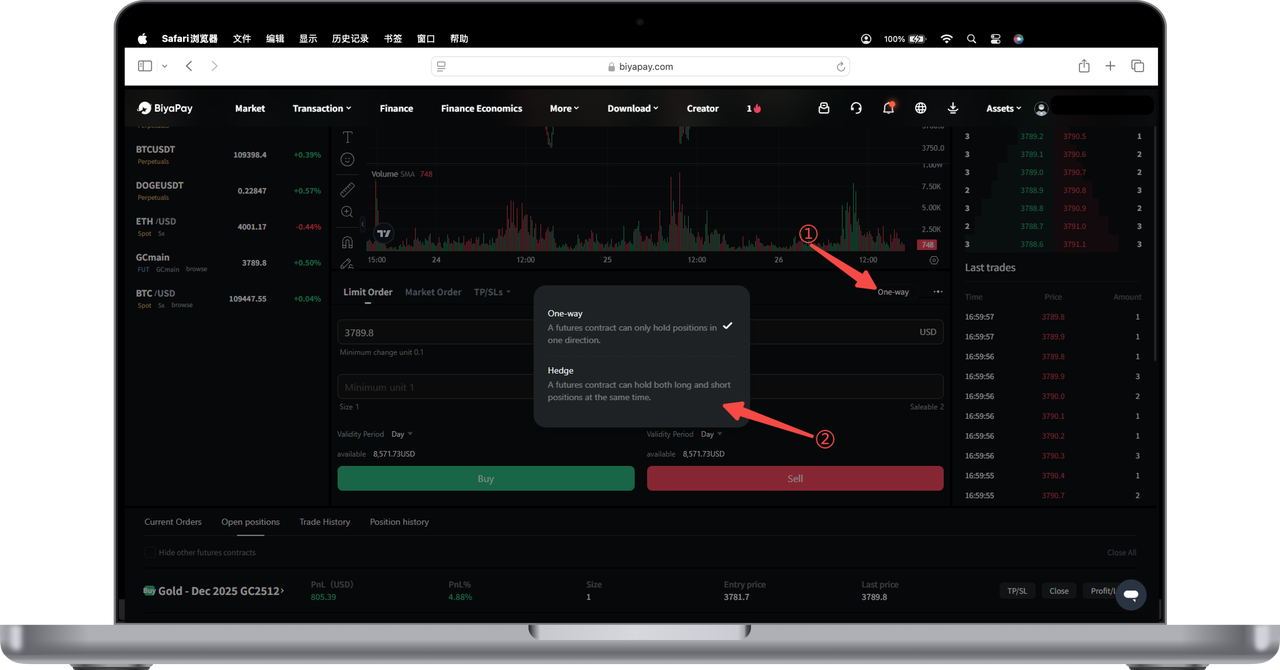
In the order area below the trading page, find the mode button on the right, such as "Buy/Sell Mode" or "Open/Close Position Mode".
Click this button to open the mode selection popup.
Step 2: Select the Desired Mode
In the popup, you can choose:
Buy/Sell Mode
A trading variety only maintains one direction of position
The system automatically opens or closes positions based on direction
More suitable for simple and intuitive trading needs
Open/Close Position Mode
The same trading variety can hold multiple groups of long and short positions simultaneously
Suitable for users who need hedging, simultaneous long and short positions, or more precise position management
Click any mode to complete the switch.
Tips
Switching modes will not affect existing positions, but will affect subsequent order logic.
If the button is not clickable, please check if you are logged in or if the trading page has finished loading.
If you are not familiar with the mode differences, you can consult online customer service at any time for more information.

Contact Us



