- More
- Download




How to Check Initial Margin and Maintenance Margin for Futures on the App:
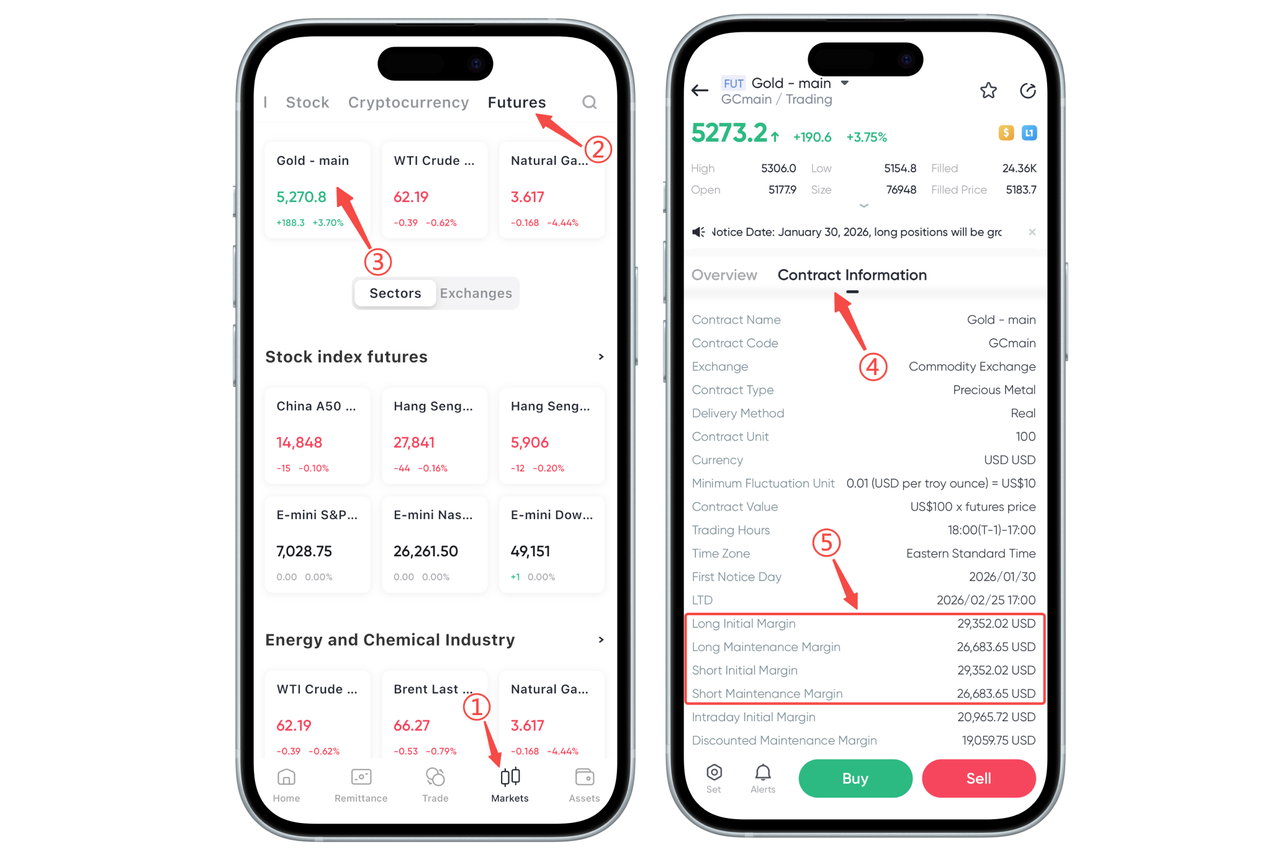
The steps to check the initial margin and maintenance margin for futures on the App are as follows:
Enter the Futures Interface: First, click on the futures option on the homepage or menu, and select the futures trading pair you want to trade (for example, "Gold Main").
View Contract Information: On the futures contract details page, find and click on contract information.
View Margin Information: On the contract information page, you can see information including long initial margin, short initial margin, and maintenance margin. This page will display the minimum margin requirement for opening a position and the margin required to maintain the position.
How to Check Initial Margin and Maintenance Margin for Futures on the Web:
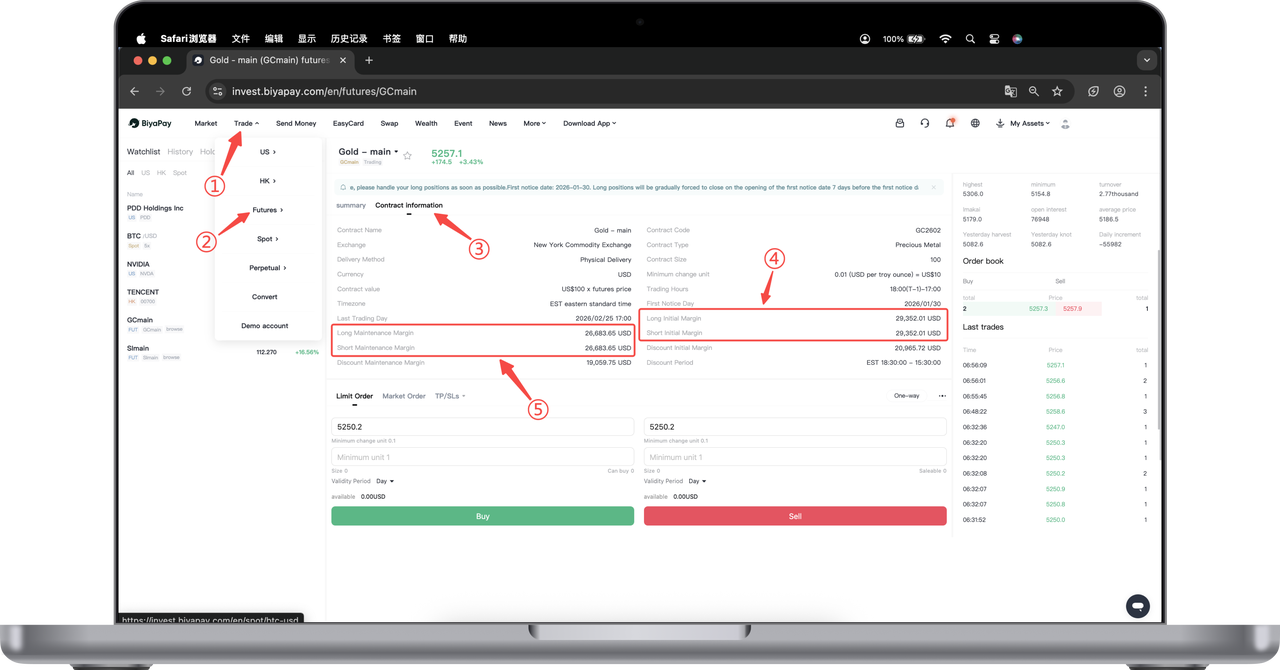
In futures trading, understanding initial margin and maintenance margin is key to successfully opening a position. Below, we will show you how to view this information on the BiyaPay Web.
Step 1: Log in and Enter the Futures Interface
Open the BiyaPay Web and log in with your account.
On the main interface, click the "Trade" menu in the upper left corner.
Select "Futures" from the dropdown menu to enter the futures trading page.
Step 2: Select a Futures Trading Pair
On the futures interface, you can select the futures variety you want to trade. For example, click "Gold Main" to enter the detailed page of that contract.
Step 3: View Contract Information
On the detailed page of the trading pair, click "Contract Information" on the page.
Here you can view various detailed information about the futures contract, including the specific amounts of initial margin and maintenance margin for long and short positions, and understand the minimum margin requirement for opening a position.
Step 4: Understand Margin Information
Initial Margin: This is the minimum margin you need to pay when opening a position, usually including long initial margin and short initial margin.
Maintenance Margin: This is the minimum funds required to maintain your existing position. If your account balance falls below this amount, the system may force close the position.

Contact Us



