- More
- Download




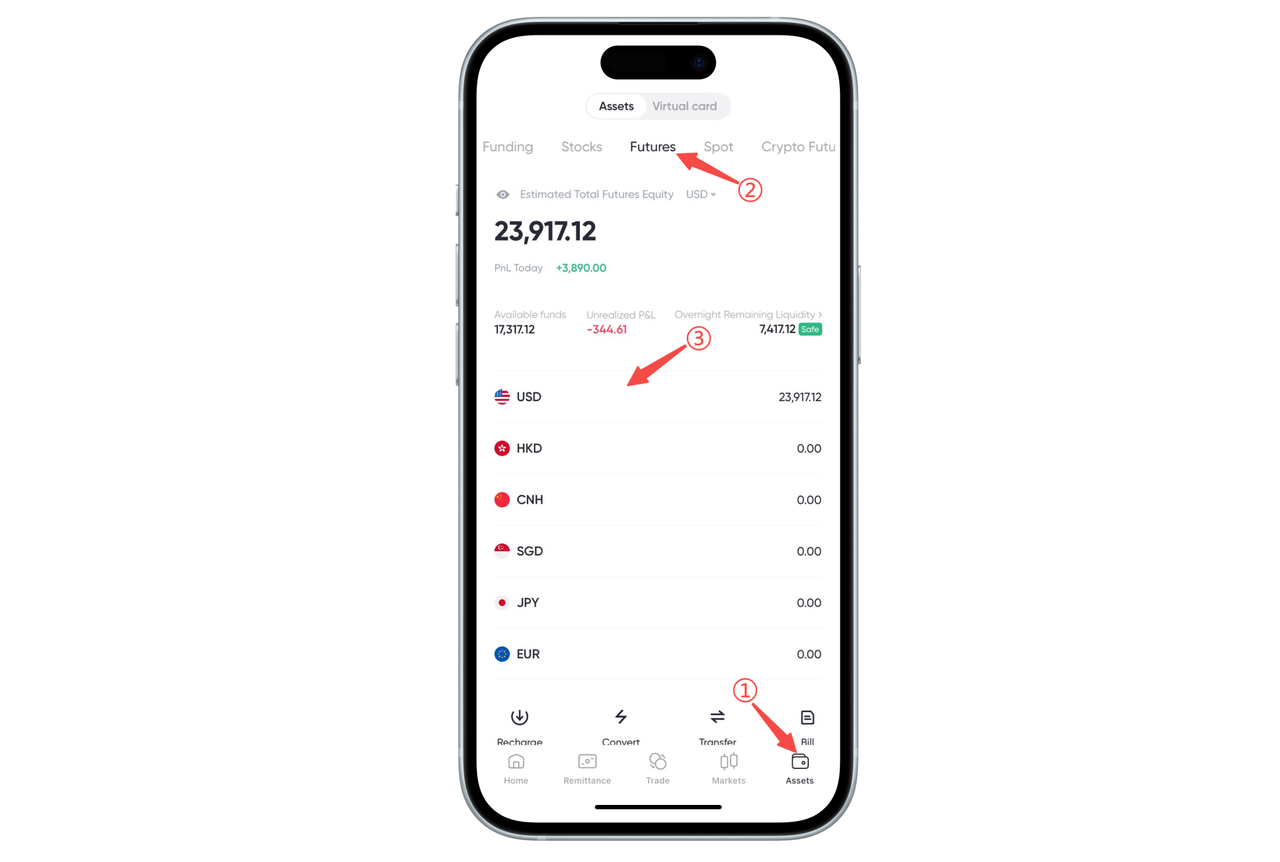
How to Check Available Funds in a Futures Account on the App:
You can check the balance and available funds of your futures account at any time through the BiyaPay App. Follow these steps:
Step 1: Enter the "Assets" Page
Open the App and click "Assets" in the bottom navigation bar to enter the assets overview page.
Step 2: Switch to the "Futures" Account
Select "Futures" in the asset category at the top to enter the futures account asset details page.
Step 3: View Balance and Available Funds for Each Currency
On the futures assets page, you can view:
Futures account balance for each currency (such as USD, HKD, CNH, etc.)
Available funds
Unrealized profit and loss
Overnight risk liquidity and other key information
How to Check Available Funds in a Futures Account on the Web:
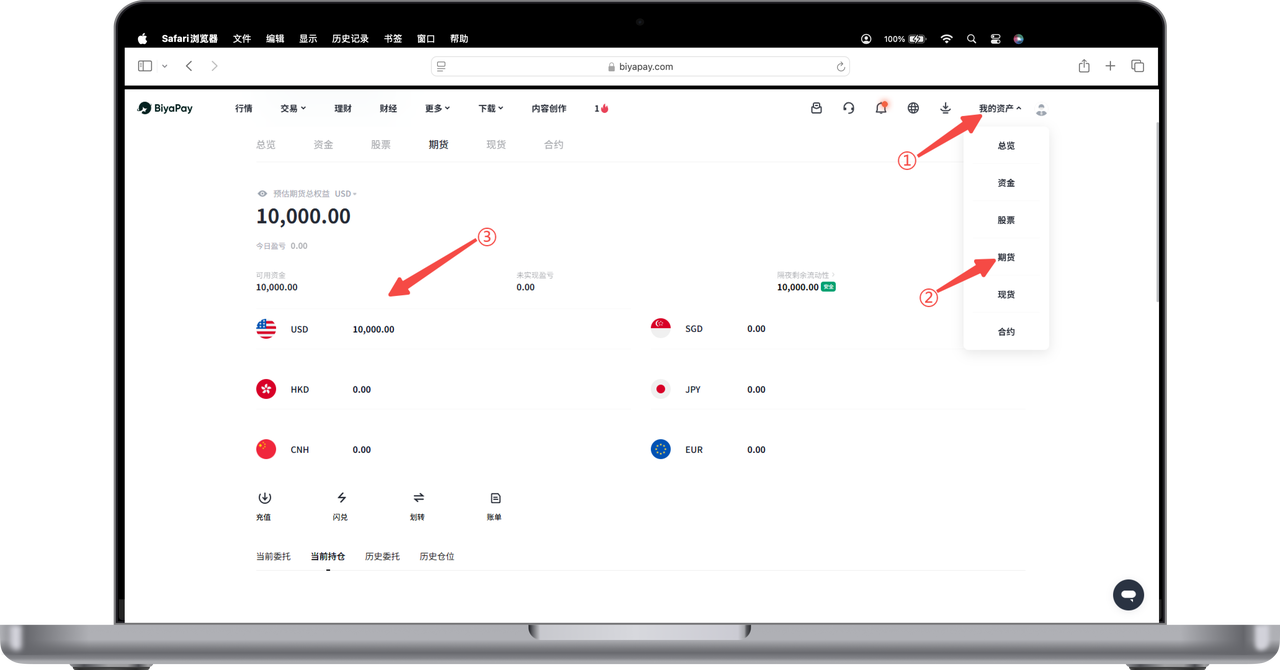
You can easily check the available funds in your futures account through the BiyaPay Web. Follow these steps:
Step 1: Enter "My Assets"
After logging into the BiyaPay official website, click "My Assets" in the upper right corner of the page to enter the assets overview page.
Step 2: Select the "Futures" Account
In the asset category, click the "Futures" tab to enter the futures asset details page.
Step 3: View Available Funds
On the futures account page, you can see the available fund balance for each currency. For example:
USD available funds
HKD available funds
CNH, JPY, EUR and other currency balances
The page will also display key information such as current balance, unrealized profit and loss, and total account equity, making it convenient for you to keep track of your futures account assets at any time.

Contact Us



