- More
- Download

BiyaPay
Published on Updated on



How to Transfer Funds from a Futures Account to a Funding Account on the App:
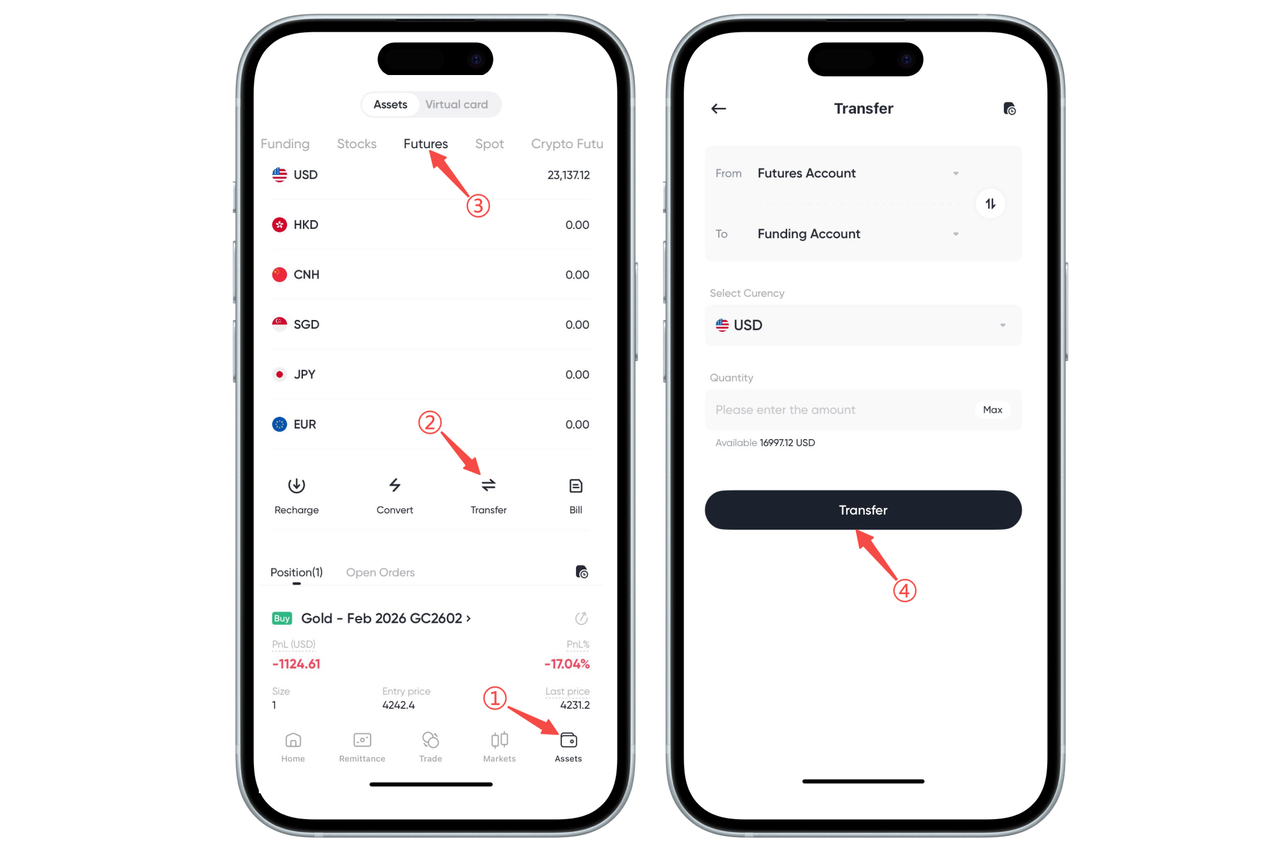
You can transfer funds from your futures account back to your funding account through the "Transfer" function. Follow these steps:
-
Open the App's bottom menu and click [Assets]
-
Select [Futures] in the top asset category
-
Click the [Transfer] button in the middle
-
On the transfer page, select:
From: Futures Account
To: Funding Account
Select the currency (such as USD)
Enter the transfer amount or click [Maximum]
- After checking, click [Transfer] to complete the transfer operation
After a successful transfer, the amount will be displayed in real-time in your funding account balance, and you can continue to withdraw or perform other trading operations.
How to Transfer Funds from a Futures Account to a Funding Account on the Web:
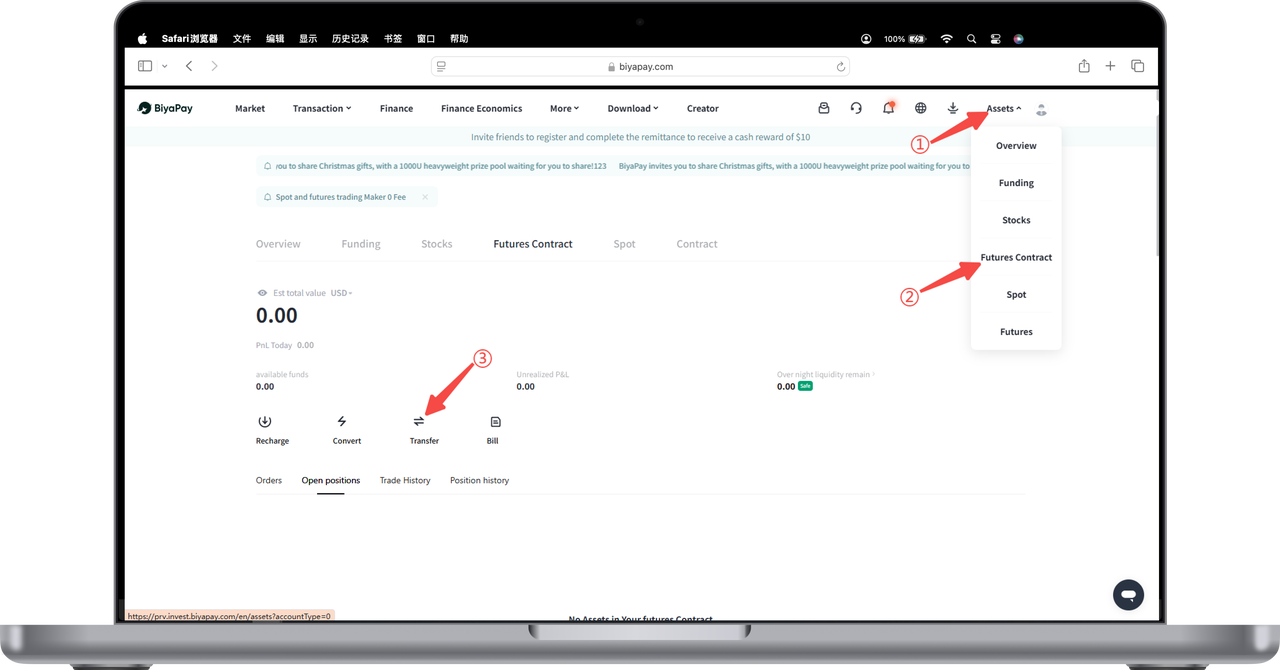
- On the [My Assets] - [Futures] page, click [Transfer].
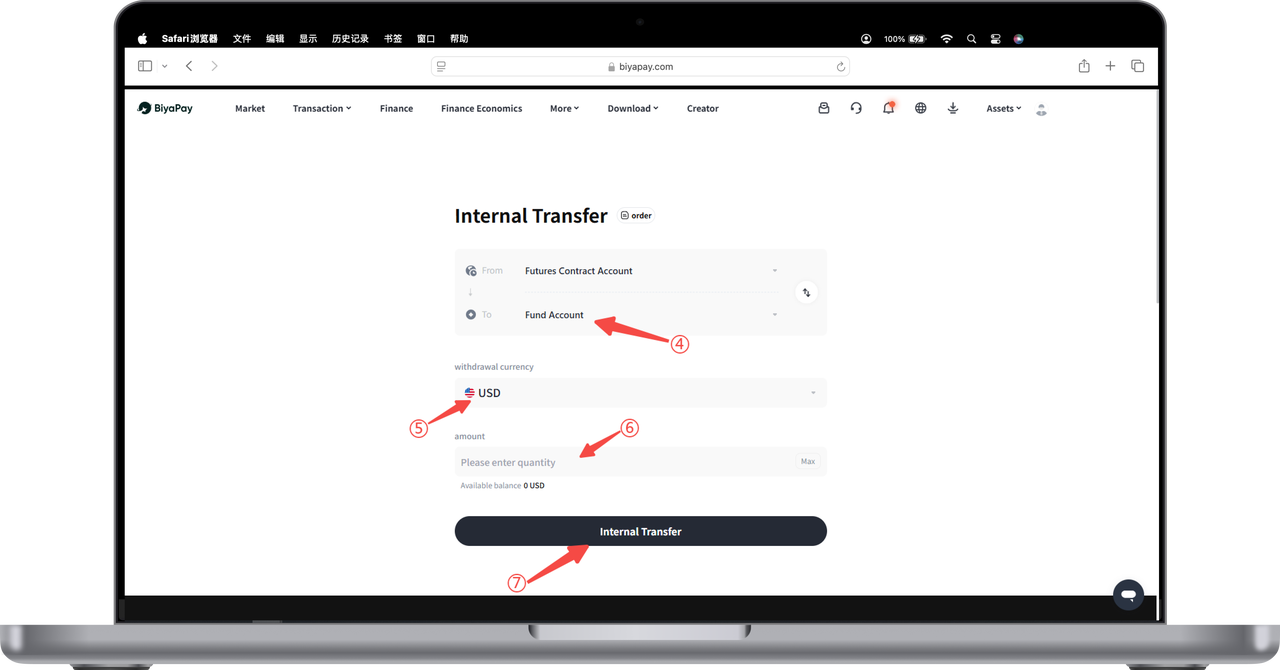
- On the [Transfer] page, first select the target account such as [Funding Account], then select the currency such as USD and enter the amount. Finally, click [Transfer] to transfer funds from the [Futures Account] to the [Funding Account].

BiyaPay makes crypto more popular!
Contact Us
Mail: service@biyapay.com
Customer Service Telegram: https://t.me/biyapay001
Telegram Community: https://t.me/biyapay_ch
Digital Asset Community: https://t.me/BiyaPay666
Community




Compliance Entity
Biya Global LLC is a U.S. limited liability company. It has completed federal MSB registration (Registration number 31000218637349) with FinCEN under the Bank Secrecy Act and is subject to FinCEN’s supervision.
Biya Global Limited is a New Zealand registered entity. It holds valid FSP registration (Registration number FSP1007221) on the Financial Service Providers Register (FSPR) under the Financial Service Providers (Registration and Dispute Resolution) Act 2008 and is subject to supervision by the Financial Markets Authority (FMA).
©2019 - 2026 BIYA GLOBAL LIMITED