- More
- Download




How to Open a Futures Account on the App:
You can quickly open a futures account in the BiyaPay App to trade gold, crude oil, and other major global futures products. Please follow these steps:
Step 1: Enter the Assets Page
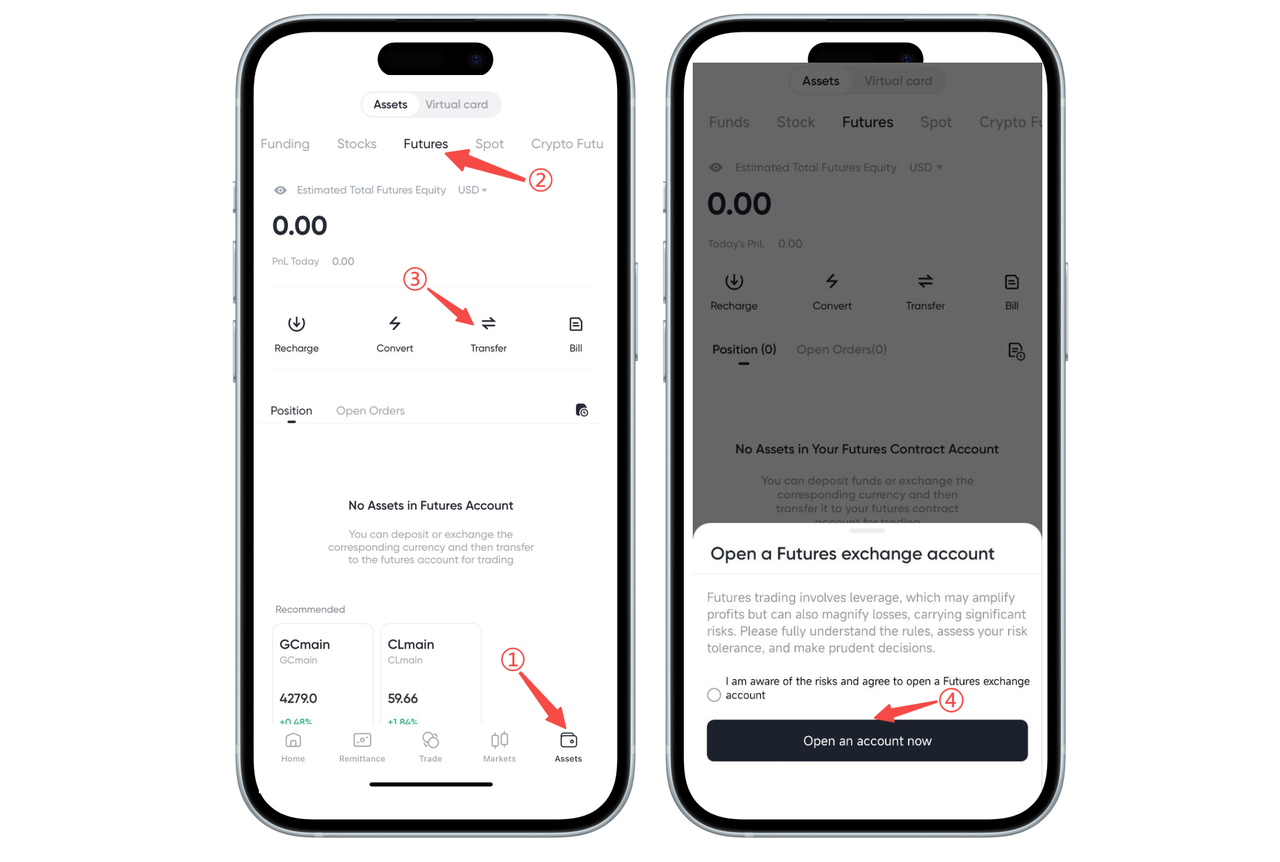
Open the BiyaPay App and click [Assets] in the bottom navigation bar.
Step 2: Switch to "Futures" Assets
Swipe to switch in the asset category at the top, and select [Futures].
Step 3: Click "Transfer" or Trading Entry to Trigger Account Opening
When the futures account has not been opened yet, the system will automatically pop up an account opening prompt when you click [Transfer] or perform other futures-related operations.
Step 4: Check the Agreement and Complete Account Opening
In the pop-up window, read the relevant risk warnings, check "I understand and agree to open a futures account" and then click [Open Account Now].
After the account is opened, you can transfer funds to the futures account and start trading.
How to Open a Futures Account on the Web:
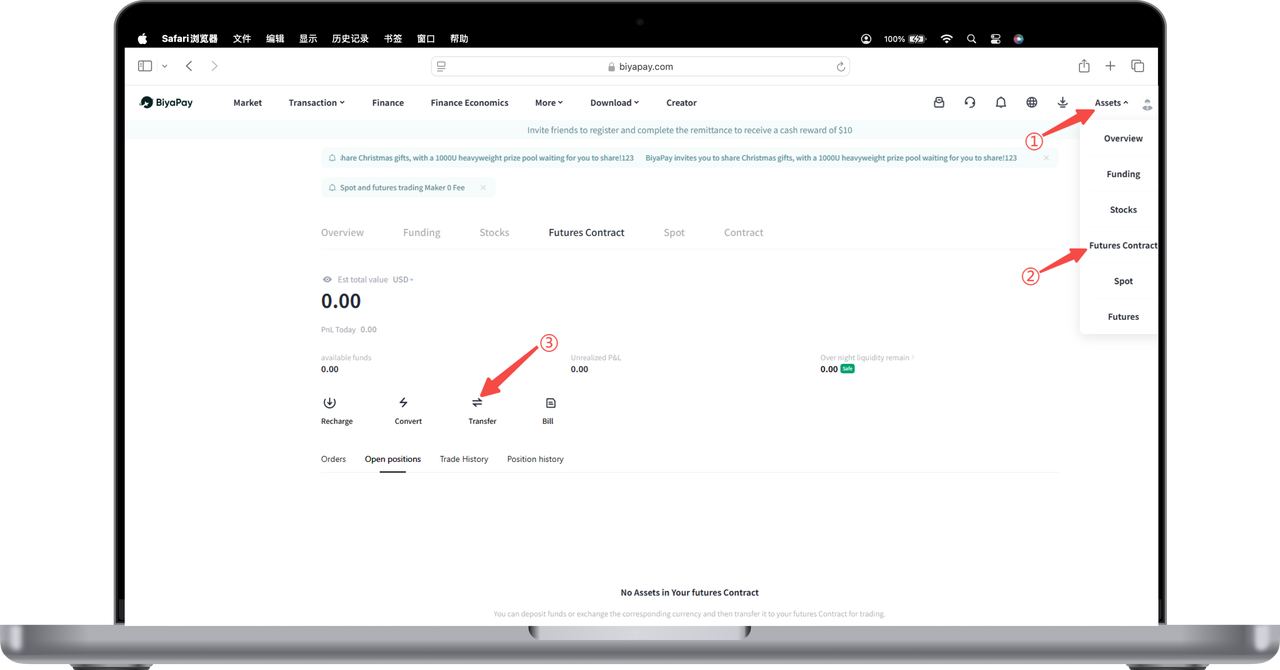
- On the [My Assets] - [Futures] page, click [Transfer];
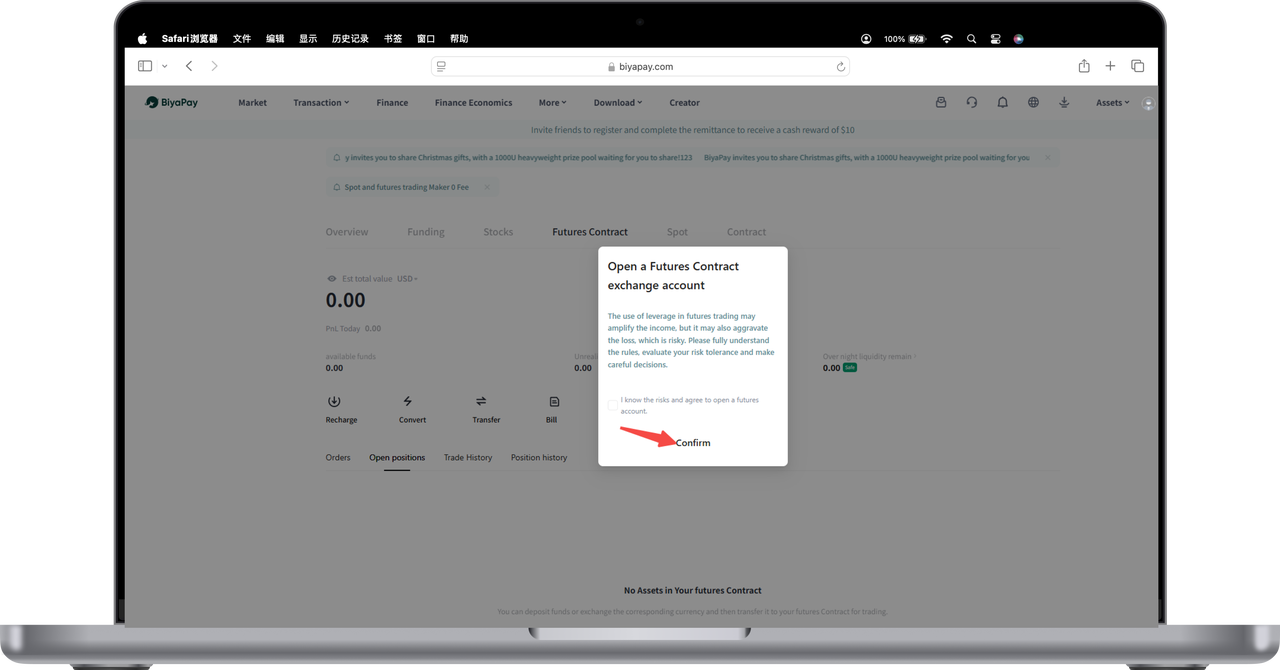
- Click [Confirm] to open the futures account.

Contact Us



