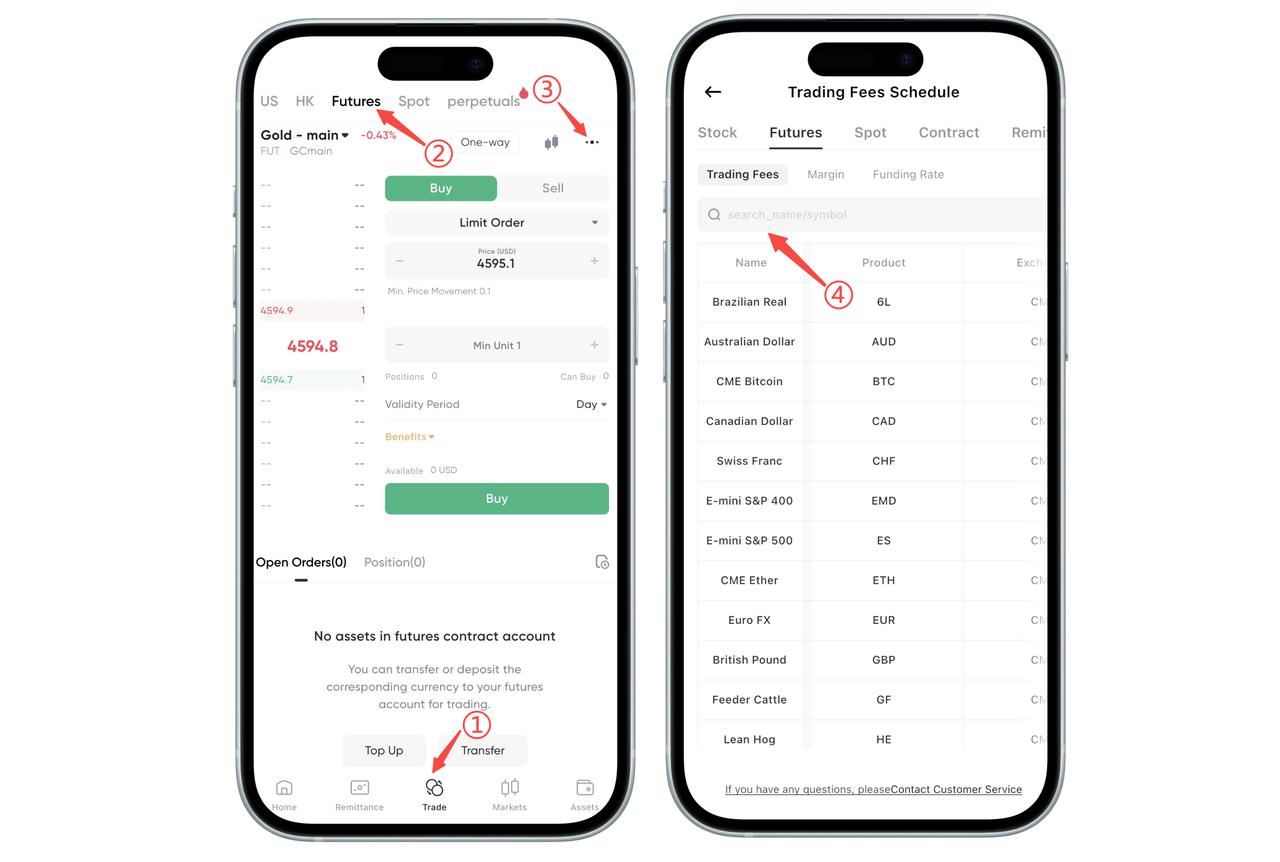
How to Check Futures Trading Fees on the App:
In the BiyaPay App, you can directly view the fee standards for the current futures product on the order page. Follow these steps:
First, click [Trading] at the bottom of the App, enter the trading page, switch to the [Futures] tab at the top, and select the futures contract you want to view (such as "Gold Main").
In the futures order interface, find the tool area above the price bar, and click the […] more button in the upper right corner. After entering the [Fees] page, you can search for the product name to view the specific fee details.
Through the above steps, you can clearly understand the fee cost per futures contract before placing an order, facilitating trading decisions and fund planning.
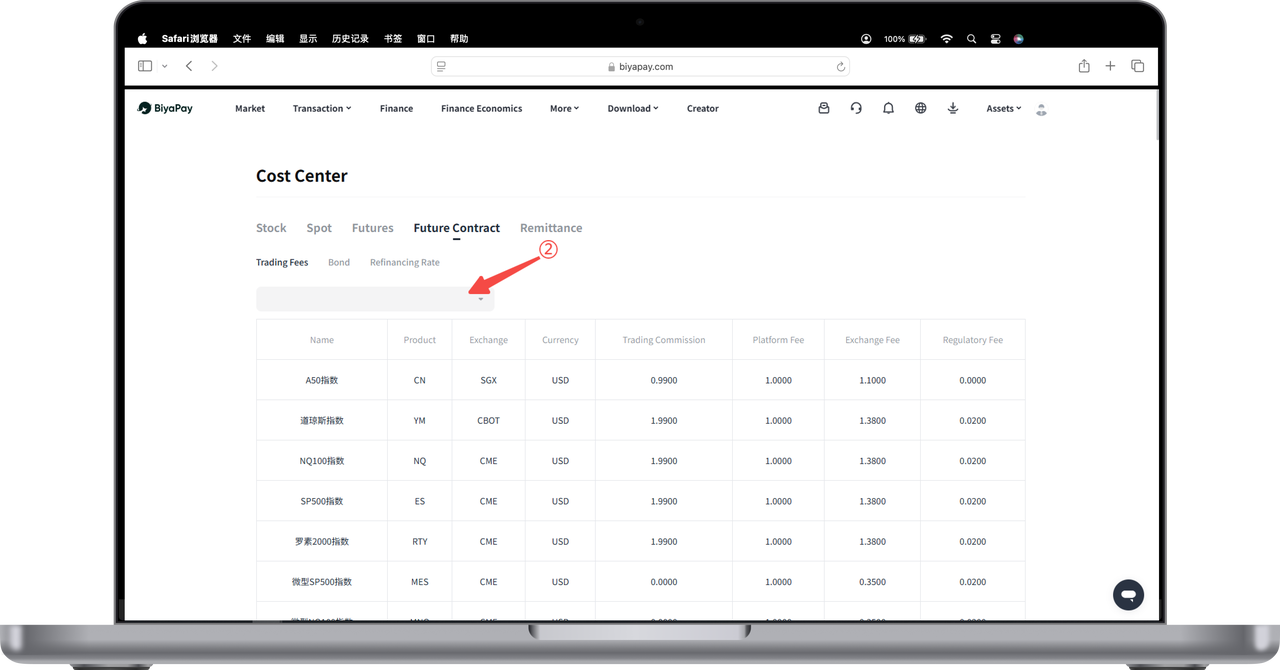
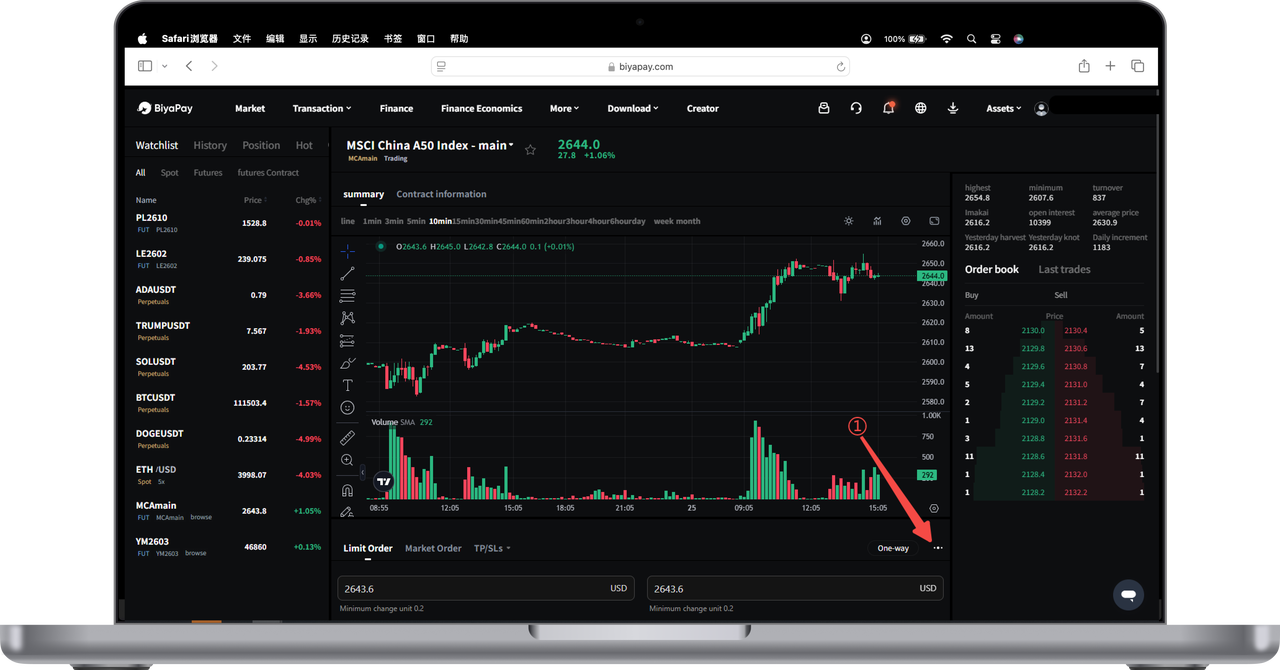
How to Check Futures Trading Fees on the Web:
- Click the three dots at the bottom right of the [Trading Page] to enter the futures [Fee Center];
- The [Fee Center] allows you to view the fees for all futures products. You can also directly enter the specific futures name to check the detailed fees for that futures contract.