BiyaPay
Published on Updated on



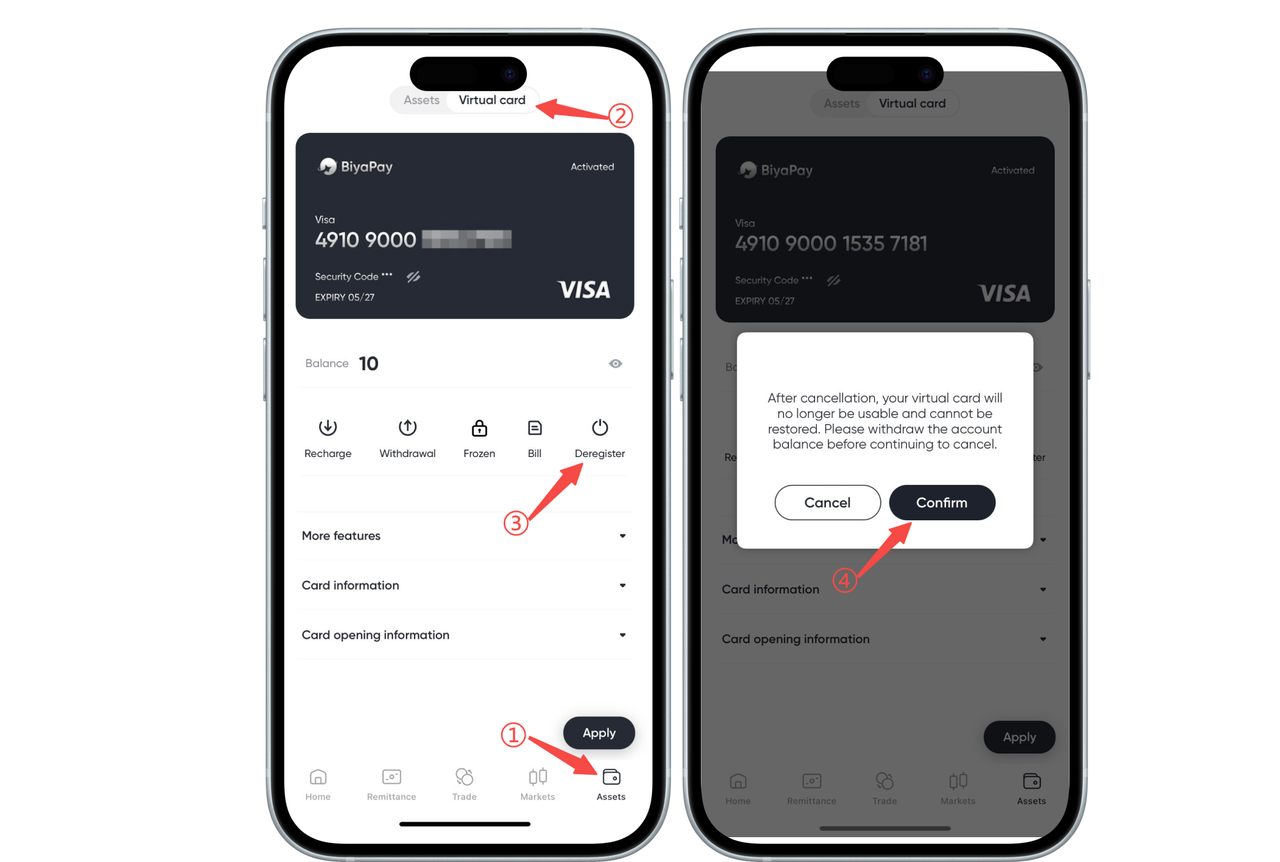
How to cancel BiyaPay Speed Card on the App:
On the 【Assets】-【Speed Card】 page, select 【Cancel】, and click 【Confirm】, then the card will be cancelled.
Please note: Once cancelled, the card cannot be reactivated. Please withdraw your account balance before proceeding with the cancellation.
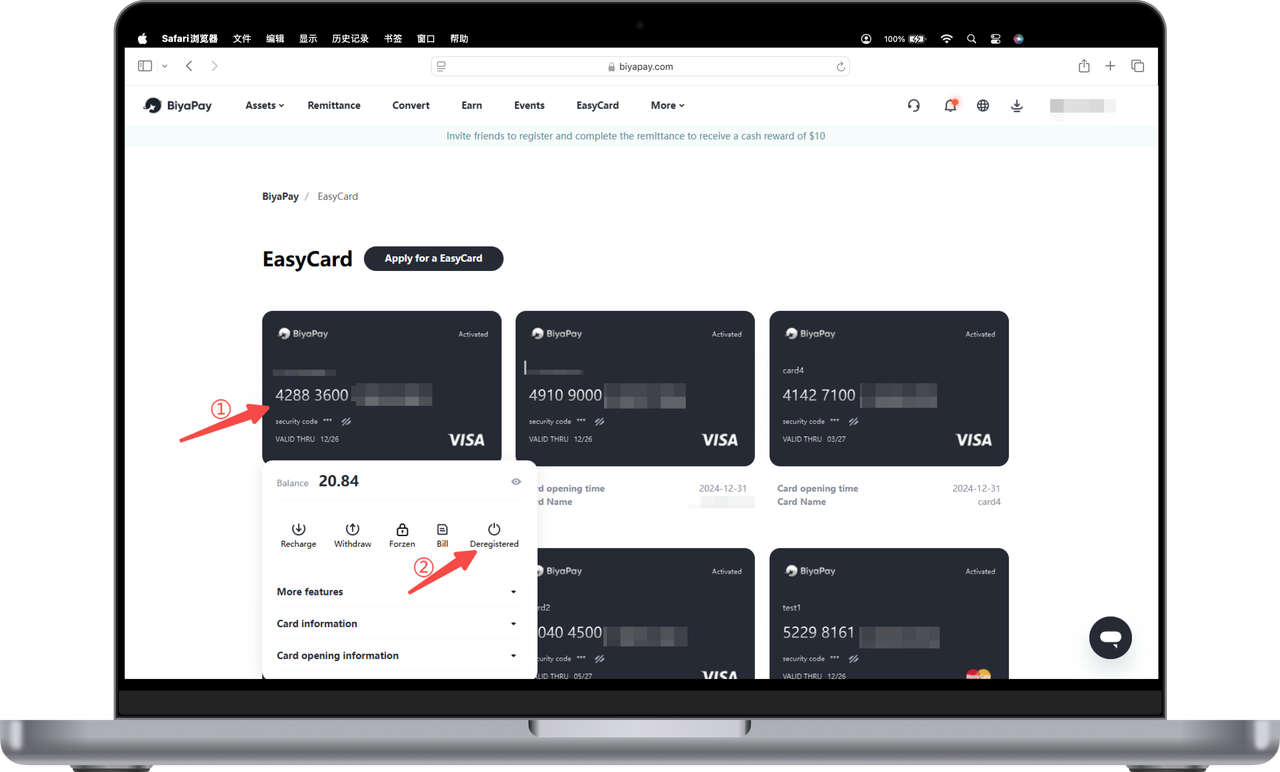
How to cancel BiyaPay Speed Card on the Web:
- Click the card and select 【Cancel】;
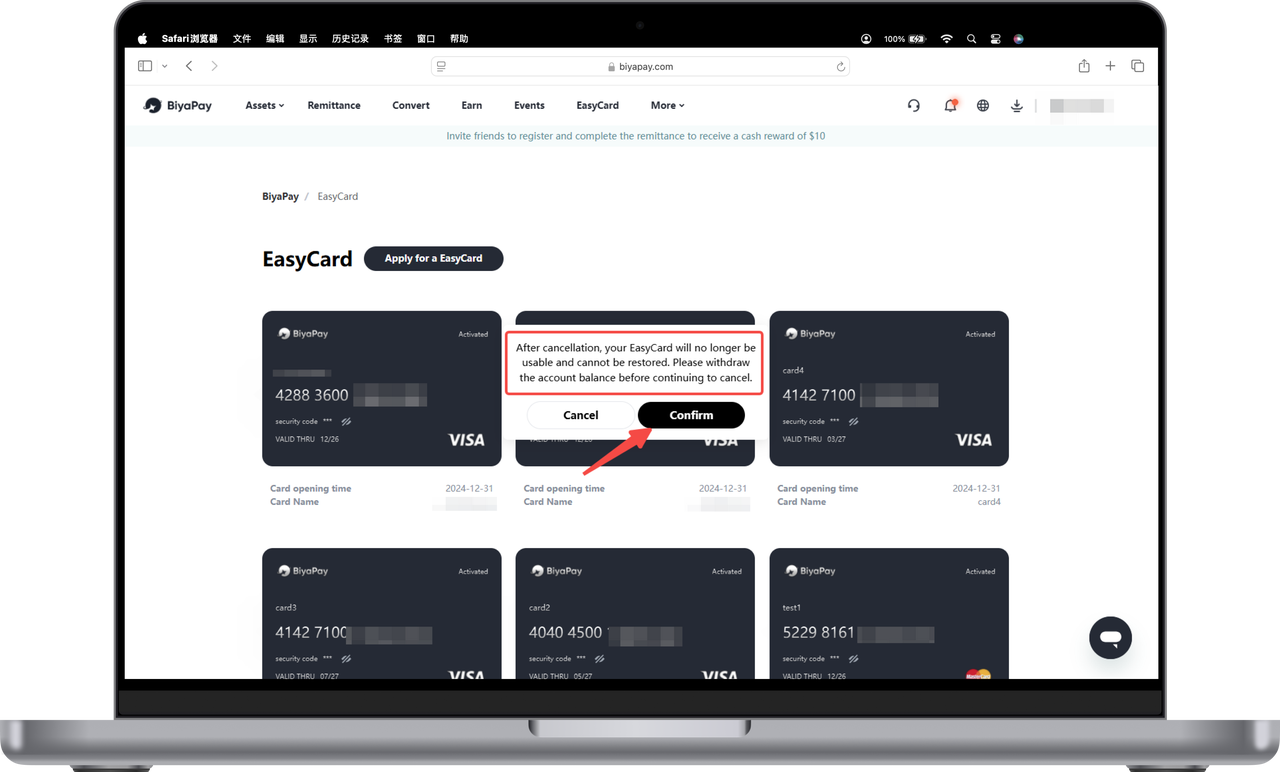
- Click 【Confirm】 to proceed with the cancellation.
Please note: After cancellation, your Speed Card will no longer be usable and cannot be reactivated. Please withdraw your account balance before proceeding with the cancellation.