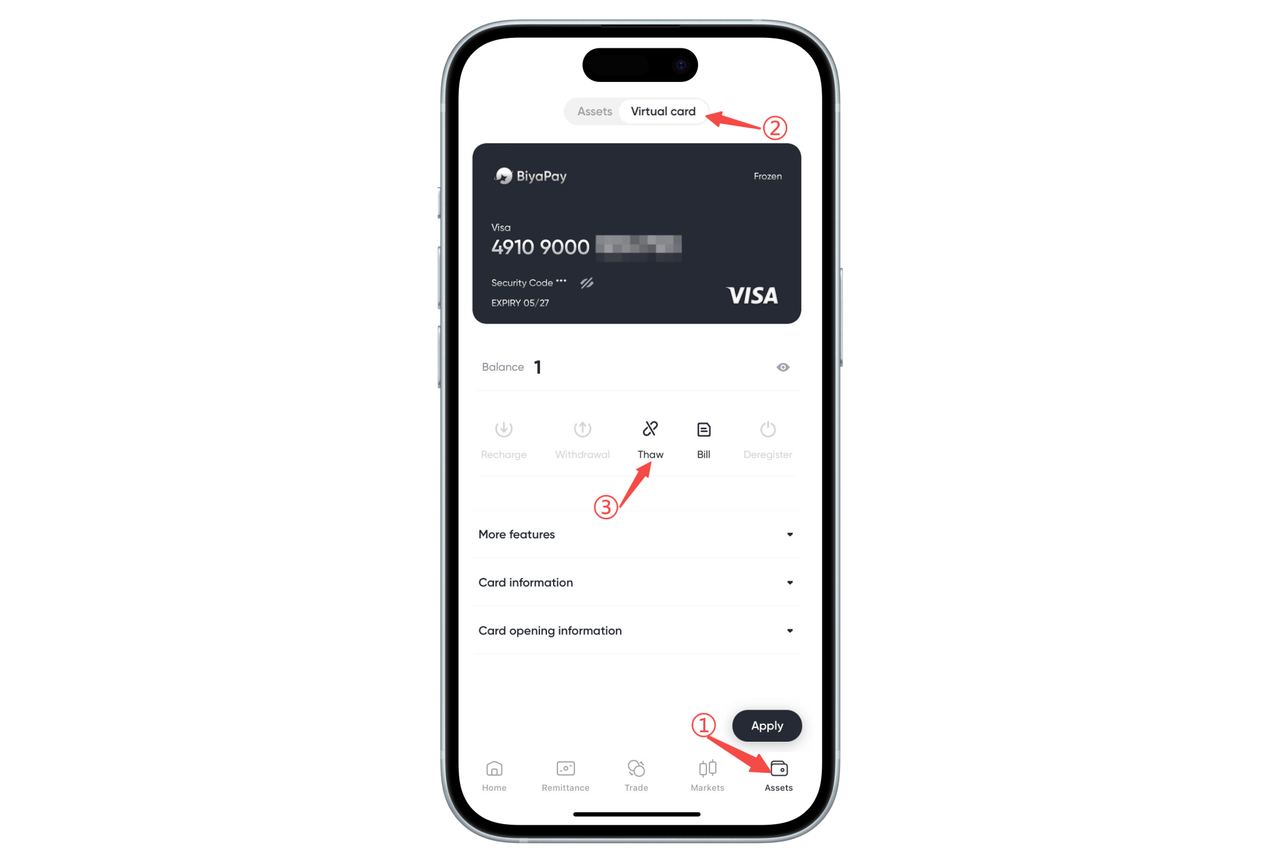
How to unfreeze BiyaPay Speed Card on the App:
BiyaPay Speed Card Freeze Types and Handling Methods
1、Self-Freeze
Definition: User actively freezes the card, usually for security protection or temporary deactivation.
Unfreeze Method:
Click the corresponding card, select 【Unfreeze】, and the card will resume normal use.
Features: Can be unfrozen by the user independently, no additional fees or operations required.
2、Card Organization Freeze
Definition: Card is directly frozen by the card organization due to违规 operations or triggering risk control rules.
Unfreeze Restrictions:
After card organization freeze, users cannot unfreeze, and the card will be temporarily or permanently invalid.
Example Reasons: High-frequency failed transactions, malicious refunds, illegal uses (such as gambling, pornography, money laundering), etc.
Suggestions
Operate the card carefully, avoid违规 behaviors to prevent triggering card organization freeze.
If you find the card is self-frozen, unfreeze it in time to resume use
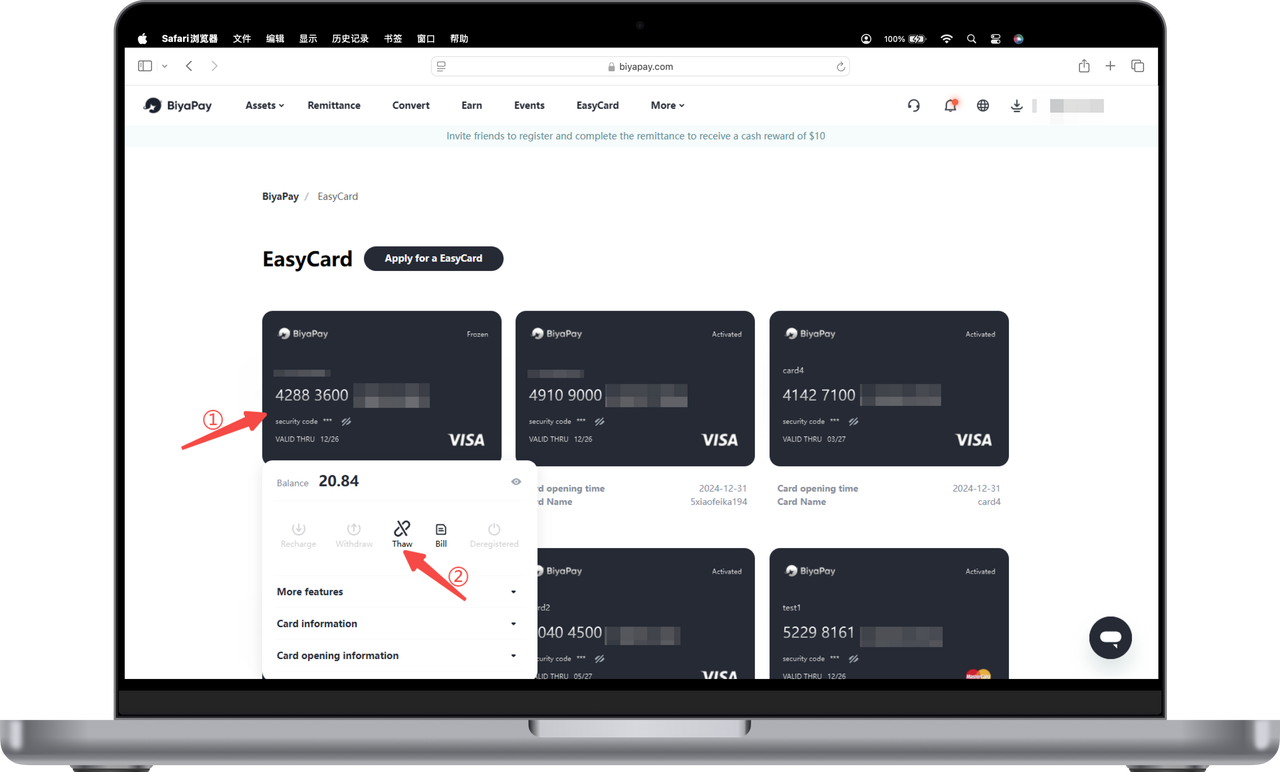
How to unfreeze BiyaPay Speed Card on the Web:
BiyaPay Speed Card Freeze Types and Handling Methods
1、Self-Freeze
Definition: User actively freezes the card, usually for security protection or temporary deactivation.
Unfreeze Method:
Click the corresponding card, select 【Unfreeze】, and the card will resume normal use.
Features: Can be unfrozen by the user independently, no additional fees or operations required.
2、Card Organization Freeze
Definition: Card is directly frozen by the card organization due to违规 operations or triggering risk control rules.
Unfreeze Restrictions:
After card organization freeze, users cannot unfreeze, and the card will be temporarily or permanently invalid.
Example Reasons: High-frequency failed transactions, malicious refunds, illegal uses (such as gambling, pornography, money laundering), etc.
Suggestions
Operate the card carefully, avoid违规 behaviors to prevent triggering card organization freeze.
If you find the card is self-frozen, unfreeze it in time to resume use