BiyaPay
Published on Updated on



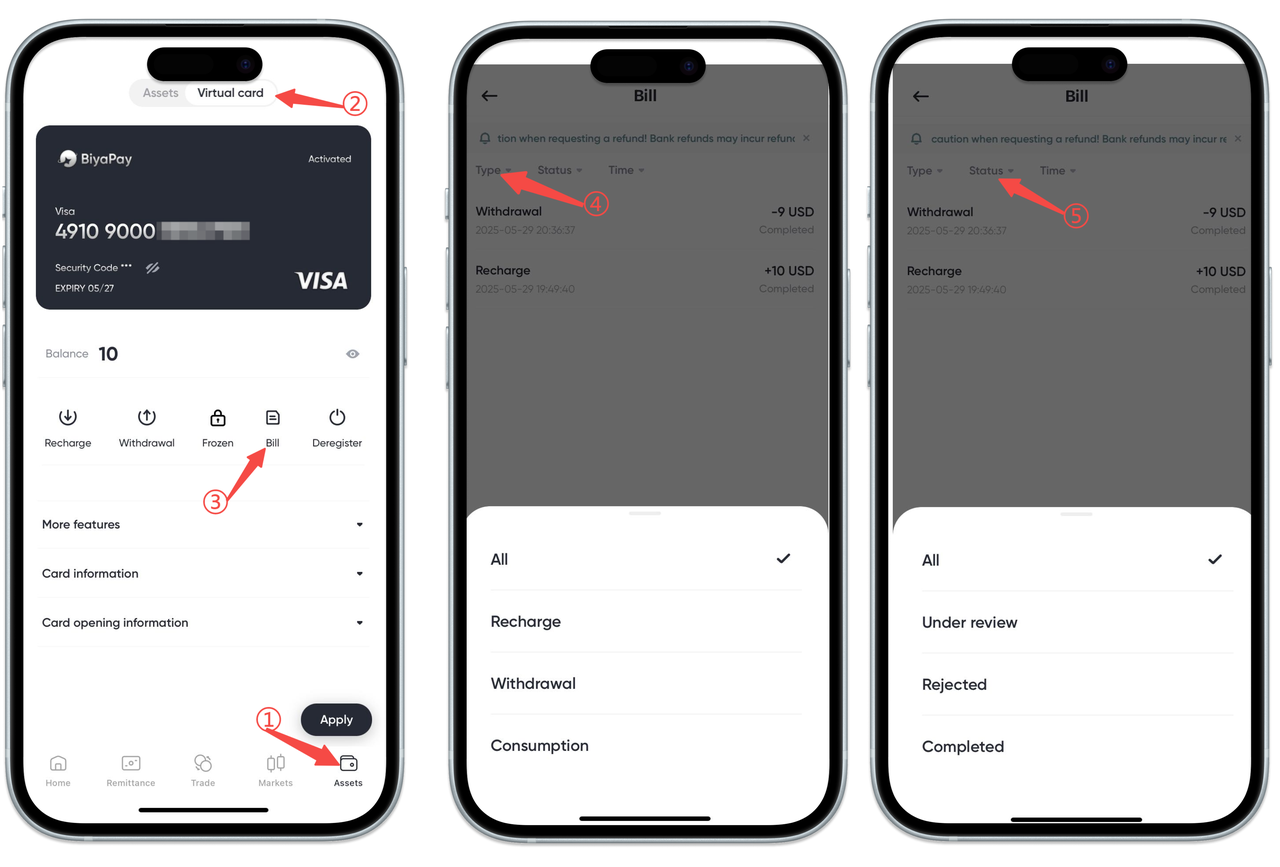
How to view BiyaPay Speed Card bill on the App:
On the 【Assets】-【Speed Card】 page, select 【Bill】, and you can view all top-up, withdrawal, and consumption records, as well as the status of orders pending review, rejected, and completed.
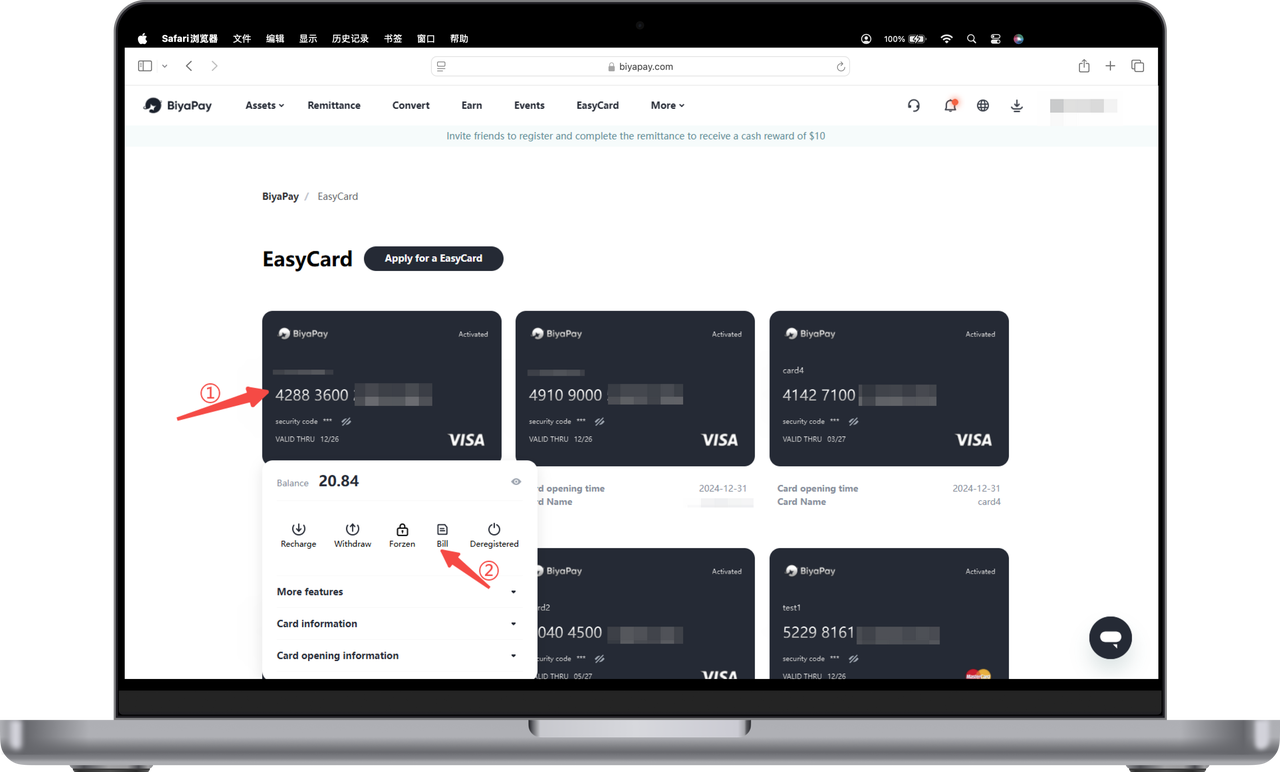
How to view BiyaPay Speed Card bill on the Web:
- Click the card and select 【Bill】;
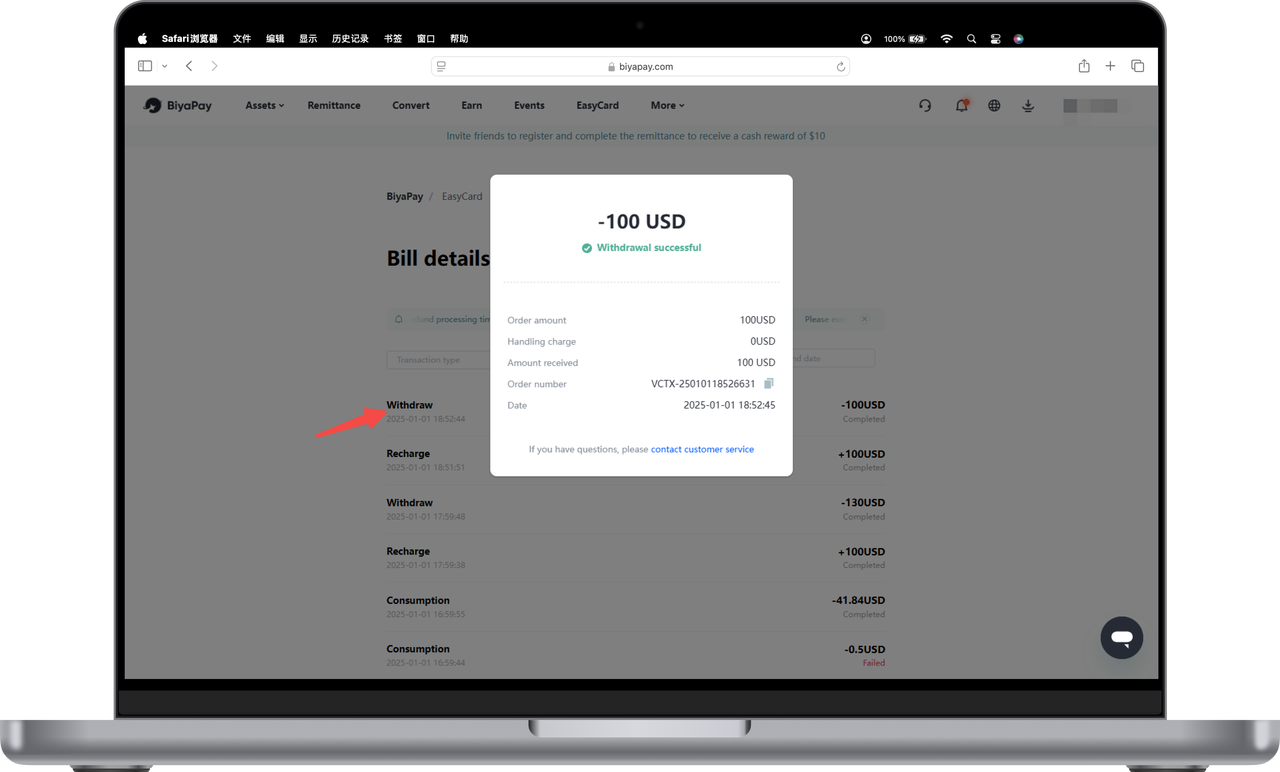
- Click any top-up, withdrawal, or consumption record to view transaction details.