- More
- Download




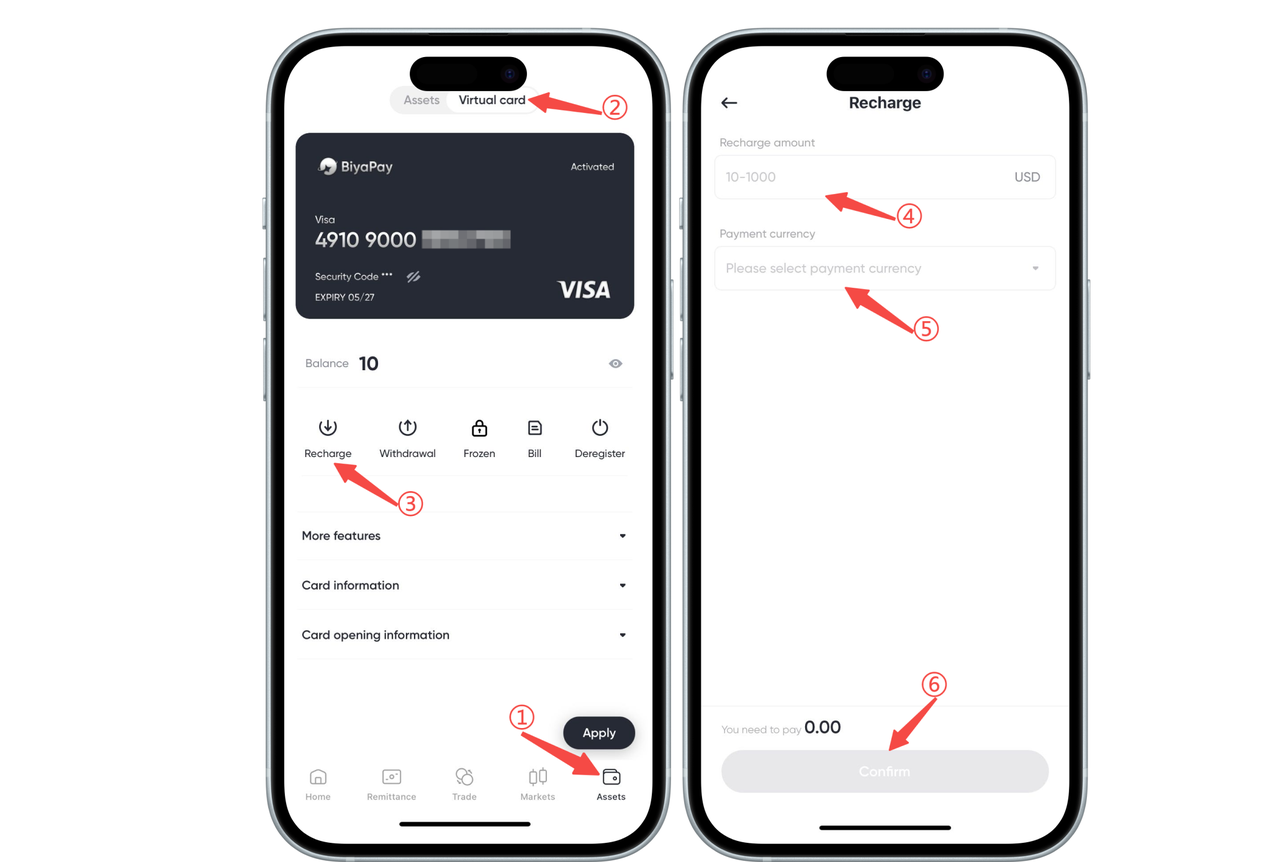
How to top up BiyaPay Speed Card on the App:
On the 【Assets】-【Speed Card】 page, select 【Top Up】, enter the top-up amount, select the payment currency, and click 【Confirm】, then the top-up will be successful.
When using BiyaPay Speed Card, please note the following top-up amount requirements (subject to the amount indicated on the top-up page):
Minimum single top-up amount: 5 USD
Maximum single top-up amount: 2000 USD
Warm reminder: Top-ups outside this range cannot be completed. Please ensure the top-up amount meets the requirements to avoid affecting your user experience.
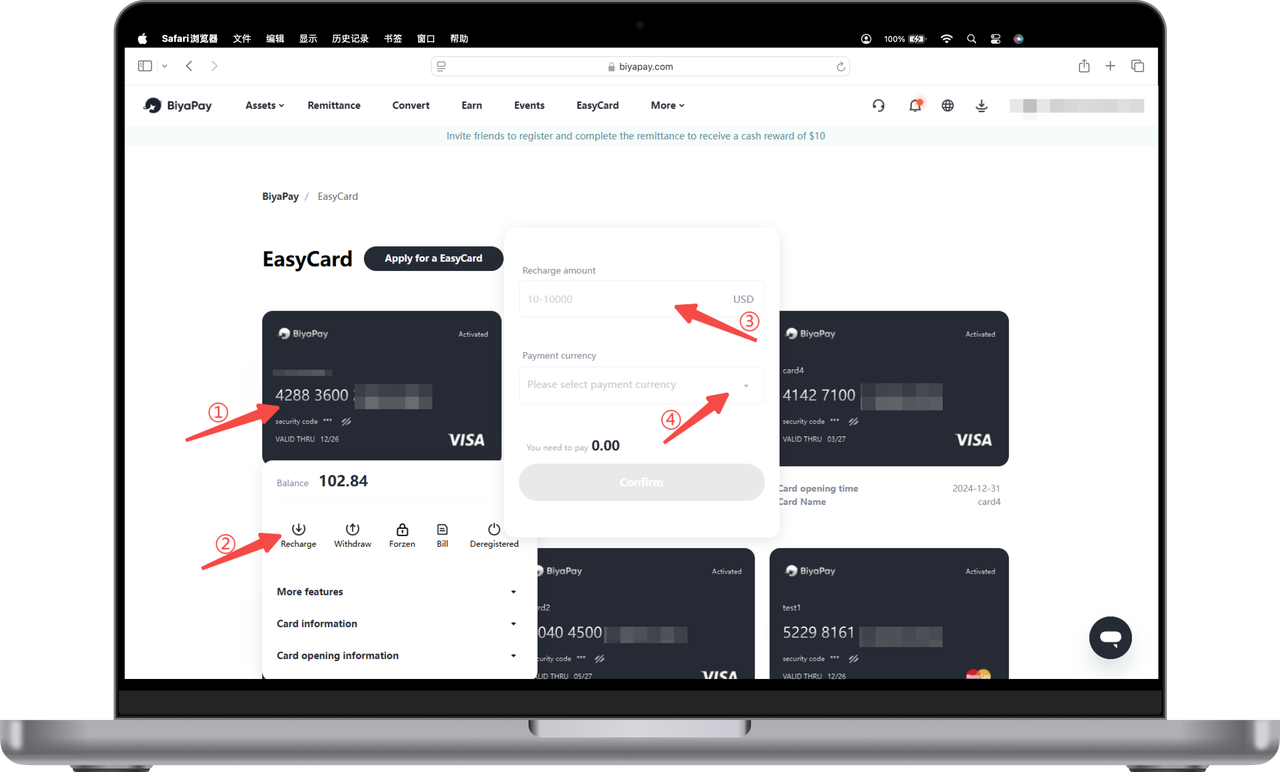
How to top up BiyaPay Speed Card on the Web:
Click the card, select 【Top Up】, enter the top-up amount, select the payment currency, and click 【Confirm】, then the top-up will be successful.
When using BiyaPay Speed Card, please note the following top-up amount requirements (subject to the amount indicated on the top-up page):
Minimum single top-up amount: 5 USD
Maximum single top-up amount: 2000 USD
Warm reminder: Top-ups outside this range cannot be completed. Please ensure the top-up amount meets the requirements to avoid affecting your user experience.

Contact Us



