- More
- Download

BiyaPay
Published on Updated on



如何在 App 端使用BiyaPay进行合约交易:
下面给您展示完整的合约交易流程,以充值USDT交易合约为例
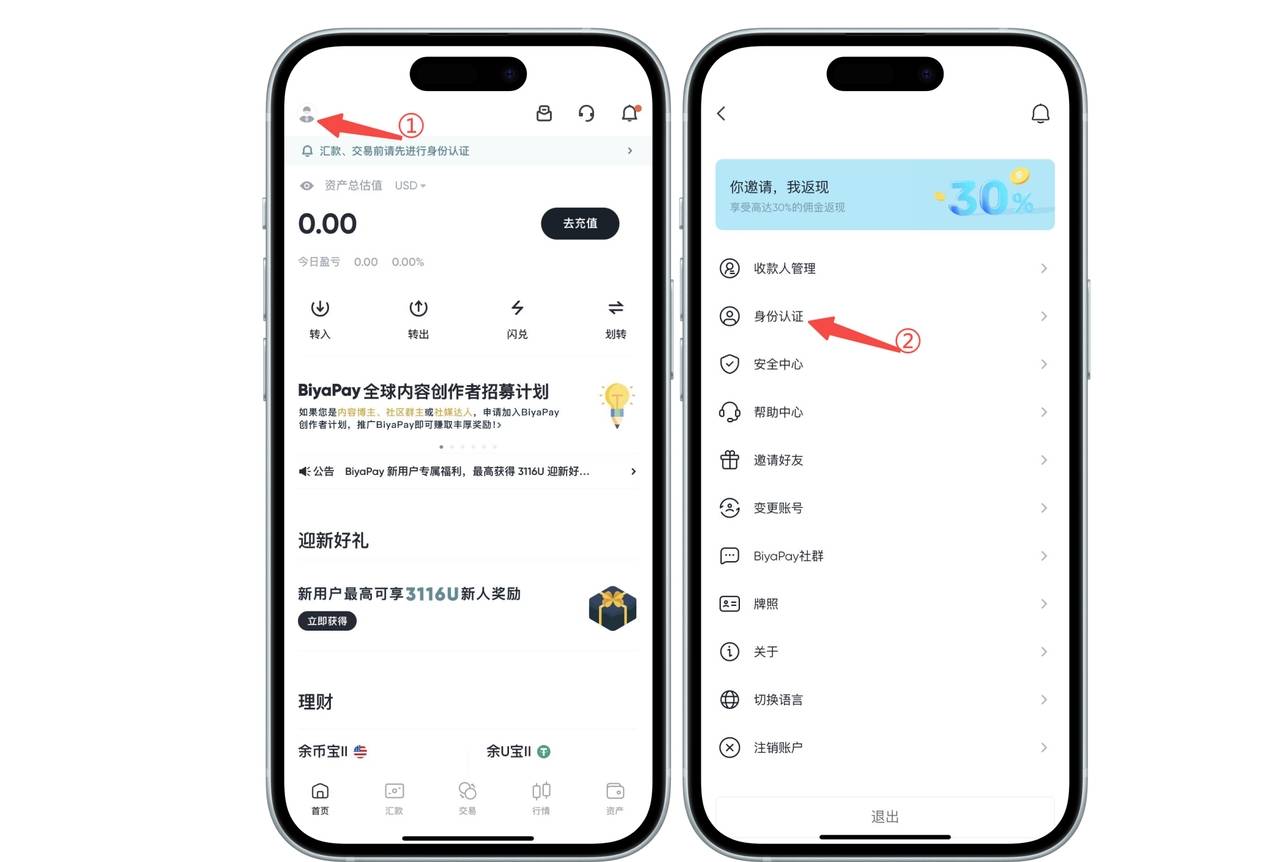
1、实名认证
点击app首页左上角头像图标,进入个人中心,选择【身份认证】进行实名认证
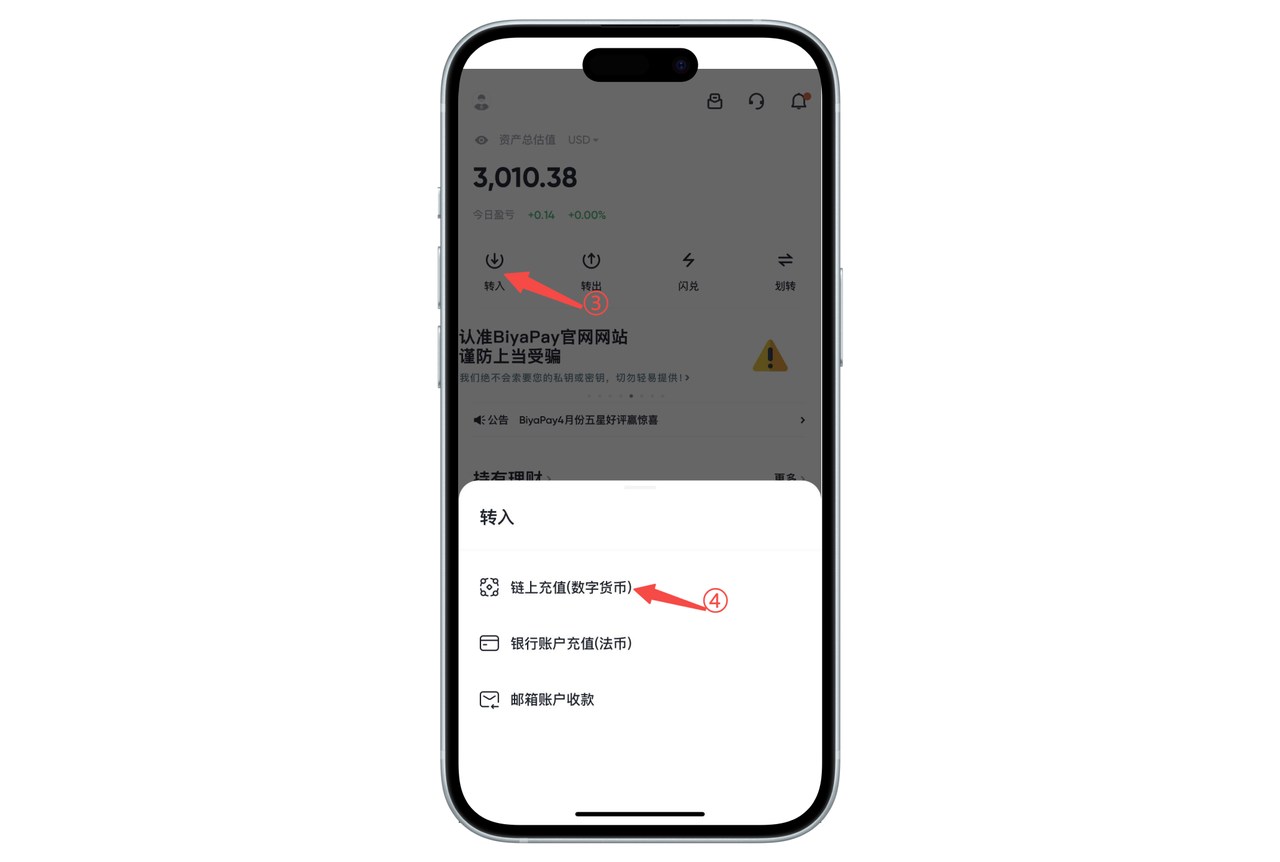
2、充值USDT
app首页点击【转入】,选择【链上充值】,充值USDT
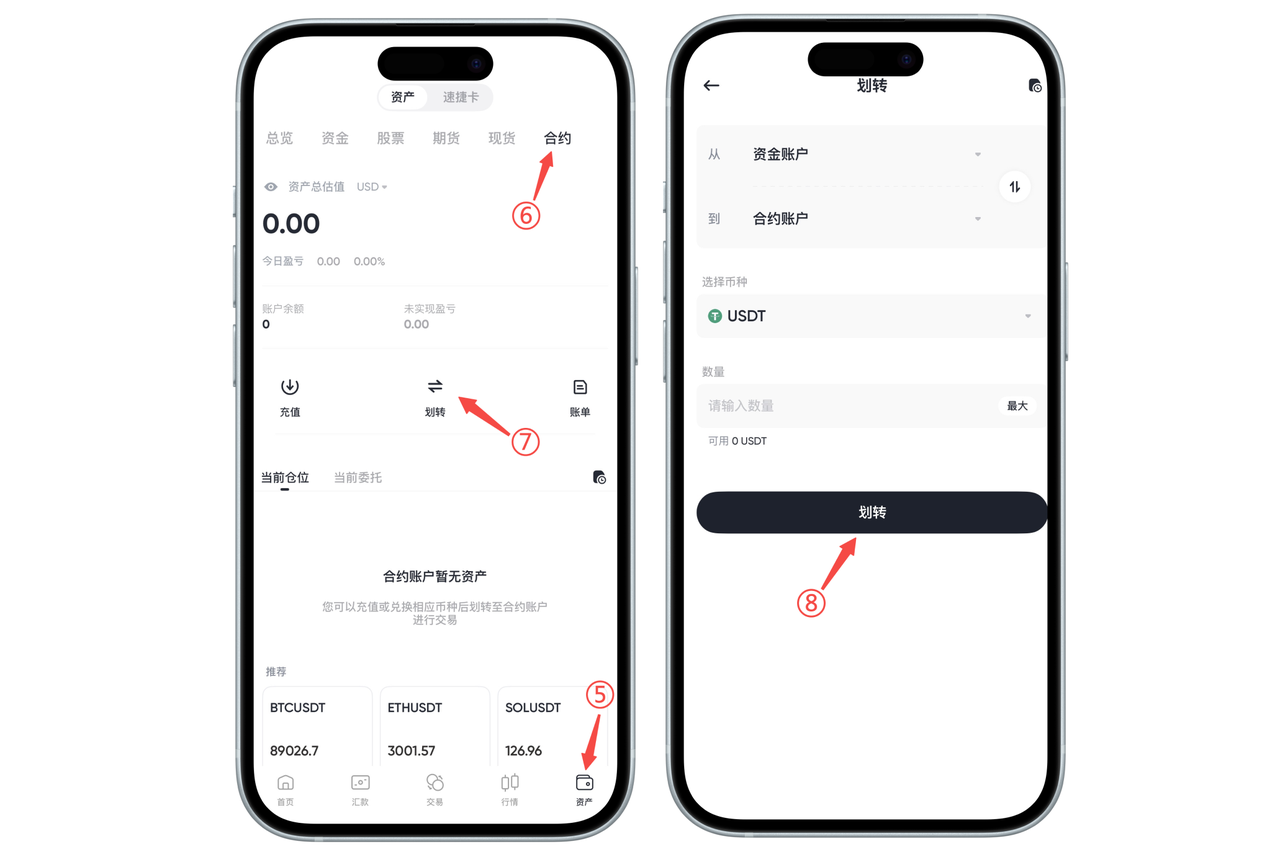
3.把USDT从资金账户划转到合约账户
点击【资产】-【合约】页面的【划转】,把USDT从资金账户划转到合约账户
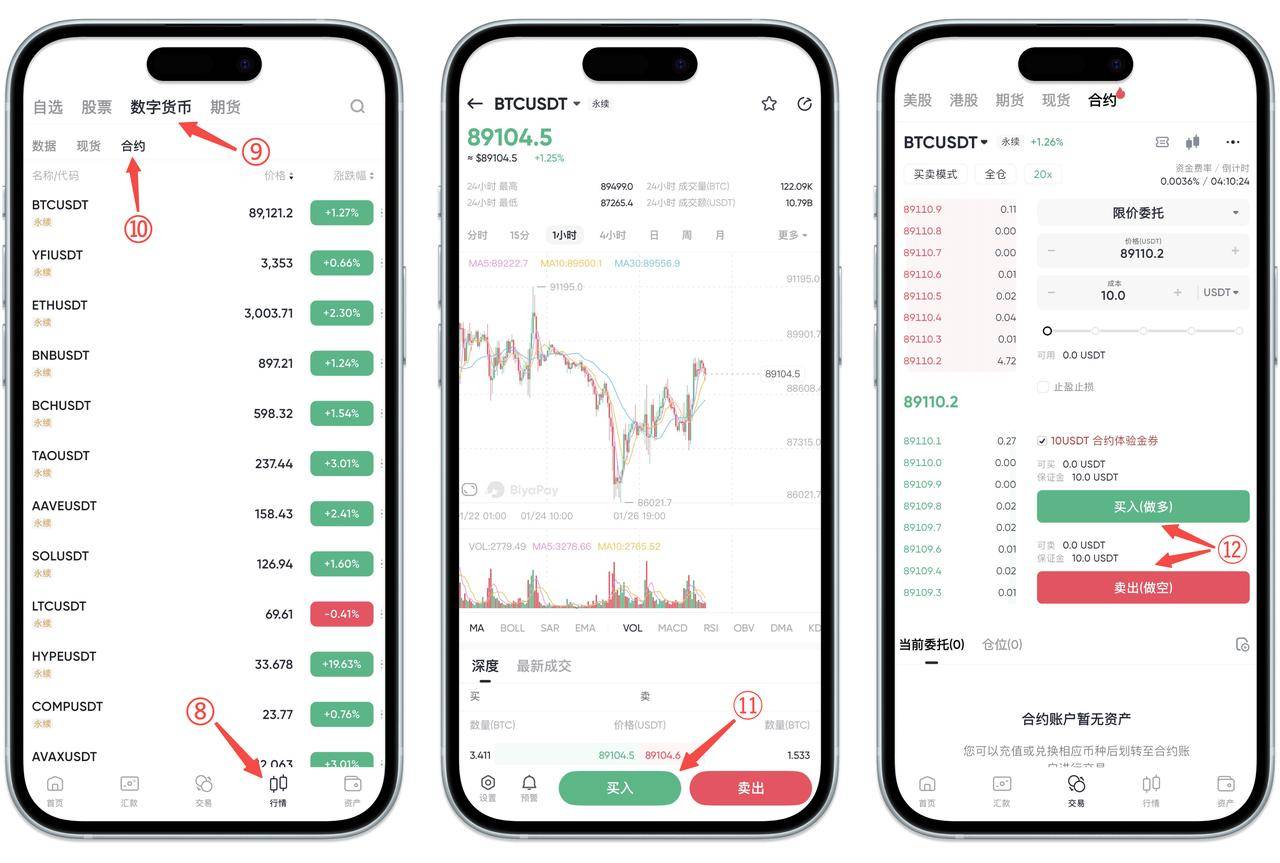
4.选择需要交易的合约对
点击【行情】-【数字货币】-【合约】,选择需要交易的合约对,点击【买入】或者【卖出】,进入交易页面,在交易界面选择买入(做多)或者卖出(做空)
如何在 Web 端使用BiyaPay进行合约交易:
下面给您展示完整的合约交易流程,以充值USDT交易合约为例
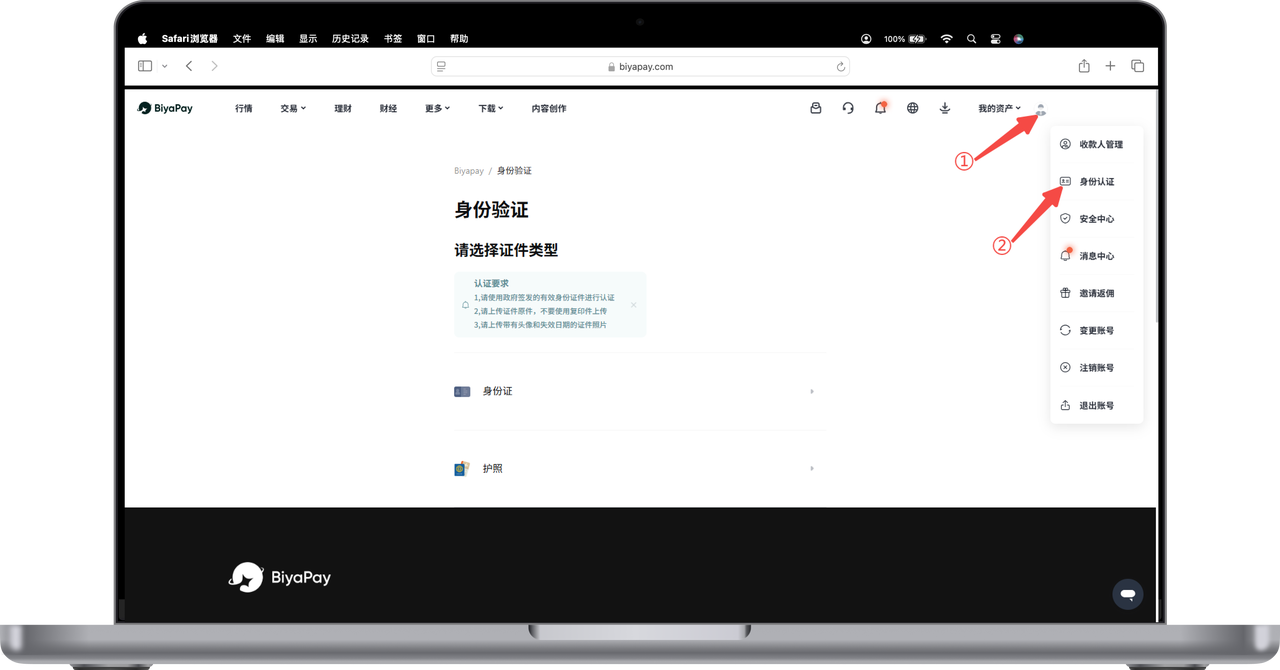
1、实名认证
打开官网,点击右上角头像-【身份认证】,完成身份认证
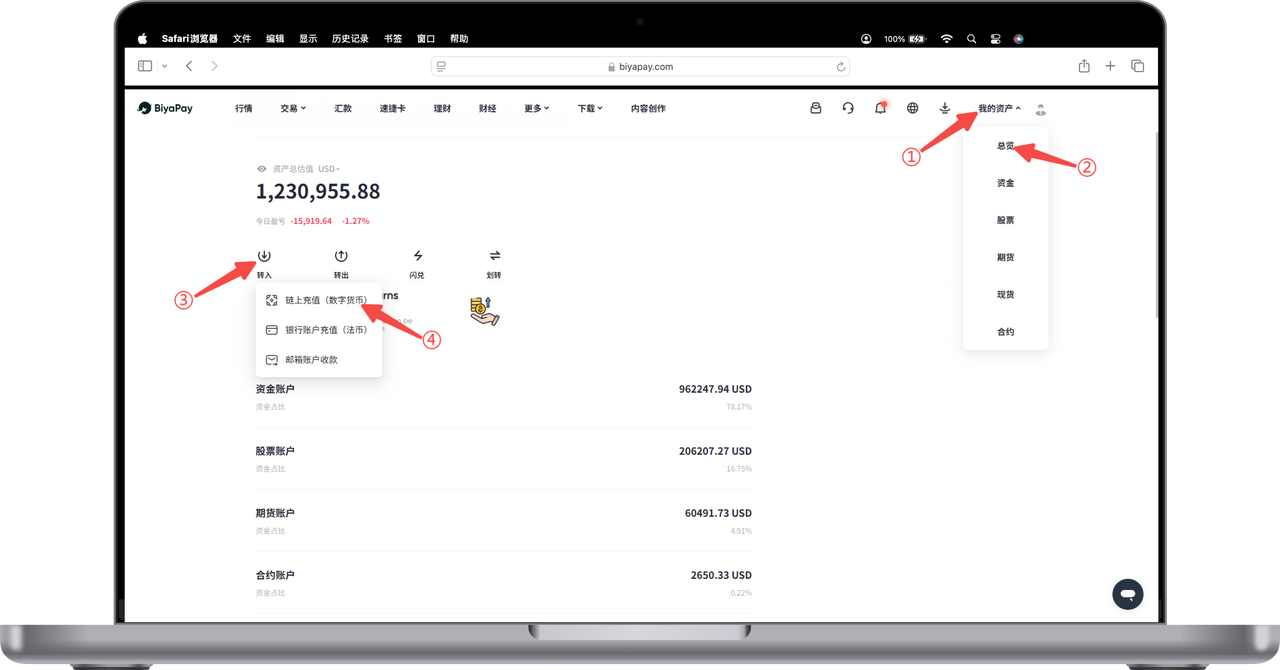
2、充值USDT
点击网页右上角【我的资产】-【总览】-【转入】-【链上充值】,充值USDT
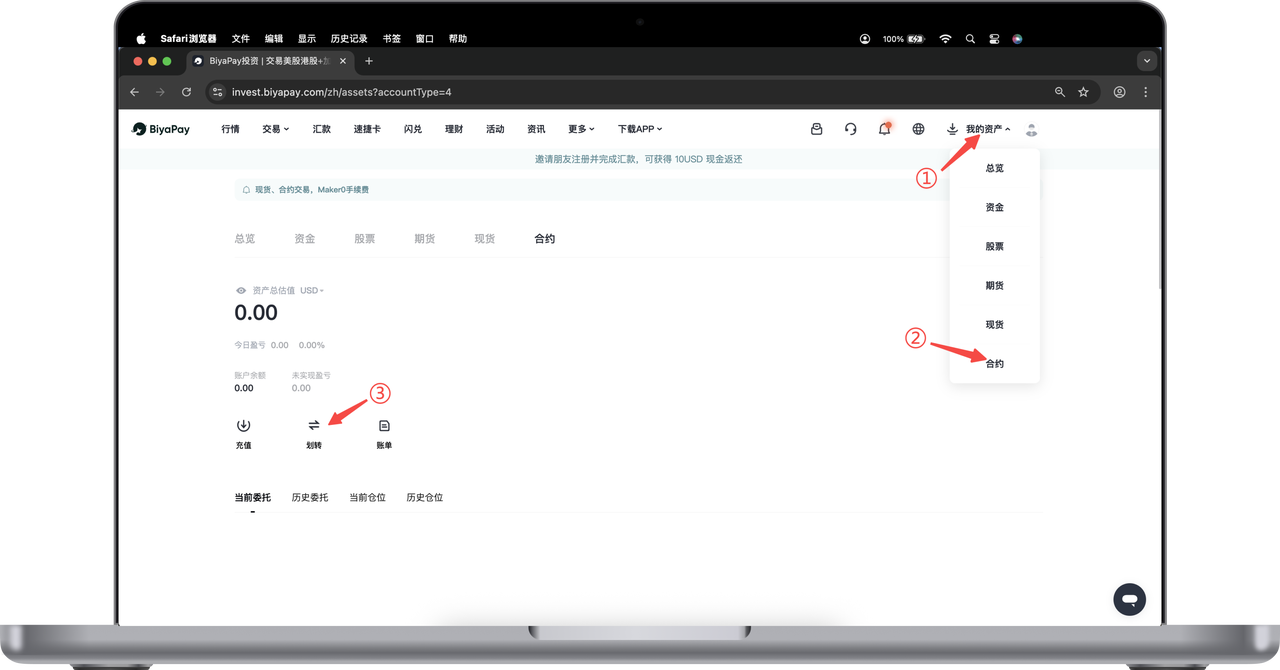
3.把USDT从资金账户划转到合约账户
点击【合约】页面的【划转】,把USDT从资金账户划转到合约账户
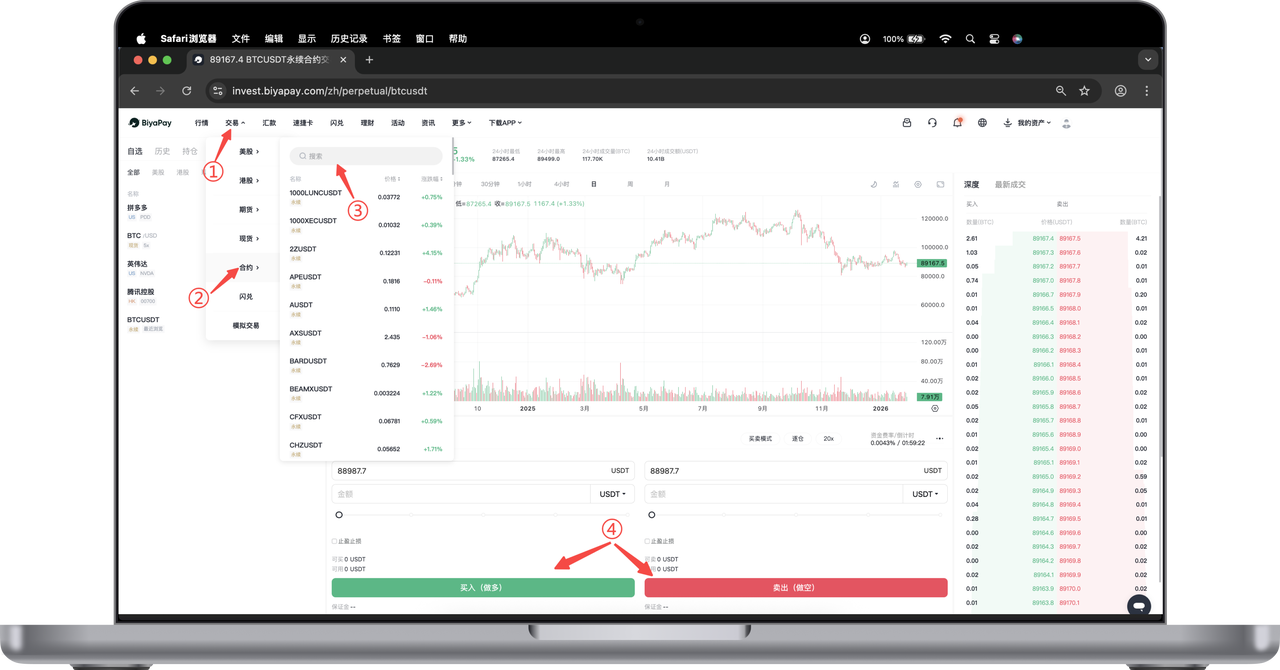
4.行情页面搜索需要交易的合约对
点击网页面左上角【交易】,选择【合约】,搜索需要交易的合约对,进入合约图表页面,点击【买入】或者【卖出】进行交易。

BiyaPay makes crypto more popular!
Contact Us
Mail: service@biyapay.com
Customer Service Telegram: https://t.me/biyapay001
Telegram Community: https://t.me/biyapay_ch
Digital Asset Community: https://t.me/BiyaPay666
Community




Compliance Entity
Biya Global LLC is a U.S. limited liability company. It has completed federal MSB registration (Registration number 31000218637349) with FinCEN under the Bank Secrecy Act and is subject to FinCEN’s supervision.
Biya Global Limited is a New Zealand registered entity. It holds valid FSP registration (Registration number FSP1007221) on the Financial Service Providers Register (FSPR) under the Financial Service Providers (Registration and Dispute Resolution) Act 2008 and is subject to supervision by the Financial Markets Authority (FMA).
©2019 - 2026 BIYA GLOBAL LIMITED