- More
- Download




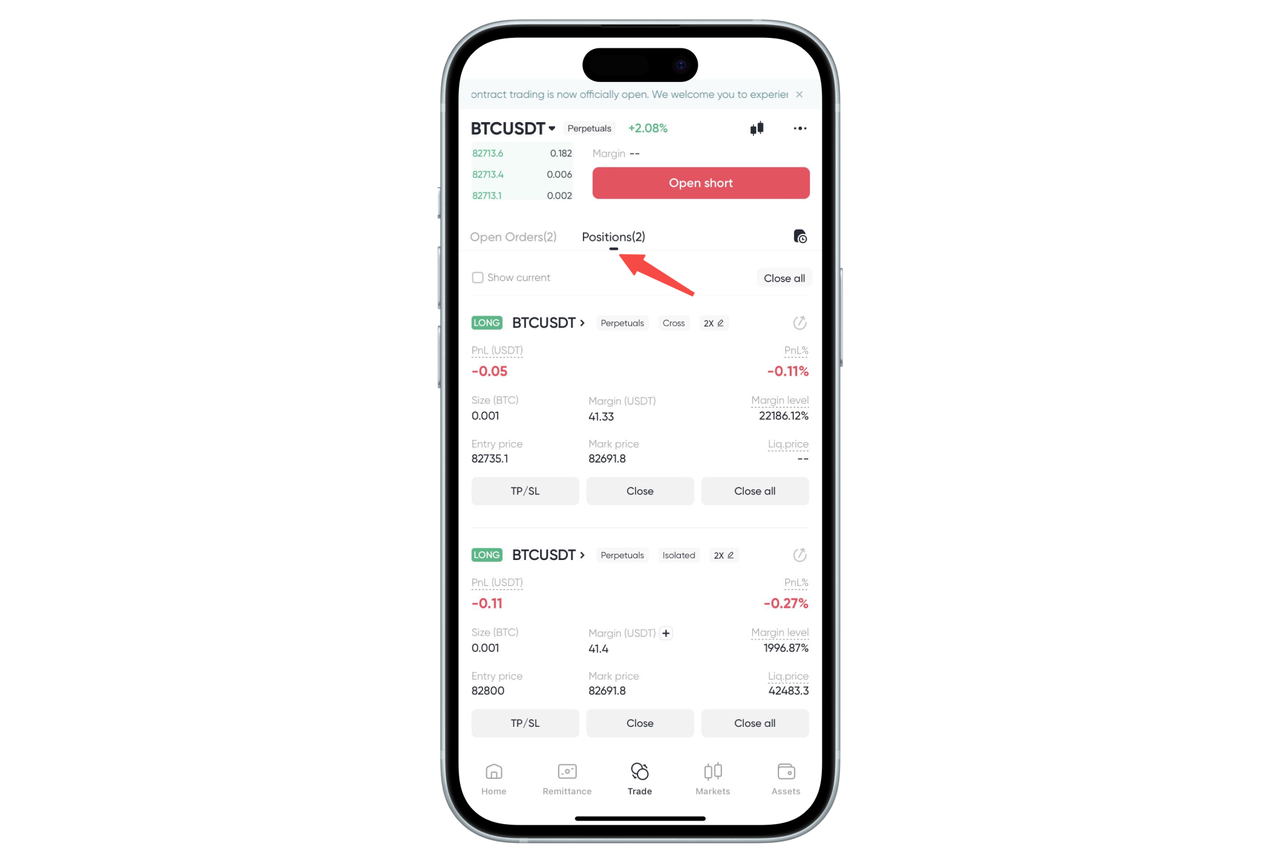
How to view contract 【Positions】 and 【Current Orders】 on the App:
At the bottom of the contract trading page, you can view all information related to trading activities by switching between 【Positions】 and 【Current Orders】.
Under 【Positions】, you can view all open orders, including:
Contract name
Position size
Average opening price, latest price, and estimated liquidation price
Margin rate and margin
Profit
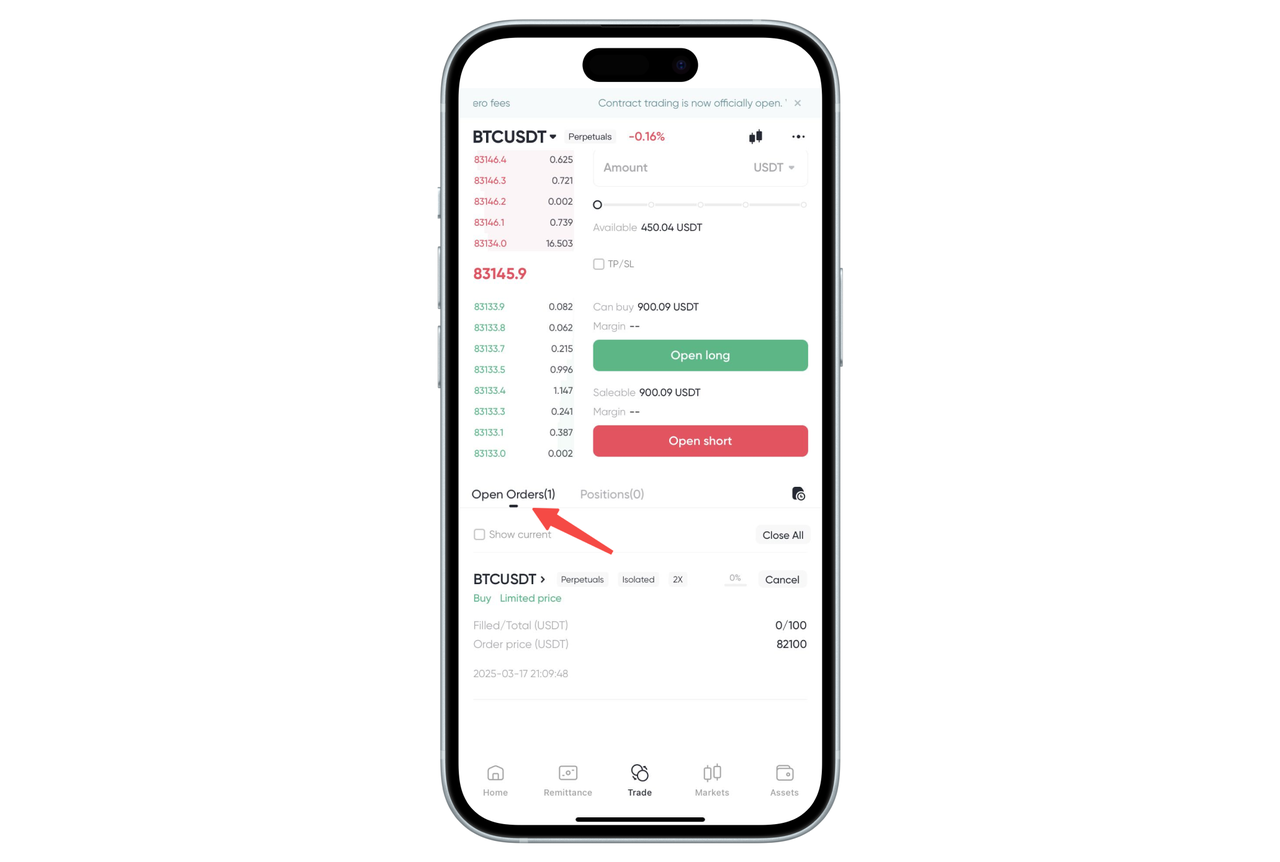
Under 【Current Orders】, you can view all pending orders, including:
Contract name
Filled quantity, total order quantity
Order price
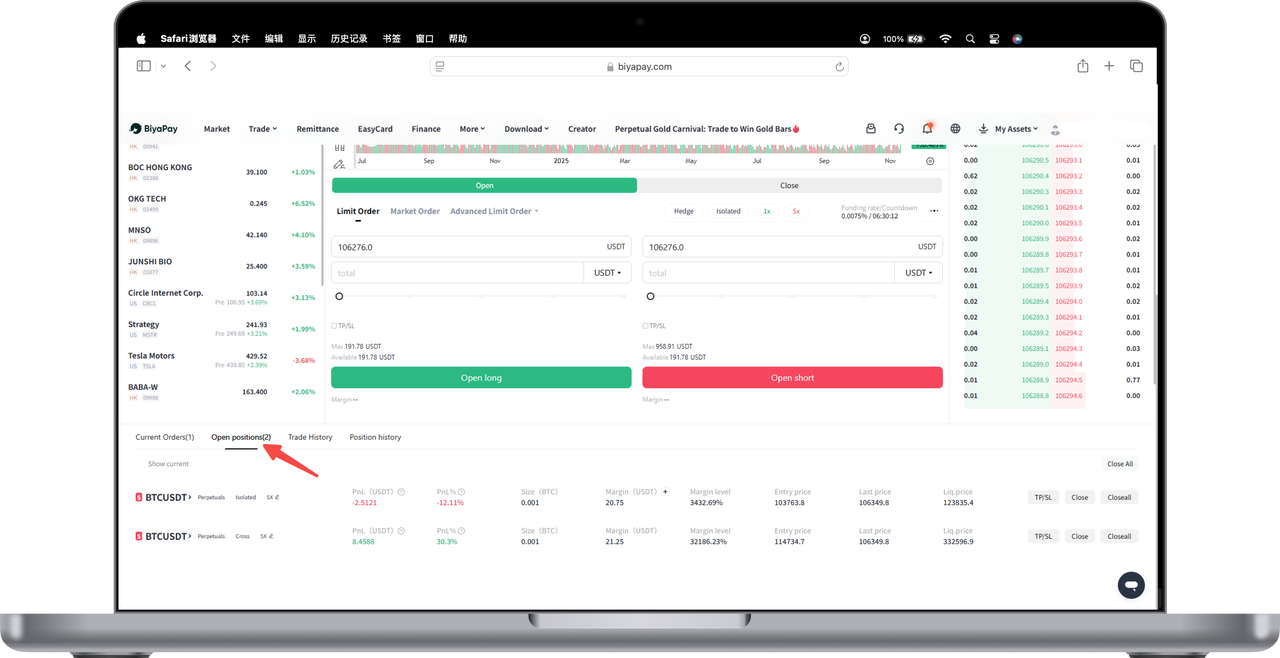
How to view contract 【Current Positions】 and 【Current Orders】 on the Web:
At the bottom of the contract trading page, you can view all information related to trading activities by switching between 【Positions】 and 【Current Orders】.
Under 【Positions】, you can view all open orders, including:
Contract name
Position size
Average opening price, latest price, and estimated liquidation price
Margin rate and margin
Profit
Under 【Current Orders】, you can view all pending orders, including:
Contract name
Filled quantity, total order quantity
Order price

Contact Us



