- More
- Download




How to close long or short positions in contract trading on the App:
BiyaPay supports position mode and one-way mode as two different trading methods.
I. In position mode, positions can be closed in the following two ways:
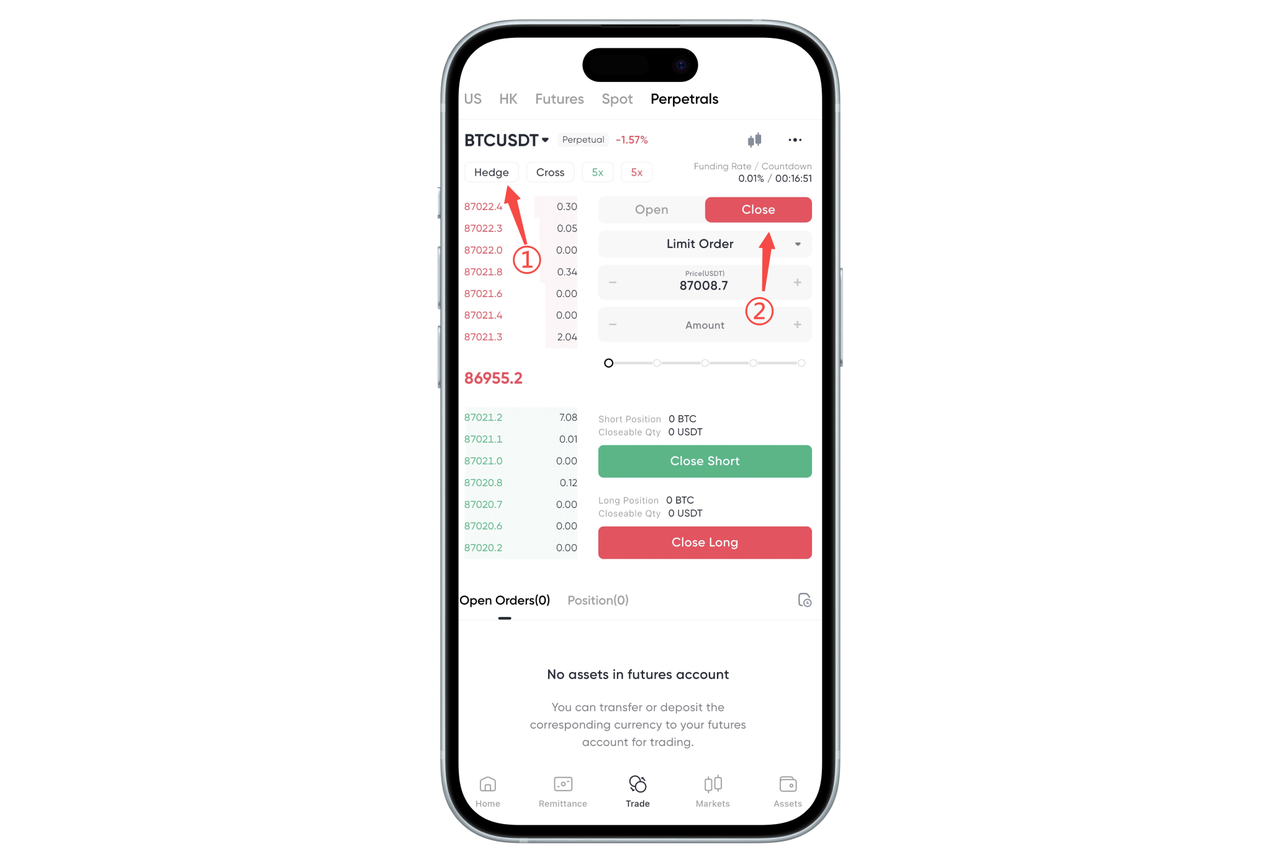
- Close positions through the position interface
Find 【Close Position】 next to the 【Open Position】 button and click to close the position.
- Close positions through the positions page
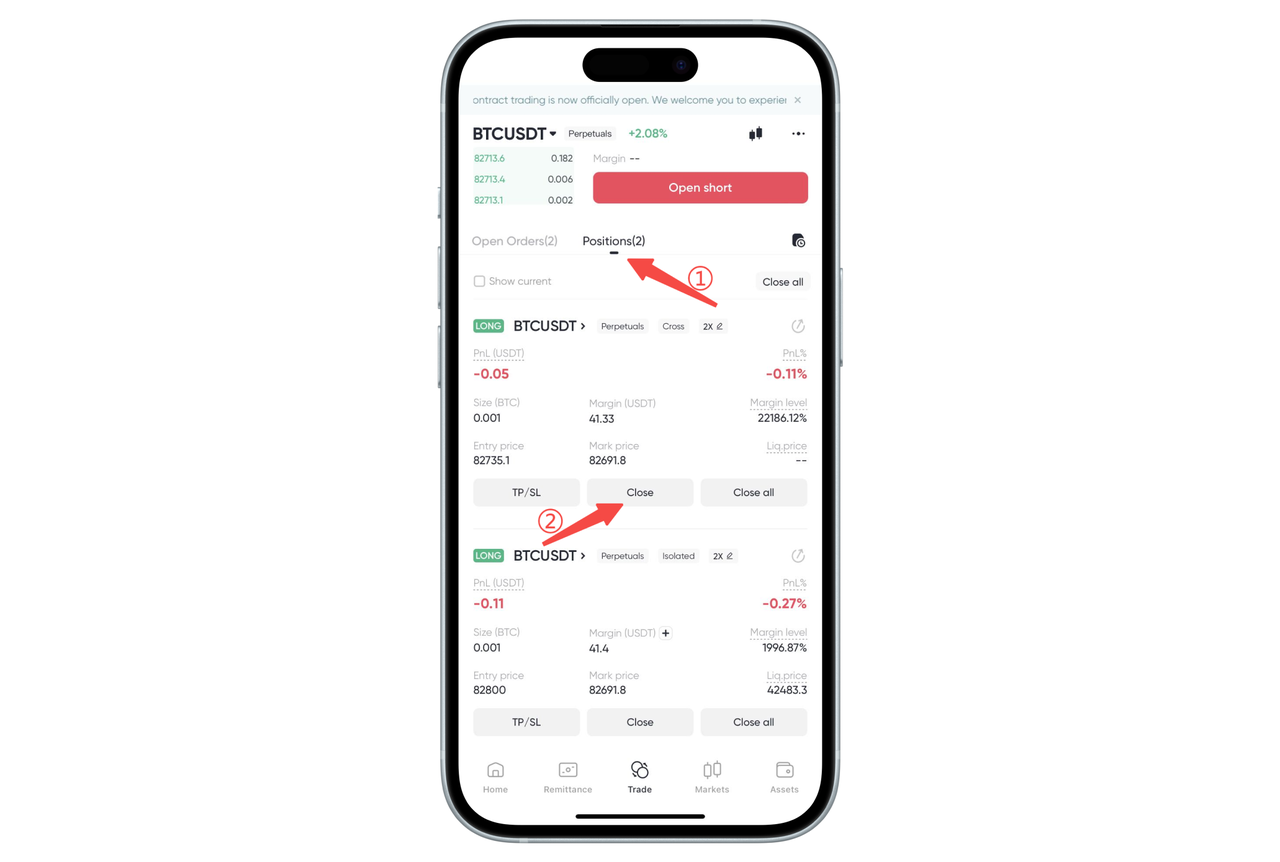
Go to the 【Positions】 page and find the position you want to close.
Click the 【Close Position】 button and select market close or limit close to proceed.
II. In one-way mode, positions can be closed in the following two ways:
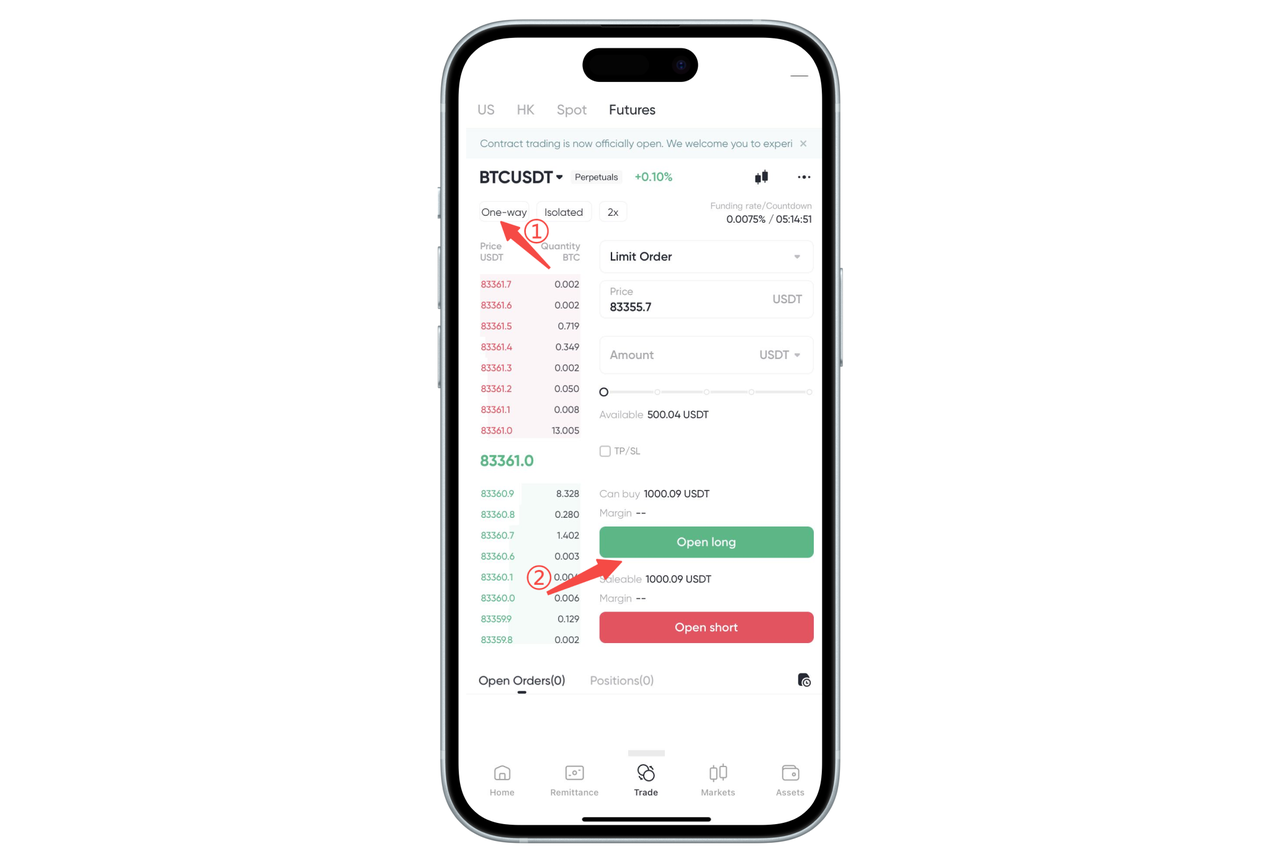
- Close positions by directly executing opposite operations
If you hold a long position (go long), click 【Sell (Go Short)】 to close the position.
If you hold a short position (go short), click 【Buy (Go Long)】 to close the position.
- Close positions through the positions page
Go to the 【Positions】 page and find the contract you want to close.
Click the 【Close Position】 button and select market close or limit close to proceed.
How to close long or short positions in contract trading on the Web:
BiyaPay supports position mode and one-way mode as two different trading methods.
I. In position mode, positions can be closed in the following two ways:
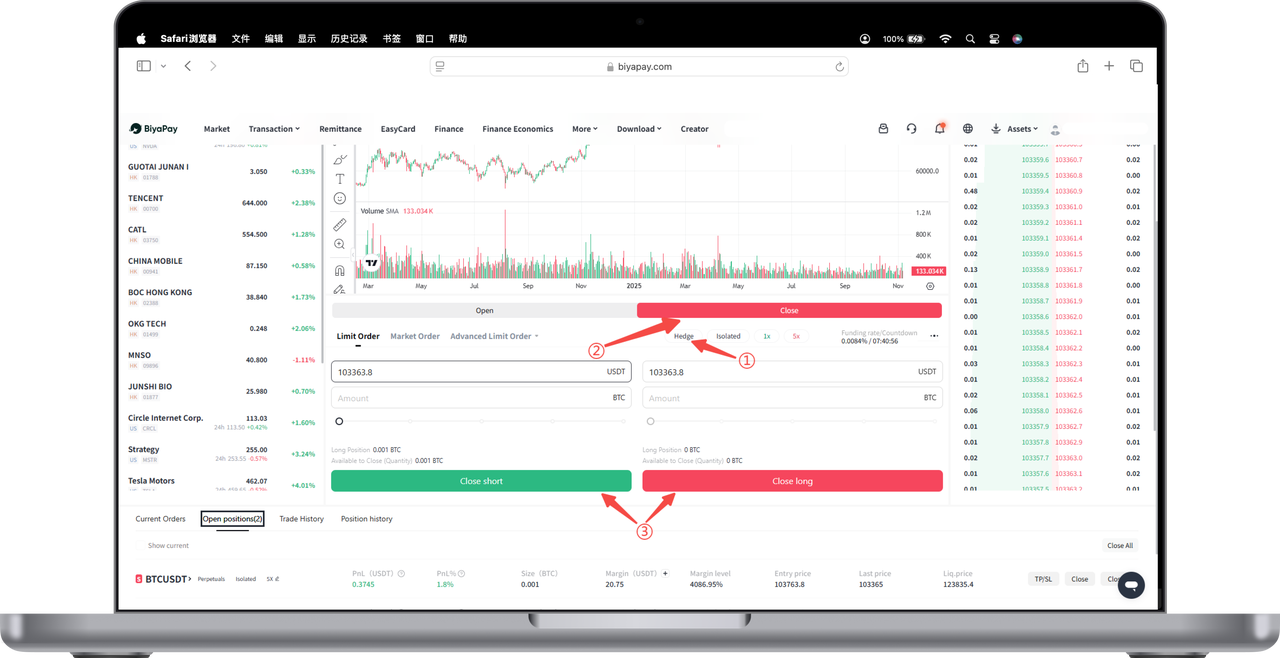
- Close positions through the position interface
Click the 【Close Position】 button to perform 【Close Short】 or 【Close Long】 to close the position.
- Close positions through the positions page
Go to the 【Current Positions】 page and find the position you want to close.
Click the 【Close Position】 button and select market order or limit order to close the position.
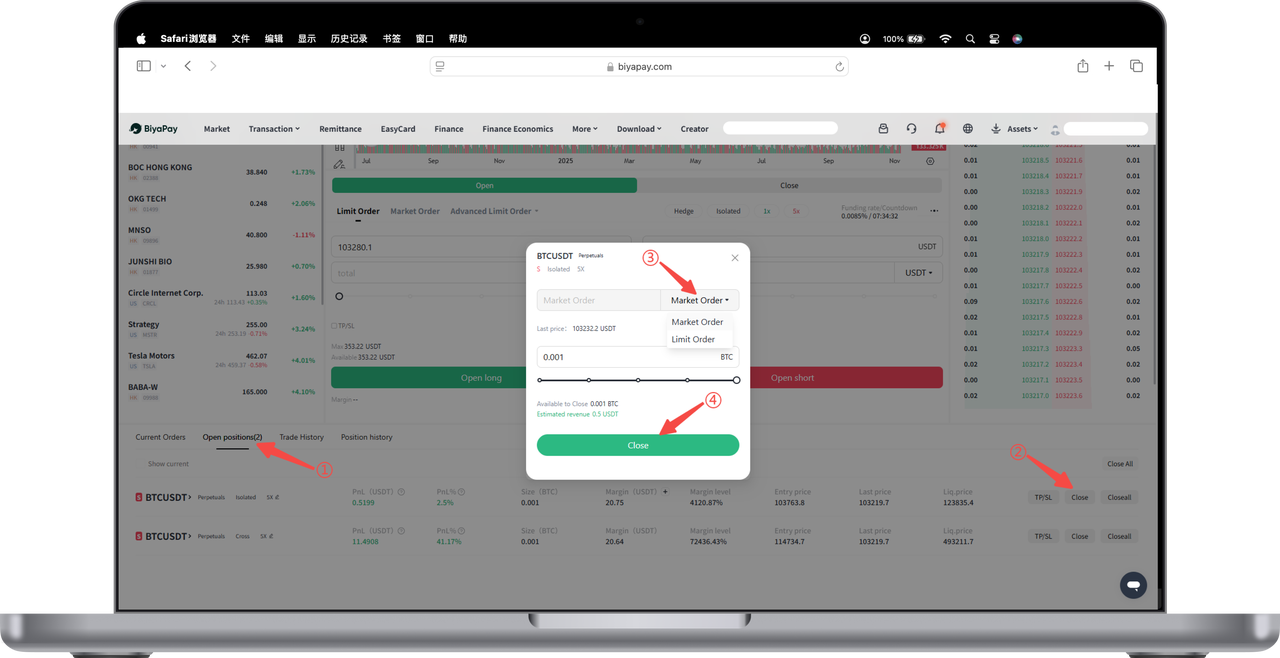
II. In one-way mode, positions can be closed in the following two ways:
- Close positions by directly executing opposite operations
If you hold a long position (go long), click 【Sell (Go Short)】 to close the position.
If you hold a short position (go short), click 【Buy (Go Long)】 to close the position.
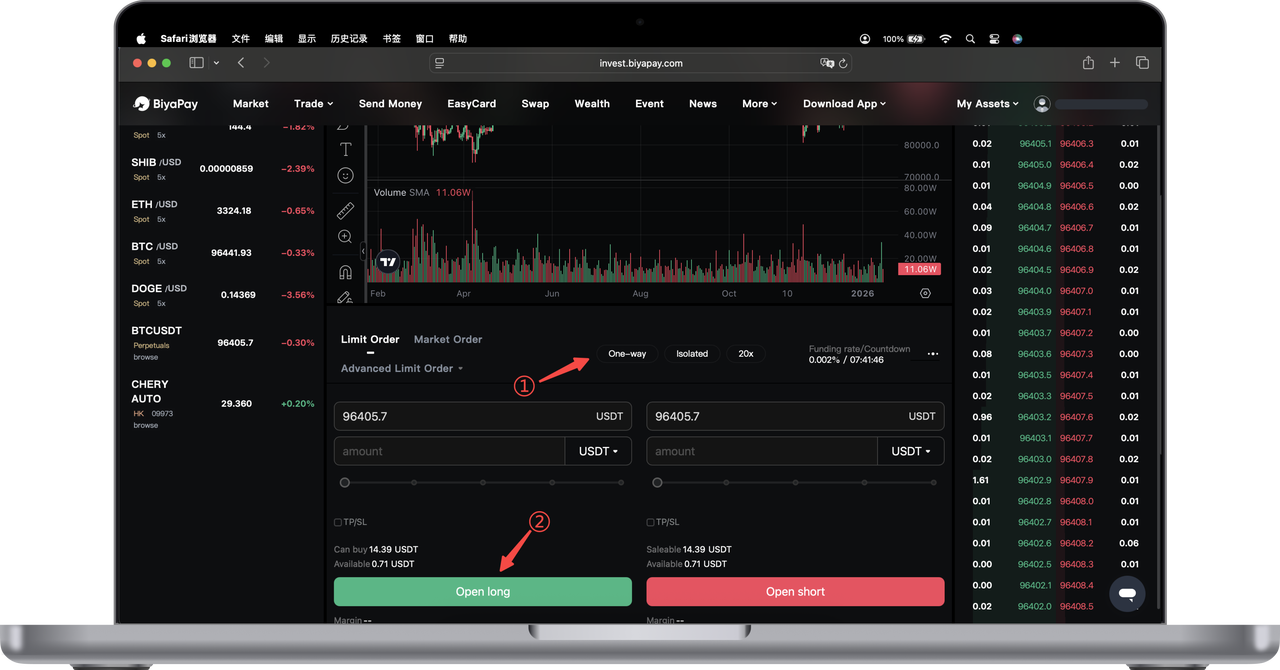
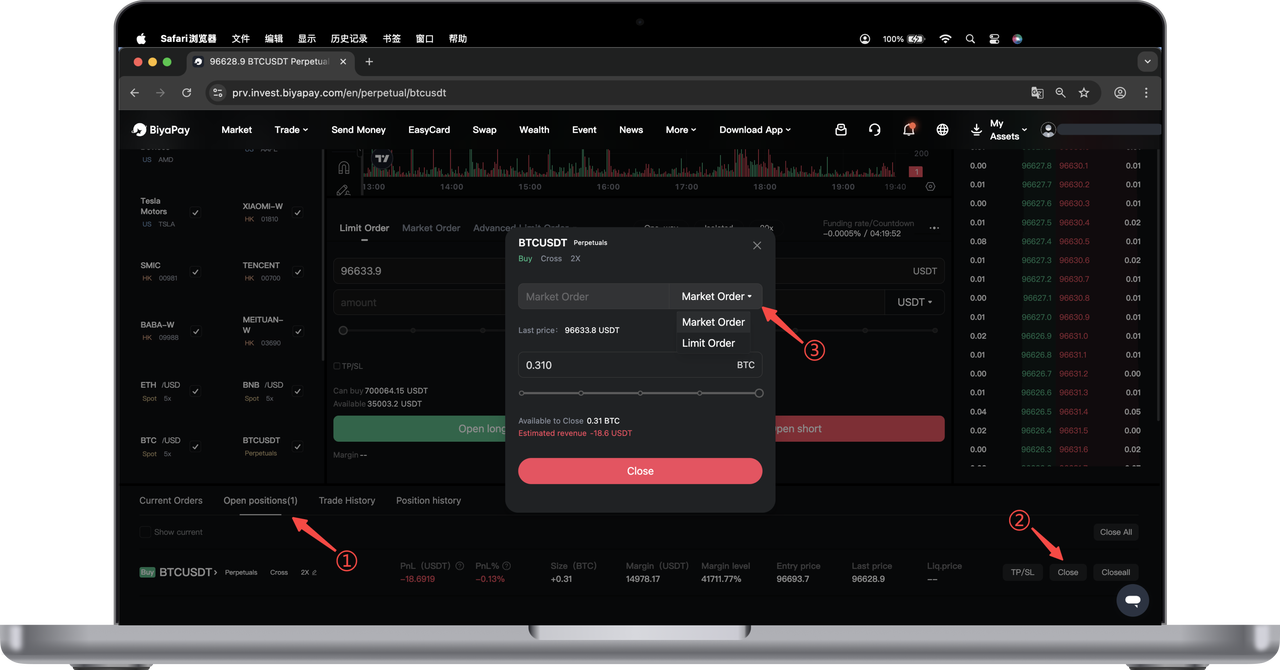
- Close positions through the positions page
Go to the 【Positions】 page and find the contract you want to close.
Click the 【Close Position】 button and select market close or limit close to proceed.

Contact Us



