- More
- Download




How to adjust margin balance in cross/isolated margin modes on the App:
Cross Margin Adjustment
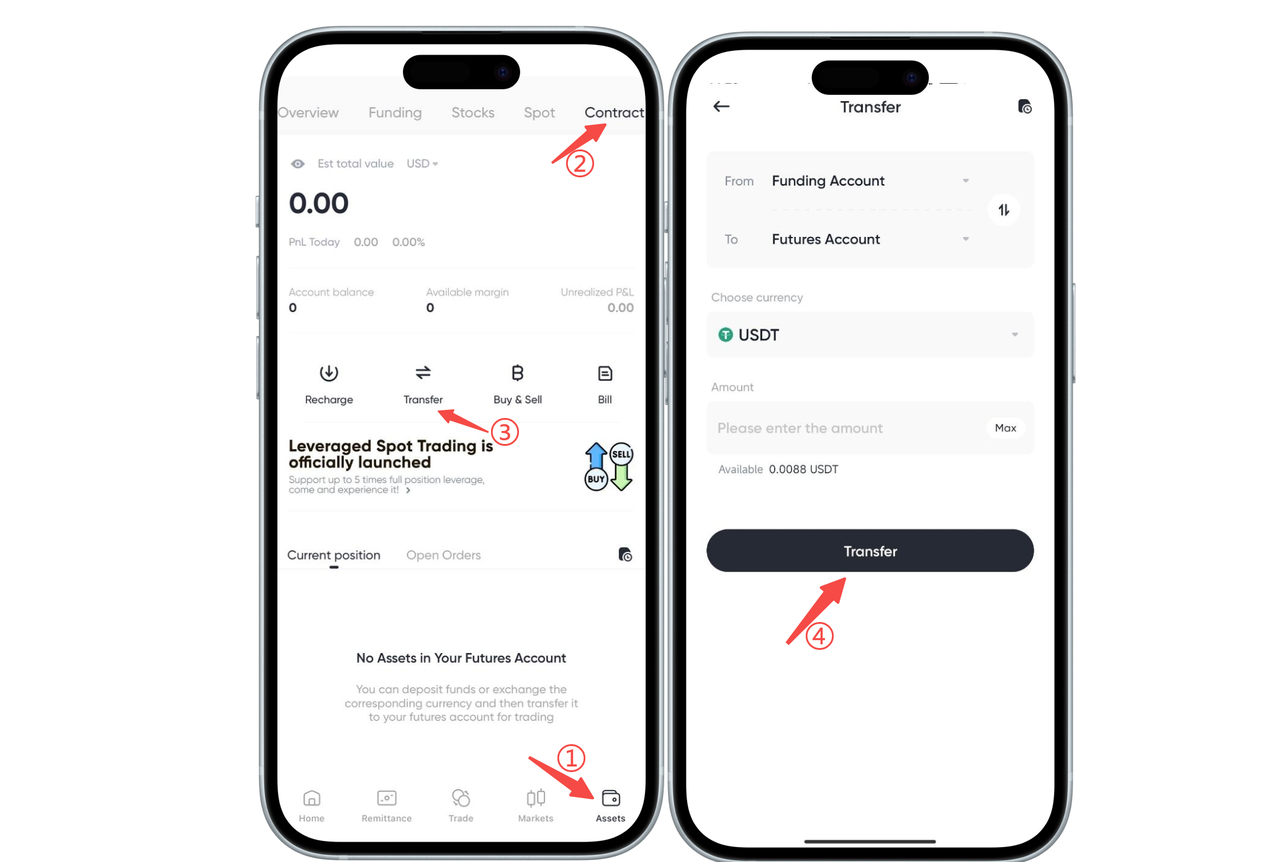
You can click 【Transfer】 on the 【Assets】-【Contract】 page to transfer USDT between 【Funding Account】 and 【Contract Account】, thereby increasing or decreasing cross margin.
Isolated Margin Adjustment
You can click the + sign next to 【Margin】 in the isolated position in the 【Trade】-【Contract】 interface to increase or decrease the isolated margin for that position.
How to adjust margin balance in cross/isolated margin modes on the Web:
Cross Margin Adjustment
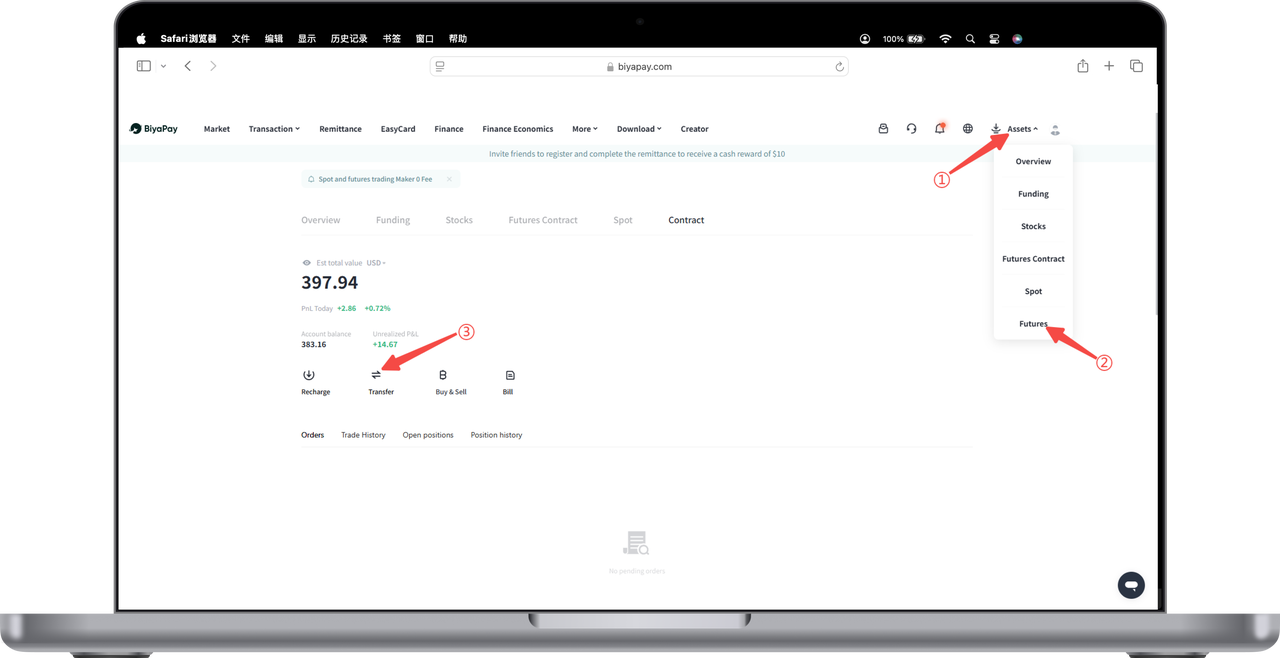
You can click 【Transfer】 on the 【My Assets】-【Contract】 page to transfer USDT between 【Funding Account】 and 【Contract Account】, thereby increasing or decreasing cross margin.
Isolated Margin Adjustment
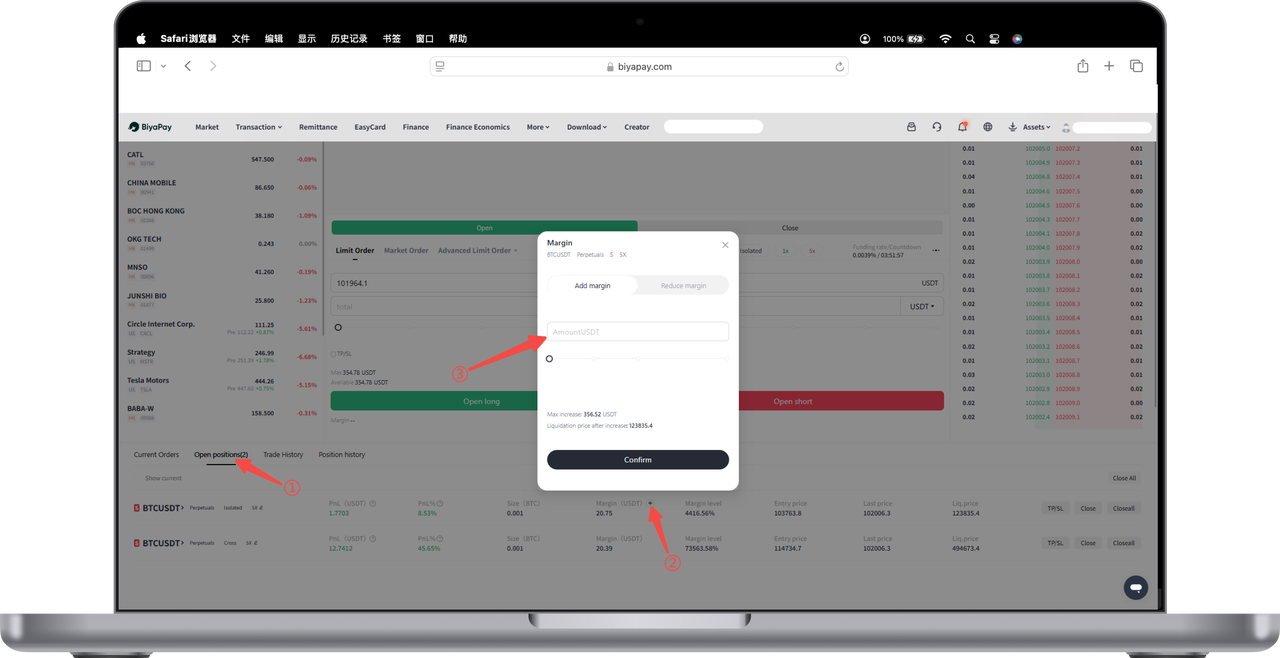
You can click the + sign next to 【Margin】 in the isolated position in the 【Trade】-【Contract】 interface to increase or decrease the isolated margin for that position.

Contact Us



