- More
- Download




How to check the upper and lower limits of contract position amounts on the App?
In BiyaPay App, different contract trading pairs will set corresponding position amount ranges, maximum leverage multiples, and maintenance margin ratios based on position size. You can view these rules through the Fee Center to understand the upper and lower limits of available position amounts in advance.
Step 1: Enter the Contract Maintenance Margin Page
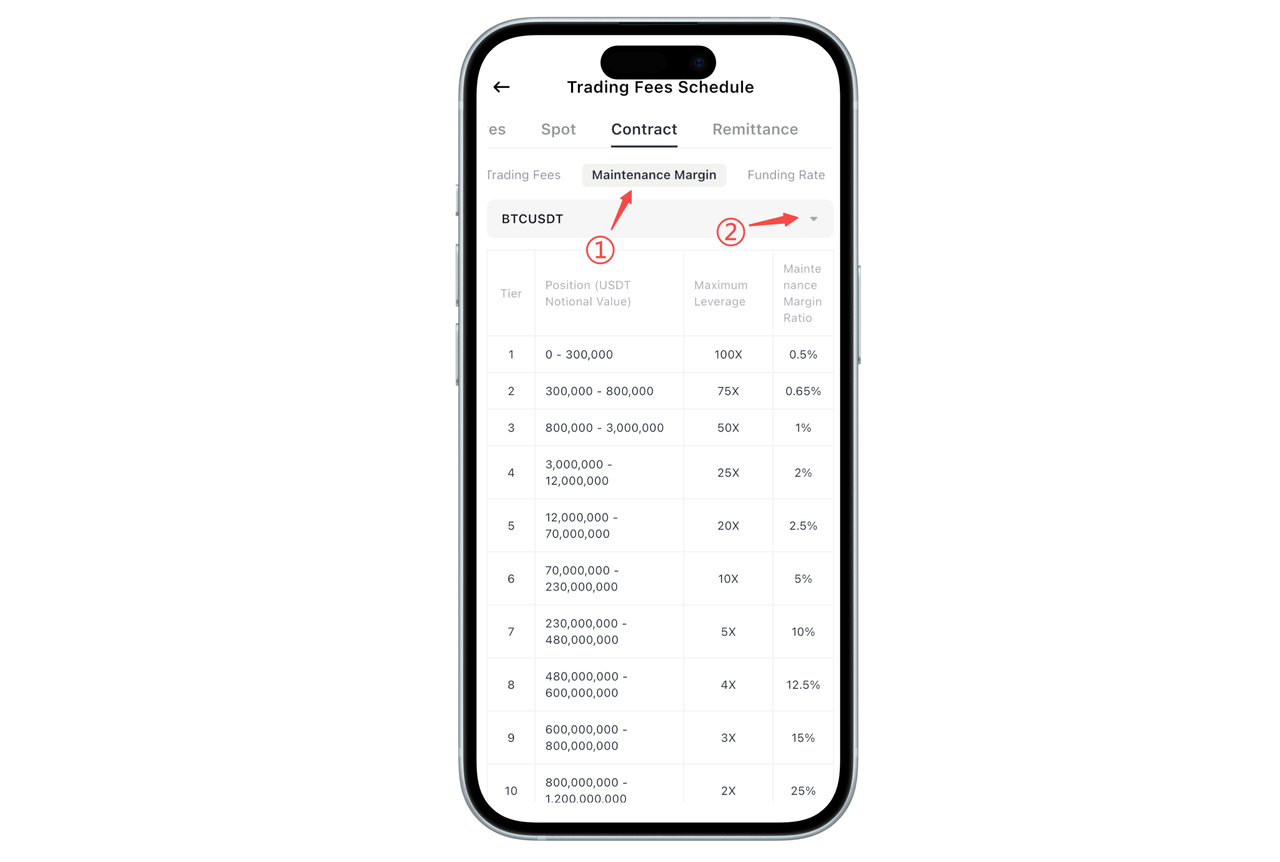
Open BiyaPay App and enter the Fee Center. At the top of the Fee Center, click the 「Contract」 category. Under the Contract category, select 「Maintenance Margin」. This page is used to display the position tier rules for different contracts.
Step 2: Select Contract Trading Pair
At the top of the page, you can see the currently selected contract trading pair (e.g., BTCUSDT). Click the dropdown selection button on the right to switch and view the rules for other contract trading pairs.
How to check the upper and lower limits of position amounts?
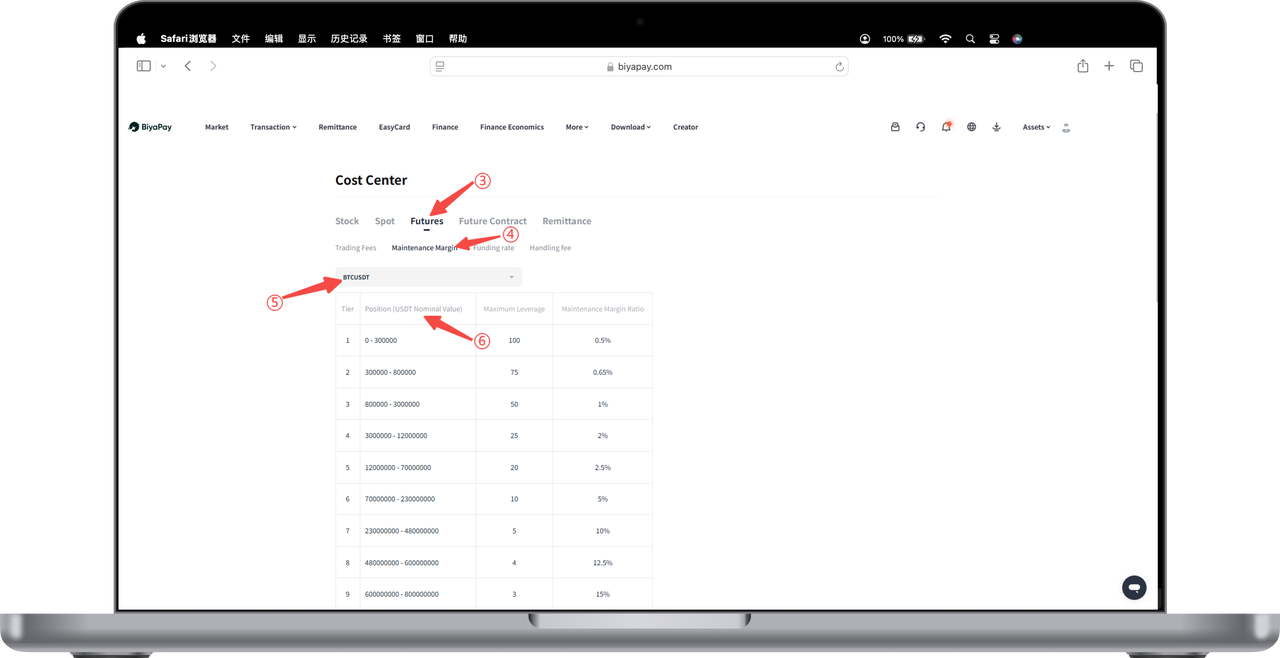
In the maintenance margin list, you can see a rules table divided by "tiers", which includes:
The position notional value range (USDT) corresponding to each tier, the maximum leverage multiple supported by this range, and the corresponding maintenance margin ratio.
Among these, the "position notional value range" is the position amount range allowed for this contract at different tiers. You can determine the lower and upper limits of the currently available position amount through this range.
Warm Tips
The upper and lower limits of contract position amounts will be adjusted as position tiers change. The larger the position, the lower the available leverage and the higher the maintenance margin ratio.
Rules for different contract trading pairs may differ. Please refer to the real-time display on the page.
Before opening a position, it is recommended to reasonably choose position size and leverage based on your own risk tolerance.
If you have any questions about contract position rules or margin calculation methods, please contact online customer service for assistance.
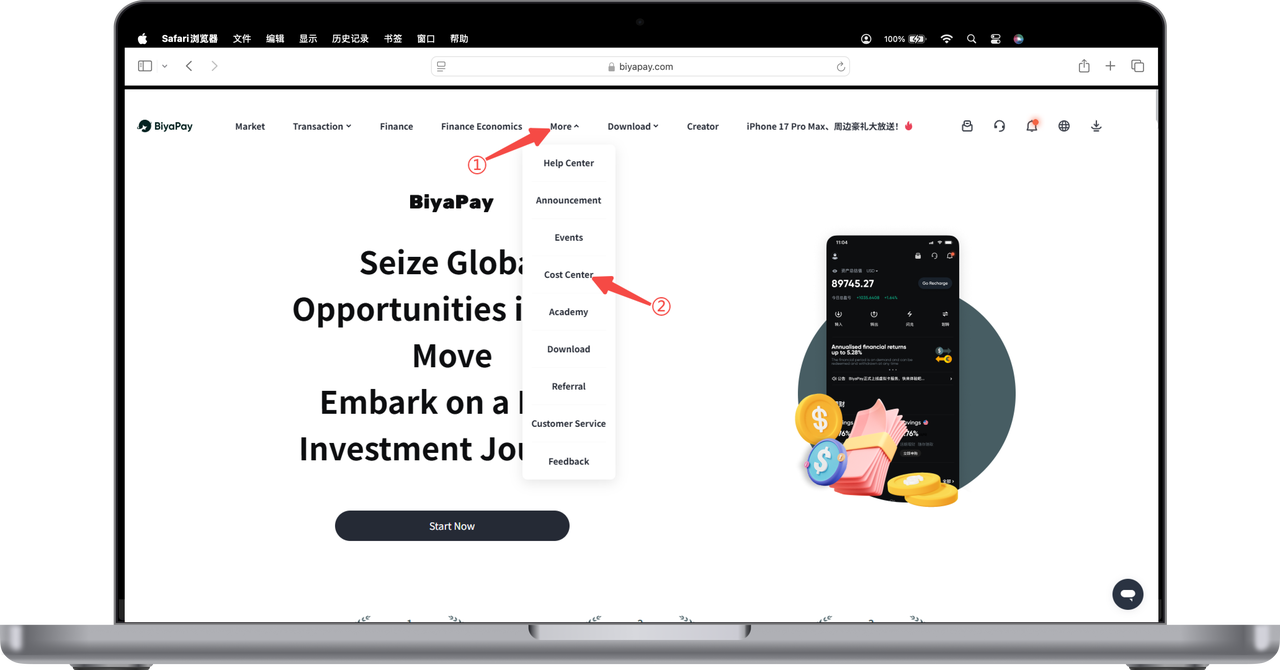
How to check the upper and lower limits of contract position amounts on the Web:
- Click 【More】 at the top of the webpage - 【Fee Center】
- Click 【Contract】 - 【Maintenance Margin】 to view the position ranges for different digital currency contracts with different currencies and leverage

Contact Us



