- More
- Download




How to check digital currency contract liquidation fees on the App
-
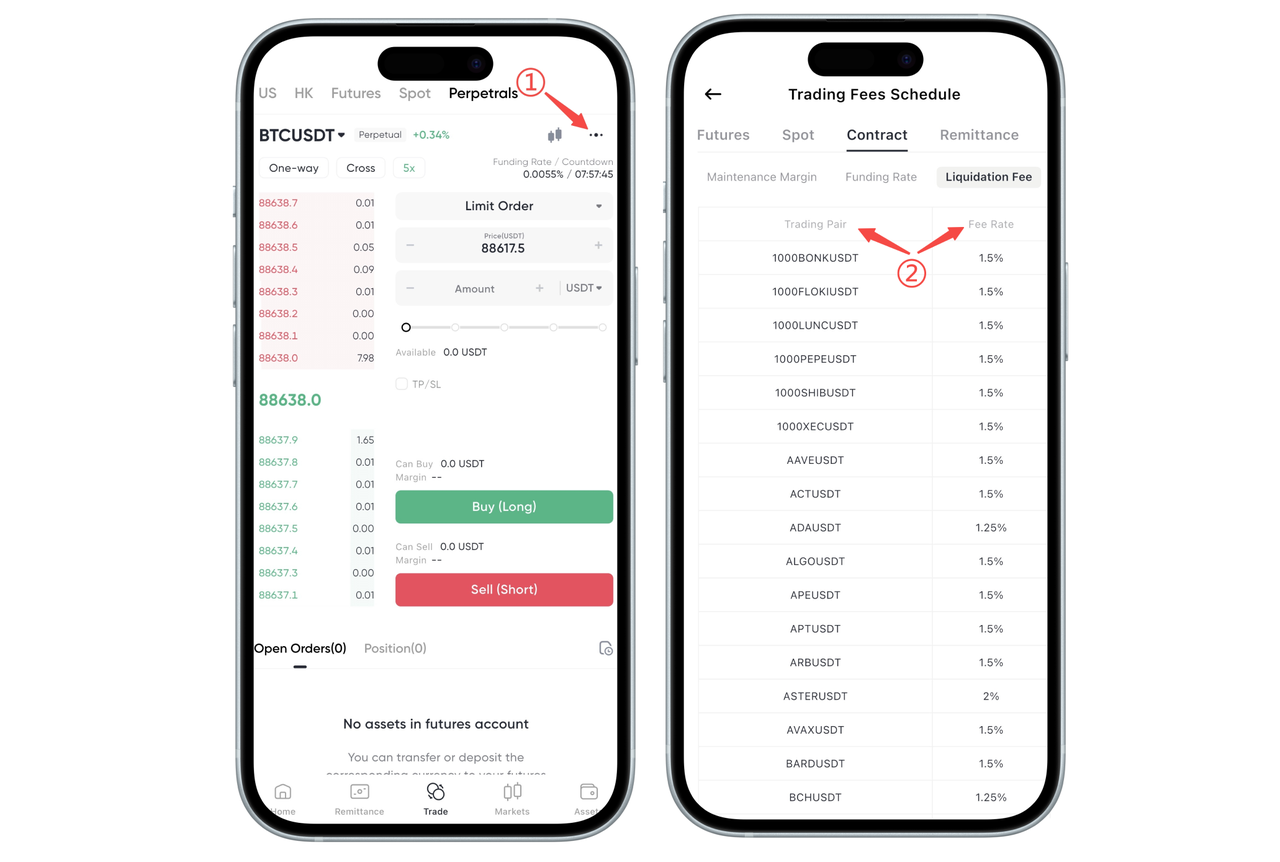
Open BiyaPay App, go to the 「Trade」 page in the bottom navigation bar, switch to 「Contract」, and enter any contract trading pair page.
-
In the top right corner of the contract trading page, click the (···) button and select to enter the Fee Center.
-
In the Fee Center, switch to the 「Contract」 category and click 「Liquidation Fee」 to view the liquidation fee ratio for all contract trading pairs.
How to check digital currency contract liquidation fees on the Web?
On BiyaPay Web, you can view the liquidation fee ratio for different digital currency contract trading pairs through the Fee Center, helping you fully understand potential costs and risks before trading.
Step 1: Enter the Fee Center
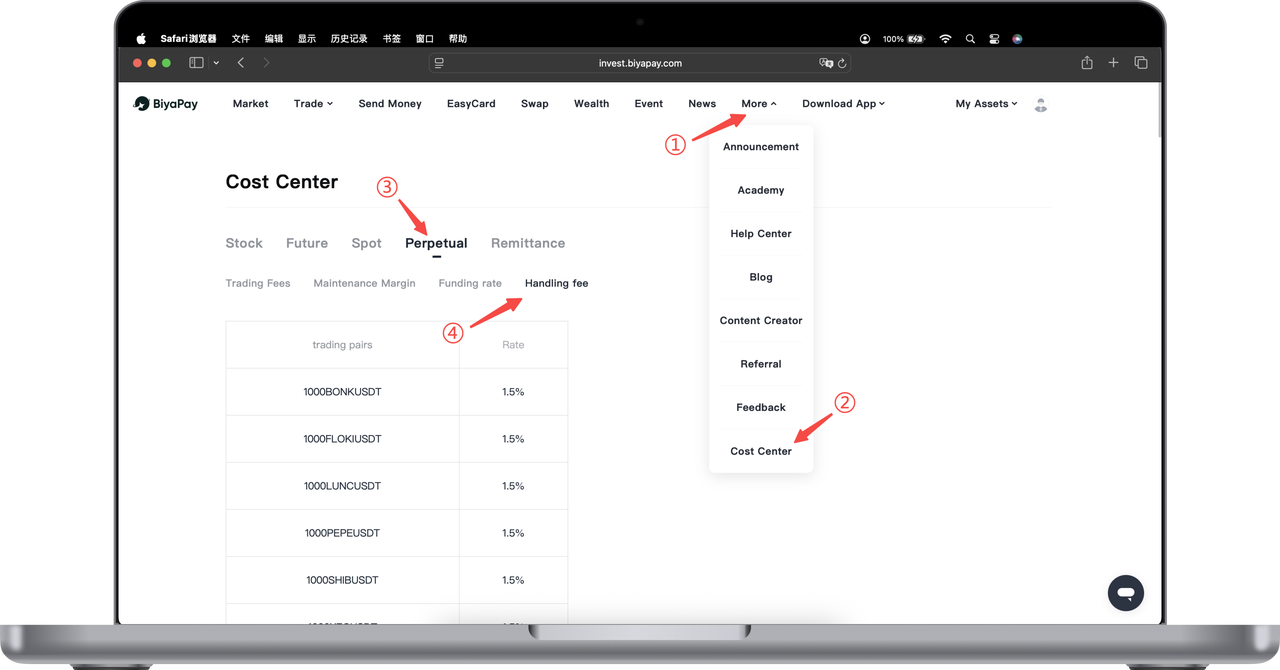
Open the BiyaPay official website and log in to your account. In the top navigation bar, click 「More」. Select 「Fee Center」 from the dropdown menu to enter the Fee Center page.
Step 2: Switch to Contract Category
After entering the Fee Center, click 「Contract」 in the category tabs at the top of the page to enter the digital currency contract fee information page.
Step 3: Select Liquidation Fee
Under the Contract category, you can see multiple fee type options. Click 「Liquidation Fee」 to view the contract liquidation fee list.
Step 4: View Specific Rates
In the liquidation fee list, you can view:
Different contract trading pair names
Corresponding liquidation fee ratios
The liquidation fees for different contract trading pairs may vary. Please refer to the real-time display on the page.
Warm Tips
Liquidation fees are only charged when positions are forcibly closed by the system. Normal active closing will not incur this fee. Contract trading has high risks. Please reasonably control position size and margin levels to avoid triggering liquidation due to market fluctuations. Related rates may be adjusted based on market conditions. Please refer to the display on the Fee Center page.
If you have any questions about contract liquidation rules or fee descriptions, please contact online customer service for assistance.
Payment Time
When a user's position is liquidated, a certain percentage of liquidation fee will be charged and marked as 【Fee】 in the trading history.
What is Liquidation?
Liquidation (forced closing) refers to when a user's wallet balance is insufficient to meet margin requirements, the system will automatically close the user's position through forced liquidation. In this case, the user may lose all investment funds in the position.
Liquidation Fee Calculation
Currently, BiyaPay only supports U-margined contracts.
U-margined contract liquidation fee = Notional value × Liquidation fee rate Notional value = Contract quantity × Trading price
Through the above calculation formula, the liquidation fee will be calculated based on the position's notional value and liquidation fee rate.
Since the liquidation fee rate may change, the liquidation fee is based on the actual amount charged at the moment of liquidation.

Contact Us



