How to use BiyaPay for contract trading on the App:
Below is a complete contract trading process, using USDT deposit for contract trading as an example
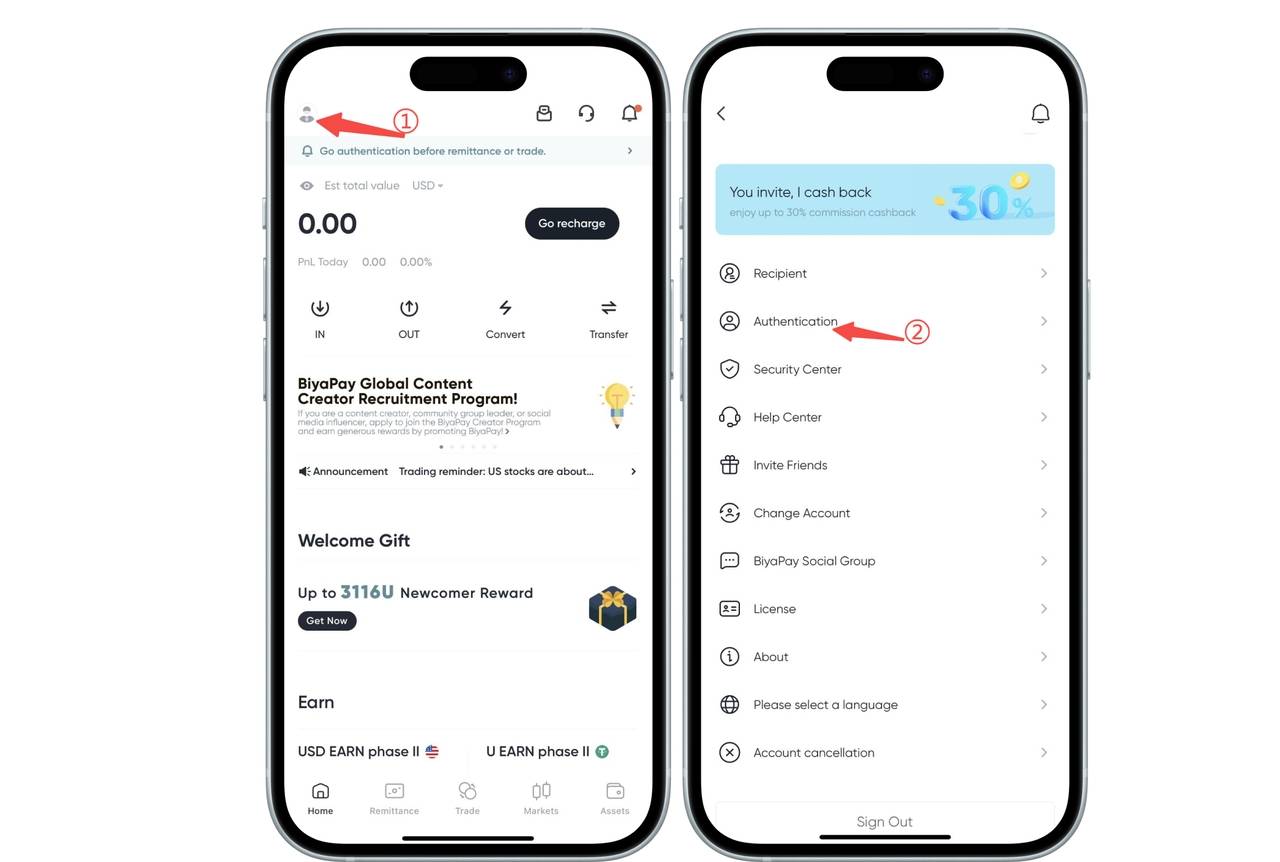
- Identity Verification
Click the avatar icon in the top left corner of the app homepage, enter the personal center, select 【Identity Verification】 to complete identity verification
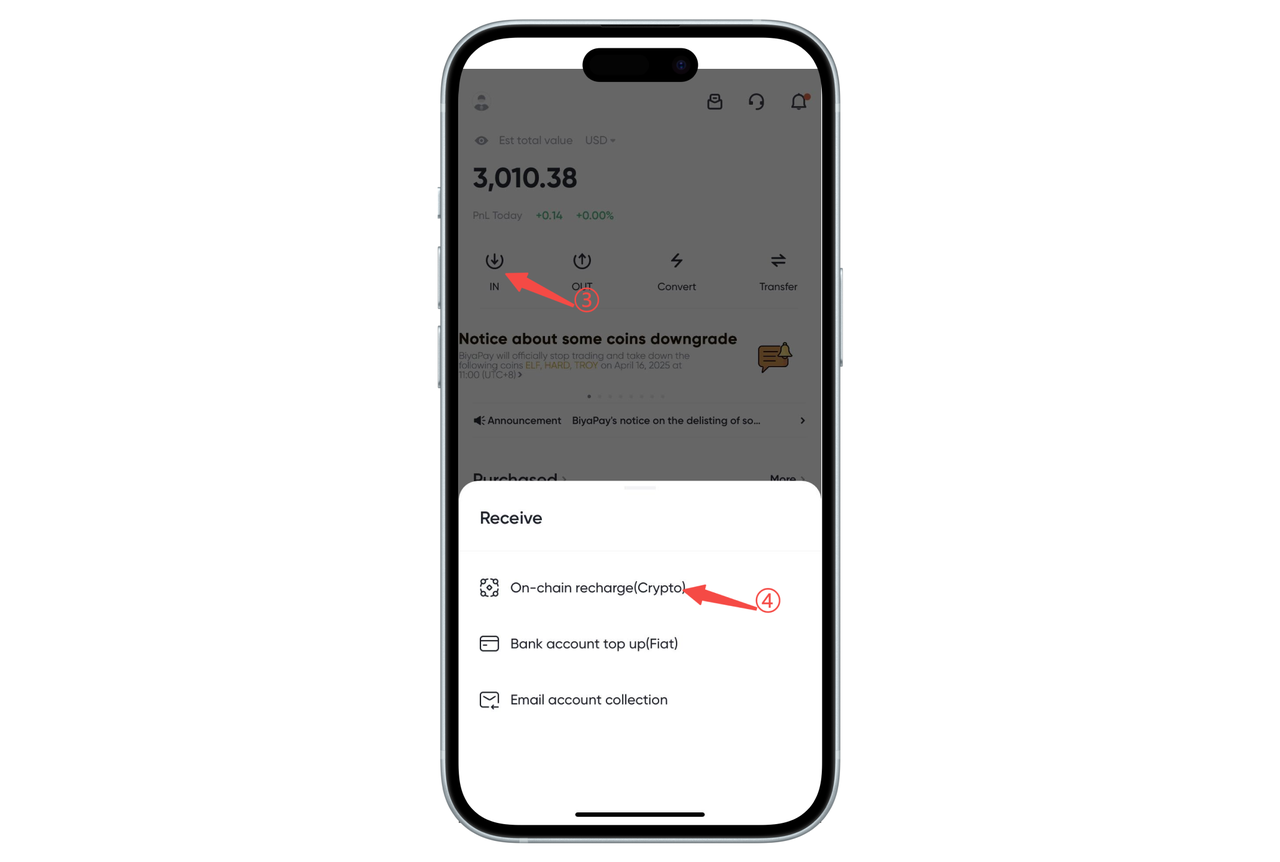
- Deposit USDT
Click 【Transfer In】 on the app homepage, select 【On-chain Deposit】, and deposit USDT
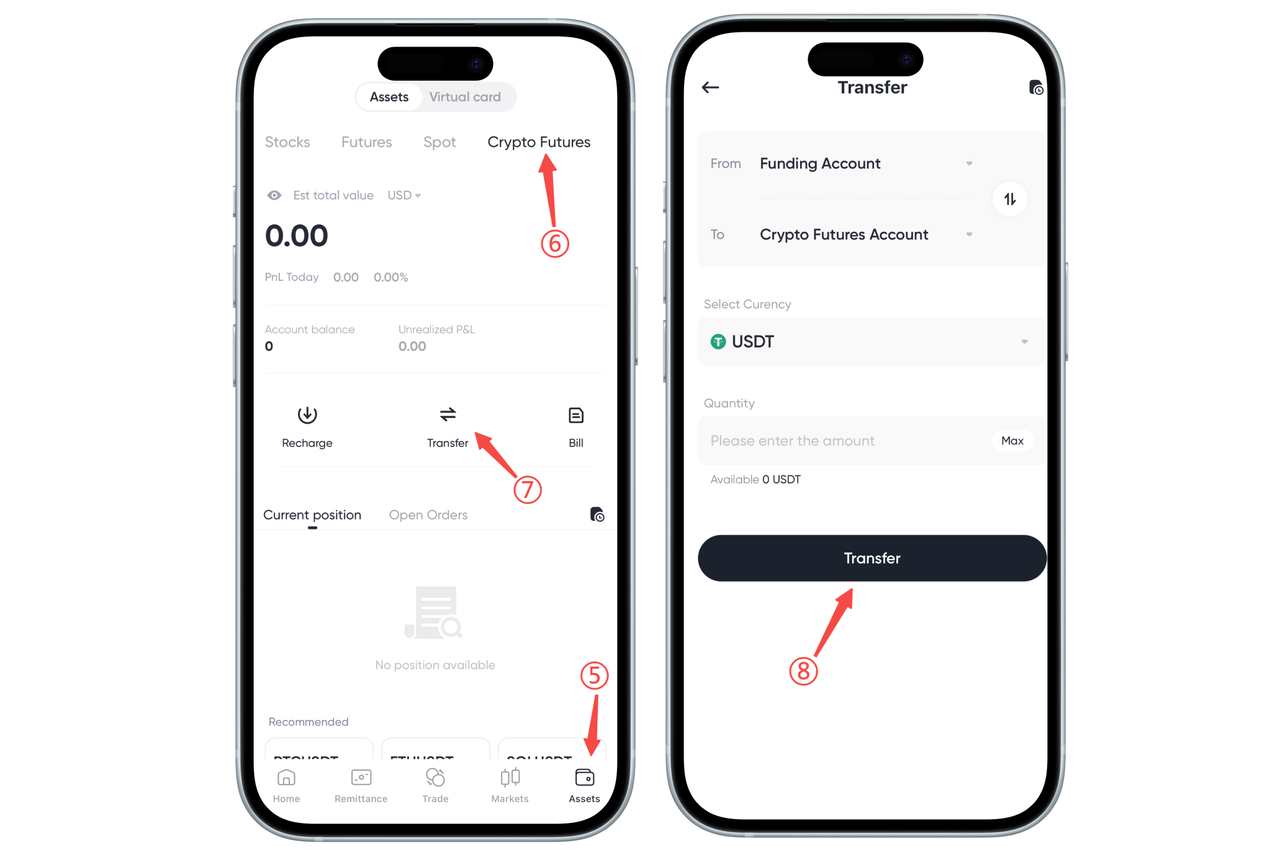
- Transfer USDT from Funding Account to Contract Account
Click 【Transfer】 on the 【Assets】-【Contract】 page to transfer USDT from the funding account to the contract account
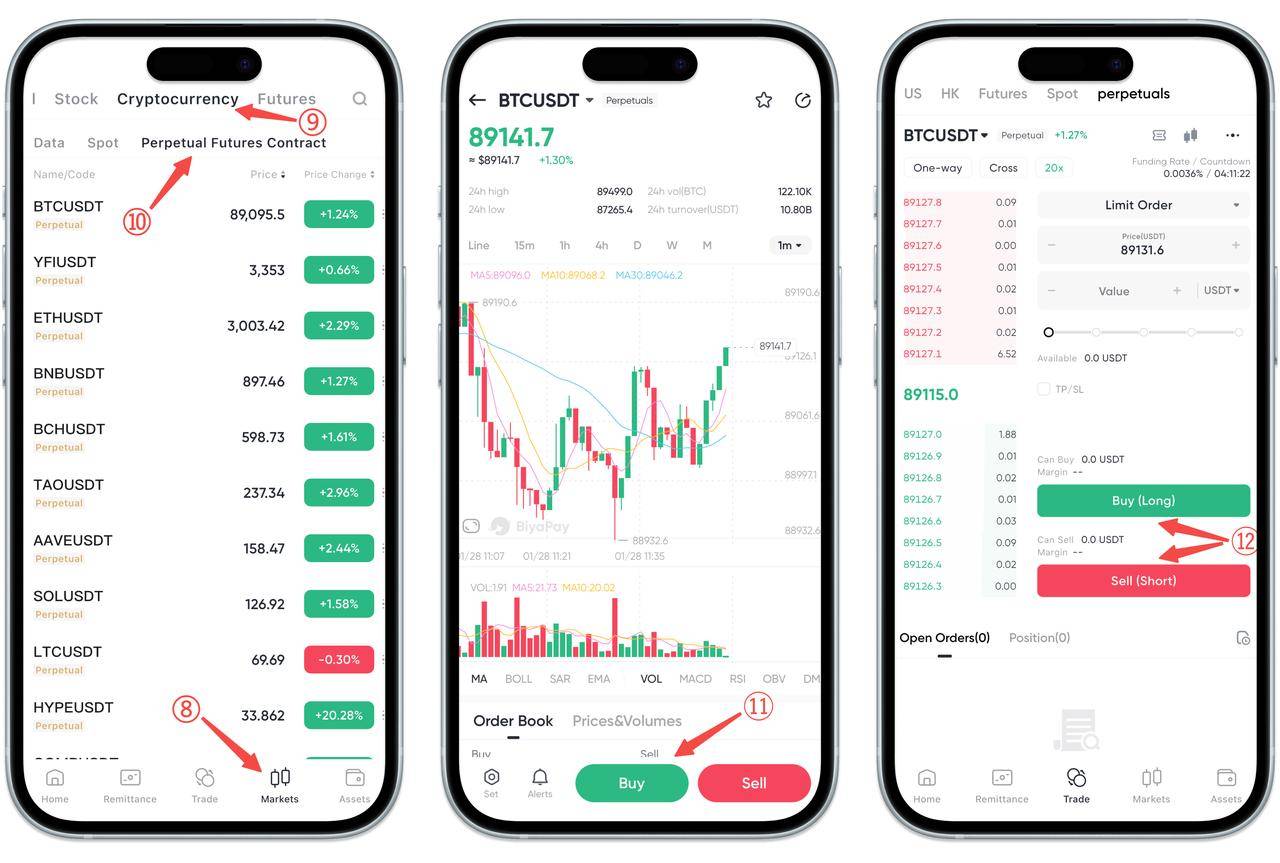
- Select the Contract Pair to Trade
Click 【Market】-【Digital Currency】-【Contract】, select the contract pair you want to trade, click 【Buy】 or 【Sell】, enter the trading page, and select buy (go long) or sell (go short) on the trading interface
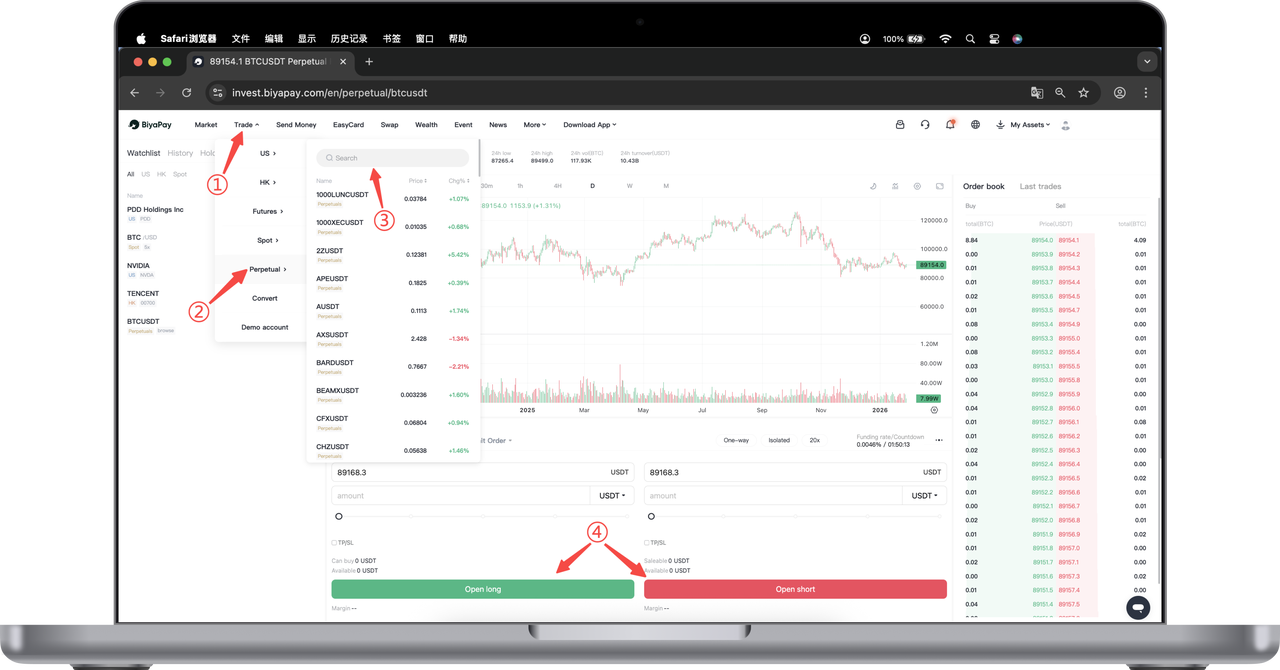
How to use BiyaPay for contract trading on the Web:
Below is a complete contract trading process, using USDT deposit for contract trading as an example
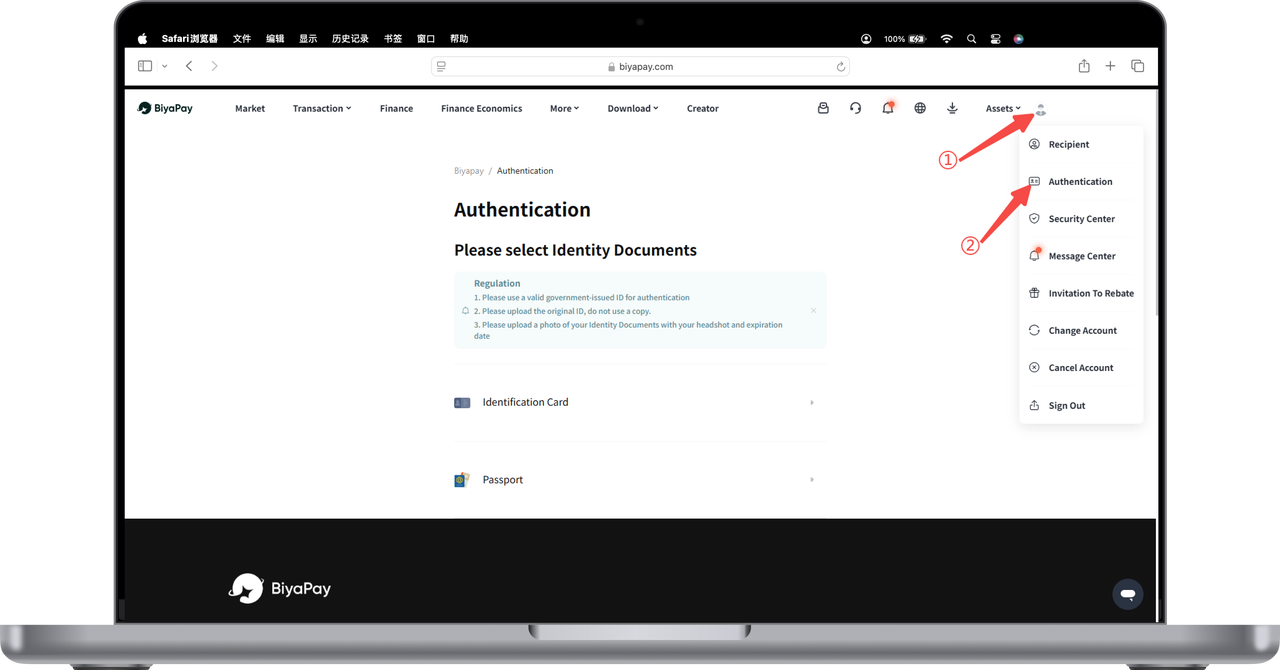
- Identity Verification
Open the official website, click the avatar in the top right corner - 【Identity Verification】, and complete identity verification
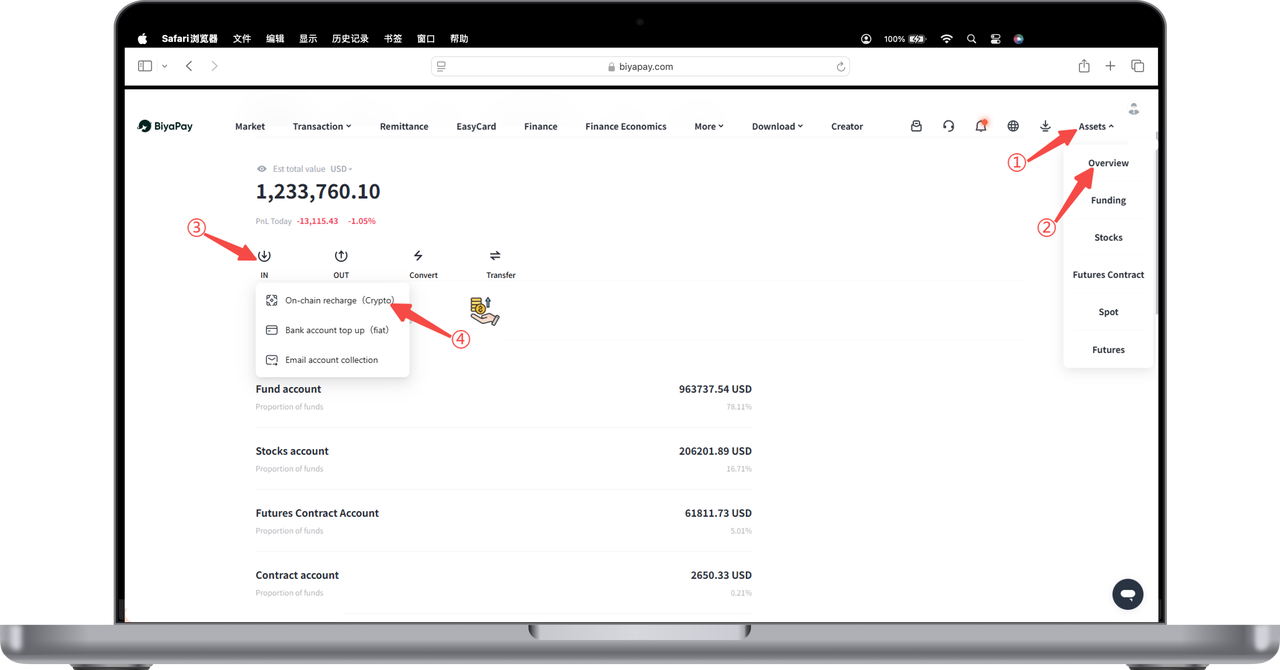
- Deposit USDT
Click 【My Assets】-【Overview】-【Transfer In】-【On-chain Deposit】 in the top right corner of the webpage, and deposit USDT
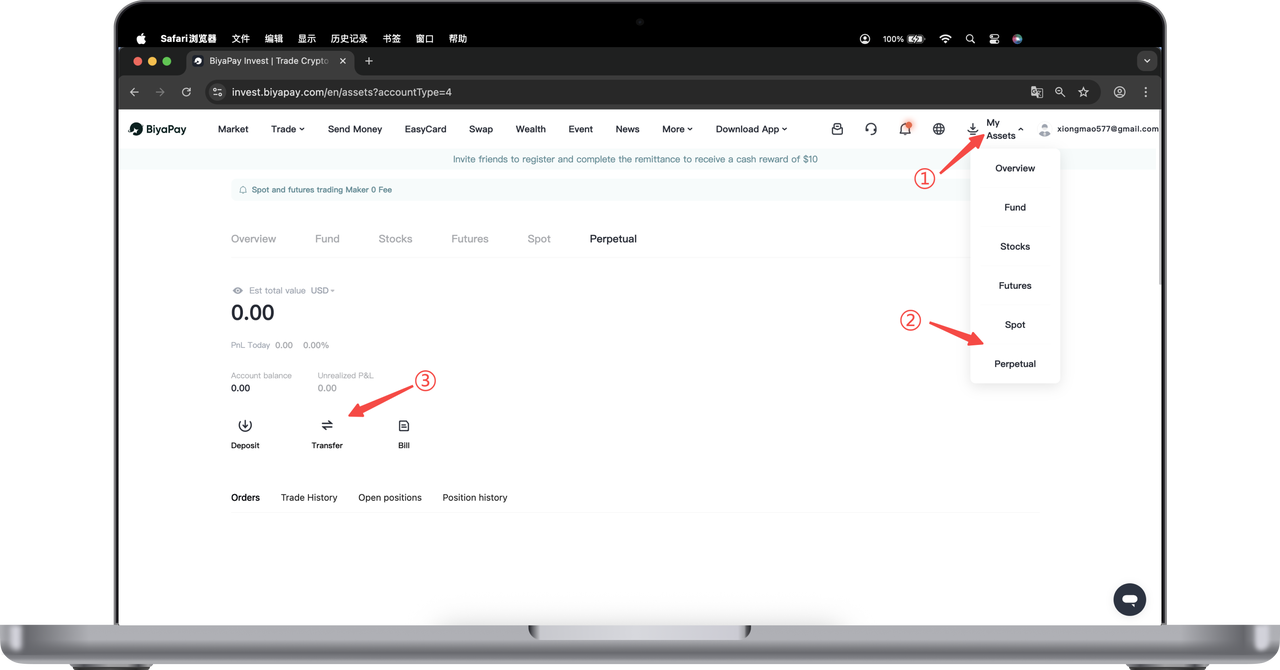
- Transfer USDT from Funding Account to Contract Account
Click 【Transfer】 on the 【Contract】 page to transfer USDT from the funding account to the contract account
- Search for the Contract Pair to Trade on the Market Page
Click 【Trade】 in the top left corner of the webpage, select 【Contract】, search for the contract pair you want to trade, enter the contract chart page, and click 【Buy】 or 【Sell】 to trade.