BiyaPay
Published on Updated on



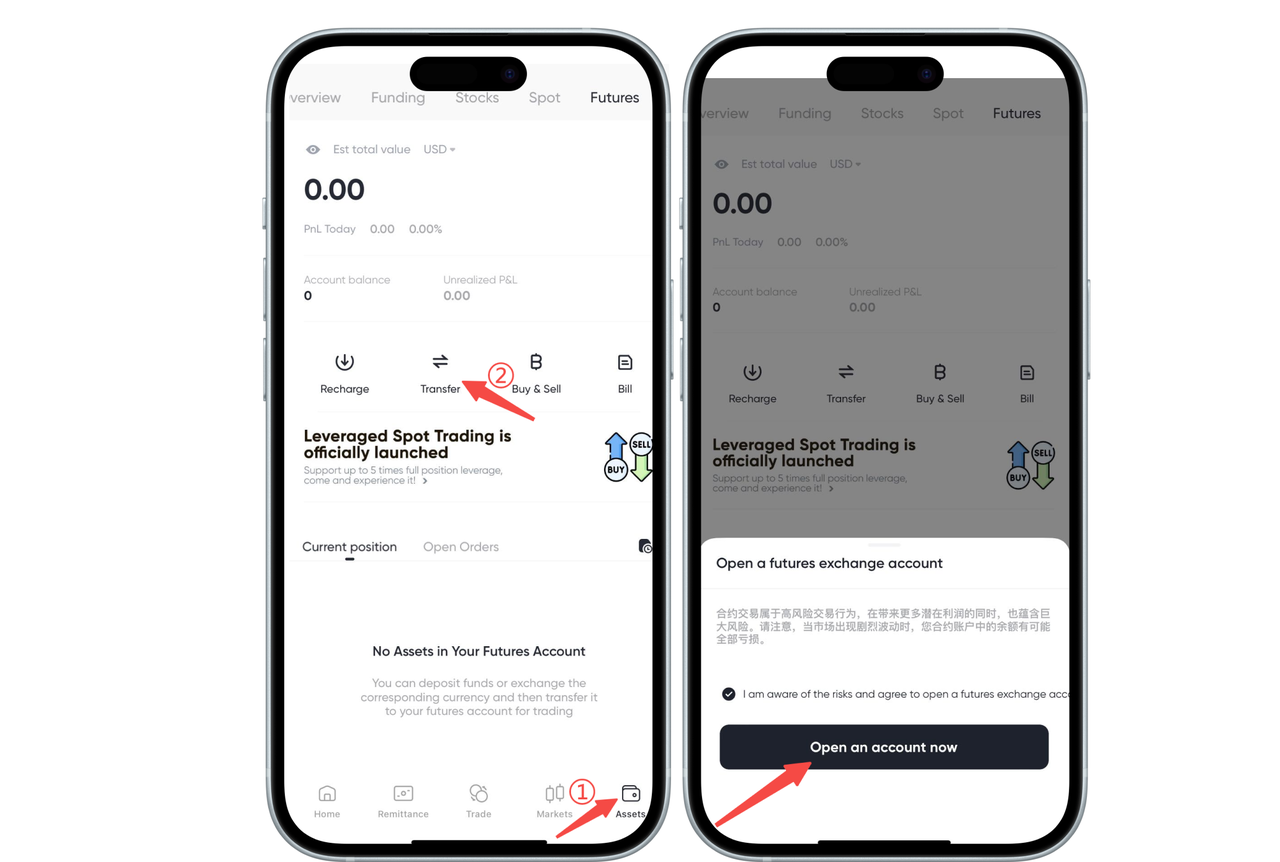
How to open a contract account on the App:
On the contract assets page, click 【Transfer】, select "Open Account Now", and you can successfully open a contract account. After you transfer funds to the contract account, you can start trading.
How to open a contract account on the Web:
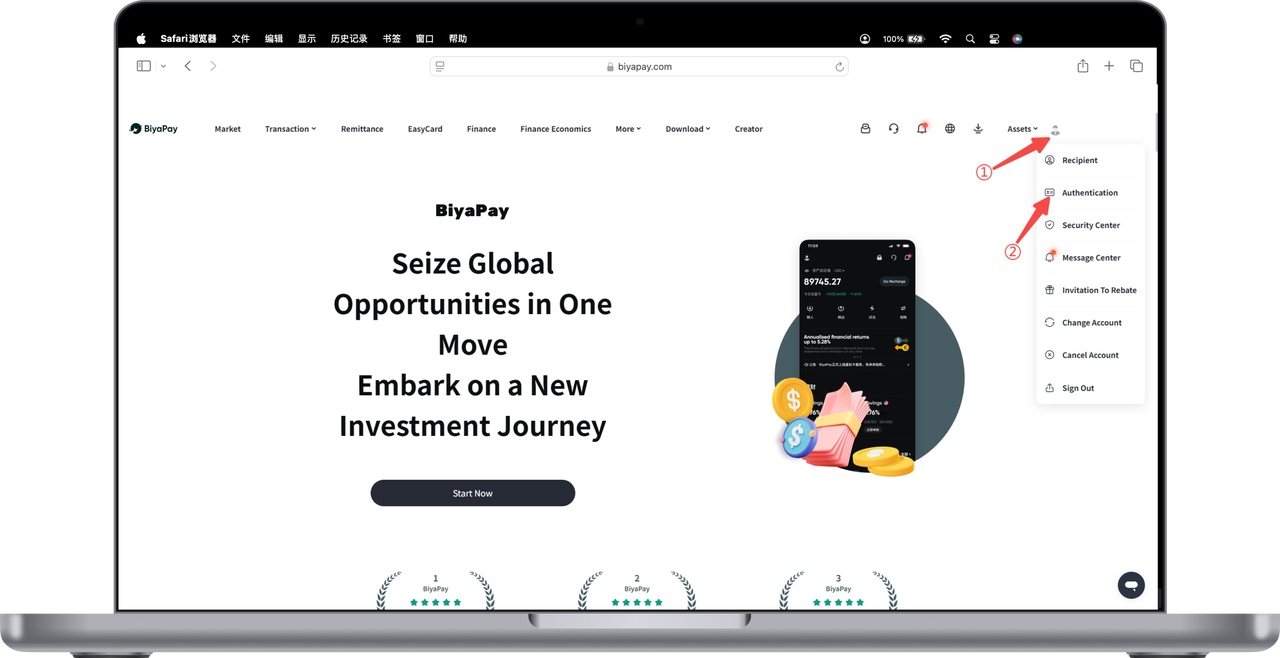
- Click the avatar icon in the top right corner of the webpage, select 【Identity Verification】 to complete real-name verification
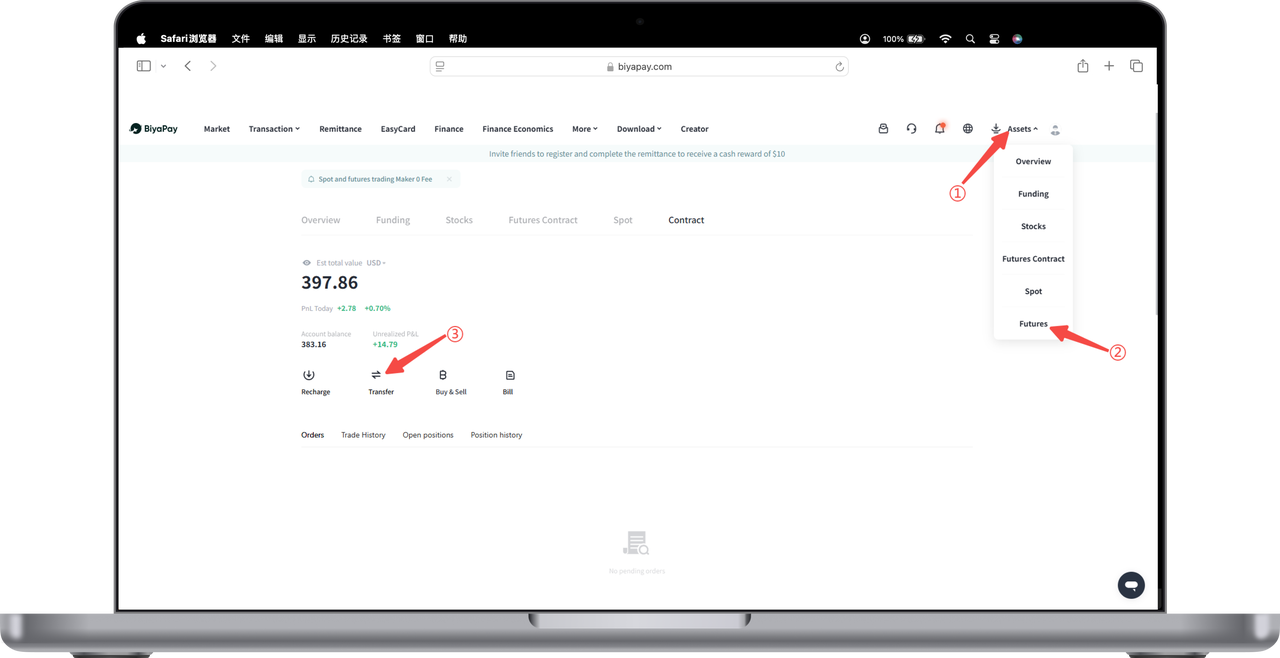
- Click 【My Assets】-【Contract】 in the top right corner of the webpage, click 【Transfer】 on the contract page, a 【Open Contract Account】 page will pop up, click 【Open Account Now】, and you have opened a BiyaPay digital currency contract trading account.