




Payment Time
When your position is partially or fully executed, the platform will charge relevant fees.
Fee Rate
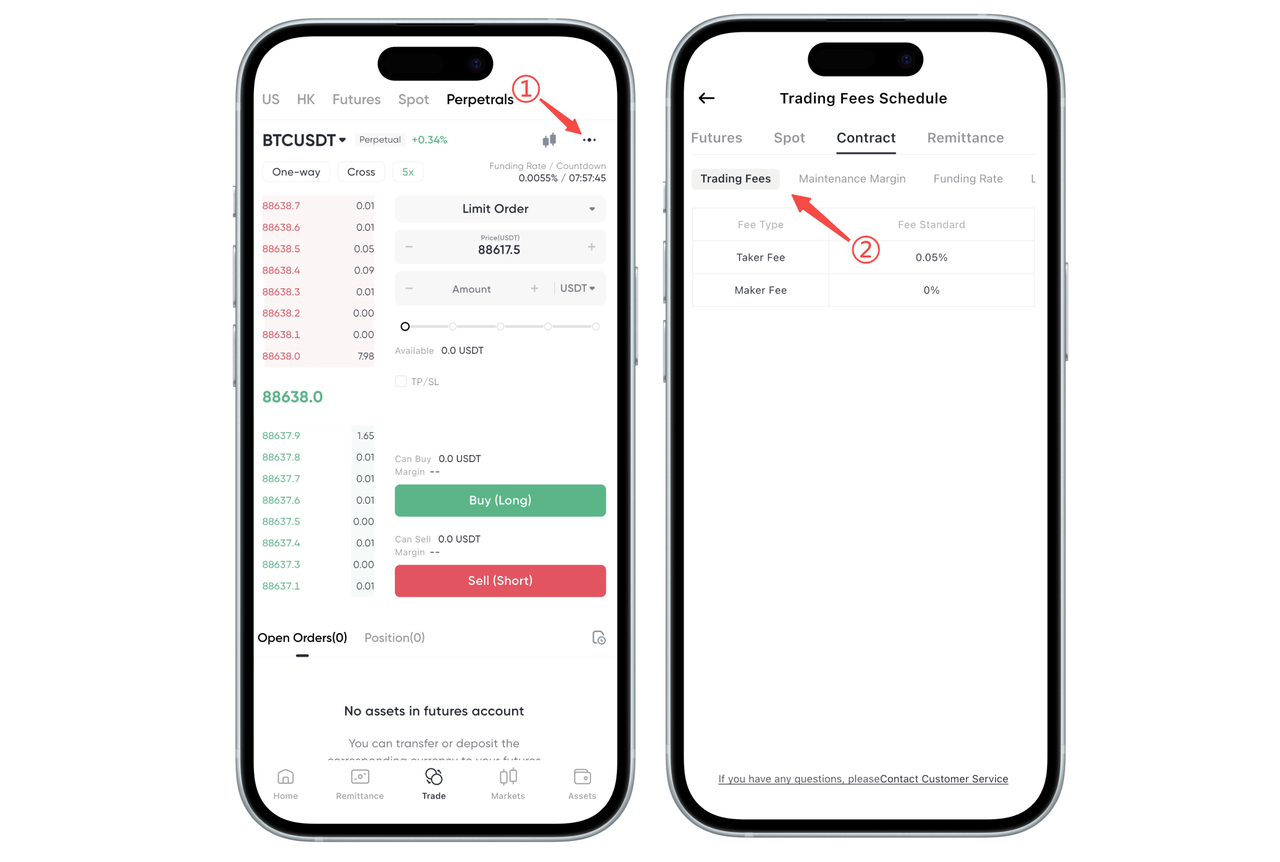
How to check contract trading fees on the App:
Fees are divided into Maker and Taker based on order type, with different fee rates. You can click the three dots in the top right corner of the contract 【Trade】 page to go to the Fee Center, then click 【Contract】 to view the detailed fee structure for contract fees.
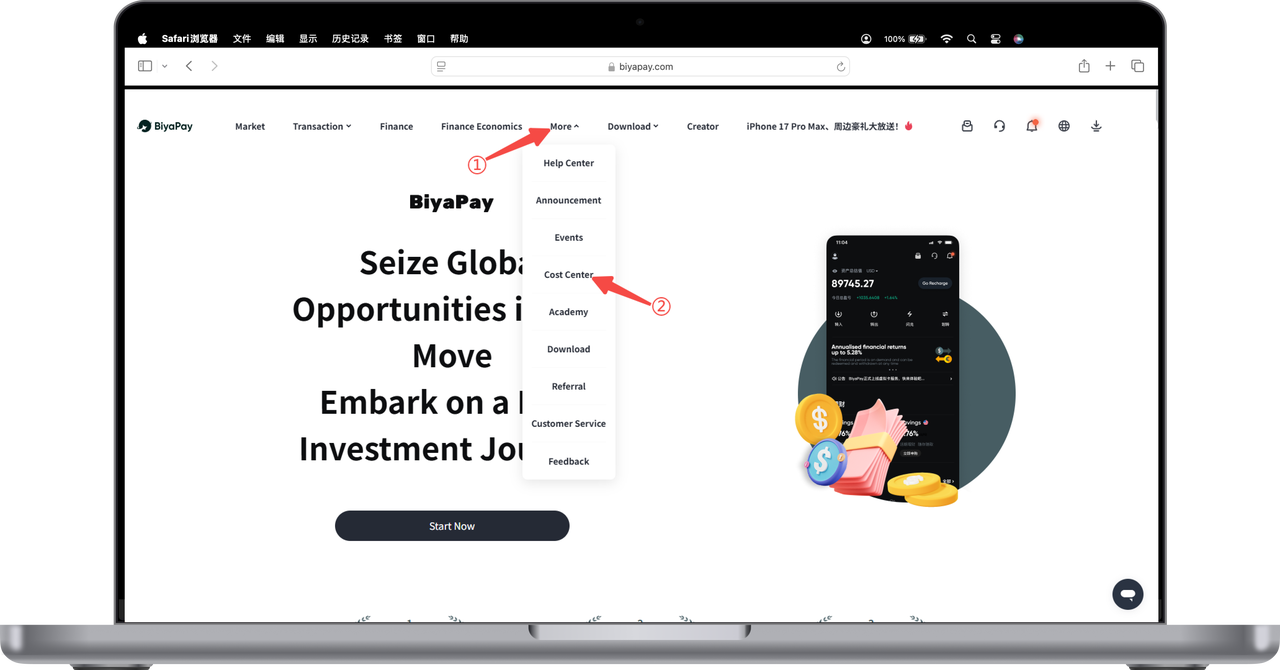
How to check contract trading fees on the Web:
- Click 【More】 at the top of the webpage - 【Fee Center】
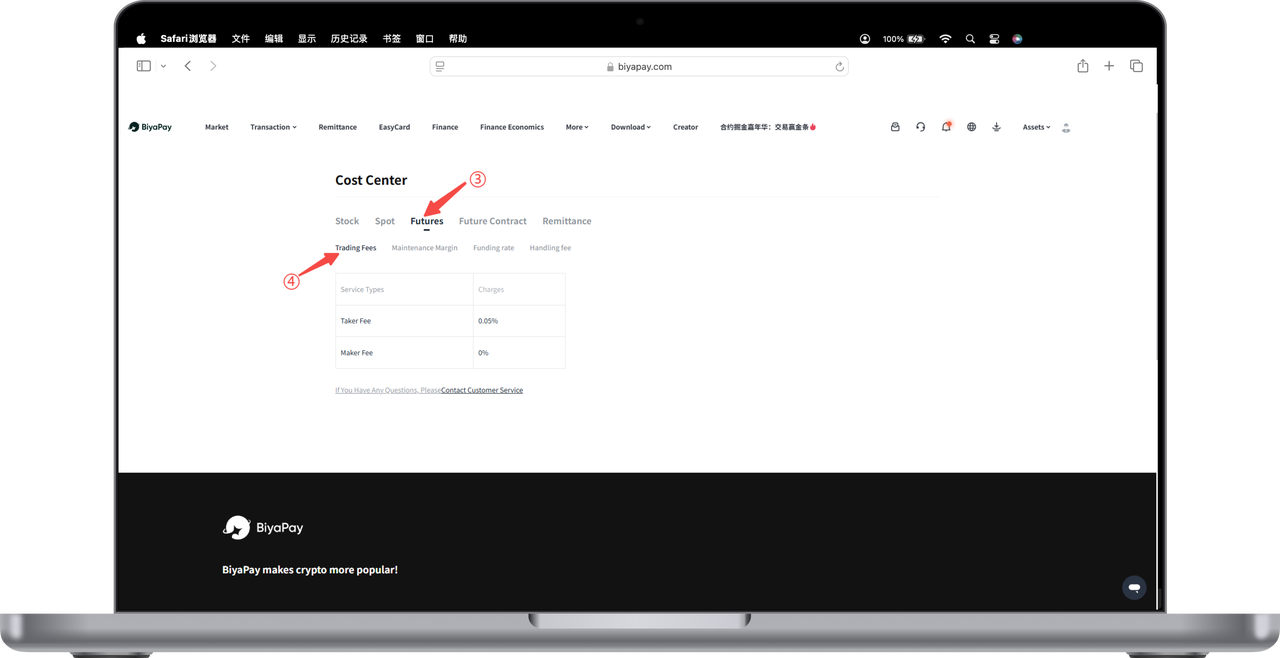
- Click 【Contract】 - 【Trading Fees】 to view digital currency contract trading fees
Maker & Taker
Maker: Provides market liquidity. If your order is not immediately executed, it will remain in the order book, commonly seen with limit orders. In this case, you are acting as a Maker. Makers provide liquidity to the market.
Taker: Orders that remove market liquidity. If your order is immediately executed, such as a market order, then you are a Taker. These orders remove liquidity from the order book.
Fee Calculation
Currently, BiyaPay only supports U-margined contracts.
U-margined contract fee = Notional value × Fee rate Notional value = Contract quantity × Trading price
In this way, fees will be calculated differently based on your order execution method and market liquidity conditions.