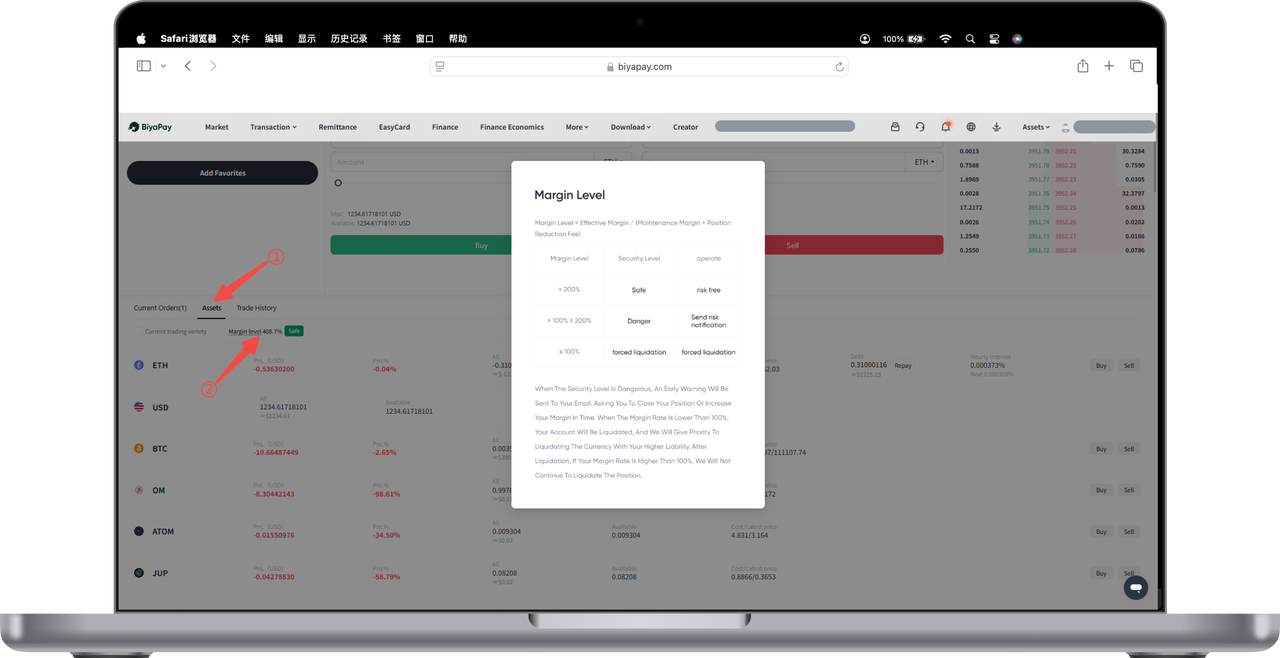
If the margin ratio of BiyaPay digital currency spot trading ≤ 100%, your spot account will be liquidated.
Handling After Liquidation:
-
The system will automatically execute liquidation and close your positions at market prices.
-
A notification email will be sent to your registered email address to remind you that your positions have been liquidated.
Trading Risk Management Recommendations:
BiyaPay strongly recommends traders to:
- Strictly control position risks and avoid using excessive leverage.
- Monitor the margin ratio to ensure sufficient funds to maintain positions.
- Set reasonable stop-loss orders to prevent losses from severe market volatility.
If you have any questions, please feel free to contact BiyaPay customer service, and we will provide assistance!
How to check the margin ratio for digital currency trading on the App:
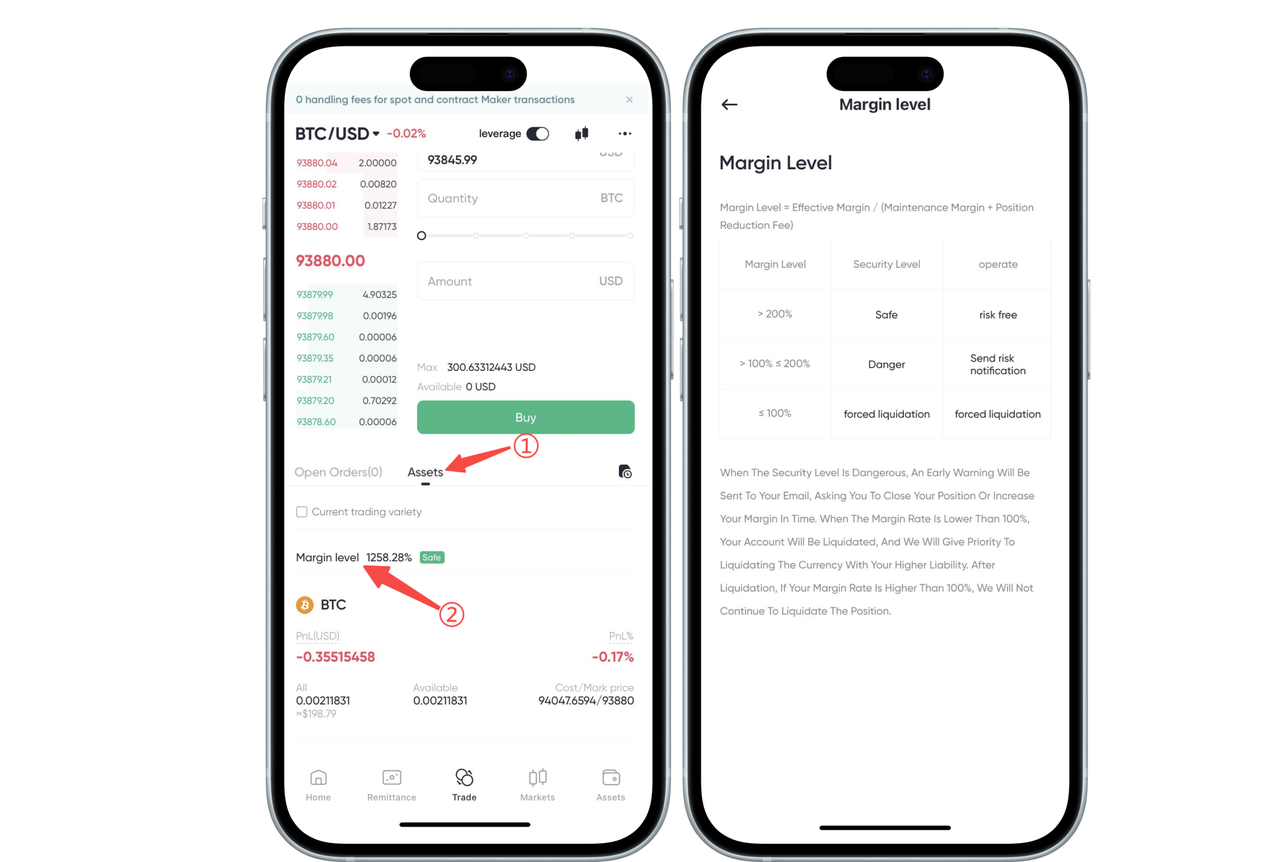
On the digital currency 【Trading】 page, click 【Assets】 —— 【Margin Ratio】 to see the safety levels for different margin ratios.
-
If the margin ratio ≤ 100%, your spot account will be liquidated.
-
If 100% < margin ratio ≤ 200%, your spot account is at risk and may be liquidated. It is recommended to add margin until the margin ratio > 200%.
-
If the margin ratio > 200%, your spot account is safe.
How to check the margin ratio for digital currency trading on the Web:
On the digital currency 【Trading】 page, click 【Assets】 —— 【Margin Ratio】 to see the safety levels for different margin ratios.
-
If the margin ratio ≤ 100%, your spot account will be liquidated.
-
If 100% < margin ratio ≤ 200%, your spot account is at risk and may be liquidated. It is recommended to add margin until the margin ratio > 200%.
-
If the margin ratio > 200%, your spot account is safe.