BiyaPay
Published on Updated on



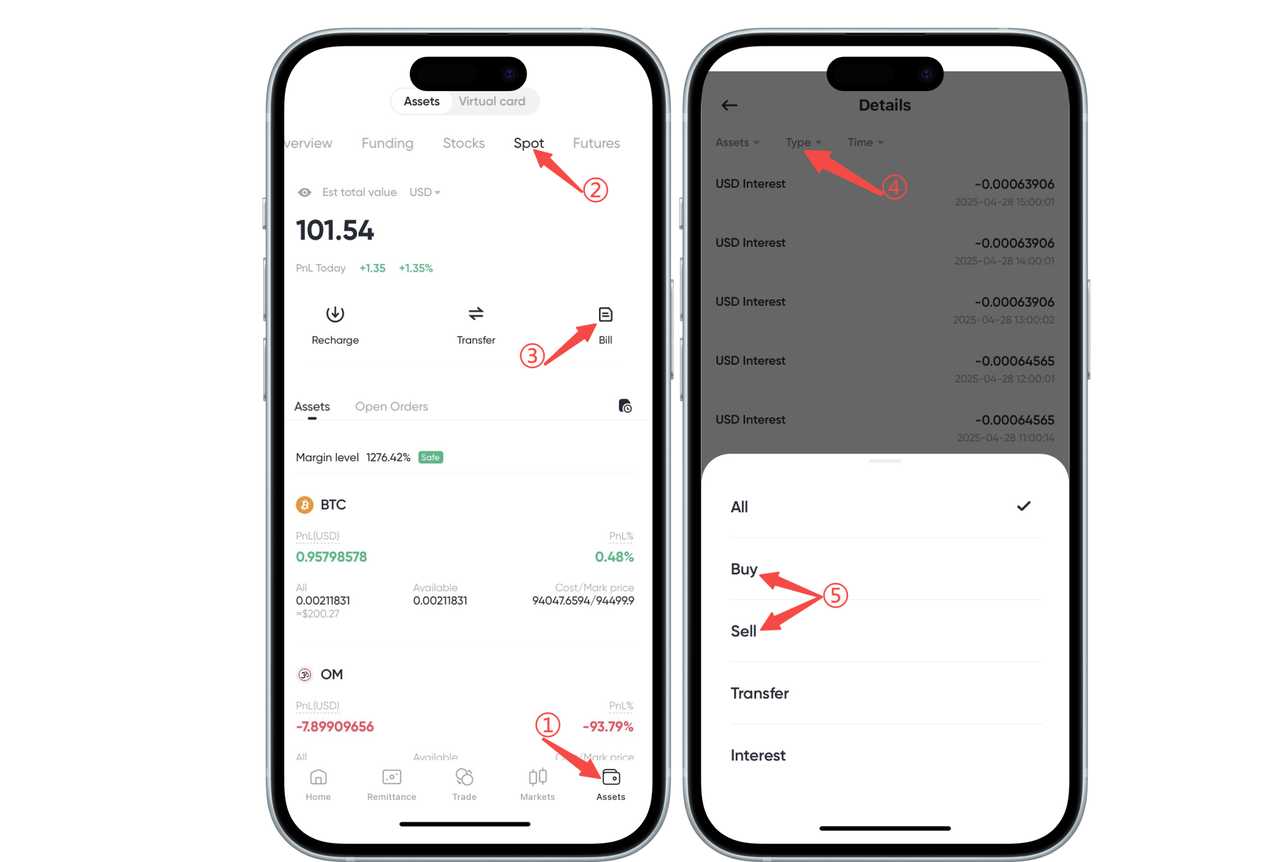
How to check cryptocurrency trading order history on the App:
On the [Assets] - [Spot] page, find and click the [Bill] button to enter the [Spot Account Details]. Select [Buy] and [Sell] under [Type] to view cryptocurrency trading records.
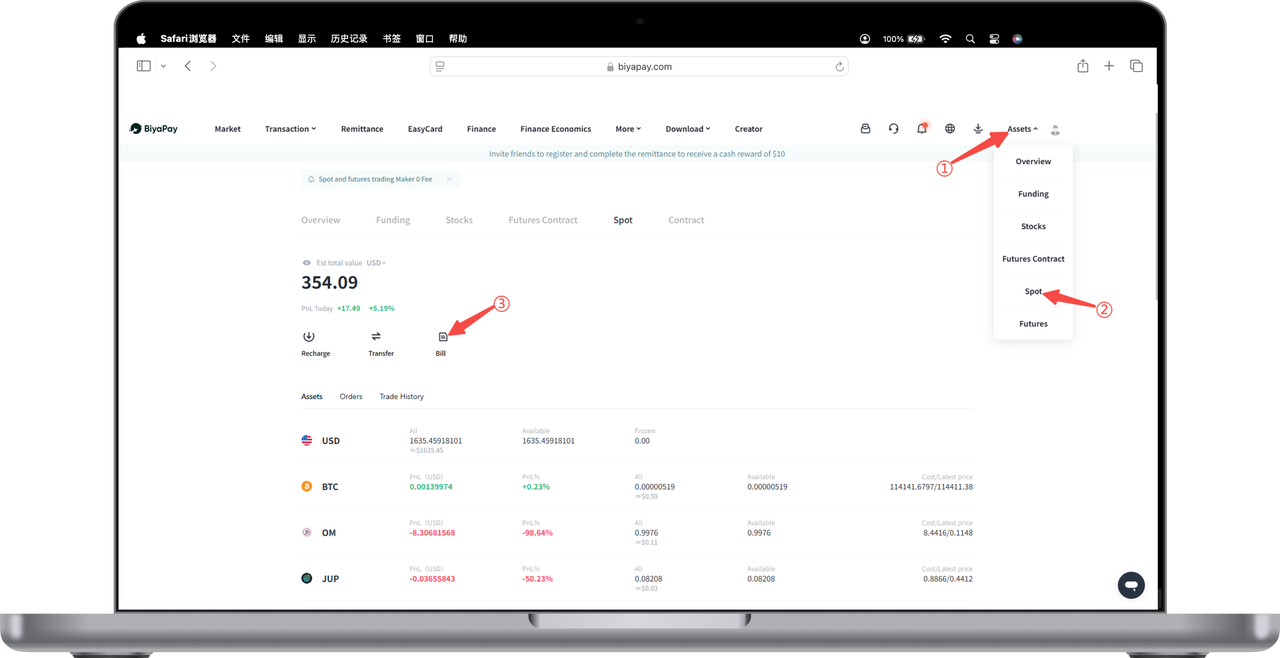
How to check cryptocurrency trading order history on the Web:
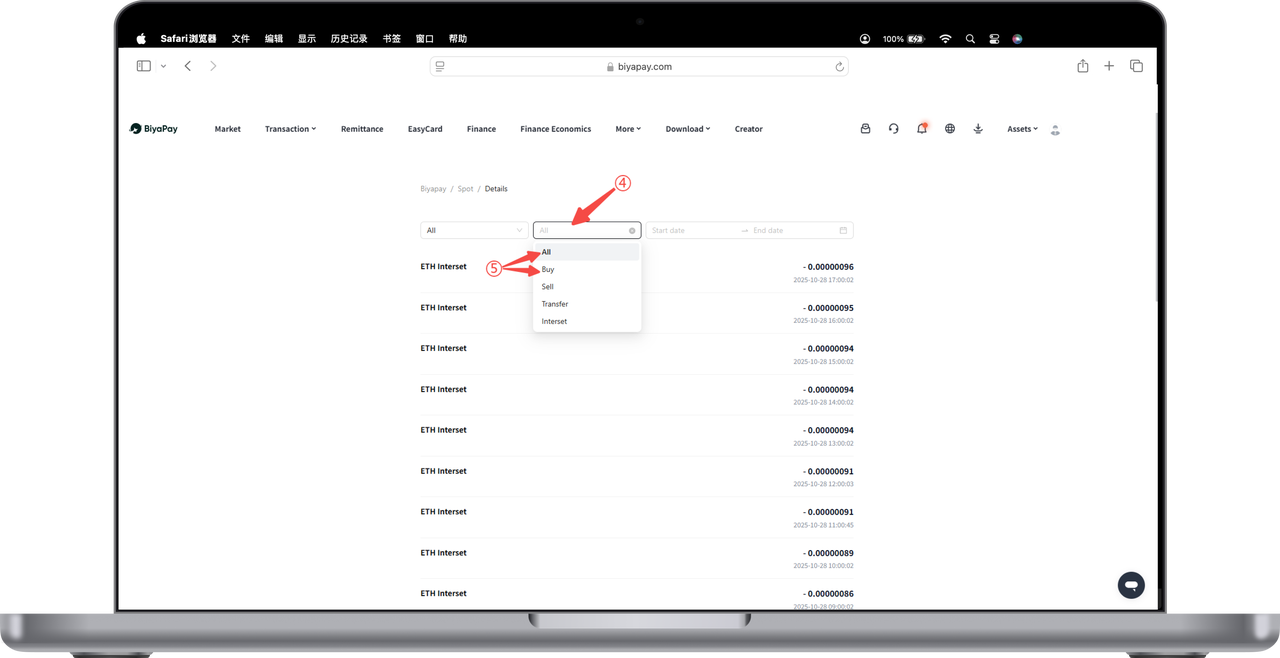
- On the official website, at the top right corner, go to [My Assets] - [Spot] page, find and click the [Bill] button.
- Select [All] - [Buy] or [Sell] on the [Bill] page to view the cryptocurrency spot account trading order history.