BiyaPay
Published on Updated on



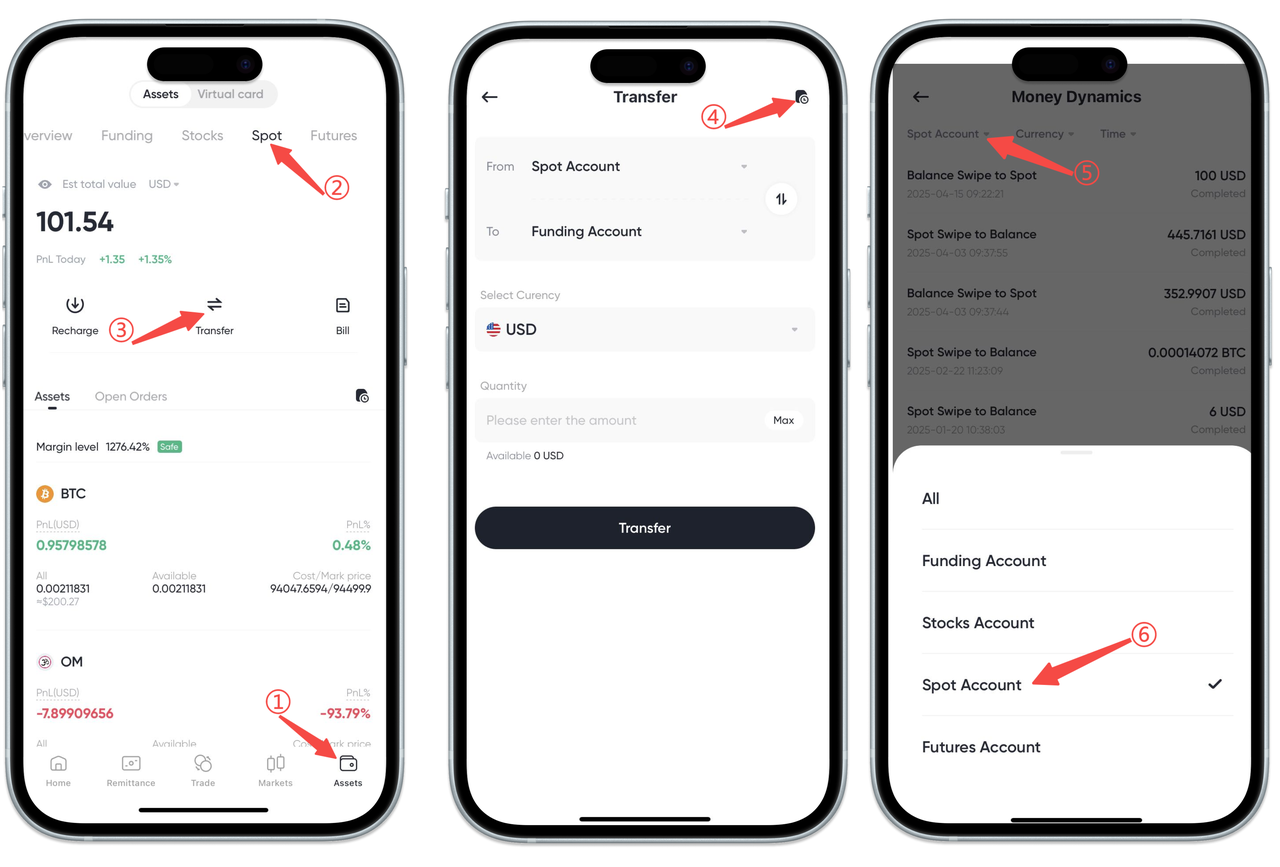
How to check the deposit and withdrawal history of the cryptocurrency spot account on the App:
On the 【Assets】-【Spot】 page, find and click the 【Transfer】 button. Then click the record icon at the top right corner of the 【Transfer】 page to view the deposit and withdrawal history of the cryptocurrency spot account.
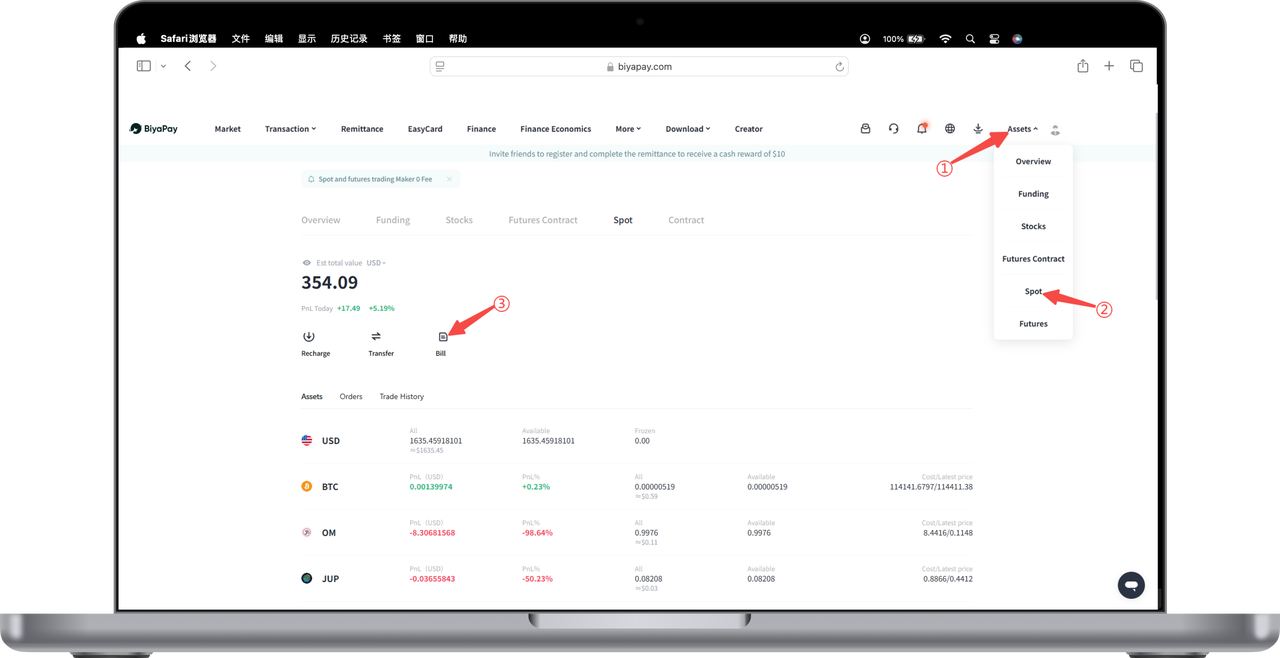
How to check the deposit and withdrawal history of the cryptocurrency spot account on the Web:
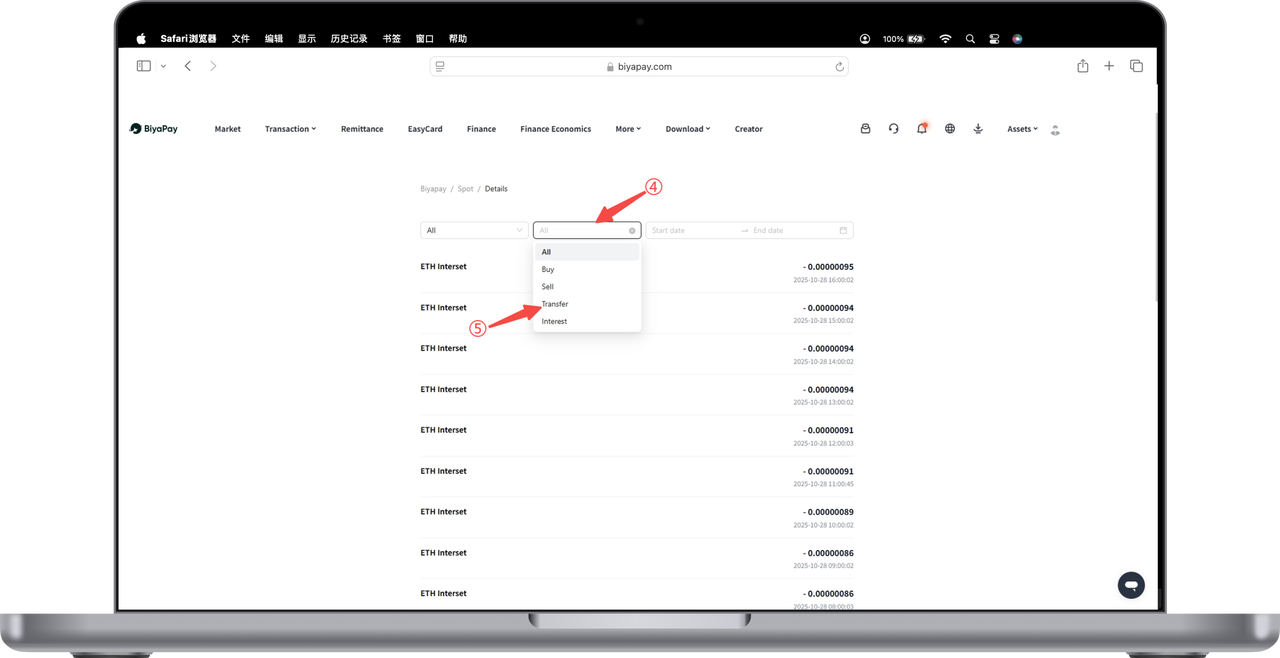
- On the official website, at the top right corner, go to 【My Assets】-【Spot】 page, find and click the 【Bills】 button.
- Select 【All】-【Transfer】 on the 【Bills】 page to view the deposit and withdrawal history of the cryptocurrency spot account.