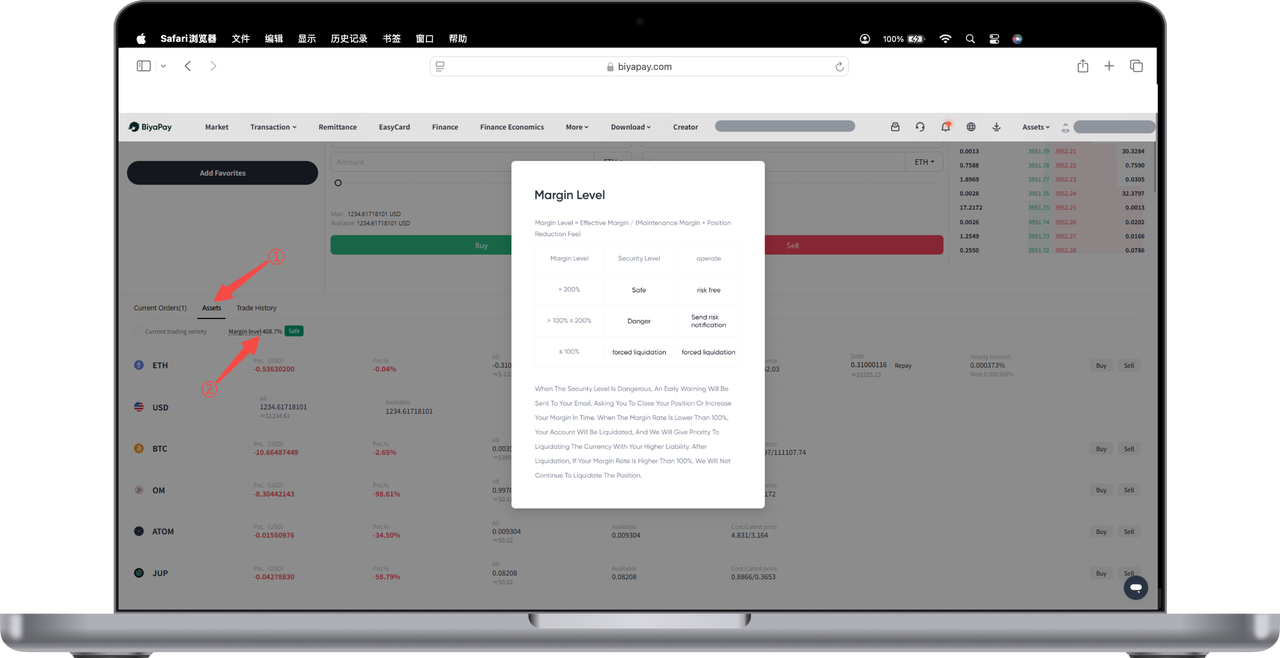
How to check the margin ratio and margin requirements on the App:
On the cryptocurrency 【Trading】 page, click 【Assets】 —— 【Margin Ratio】 to see the safety levels for different margin ratios.
-
If the margin ratio ≤ 100%, your spot account will be liquidated.
-
If 100% < margin ratio ≤ 200%, your spot account is at risk and may be liquidated. It is recommended to add margin until the margin ratio > 200%.
-
If the margin ratio > 200%, your spot account is safe.
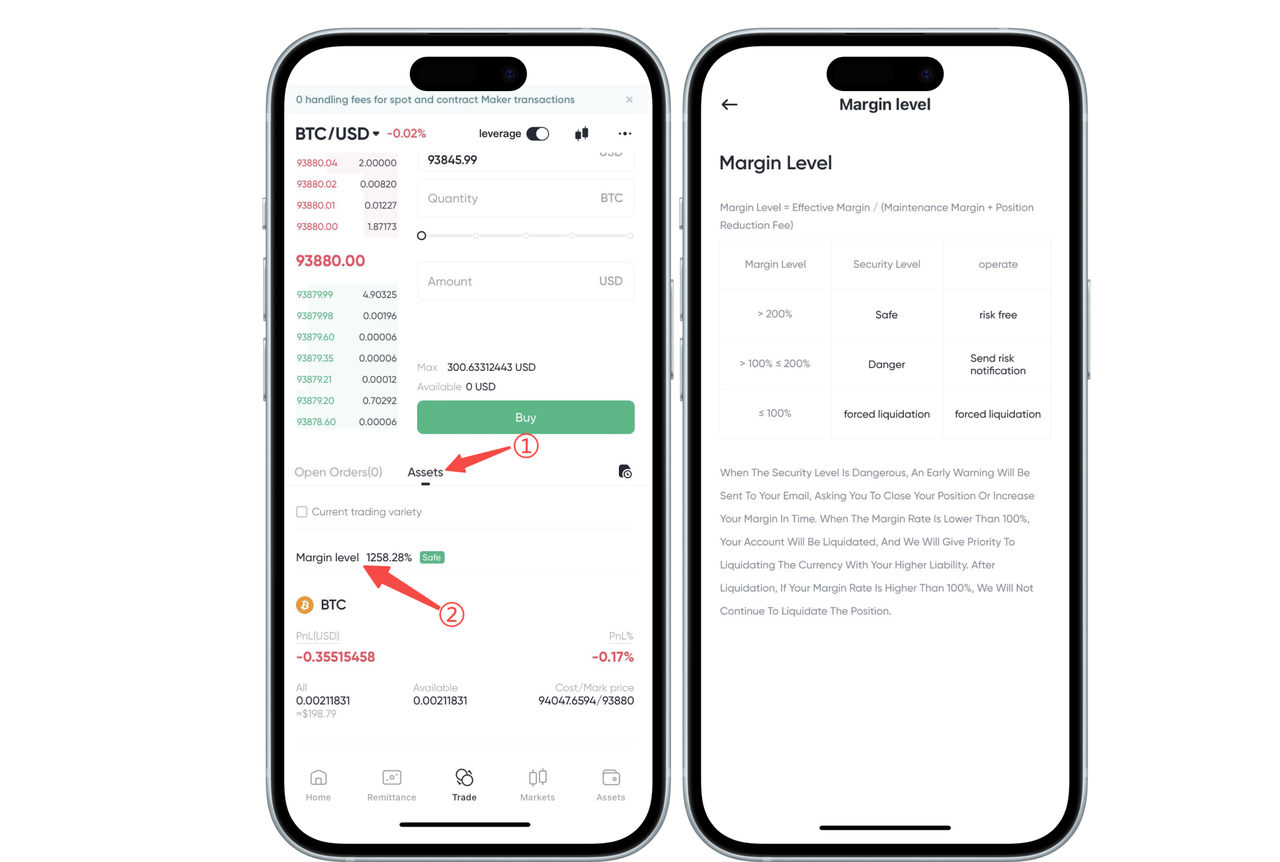
How to check the margin ratio and margin requirements on the Web:
On the cryptocurrency 【Trading】 page, click 【Assets】 —— 【Margin Ratio】 to see the safety levels for different margin ratios.
-
If the margin ratio ≤ 100%, your spot account will be liquidated.
-
If 100% < margin ratio ≤ 200%, your spot account is at risk and may be liquidated. It is recommended to add margin until the margin ratio > 200%.
-
If the margin ratio > 200%, your spot account is safe.