How to deposit funds for cryptocurrency spot trading on the App:
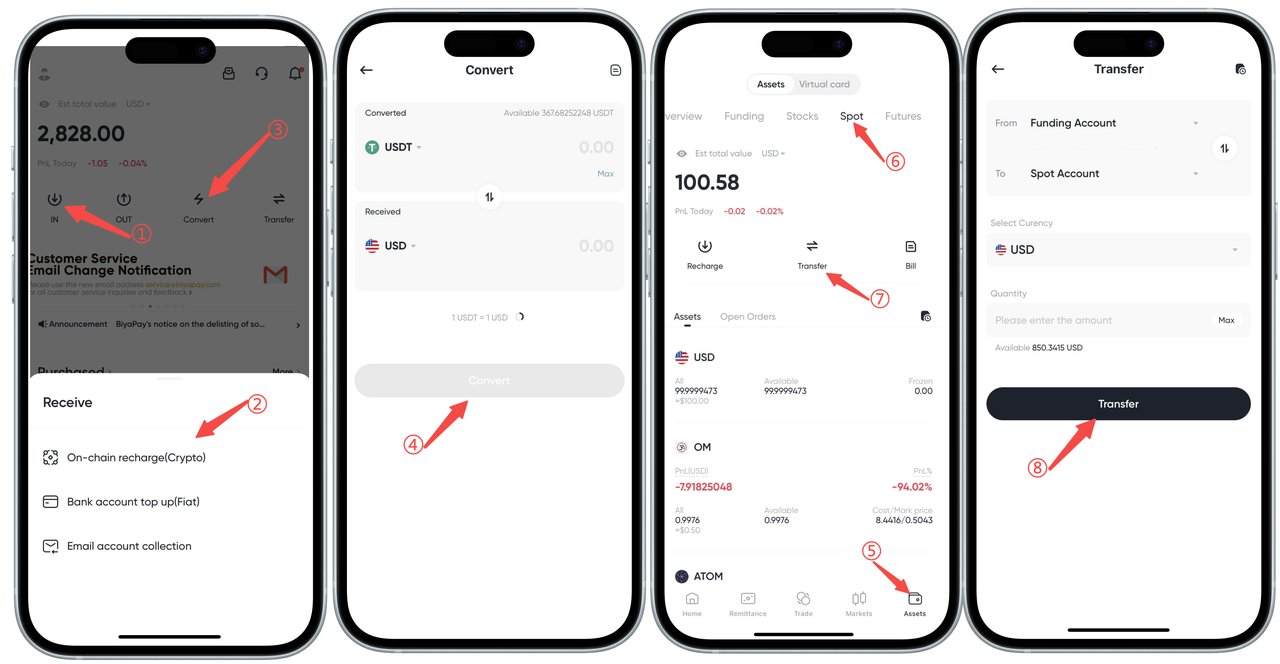
BiyaPay cryptocurrency trading offers two deposit methods:
First deposit method:
-
Open the APP homepage, select [Transfer In] to transfer funds into the [Funding Account].
-
Convert the transferred funds into USD (instant exchange).
-
Then, on the [Assets] - [Spot] page, transfer USD from the [Funding Account] to the [Spot Account].
After completing the above steps, your funds will be successfully deposited into your cryptocurrency spot account.
Second deposit method:
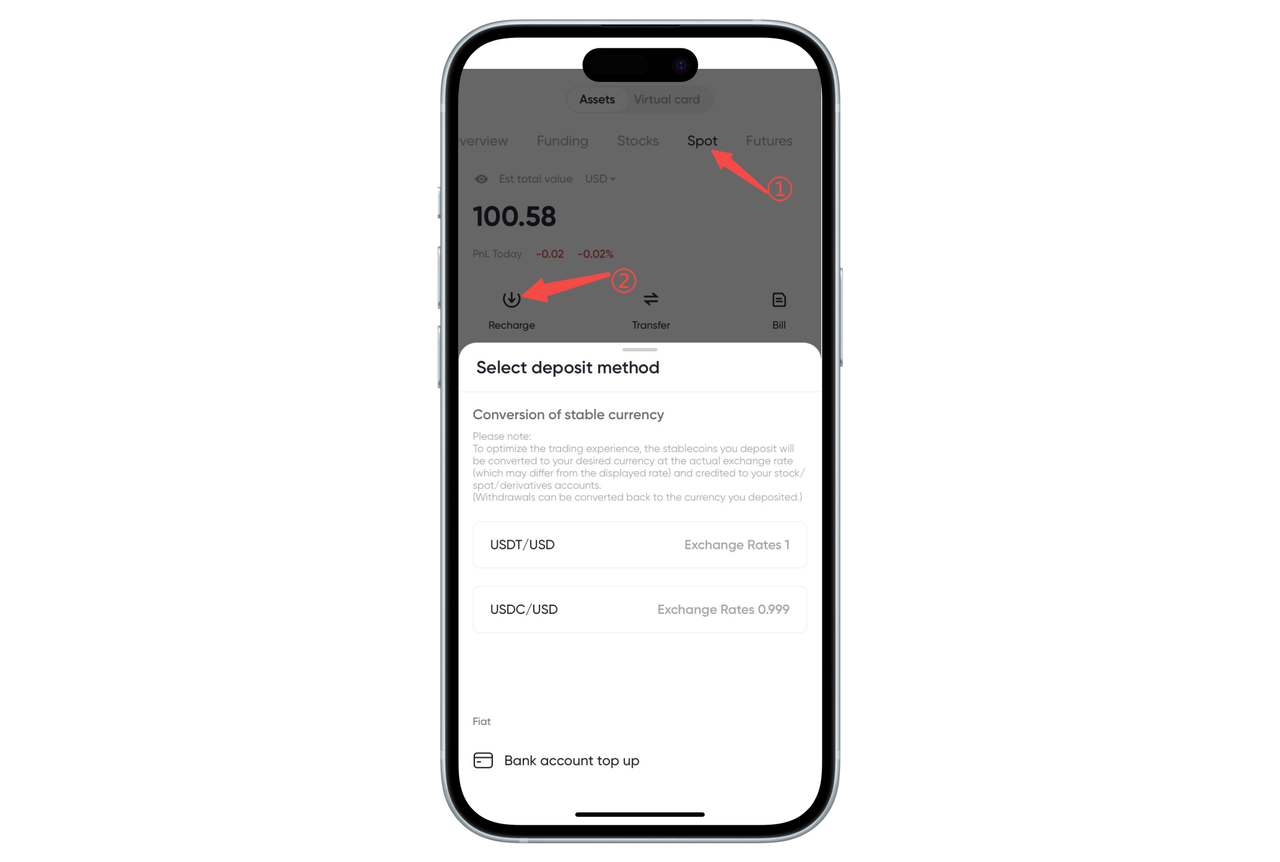
On the [Assets] - [Spot] page, click [Deposit] to directly deposit funds into the [Spot Account].
How to deposit funds for cryptocurrency spot trading on the Web:
BiyaPay cryptocurrency trading offers two deposit methods:
First deposit method:
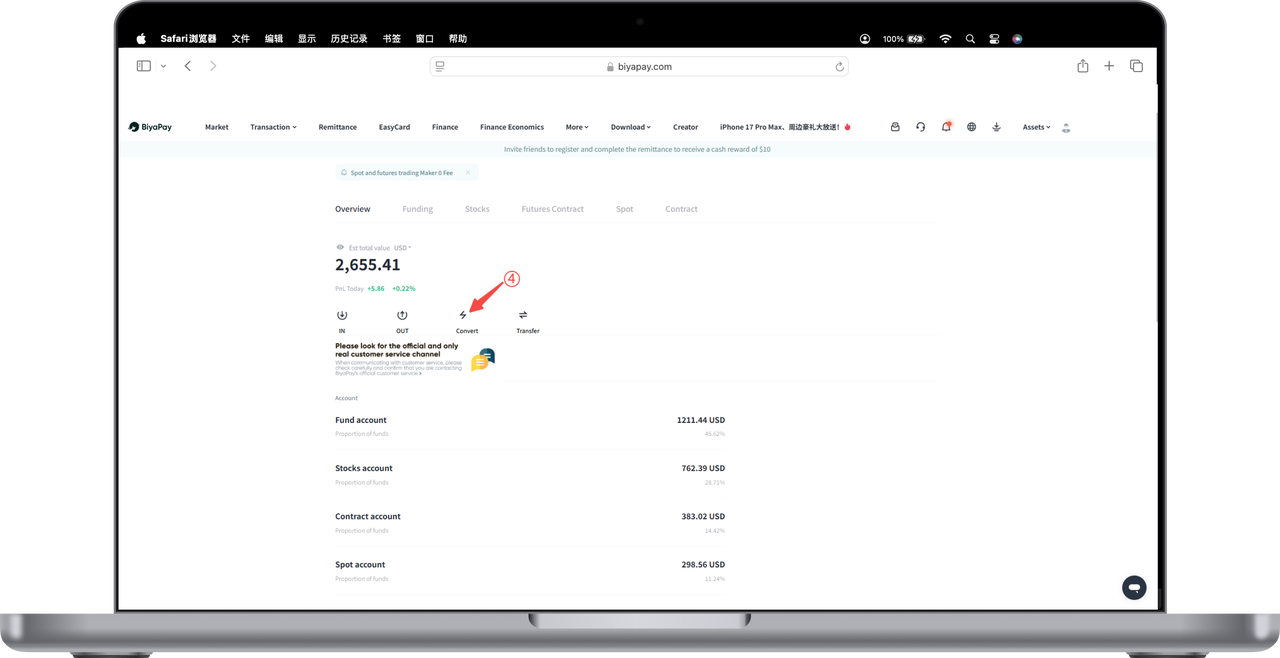
- Click [My Assets] - [Overview] at the top right corner of the webpage. On the overview page, select [Transfer In] to transfer funds into the [Funding Account].
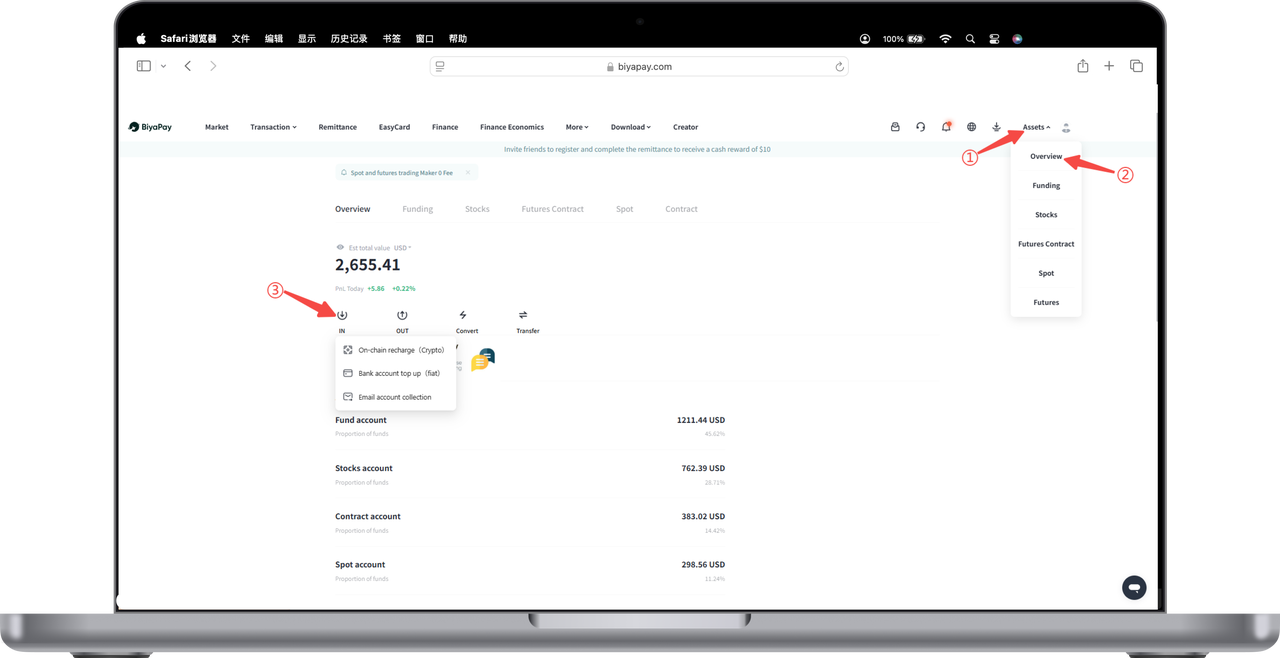
- Instantly exchange the transferred funds into USD.
- Then, on the [My Assets] - [Spot] page, transfer USD from the [Funding Account] to the [Spot Account].
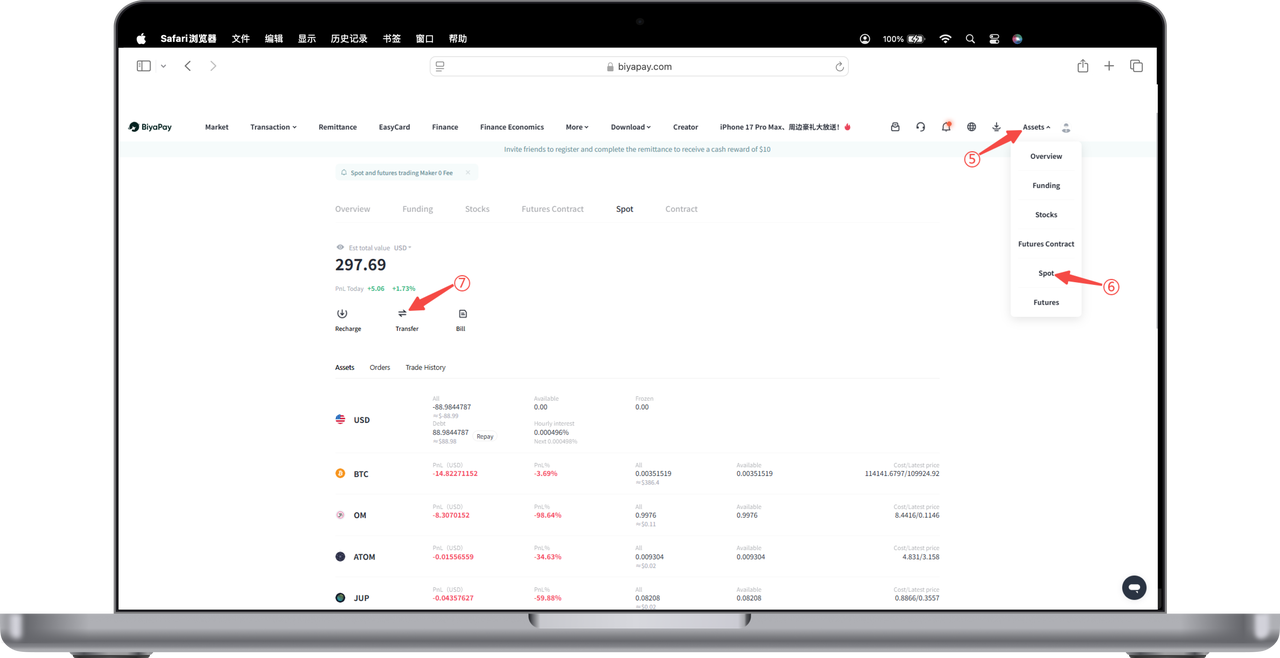
After completing the above steps, your funds will be successfully deposited into your cryptocurrency spot account.
Second deposit method:
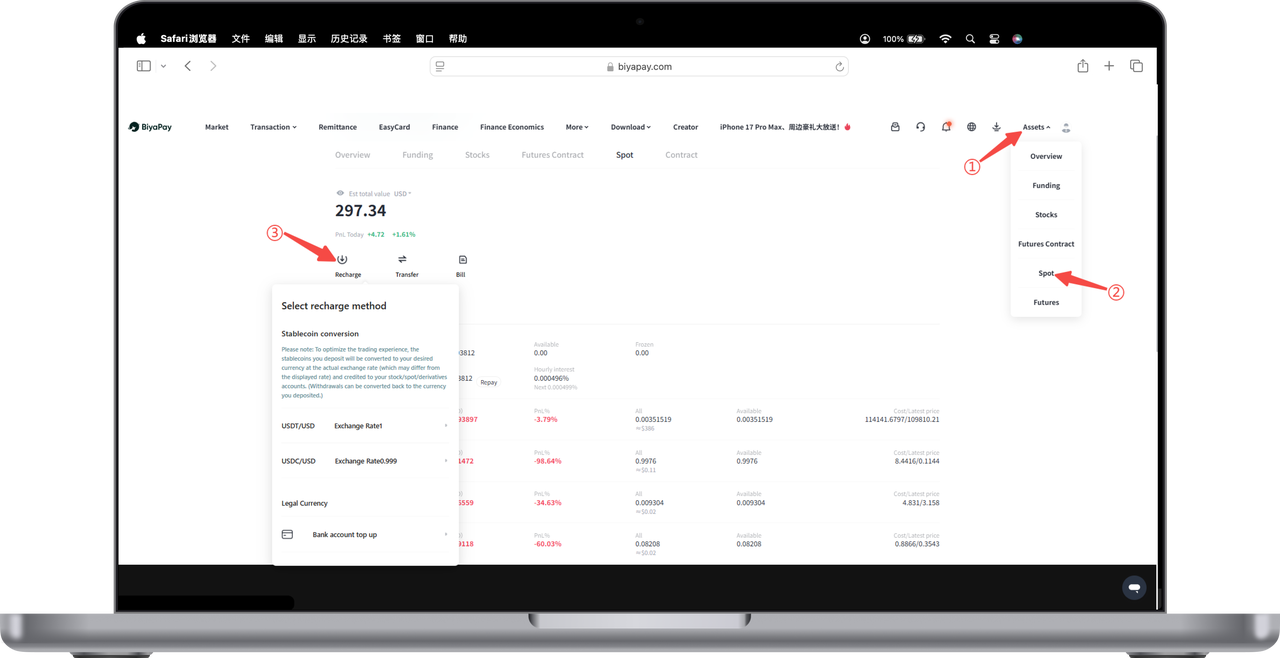
On the [My Assets] - [Spot] page, click [Deposit] to directly deposit funds into the [Spot Account].