Under What Circumstances Will You Face the Risk of Forced Liquidation?




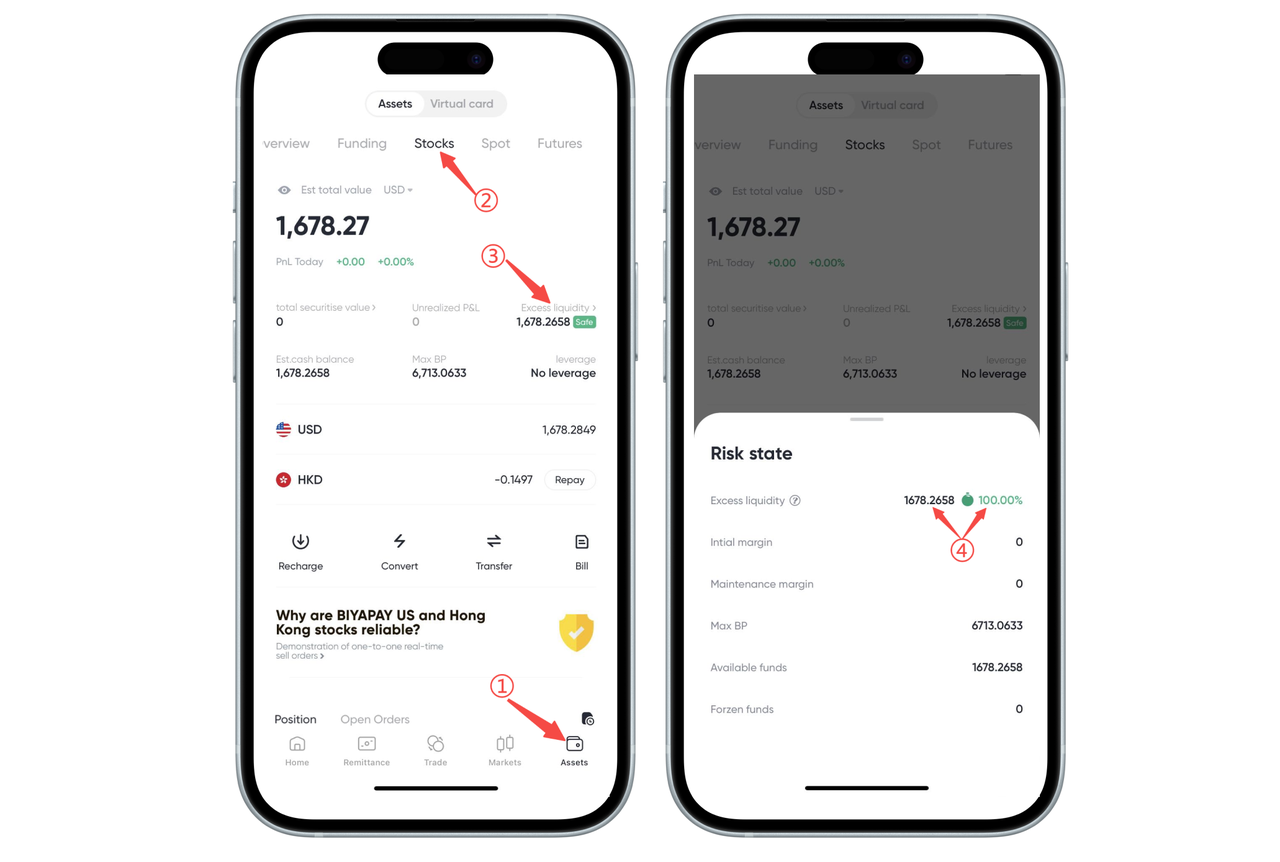
How to Check the Risk of Forced Liquidation on the App:
You can view the Remaining Liquidity and Remaining Liquidity Ratio on the 【Assets】-【Stocks】 page in the BiyaPay App.
When using leveraged trading, the system will trigger a forced liquidation (forced close) if any of the following conditions occur:
-
The stock account's Remaining Liquidity is 0;
-
The stock account's Remaining Liquidity Ratio is 0%.
We recommend that you monitor your account status regularly and manage your leverage prudently to avoid triggering forced liquidation.
How to Check the Risk of Forced Liquidation on the Web:
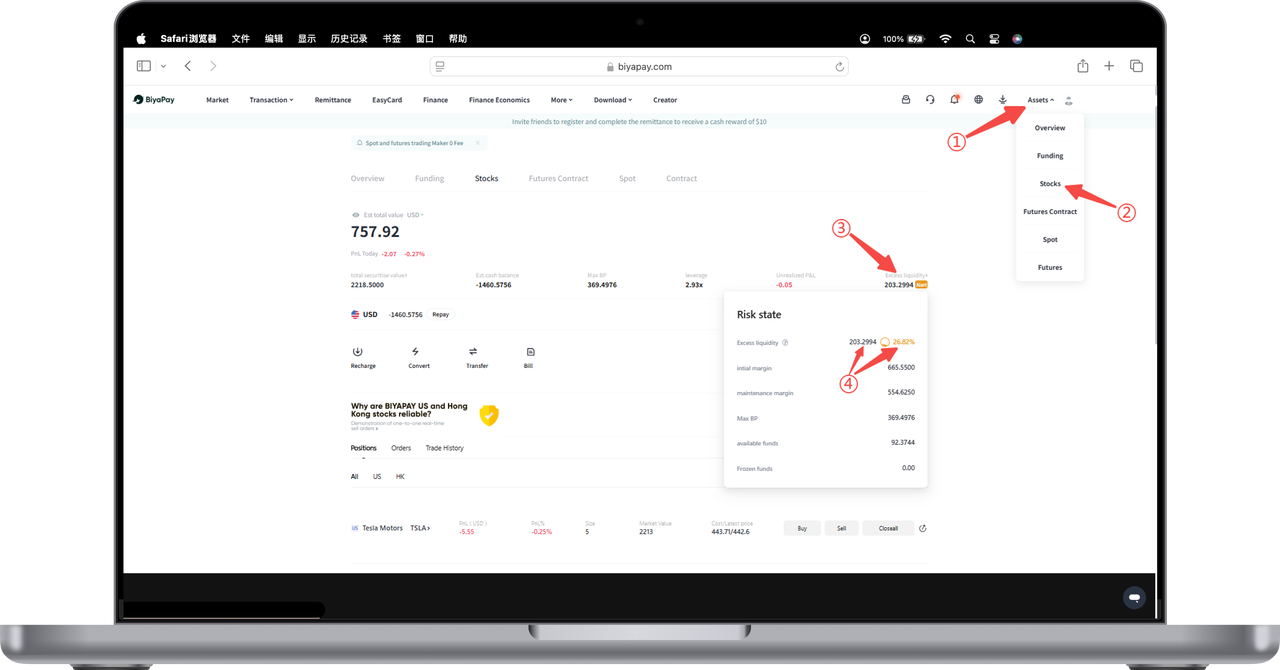
Click 【My Assets】 in the top menu and select the 【Stocks】 option. In the 【Risk Control Status】 pop-up window, you will see a metric called "Remaining Liquidity," which shows the proportion of your current remaining liquid funds relative to your total account assets.
For example, the Remaining Liquidity is 202.8494, accounting for 26.79%. This ratio indicates the proportion of your account's remaining liquid funds to your risk exposure.
When using leveraged trading, the system will trigger a forced liquidation (forced close) if any of the following conditions occur:
-
The stock account's Remaining Liquidity is 0;
-
The stock account's Remaining Liquidity Ratio is 0%.
We recommend that you monitor your account status regularly and manage your leverage prudently to avoid triggering forced liquidation.

Contact Us




BIYA GLOBAL LLC is registered with the Financial Crimes Enforcement Network (FinCEN), an agency under the U.S. Department of the Treasury, as a Money Services Business (MSB), with registration number 31000218637349, and regulated by the Financial Crimes Enforcement Network (FinCEN).
BIYA GLOBAL LIMITED is a registered Financial Service Provider (FSP) in New Zealand, with registration number FSP1007221, and is also a registered member of the Financial Services Complaints Limited (FSCL), an independent dispute resolution scheme in New Zealand.