- More
- Download




The risk status of your stock account is displayed on the Risk Control Status page, which includes detailed explanations of your account risks and corresponding handling suggestions.
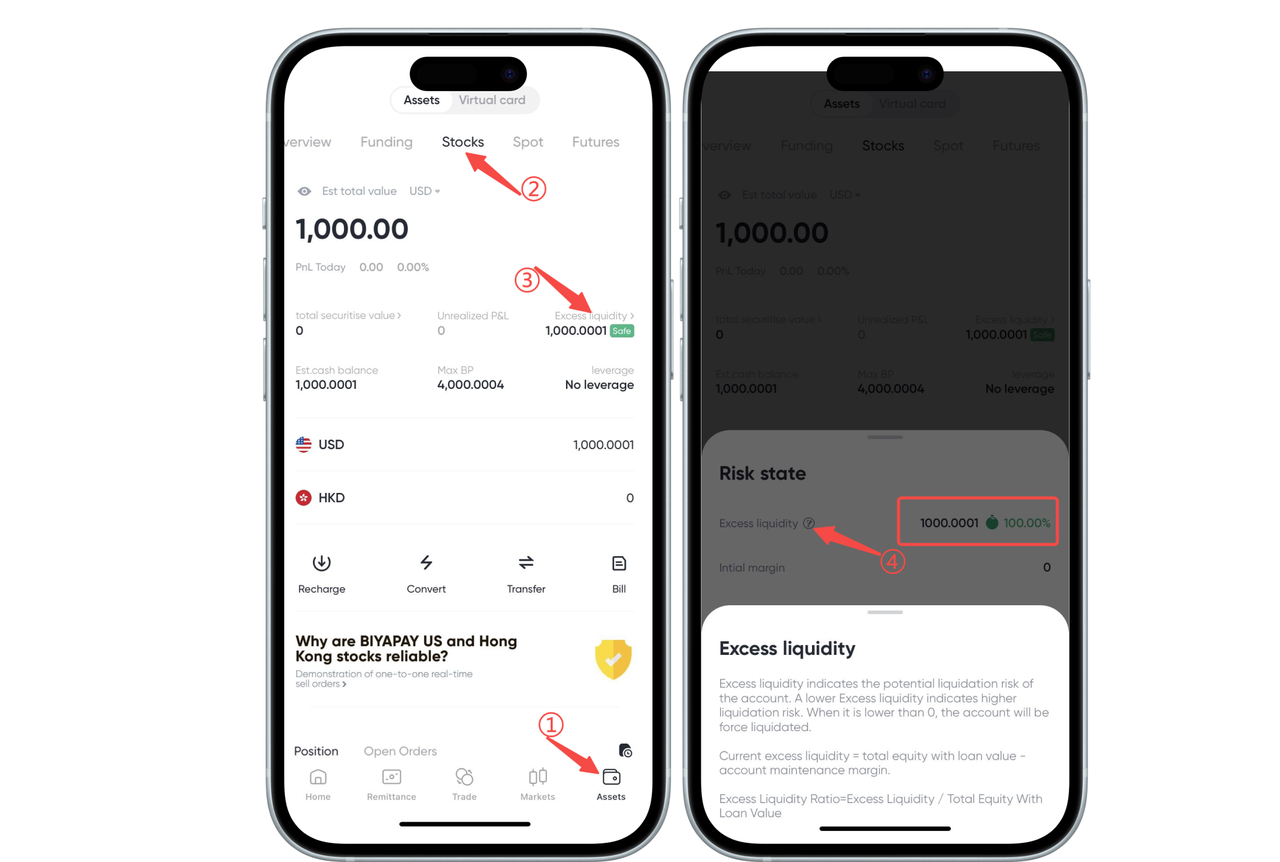
How to Check Stock Account Risks on the App:
1. Enter the Stock Account Page: Open the BiyaPay App, tap the bottom 【Assets】 tab to access your stock account interface.
2. View Risk Control Status: On the stock account page, tap 【Risk Control Status】 (as shown in the image) to see the current risk control situation.
3. Remaining Liquidity: On the pop-up page, you will see the Remaining Liquidity and its related percentage (e.g., 100%). This information reflects the funds available in your account for further operations.
4. Detailed Explanation: Below the remaining liquidity, the system provides detailed notes indicating:
Remaining liquidity reflects the proportion of available funds in your account. If the remaining liquidity is low, it may indicate you are close to or have exceeded margin requirements.
If the current remaining liquidity is 100%, it means your account funds are sufficient and you can continue trading; if below this level, you may need to add funds to avoid forced liquidation.
How to Check What Risks Currently Exist in Your Stock Account on the Web:
1. Log In: First, open the BiyaPay website and log into your account.
2. Enter the Stocks Page: Click 【My Assets】 in the top menu and select the 【Stocks】 option.
3. View Risk Status: Under the 【Risk Control Status】 section on the page, you can view key data such as Remaining Liquidity, Initial Margin, and Maintenance Margin.
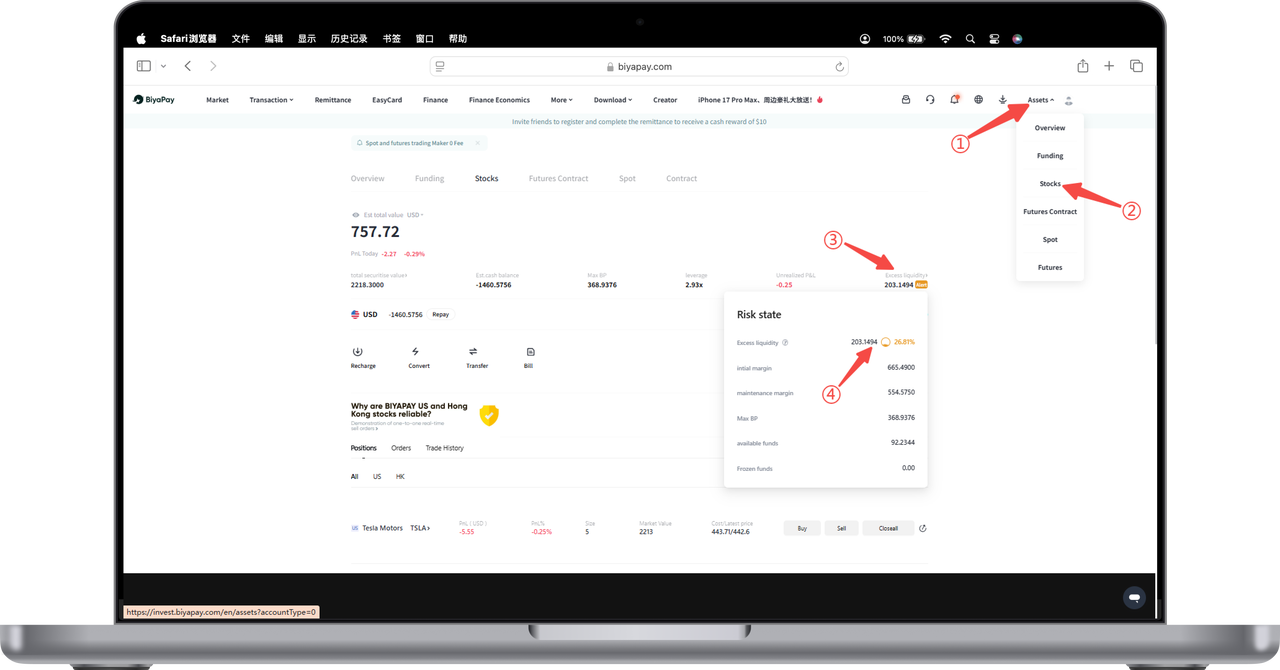
4. Check Remaining Liquidity:
In the 【Risk Control Status】 pop-up window, you will see a metric called "Remaining Liquidity," showing the proportion of your current remaining liquid funds relative to your total account assets.
For example, remaining liquidity might be 202.8494, accounting for 26.79%. This ratio indicates the proportion of your account's remaining liquid funds compared to your risk exposure.
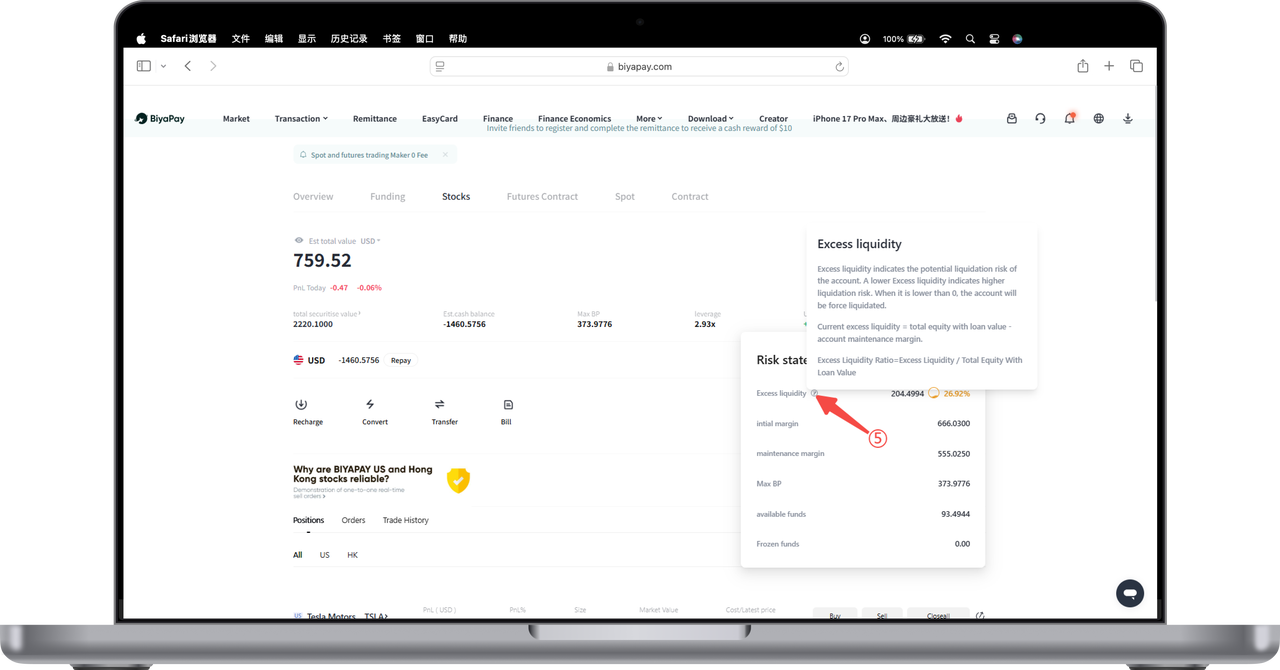
Further Explanation:
Remaining Liquidity: If remaining liquidity falls below 0, forced liquidation will occur. A very low remaining liquidity ratio means your account has relatively little liquid funds available for trading, a large risk exposure, and may face forced liquidation risk.
Initial Margin: Shows the initial margin set in your account, representing the minimum margin amount you need to provide.
Maintenance Margin: Indicates the minimum fund level required to maintain your positions.
Maximum Available Leverage: Displays the maximum leverage ratio currently available for your account.
By monitoring these data points, you can promptly assess your risk status and ensure your account remains within normal risk control limits.

Contact Us



