- More
- Download

BiyaPay
Published on Updated on



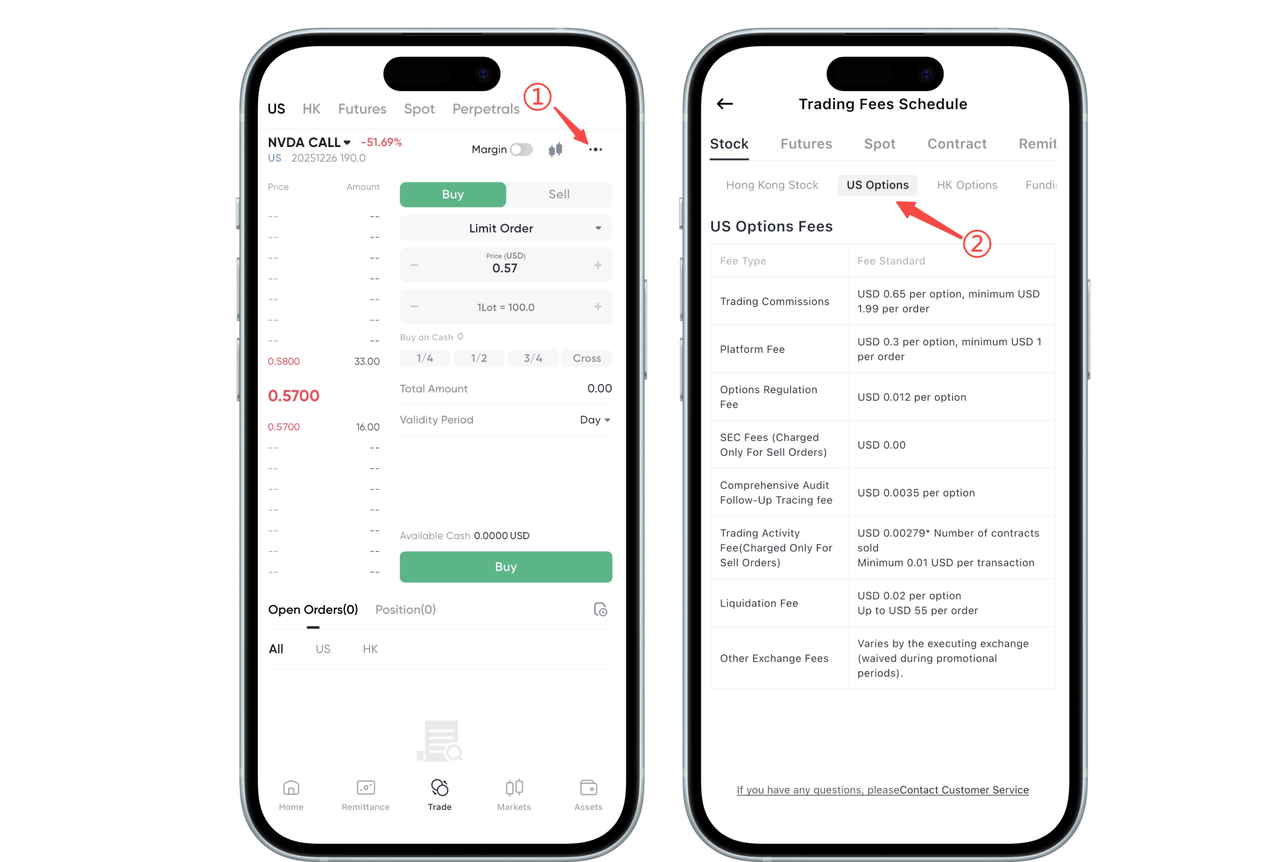
How to check U.S. stock options trading fees on the App:
On the App, tap the three dots in the upper right corner of the [Trade] page of any U.S. stock option. You will be redirected to the Fee Center. In the Fee Center, select U.S. Stock Options to view the detailed fee schedule for U.S. stock options.
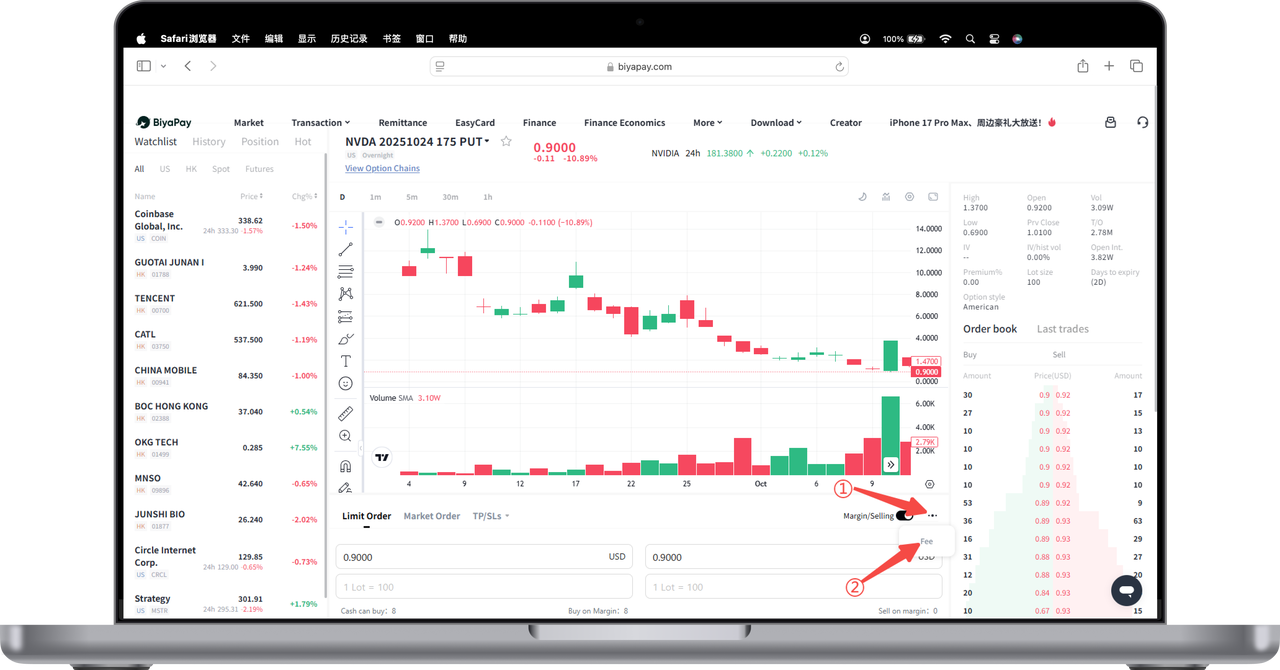
How to check U.S. stock options trading fees on the Web:
Click the three dots in the lower right corner of the [Trade] page of any U.S. stock option and select [Fees].
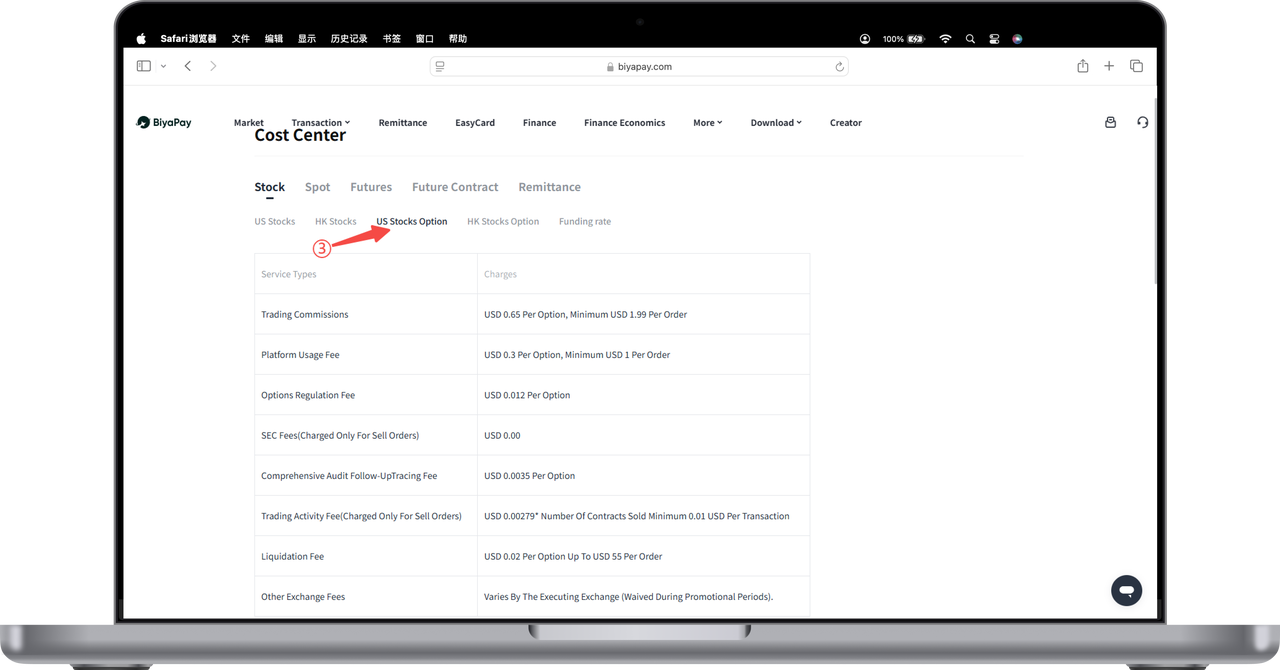
A pop-up page will display the U.S. stock options fee details.

BiyaPay makes crypto more popular!
Contact Us
Mail: service@biyapay.com
Customer Service Telegram: https://t.me/biyapay001
Telegram Community: https://t.me/biyapay_ch
Digital Asset Community: https://t.me/BiyaPay666
Community




Compliance Entity
Biya Global LLC is a U.S. limited liability company. It has completed federal MSB registration (Registration number 31000218637349) with FinCEN under the Bank Secrecy Act and is subject to FinCEN’s supervision.
Biya Global Limited is a New Zealand registered entity. It holds valid FSP registration (Registration number FSP1007221) on the Financial Service Providers Register (FSPR) under the Financial Service Providers (Registration and Dispute Resolution) Act 2008 and is subject to supervision by the Financial Markets Authority (FMA).
©2019 - 2026 BIYA GLOBAL LIMITED