BiyaPay
Published on Updated on

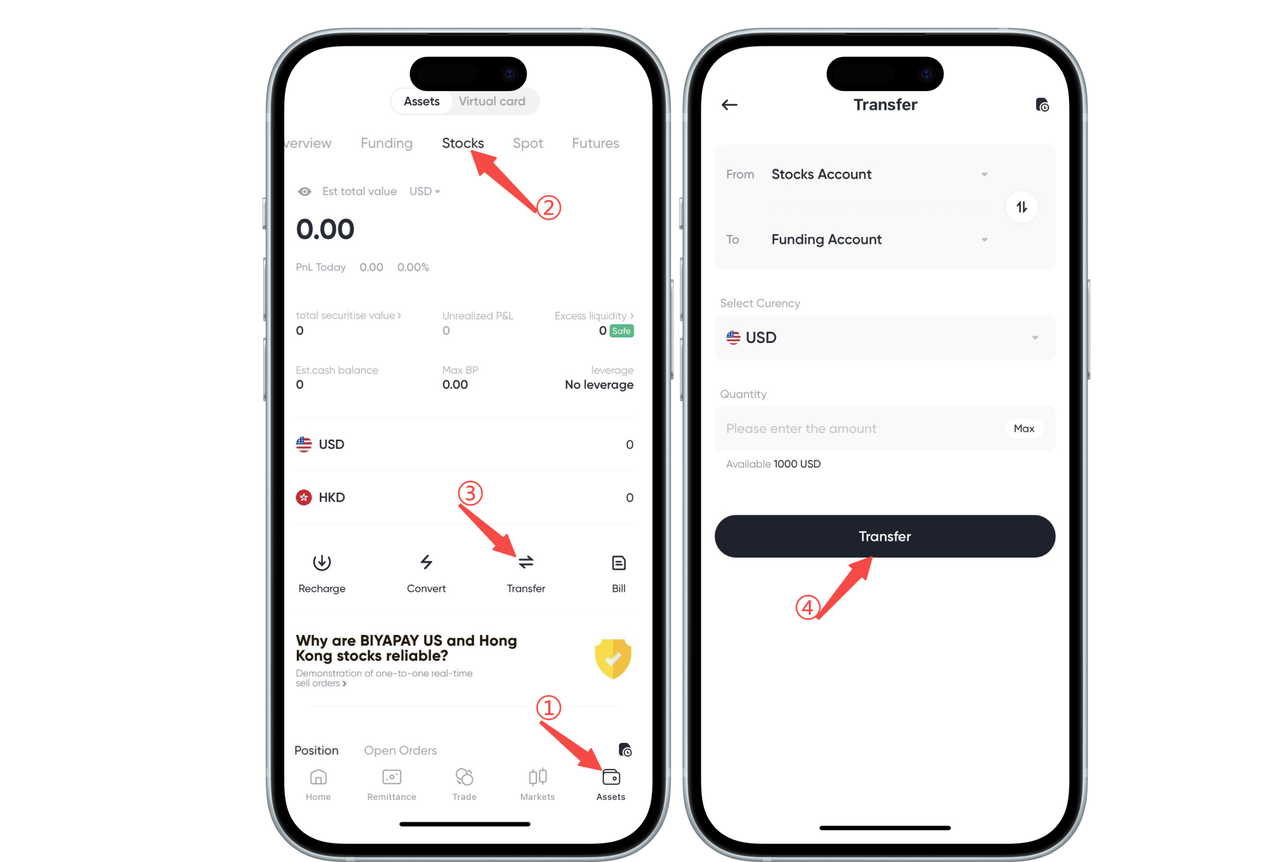
How to check the stock withdrawal process on the App:

How to transfer fiat currency from BiyaPay US and Hong Kong stock account to the fund account?

Click [Transfer] on the [Assets] - [Stocks] page. On the [Transfer] page, you can directly transfer fiat currency from the US and Hong Kong stock account to the fund account.
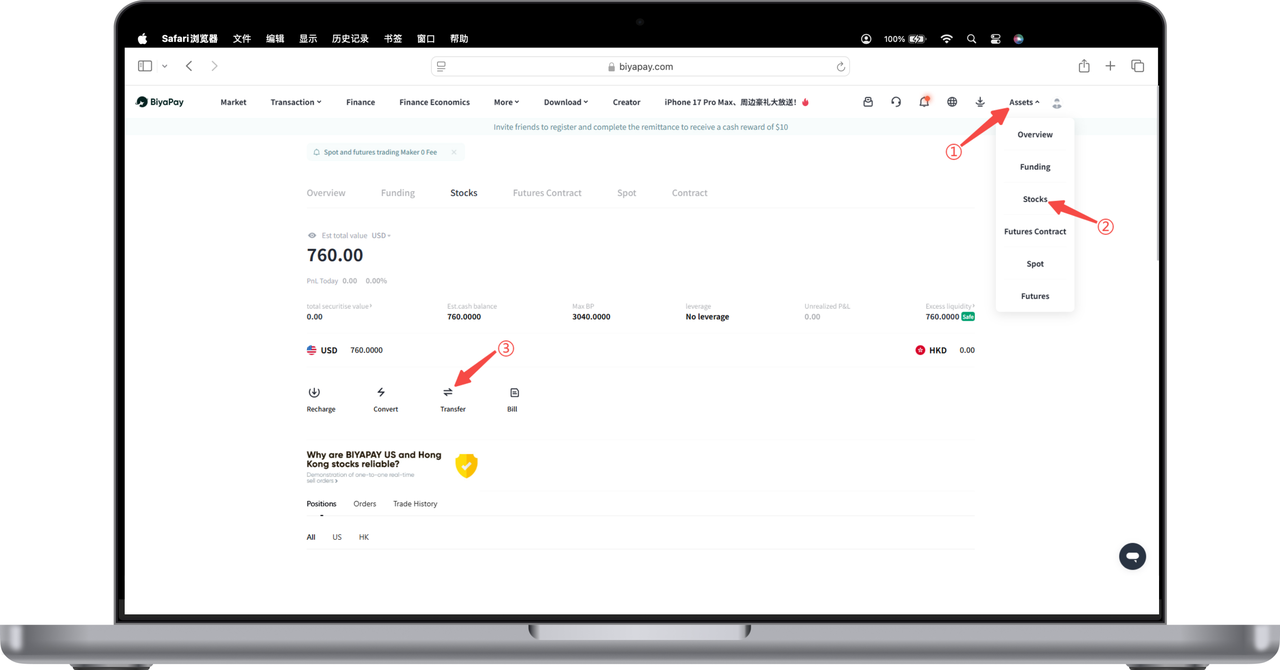
How to check the stock withdrawal process on the Web:

Click [My Assets] - [Stocks] in the upper right corner of the webpage. Click [Transfer] on the stock page.
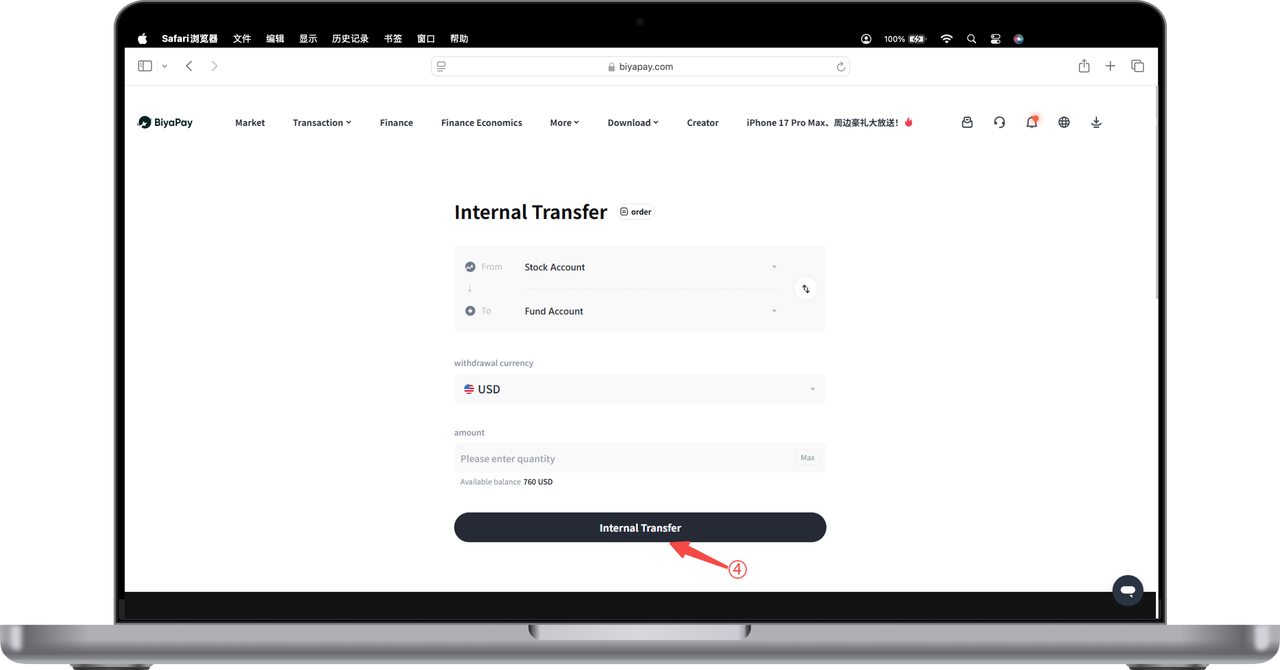
On the [Transfer] page, enter the amount, and you can directly transfer US dollars or Hong Kong dollars from the stock account to the fund account.
BiyaPay
BiyaPay makes crypto more popular!

Contact Us

Mail: service@biyapay.com
Customer Service Telegram: https://t.me/biyapay001
Telegram Community: https://t.me/biyapay_ch
Digital Asset Community: https://t.me/BiyaPay666
BiyaPay的电报社区BiyaPay的Discord社区BiyaPay客服邮箱BiyaPay Instagram官方账号BiyaPay Tiktok官方账号BiyaPay LinkedIn官方账号
Compliance Entity
Biya Global LLC is a U.S. limited liability company. It has completed federal MSB registration (Registration number 31000218637349) with FinCEN under the Bank Secrecy Act and is subject to FinCEN’s supervision.
Biya Global Limited is a New Zealand registered entity. It holds valid FSP registration (Registration number FSP1007221) on the Financial Service Providers Register (FSPR) under the Financial Service Providers (Registration and Dispute Resolution) Act 2008 and is subject to supervision by the Financial Markets Authority (FMA).
©2019 - 2026 BIYA GLOBAL LIMITED
