




How to use BiyaPay for stock trading on the App:
Below is a complete stock trading process, taking charging USDT to trade US stocks as an example
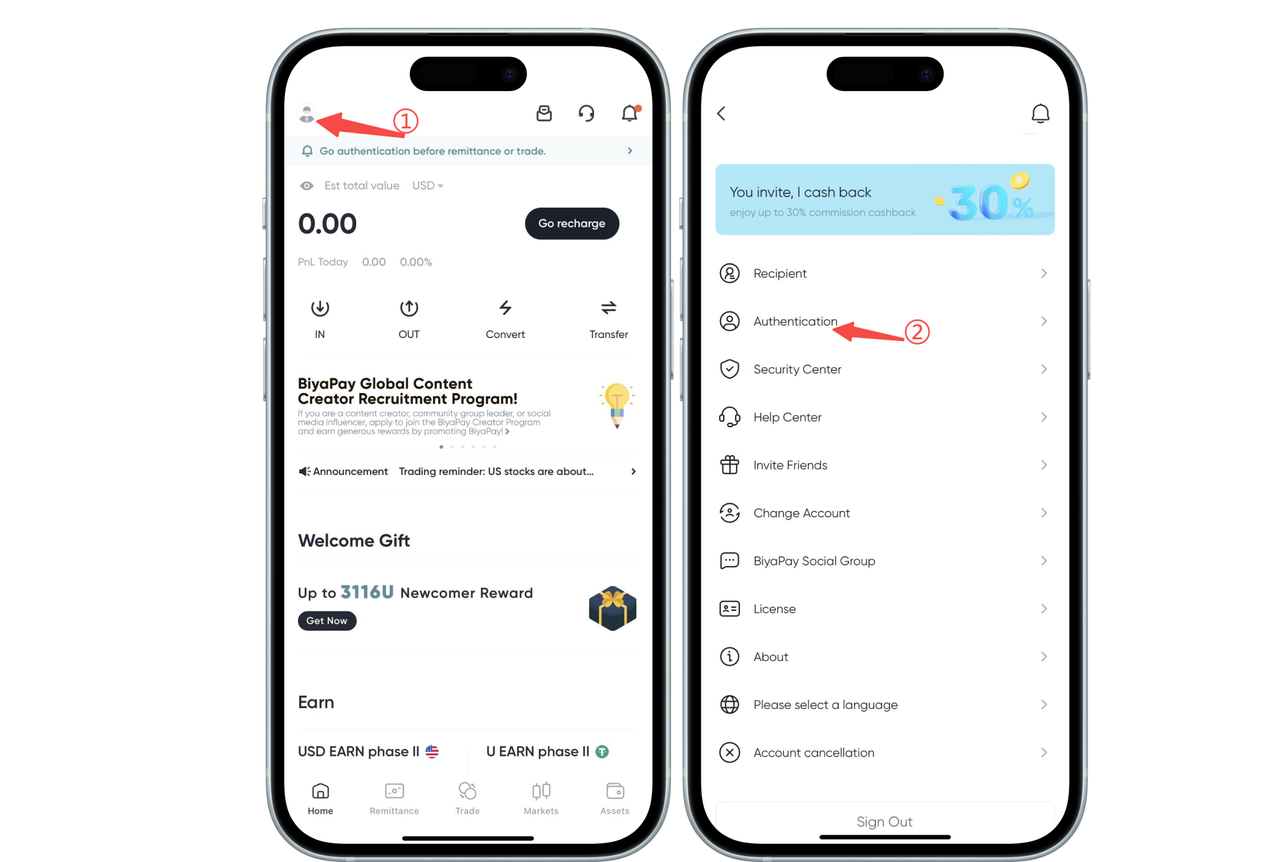
1. Real-name authentication
Click the avatar icon in the upper left corner of the app homepage, enter the personal center, and select [Identity Authentication] for real-name authentication
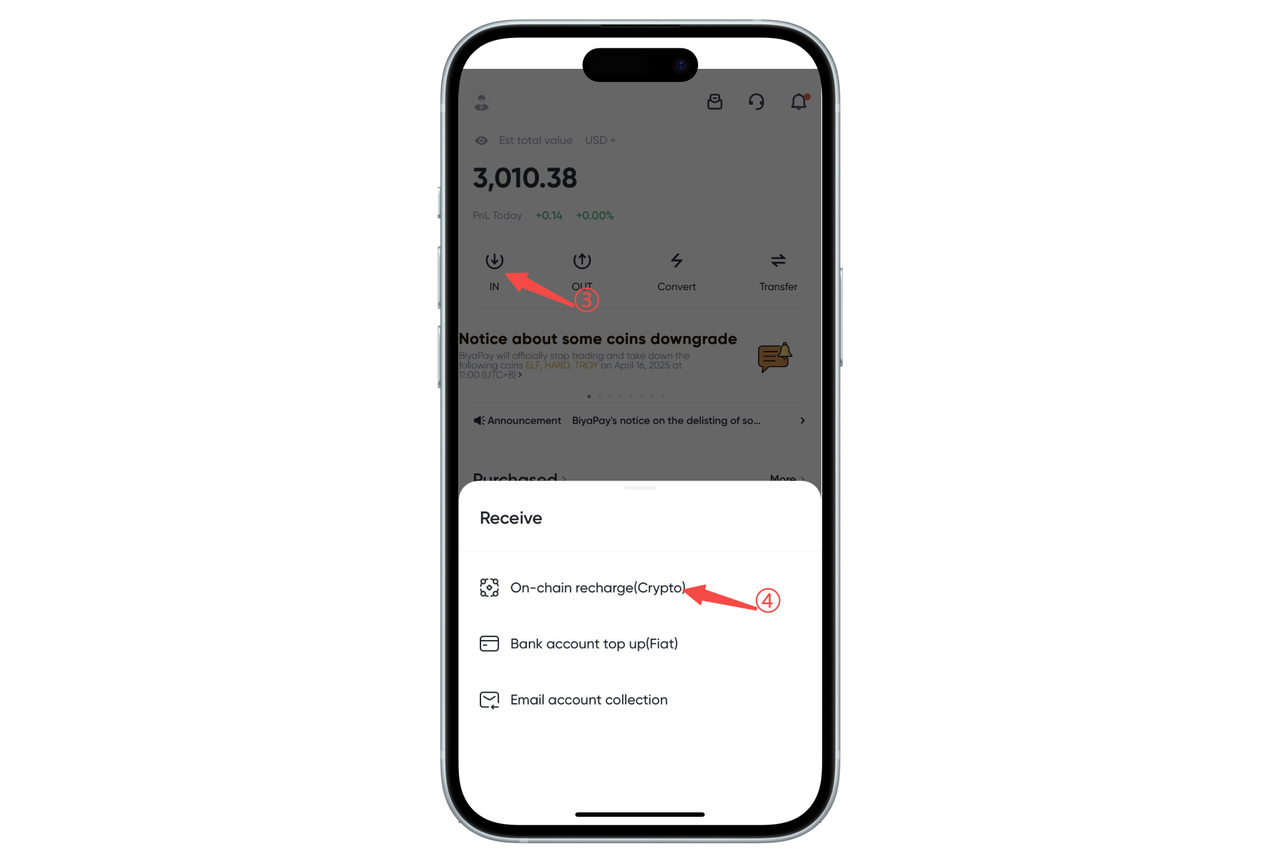
2. Recharge USDT
Click [Transfer In] on the app homepage, select [On-chain Recharge], and recharge USDT
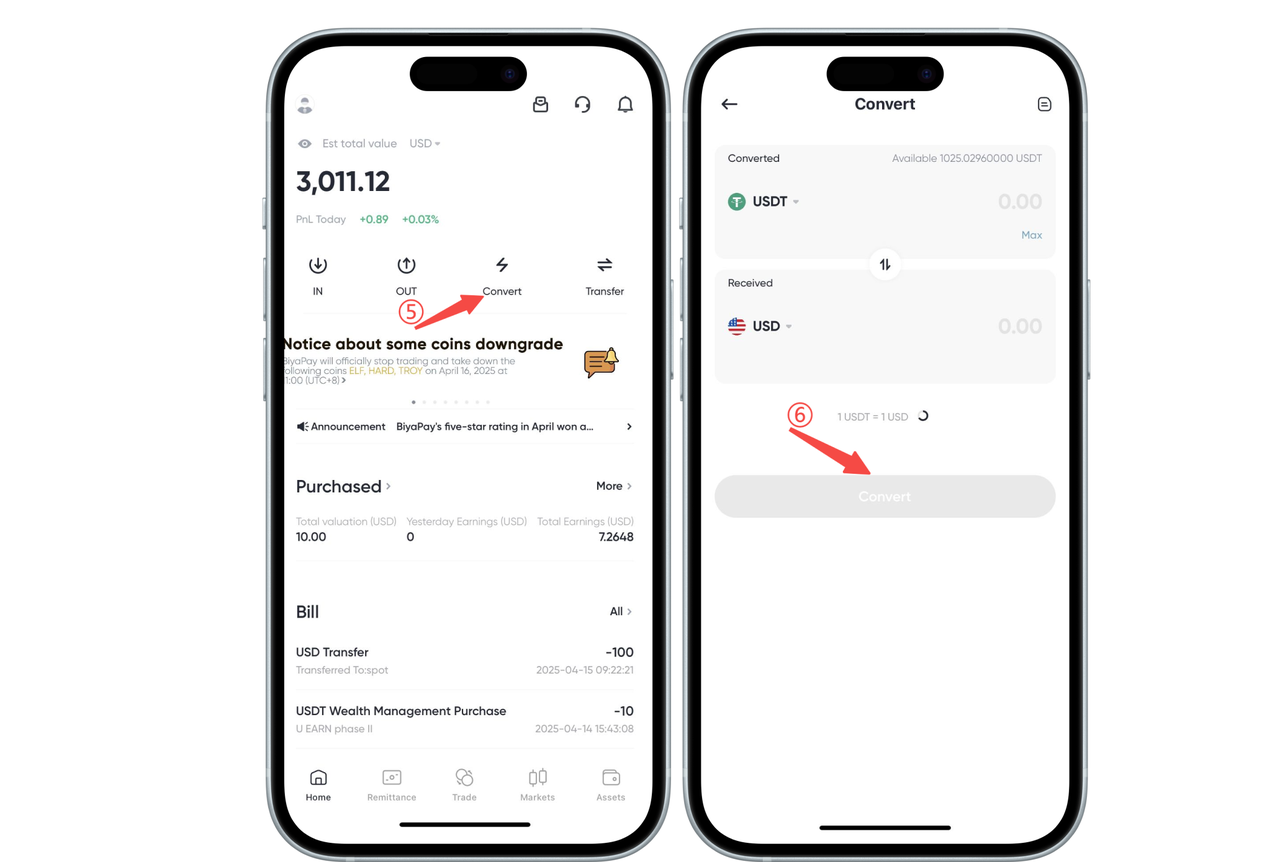
3. Exchange USDT for USD
On the APP homepage, click [Flash Exchange] to exchange USDT for USD first. If you plan to trade Hong Kong stocks, you need to exchange USDT for HKD
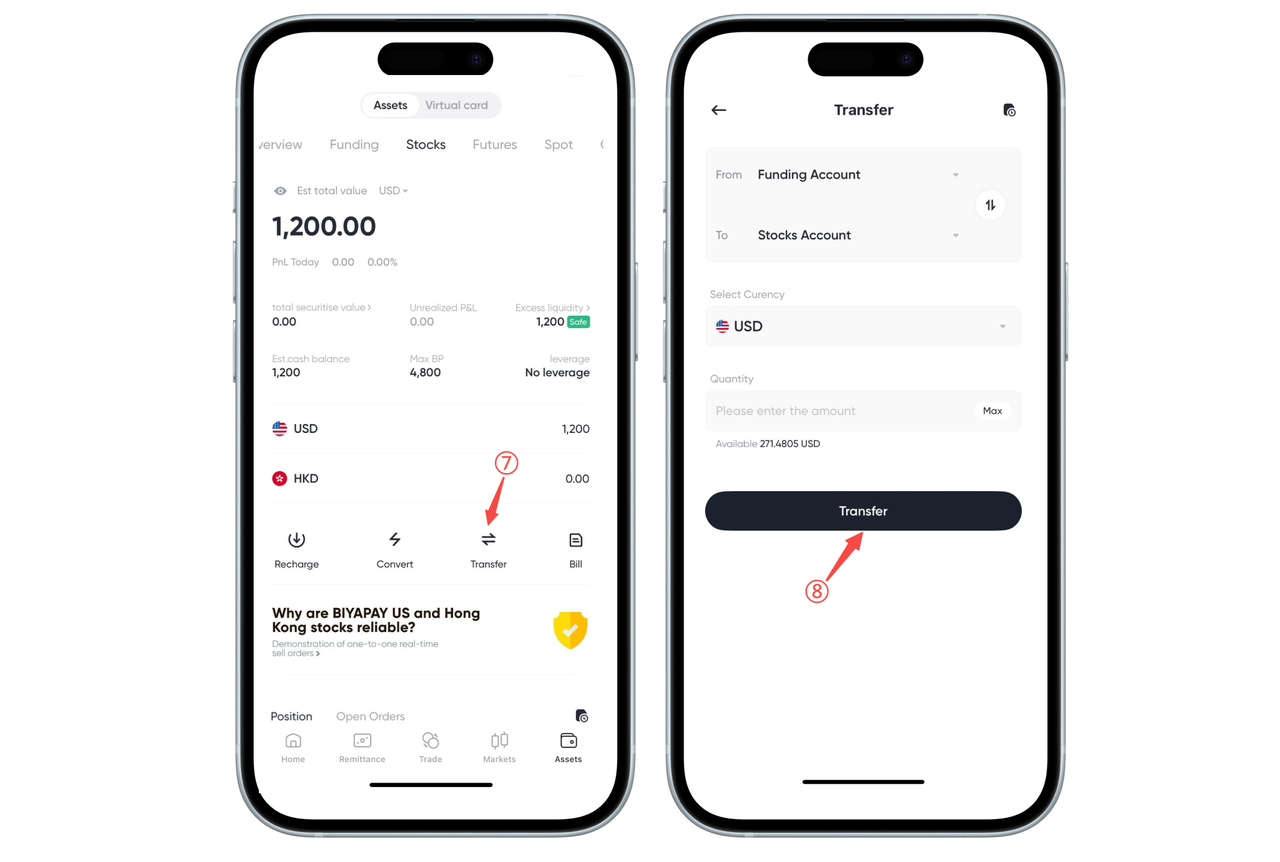
4. Transfer USD from the fund account to the stock account
Click [Transfer] on the [Assets] - [Stocks] page to transfer USD from the fund account to the stock account
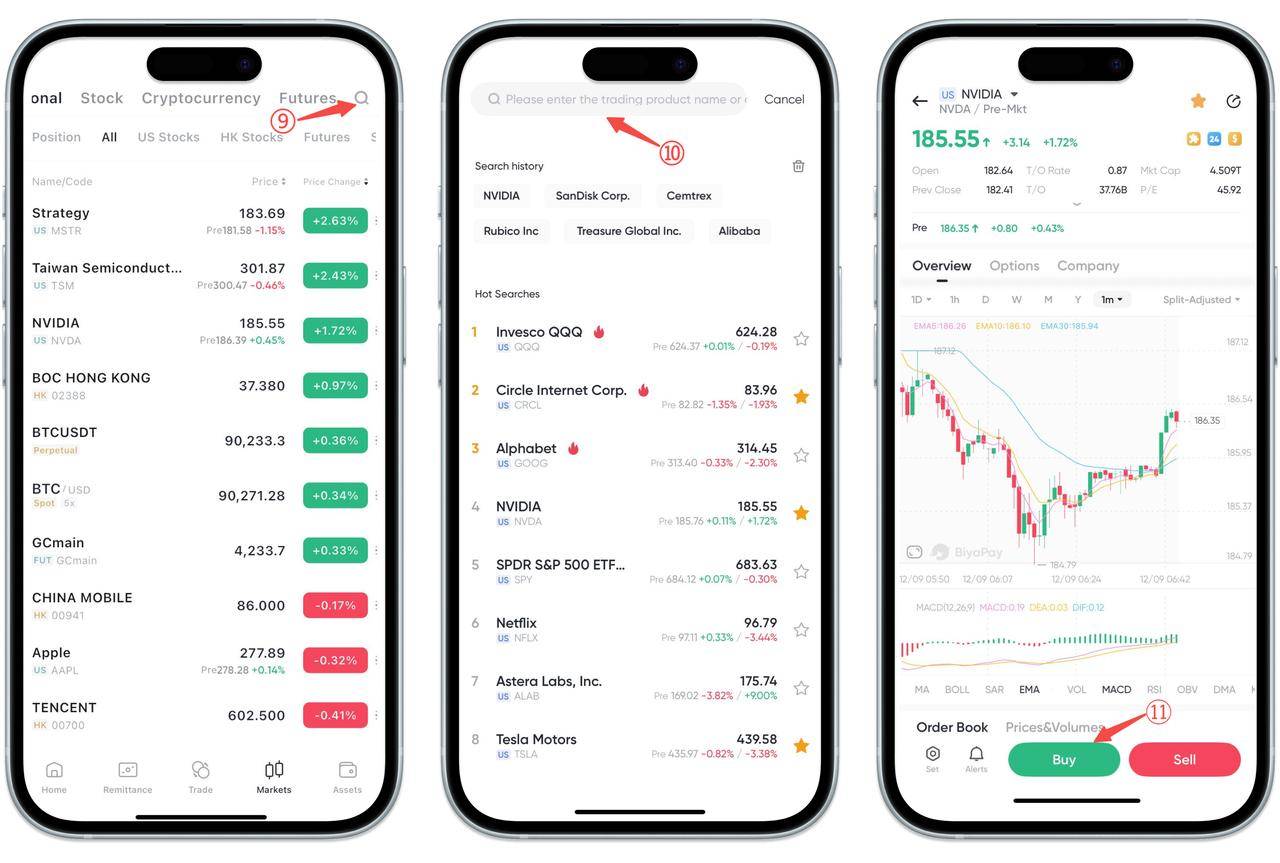
5. Search for stocks to trade on the market page
Click the upper right corner of the market page, search for the stocks you need to trade, enter the stock chart page, and click [Buy] or [Sell] to enter the trading page
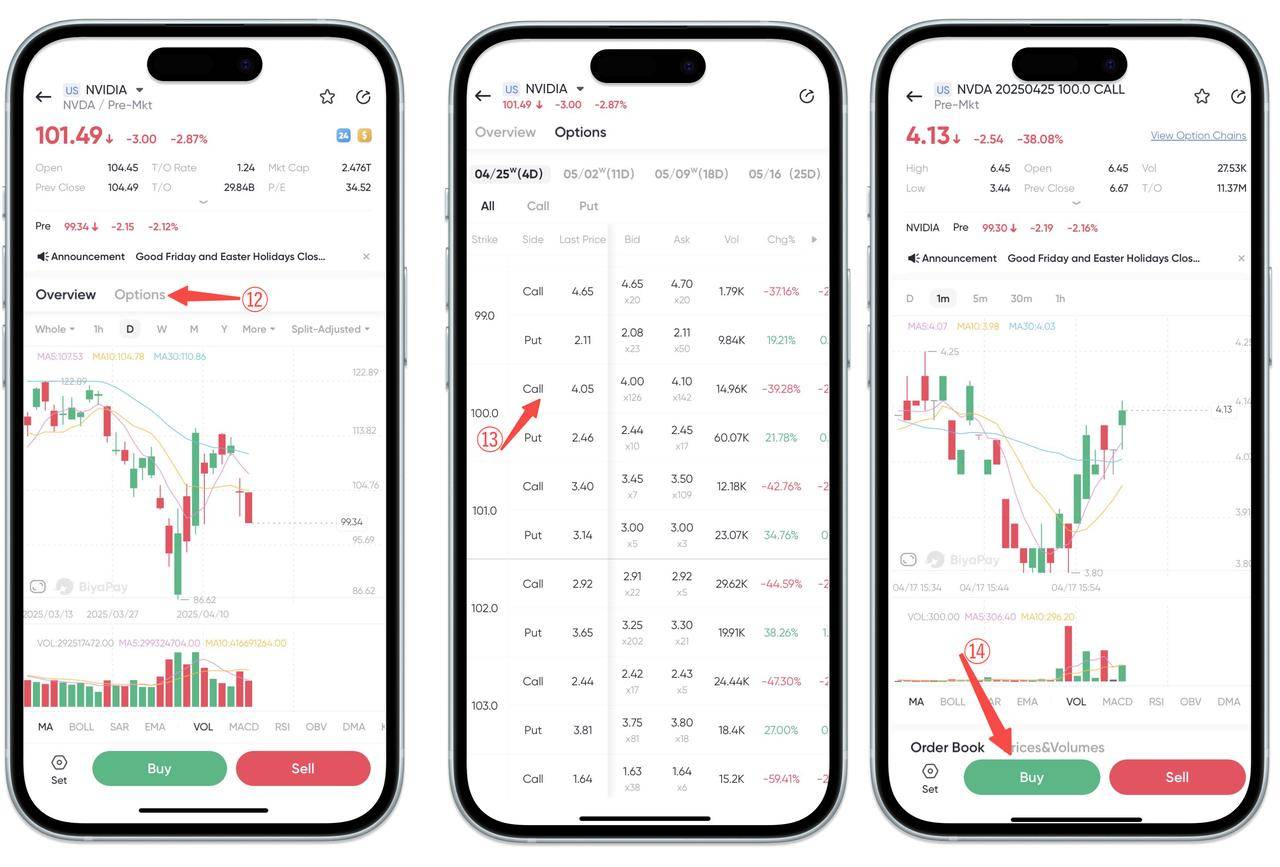
If you need to trade options, click on options and select the options you need to trade
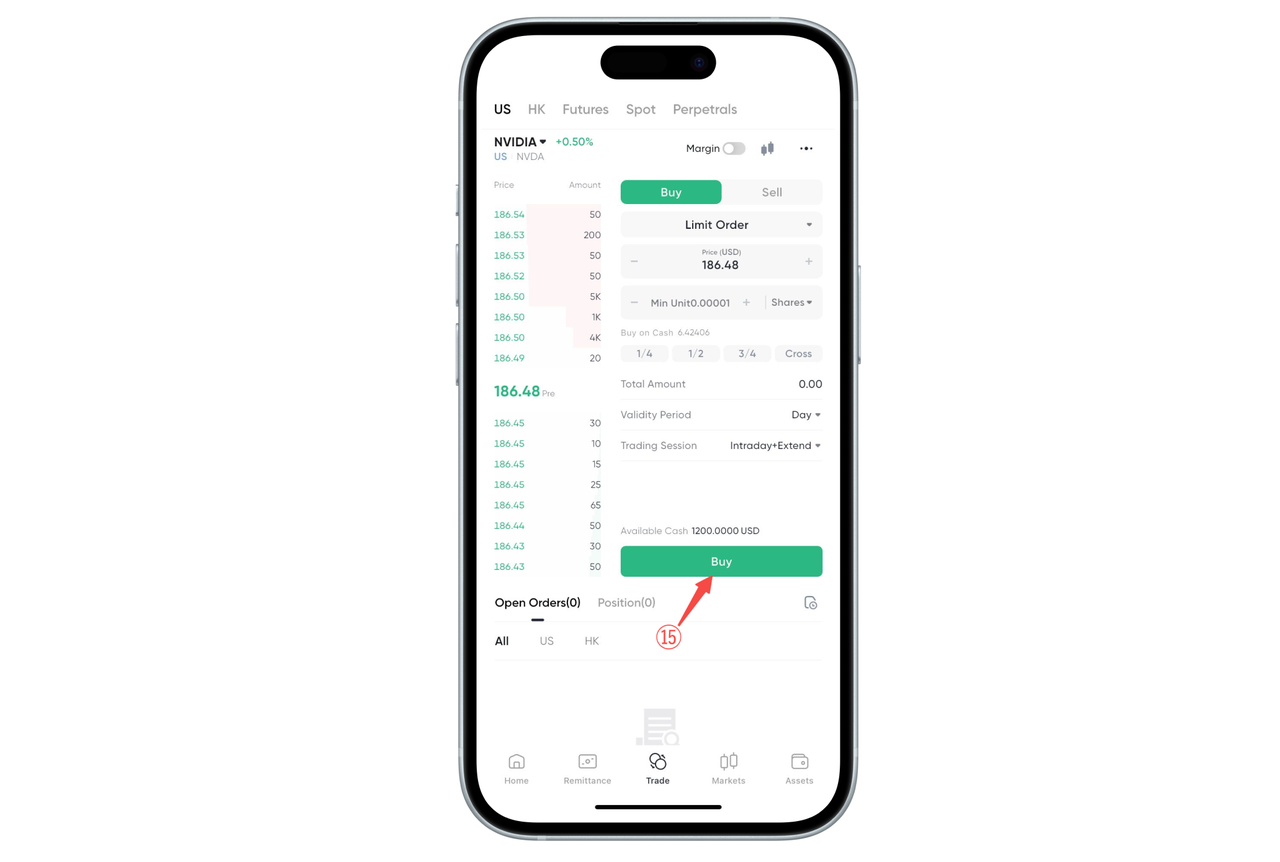
6. Place an order on the trading page
How to use BiyaPay for stock trading on the Web:
Below is a complete stock trading process, taking charging USDT to trade US stocks as an example
1. Real-name authentication
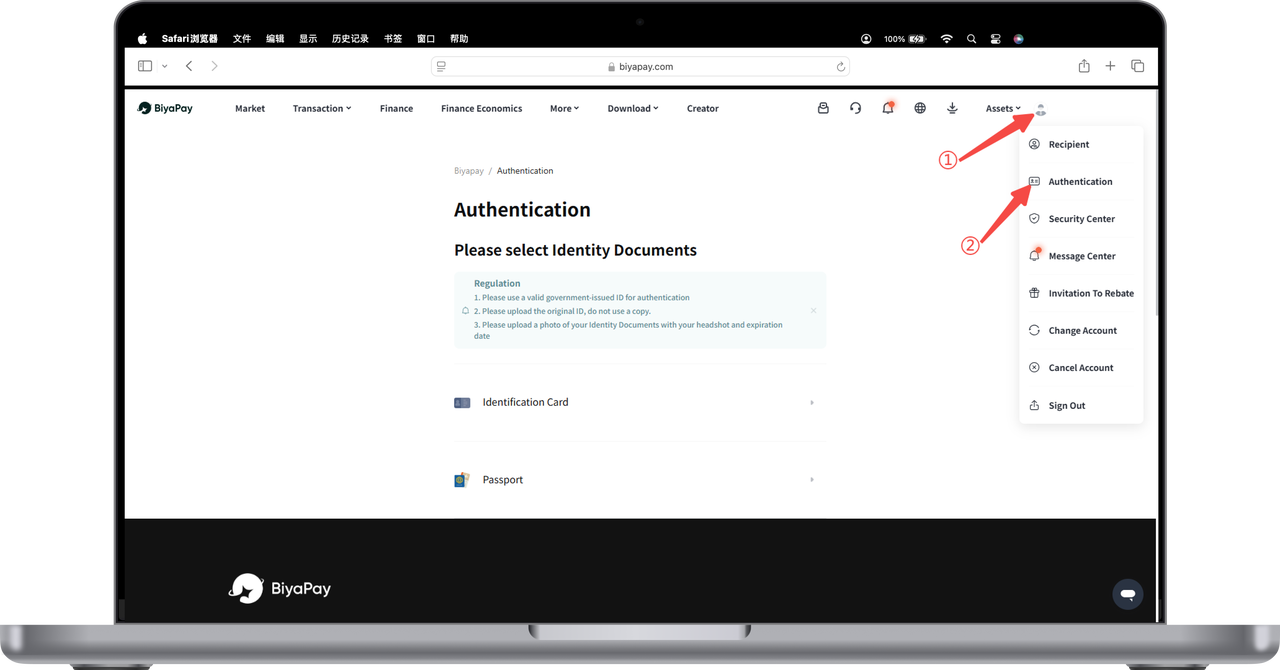
Open the official website, click on the avatar in the upper right corner - [Identity Authentication], and complete identity authentication
2. Recharge USDT
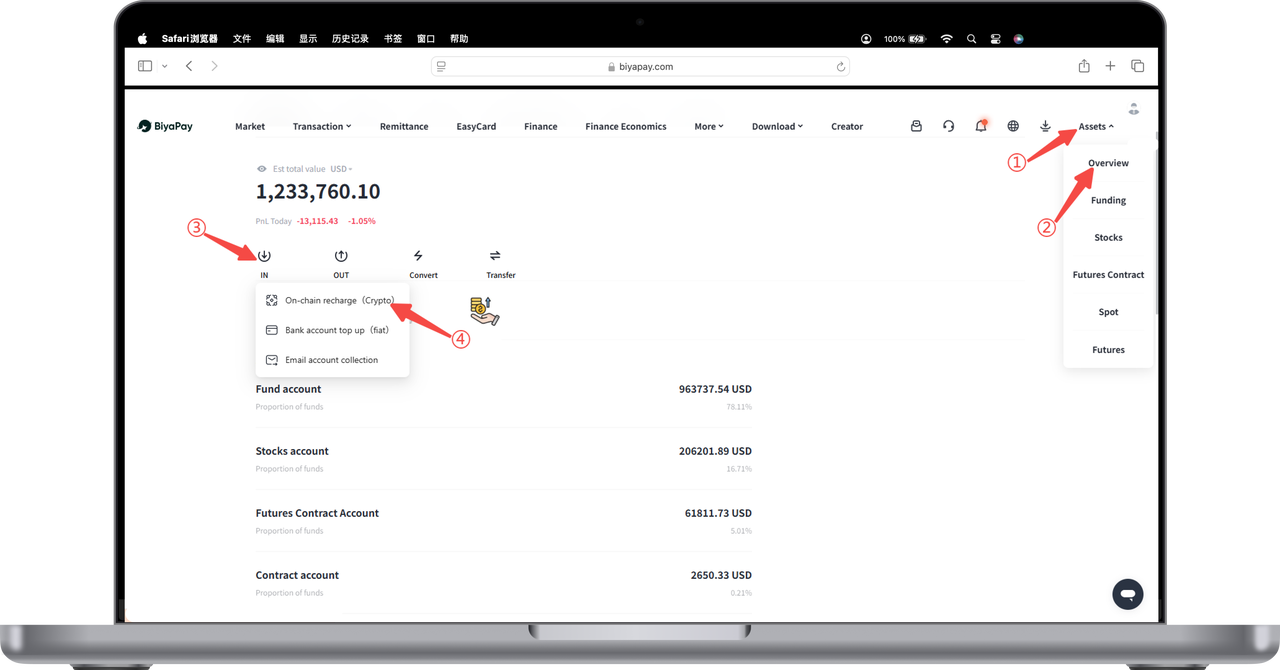
Click [My Assets] - [Overview] - [Transfer In] - [On-chain Recharge] in the upper right corner of the webpage to recharge USDT
3. Exchange USDT for USD
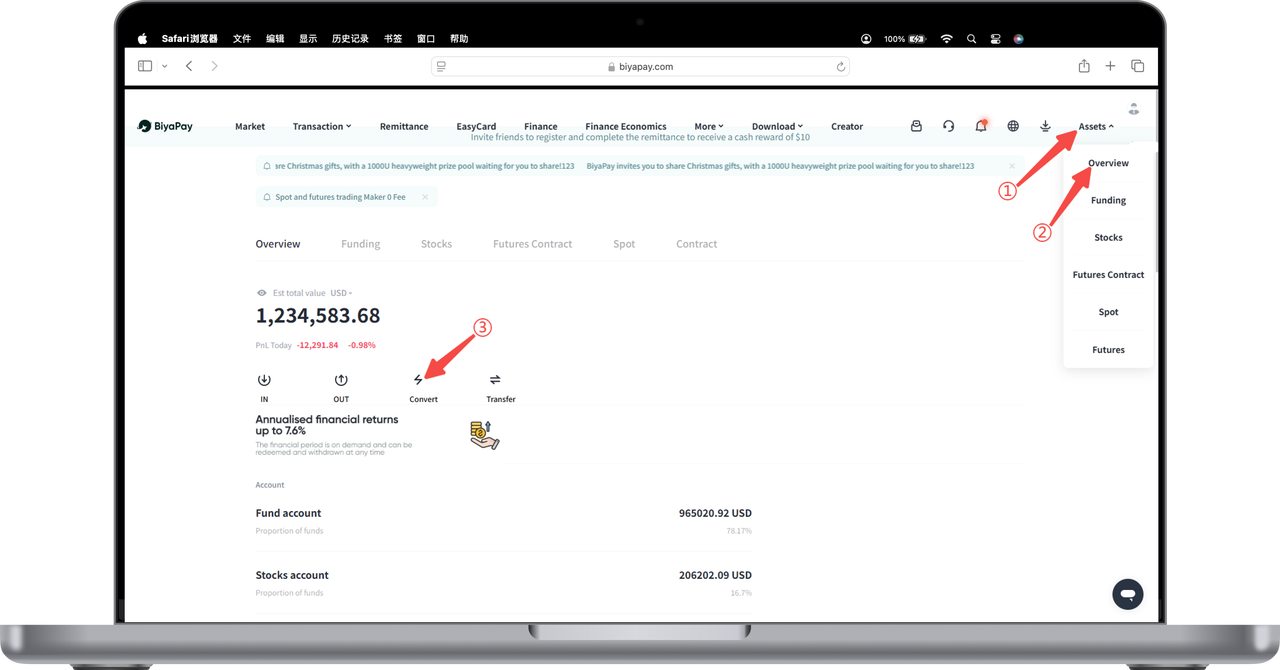
Click [My Assets] - [Overview] - [Flash Exchange] in the upper right corner of the webpage to exchange USDT for USD first. If you plan to trade Hong Kong stocks, you need to exchange USDT for HKD
4. Transfer USD from the fund account to the stock account
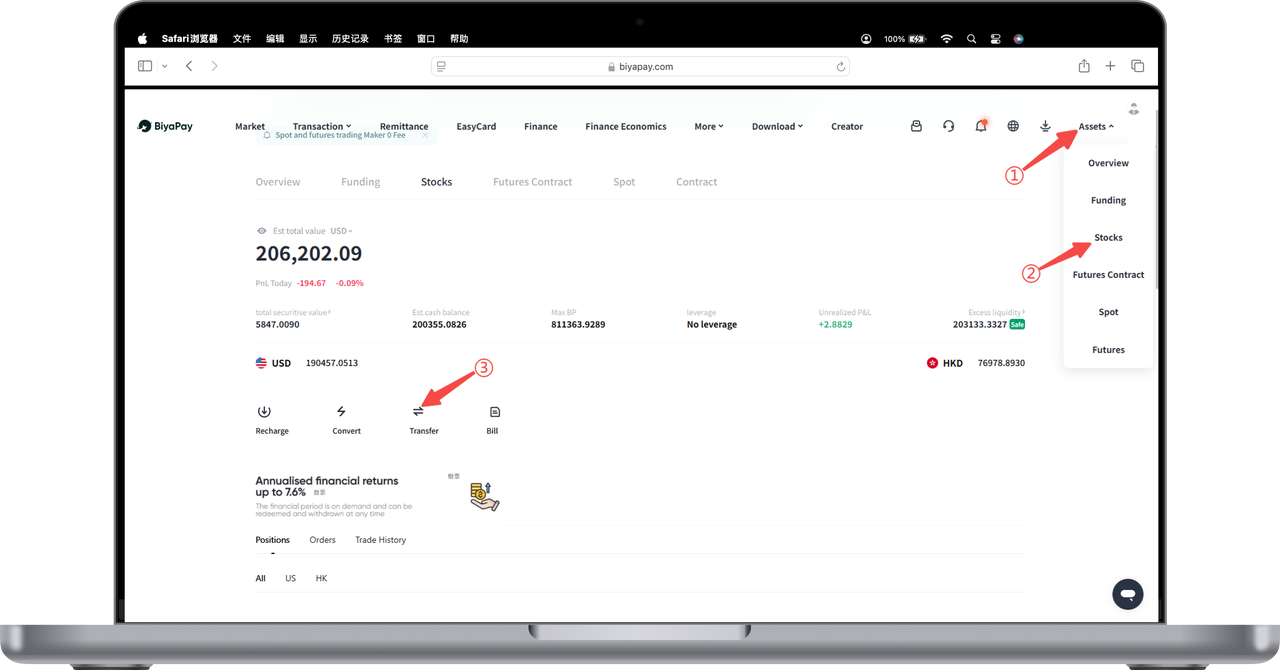
Click [Transfer] on the [Stocks] page to transfer USD from the fund account to the stock account
5. Search for stocks to trade on the market page
Click [Trade] in the upper left corner of the webpage, select [US Stocks] or [Hong Kong Stocks], search for the stocks you need to trade, enter the stock chart page, and click [Buy] or [Sell] to trade.
If you need to trade options, click on options and select the options you need to trade.