How is the interest on margin trading charged?




How to check the margin trading interest fee standard on the App:
Financing rate
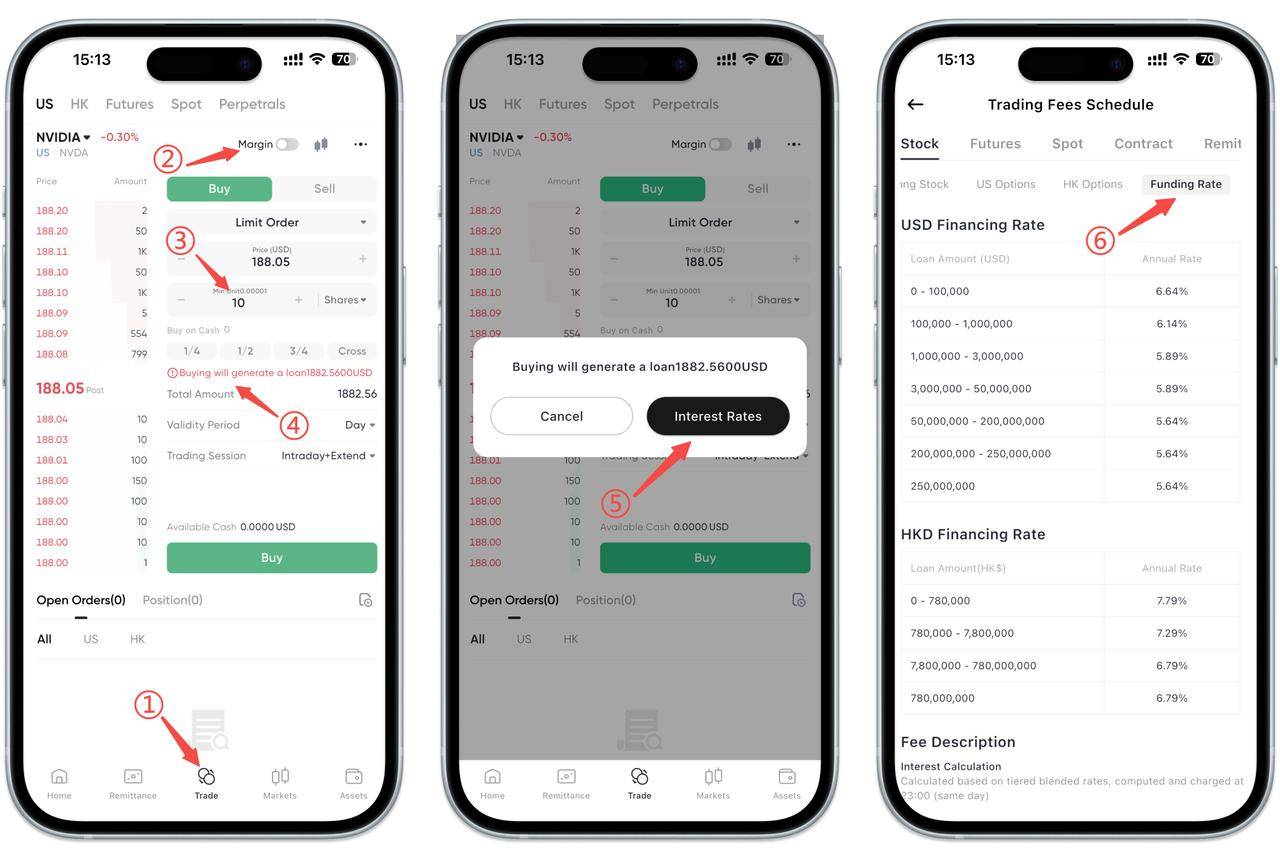
If you buy US stocks through financing, you can follow the steps below to view the currently applicable financing rate:
1. Enter the trading page: Click [Trade] in the bottom menu bar (as ①).
2. Select a US stock and turn on the financing switch (as ②).
3. Enter the purchase quantity (the quantity must be greater than the cash available for purchase and less than or equal to the financing available for purchase). The system will automatically calculate the amount of financing required. Click the [Buy will generate a loan] text (as ③④).
4. When financing is generated, the page will prompt "Buy will generate a loan" amount. Click the [View Rate] button on the right (as ⑤).
5. The system will jump to the fee center. Select stocks and click financing rate. You can view the annual interest rate according to your financing amount (as ⑥).
Securities lending rate
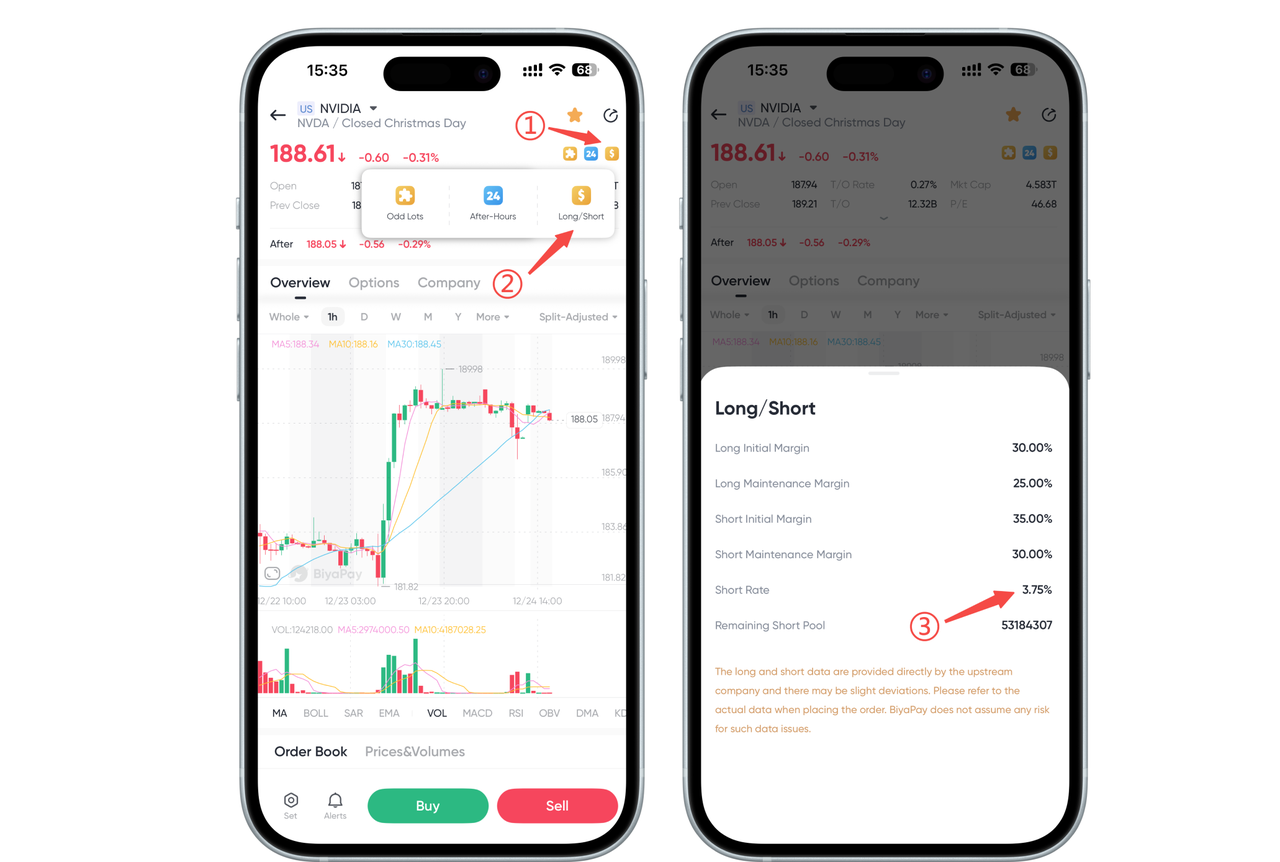
On the stock chart page, click "Margin" in the upper right corner to display the annual interest rate for securities lending. The annual interest rate for securities lending will change dynamically according to the daily market supply. The actual interest rate is subject to the page data.
How to check the margin trading interest fee standard on the Web:
Financing rate
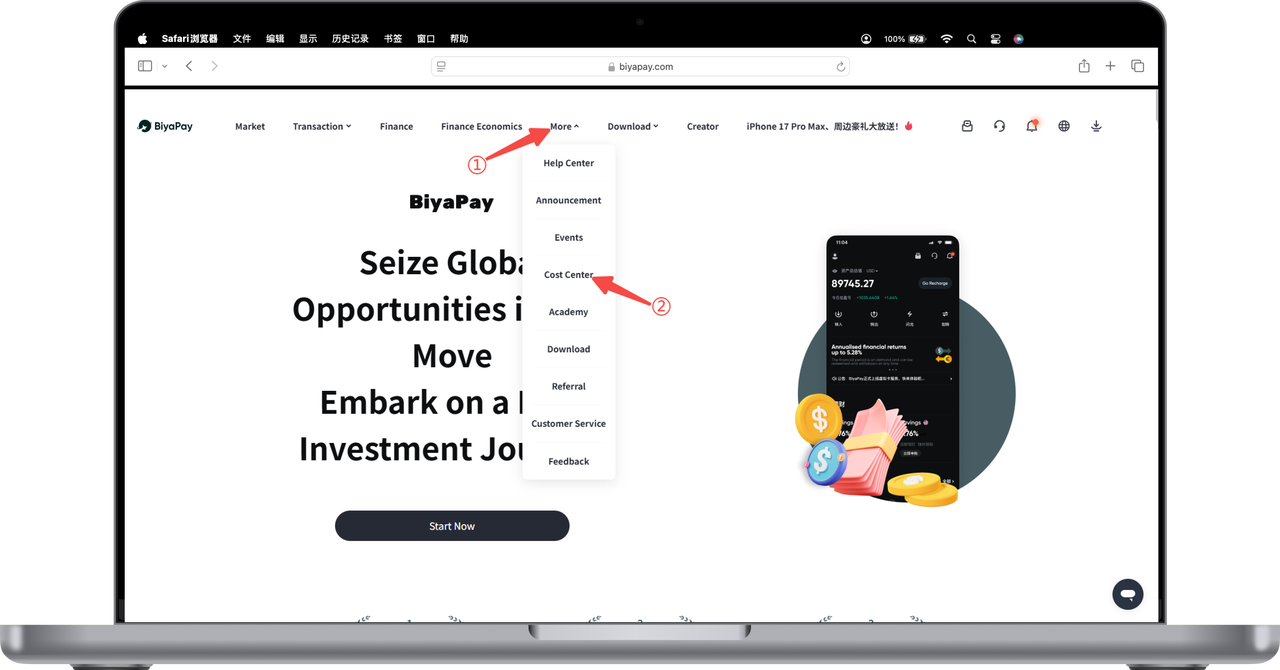
1. Click [More] - [Fee Center] at the top of the webpage
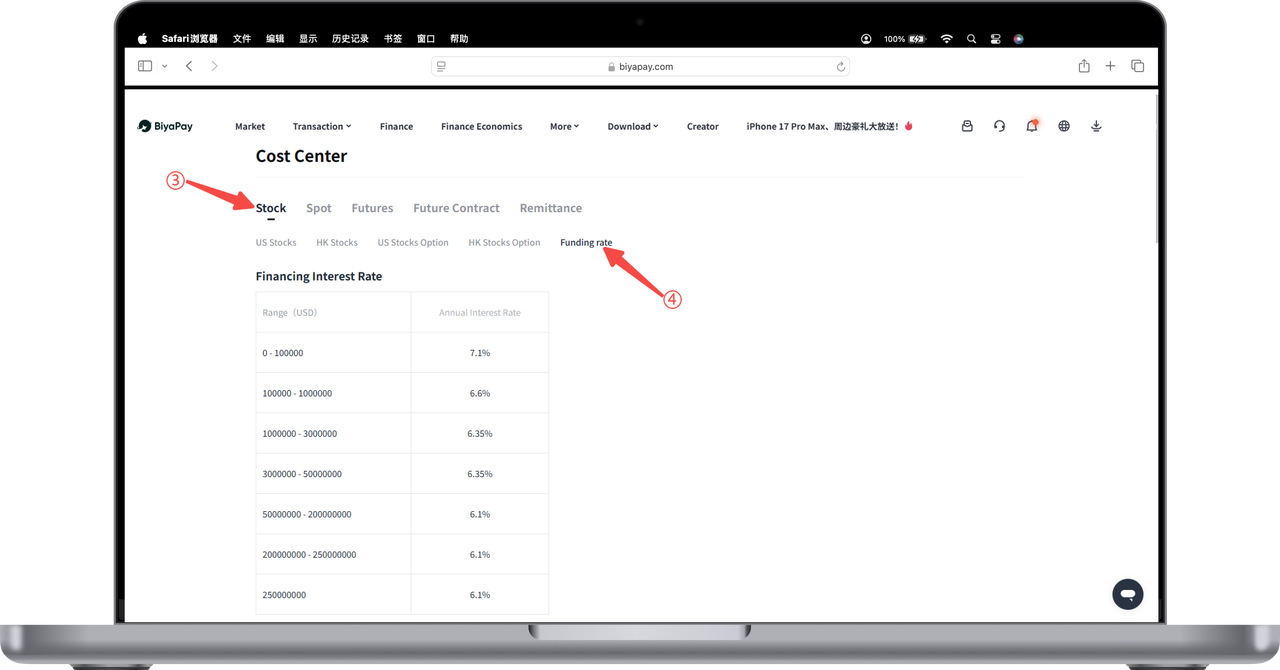
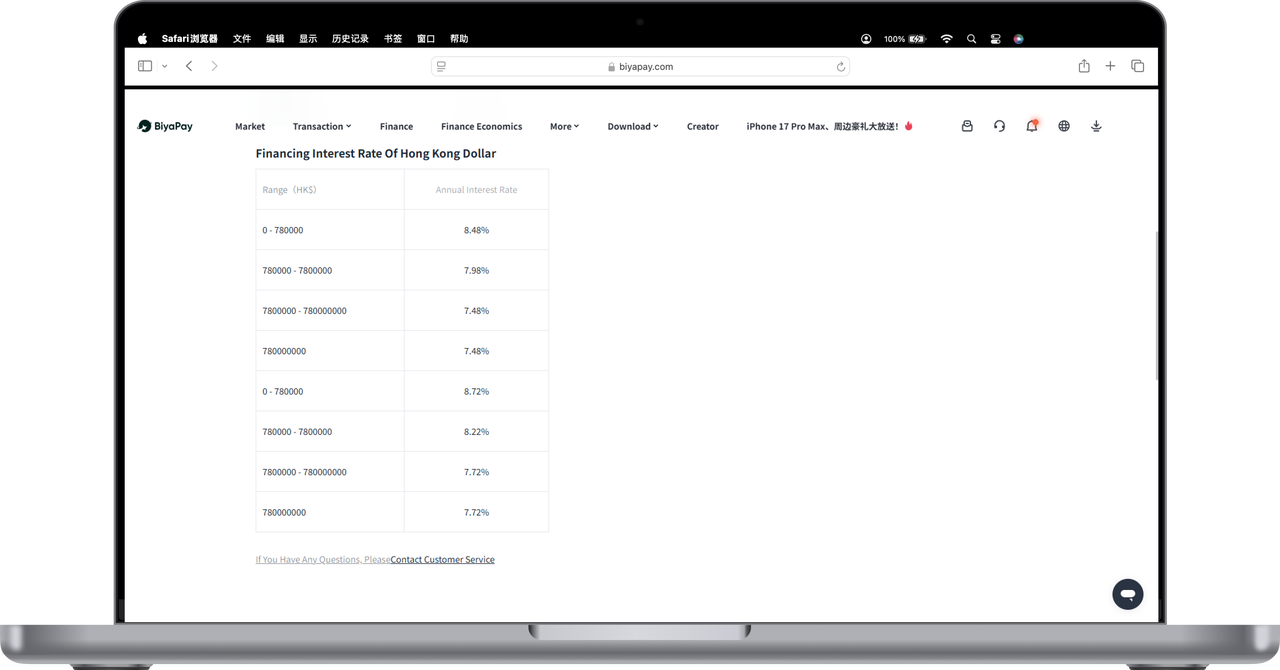
2. Click [Stocks] - [Financing Rate] to view the financing rate fee standard
First display the US dollar financing rate
Scroll down the screen to see the Hong Kong dollar financing rate
Securities lending rate
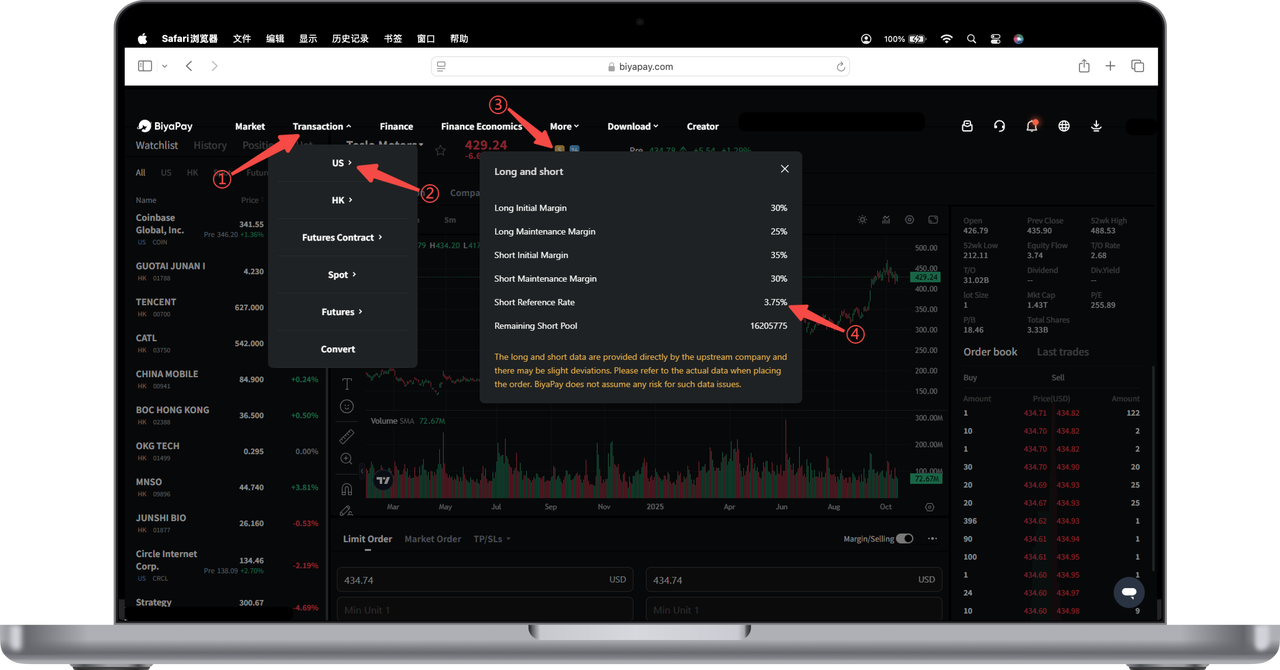
Open the official website, click [Trade] - [US Stocks] in the upper left corner, select any stock, on the stock chart page, click "Margin" in the upper left corner to display [Short Selling Reference Rate]. The short selling reference rate is the annual interest rate for securities lending. The annual interest rate for securities lending will change dynamically according to the daily market supply. The actual interest rate is subject to the page data.

Contact Us




BIYA GLOBAL LLC is a licensed entity registered with the U.S. Securities and Exchange Commission (SEC No.: 802-127417); a certified member of the Financial Industry Regulatory Authority (FINRA) (Central Registration Depository CRD No.: 325027); regulated by the Financial Industry Regulatory Authority (FINRA) and the U.S. Securities and Exchange Commission (SEC).
BIYA GLOBAL LLC is registered with the Financial Crimes Enforcement Network (FinCEN), an agency under the U.S. Department of the Treasury, as a Money Services Business (MSB), with registration number 31000218637349, and regulated by the Financial Crimes Enforcement Network (FinCEN).
BIYA GLOBAL LIMITED is a registered Financial Service Provider (FSP) in New Zealand, with registration number FSP1007221, and is also a registered member of the Financial Services Complaints Limited (FSCL), an independent dispute resolution scheme in New Zealand.