Process of transferring fiat currency and transferring cryptocurrency




Take the exchange of recharged US dollars for USDT as an example, the following is the specific process
- Real-name authentication, binding real-name authentication to the US dollar bank account under my name (does not support third-party recharge of legal currency)
Click the smiley face icon in the upper right corner of the app home page, enter the personal center, perform real-name authentication, and bind a US dollar bank account
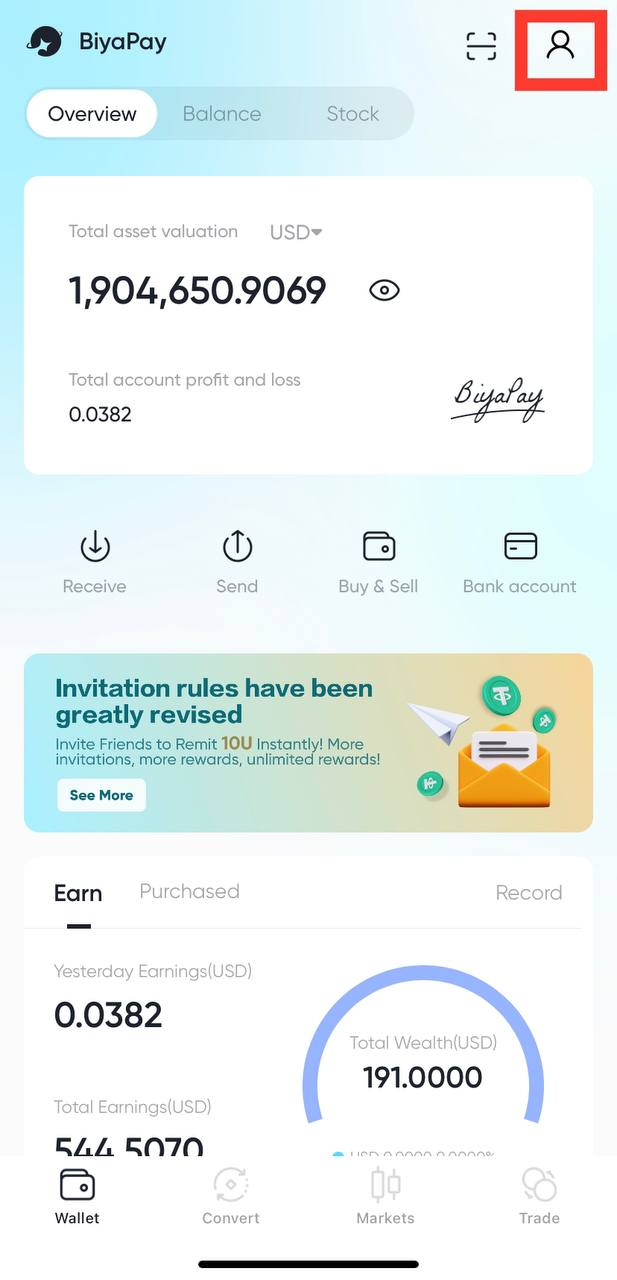
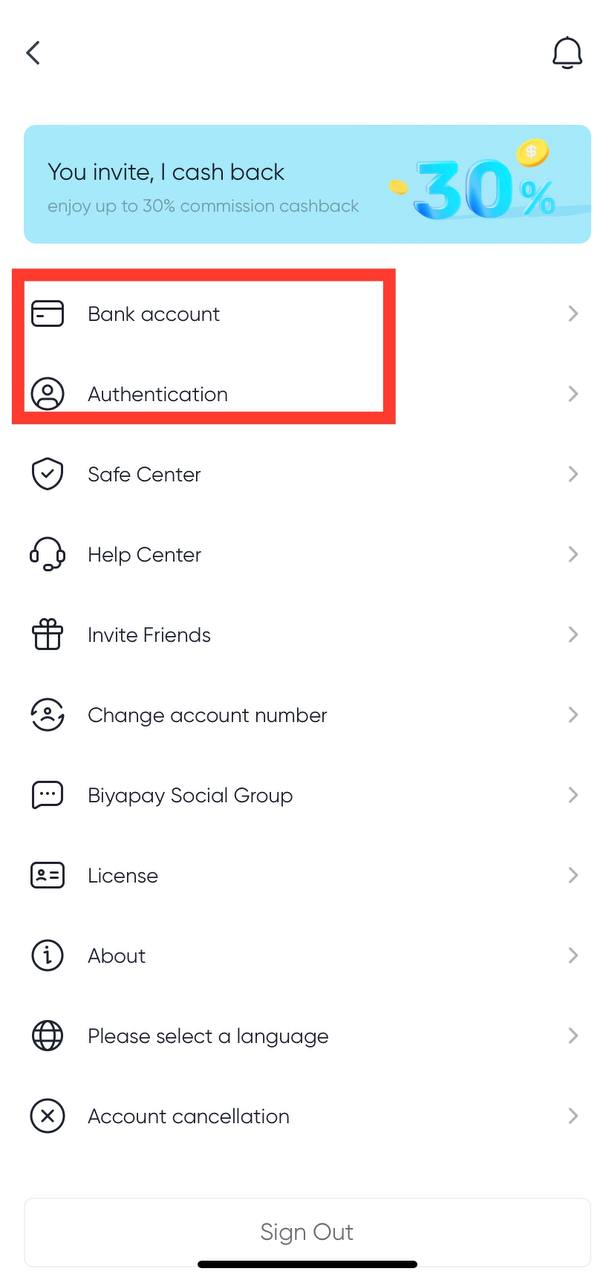
-
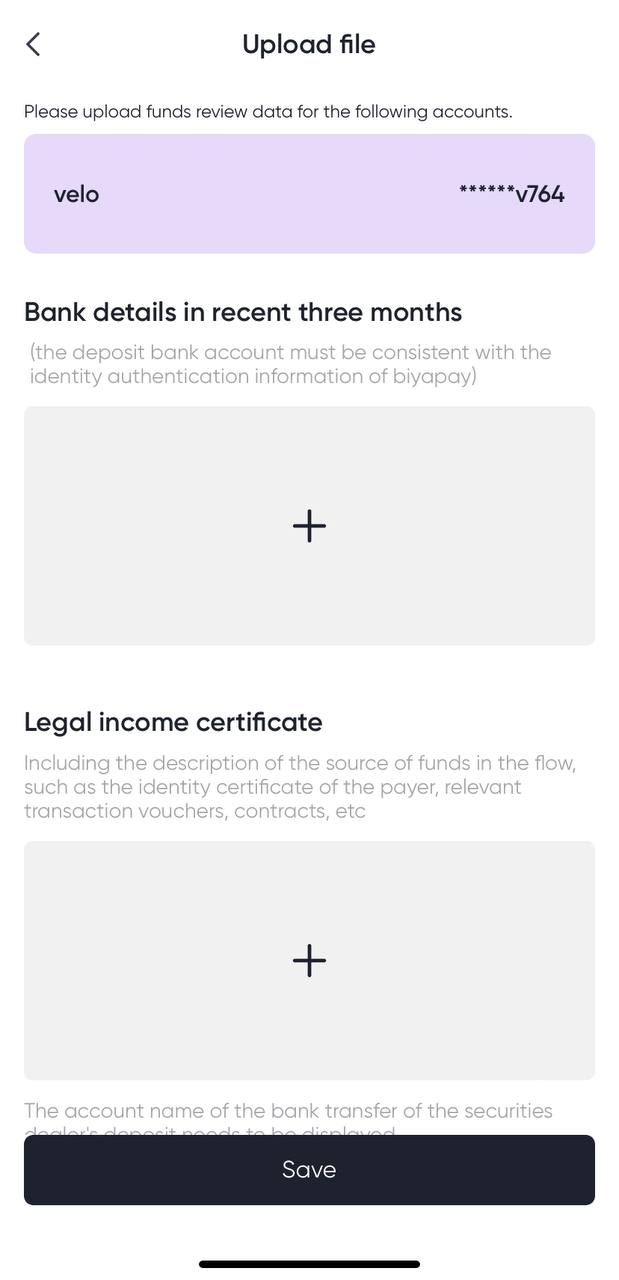
Submit the screenshots of the latest three-month bank statement and proof of source of funds
Click “Transfer” on the homepage of the app, select “Bank Account Recharge”, and click Recharge Bank Account to upload the screenshots of the latest three-month bank statement and the screenshot of the legal income certificate.
Remarks: 1. The screenshot of the latest three-month bank statement must be the latest screenshot on the day of remittance, and the validity period of the uploaded statement on holidays can be extended to the next working day. -
The screenshot of the legal income certificate of funds, providing the screenshot of the remitter who has recently received a large amount of money. For example, your account is a withdrawal from US and Hong Kong stocks.
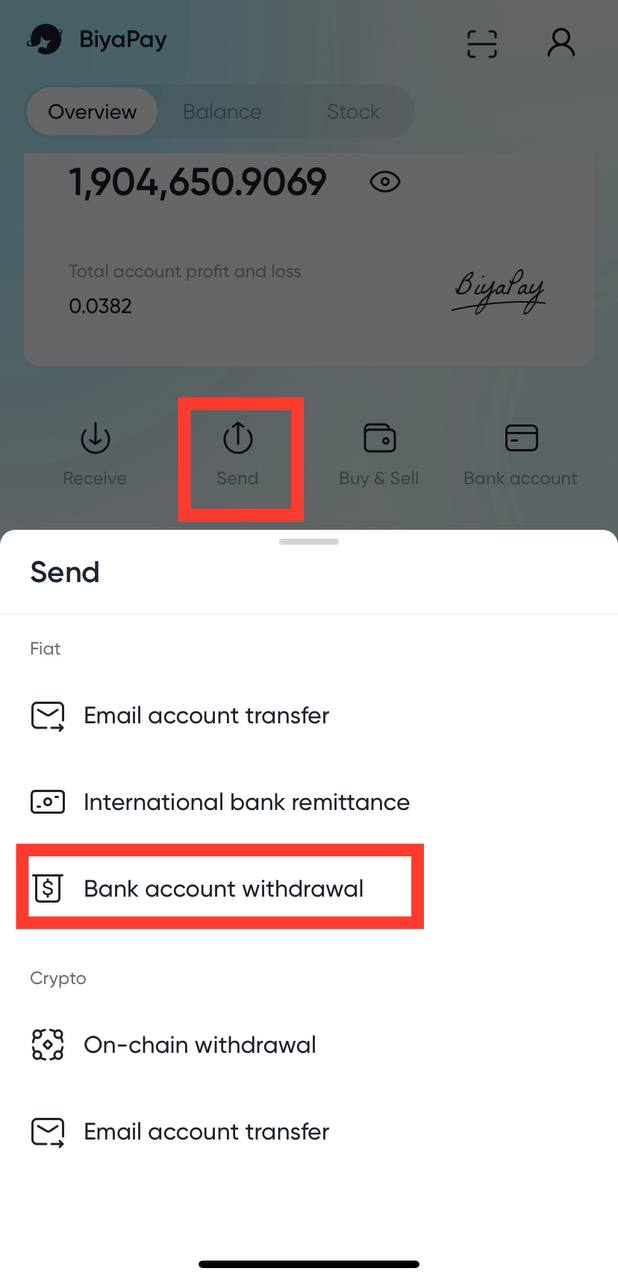
-
After the fiat currency recharge certification has passed, you select the “certified” account and remit money to the displayed receiving bank account.
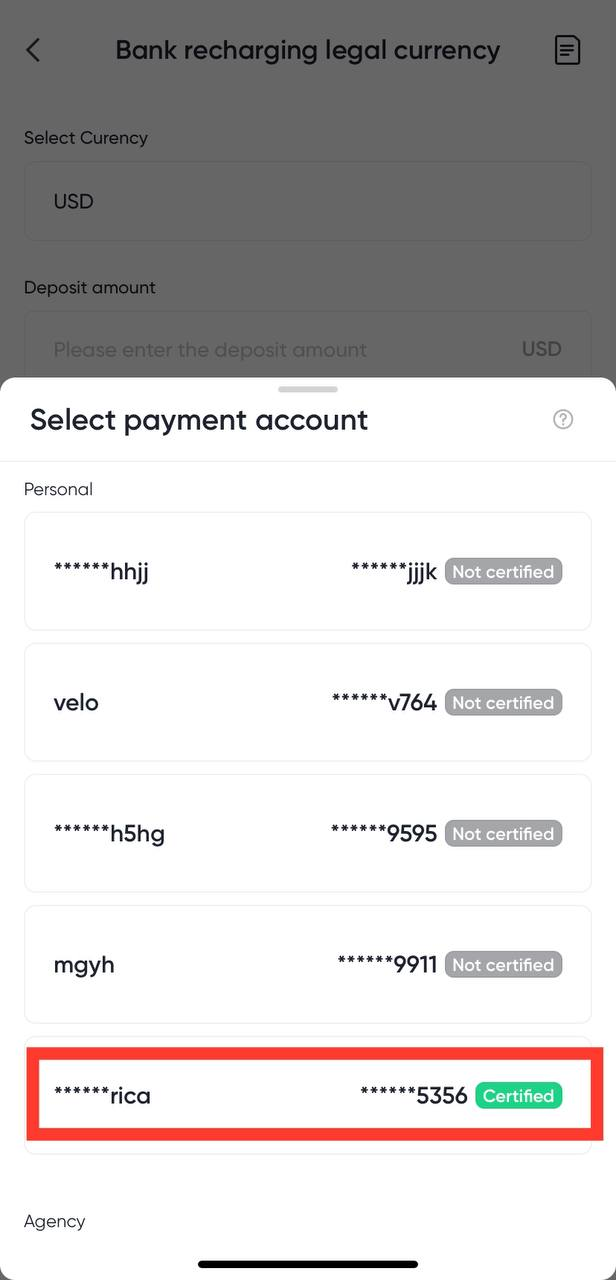
-
After the remittance is completed, click “I have remitted” and upload a screenshot of the payment voucher
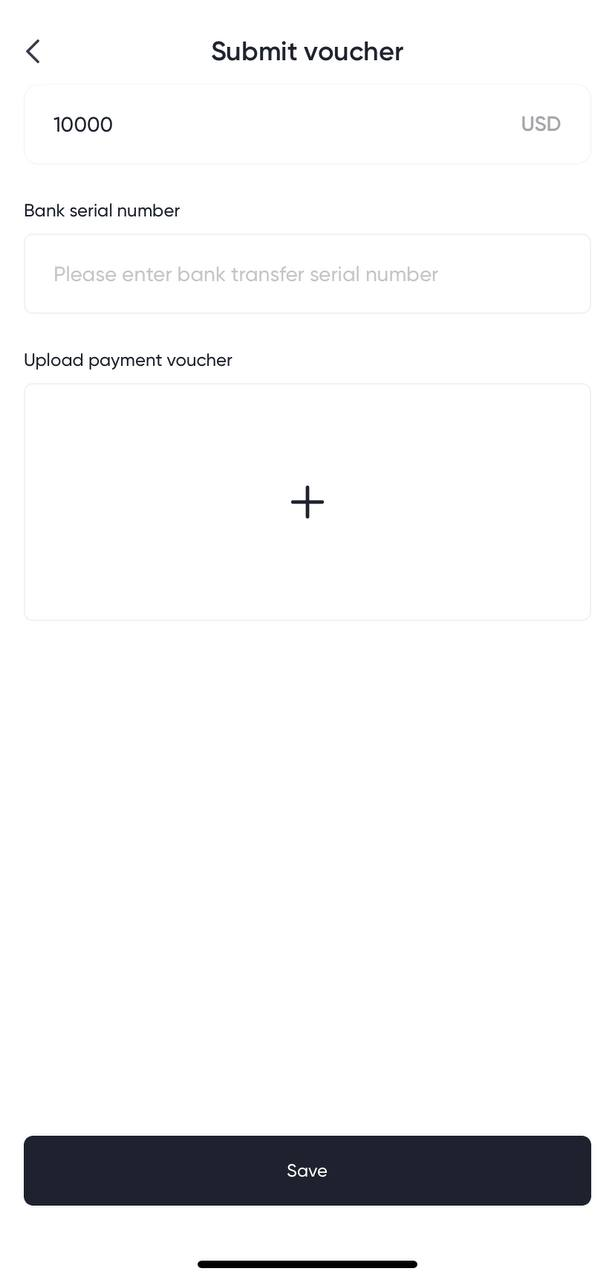
- After submitting the remittance voucher, please wait patiently. The remittance will usually arrive in the account within one to three working days.

Contact Us




BIYA GLOBAL LLC is a licensed entity registered with the U.S. Securities and Exchange Commission (SEC No.: 802-127417); a certified member of the Financial Industry Regulatory Authority (FINRA) (Central Registration Depository CRD No.: 325027); regulated by the Financial Industry Regulatory Authority (FINRA) and the U.S. Securities and Exchange Commission (SEC).
BIYA GLOBAL LLC is registered with the Financial Crimes Enforcement Network (FinCEN), an agency under the U.S. Department of the Treasury, as a Money Services Business (MSB), with registration number 31000218637349, and regulated by the Financial Crimes Enforcement Network (FinCEN).
BIYA GLOBAL LIMITED is a registered Financial Service Provider (FSP) in New Zealand, with registration number FSP1007221, and is also a registered member of the Financial Services Complaints Limited (FSCL), an independent dispute resolution scheme in New Zealand.