How to Withdraw/Remit Fiat Currency on the App:
There are two ways to transfer out fiat currency. Both methods result in the same amount received. Taking USD withdrawal as an example:
First Method
- On the APP homepage, tap [Quick Exchange] to first convert USDT to USD.
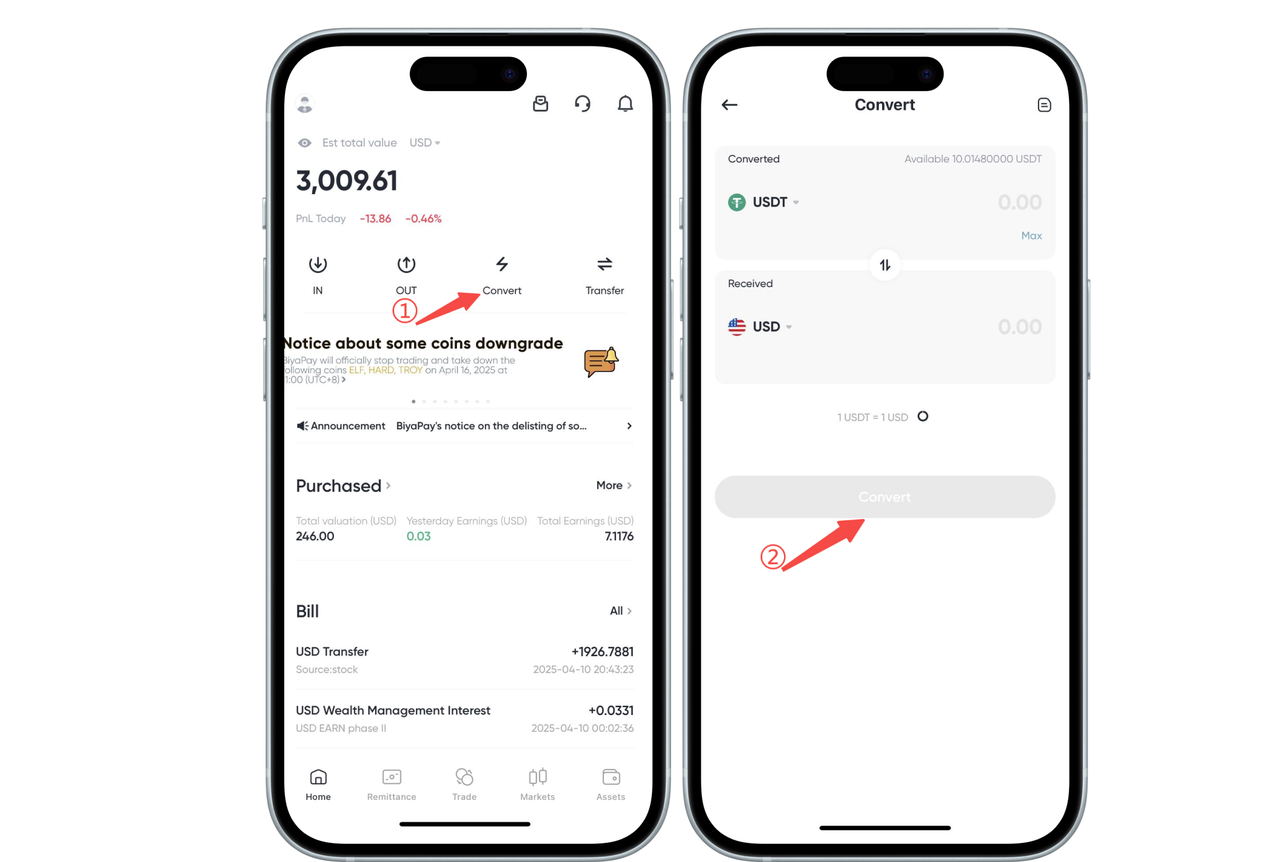
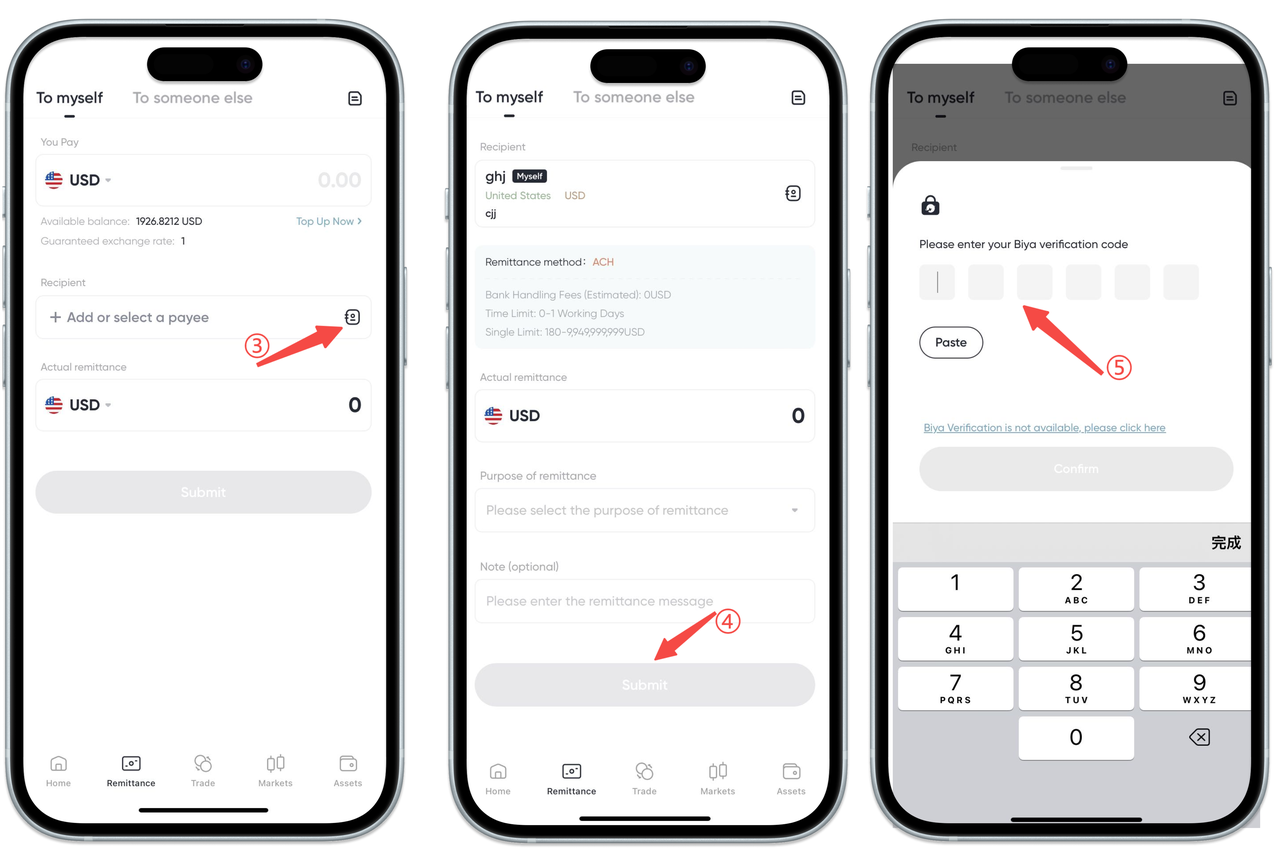
- On the [Remittance] page, select USD as the currency to send out, enter the actual USD amount to remit, choose the recipient’s account, and enter the email verification code or Biya authenticator code to complete the withdrawal.
Second Method
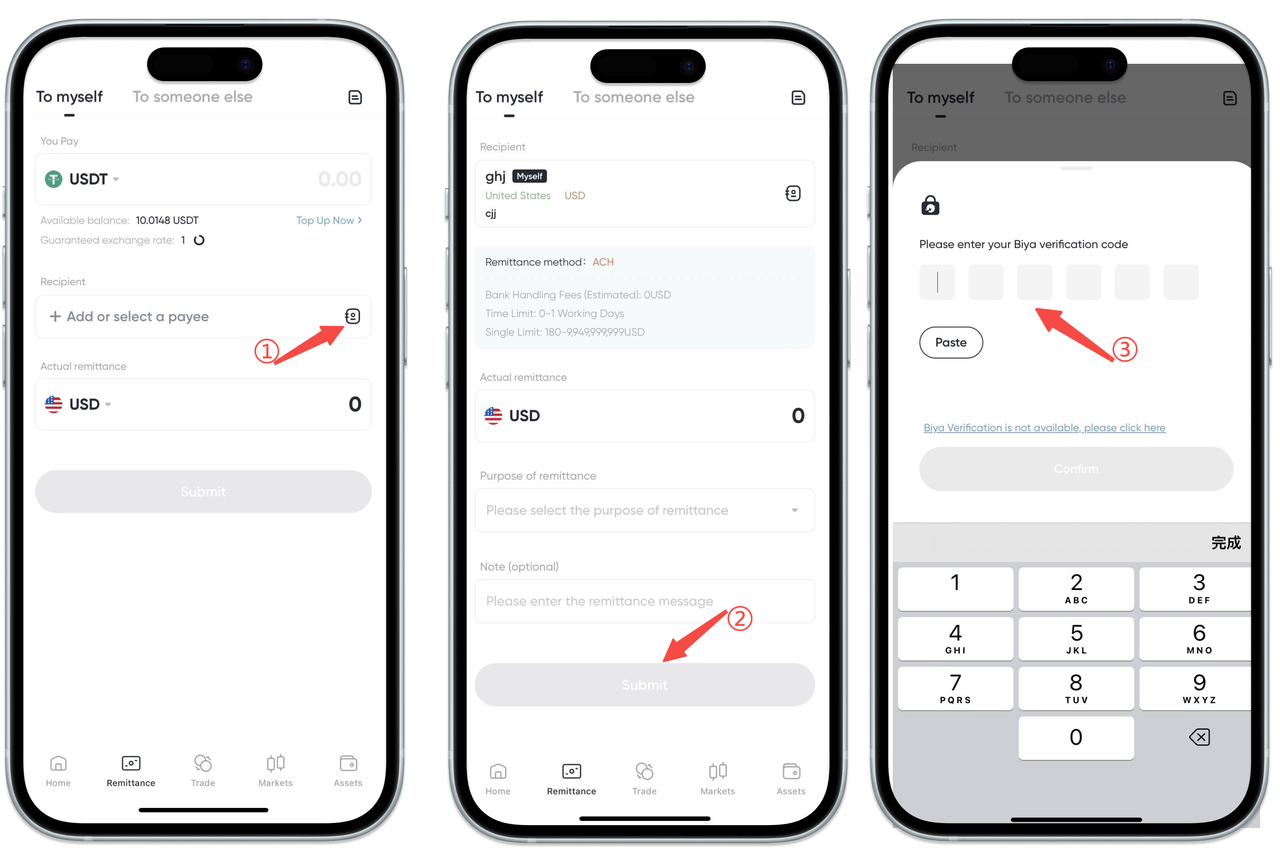
On the [Remittance] page, select USDT as the currency to send out, enter the actual USD amount to remit, choose the recipient’s account, and enter the email verification code or Biya authenticator code to complete the withdrawal.
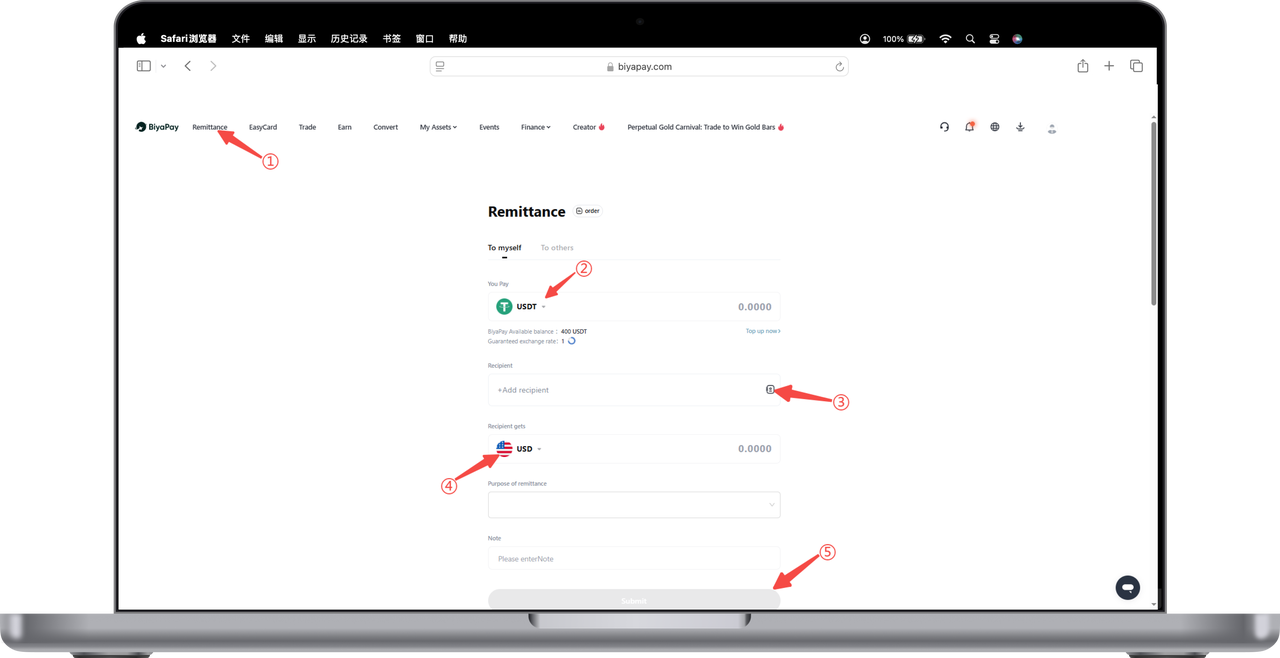
How to Withdraw/Remit Fiat Currency on the Web:
There are two ways to transfer out fiat currency. Both methods result in the same amount received. Taking USD withdrawal as an example:
First Method
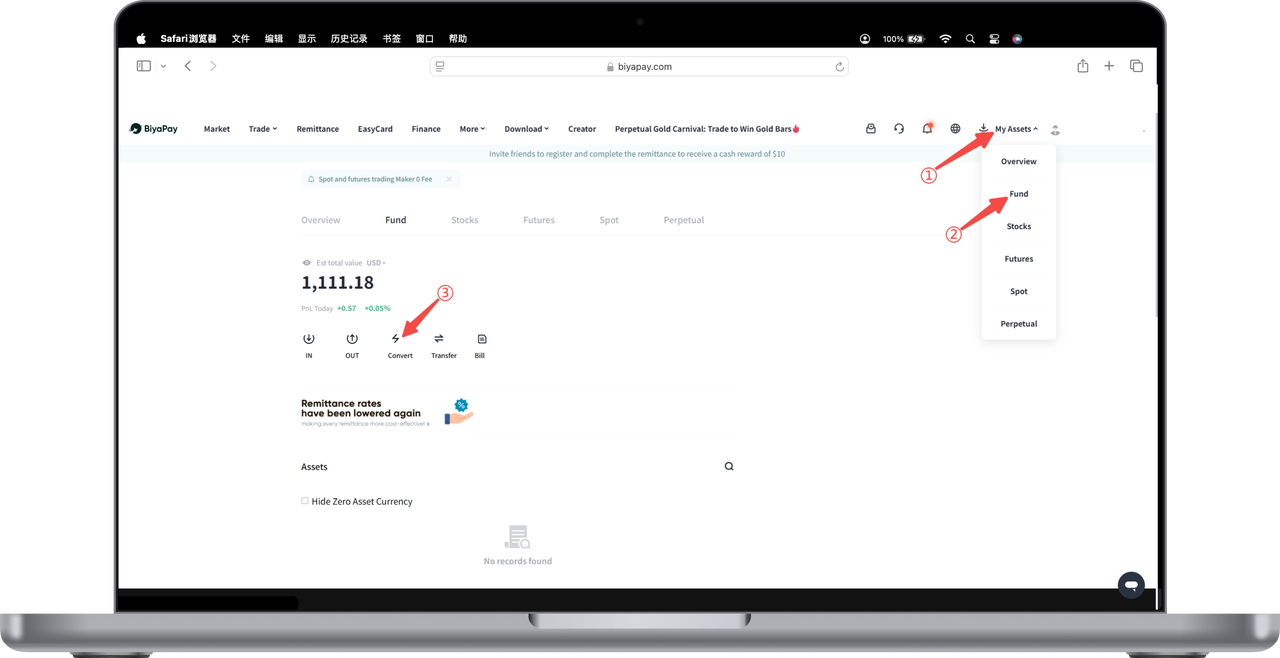
- Open the website, click [My Assets] - [Funds] at the top right corner. On the Funds page, click [Quick Exchange] to first convert USDT to USD.
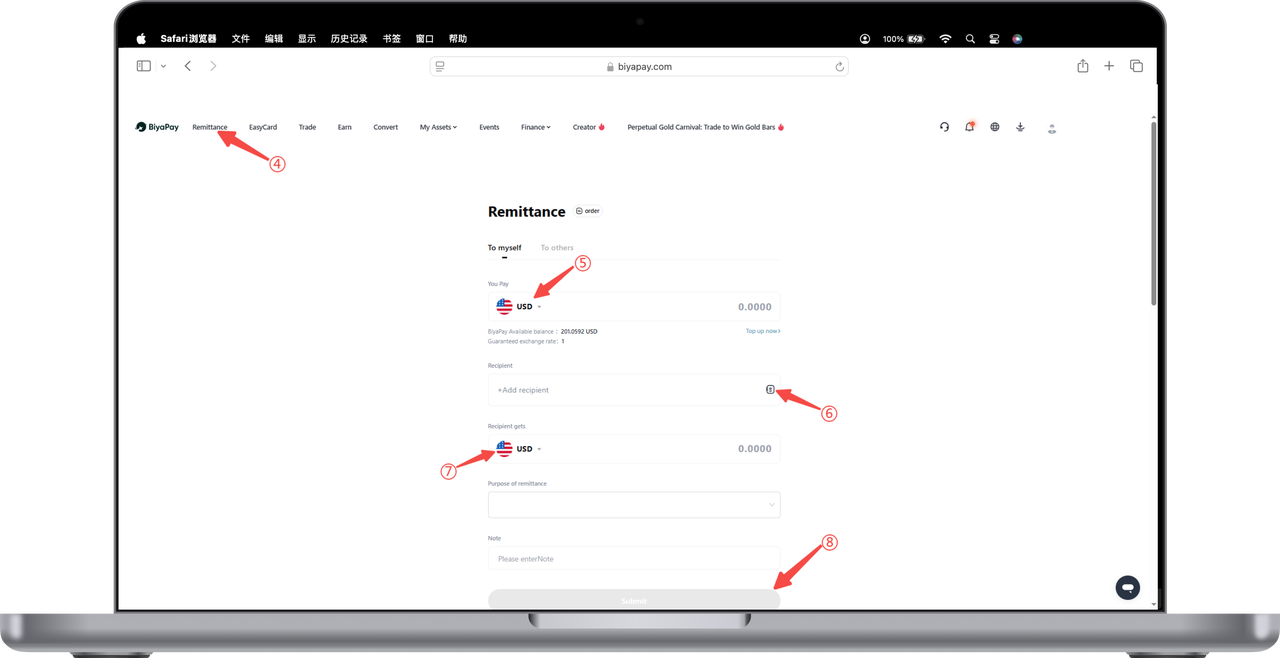
- On the [Remittance] page, select USD as the currency to send out, enter the actual USD amount to remit, choose the recipient’s account, and enter the email verification code or Biya authenticator code to complete the withdrawal.
Second Method
On the [Remittance] page, select USDT as the currency to send out, enter the actual USD amount to remit, choose the recipient’s account, and enter the email verification code or Biya authenticator code to complete the withdrawal.