How to Recharge On-Chain?




How to Recharge via the App:
1. Open the App homepage, click [Transfer] - [On-chain Deposit (Digital Currency)], for example, select the currency [USDT].
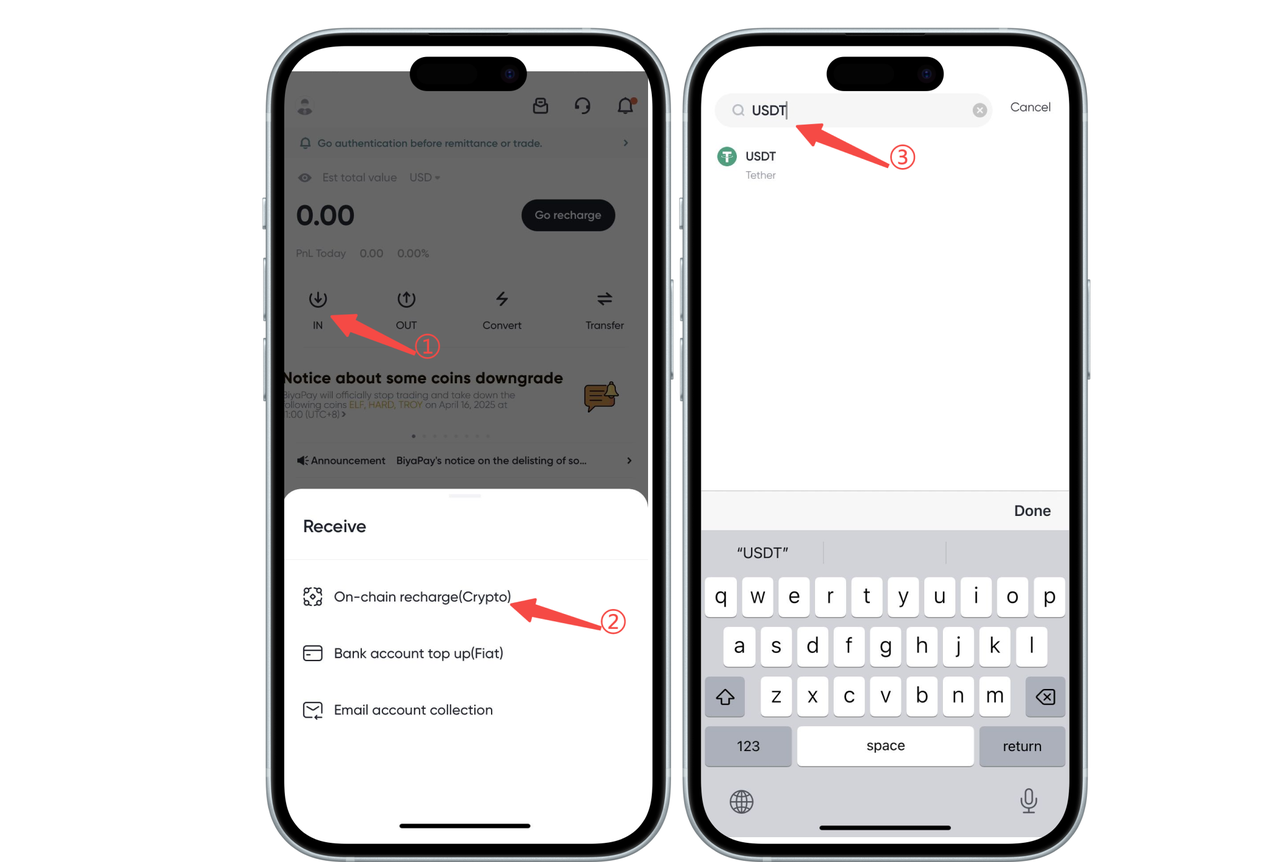
2. Select a deposit network, such as [USDT-TRC20] - obtain the deposit address, then open other platforms or wallets, paste the address, and complete the required operations to finish the deposit, or [share the address] with your social contacts.
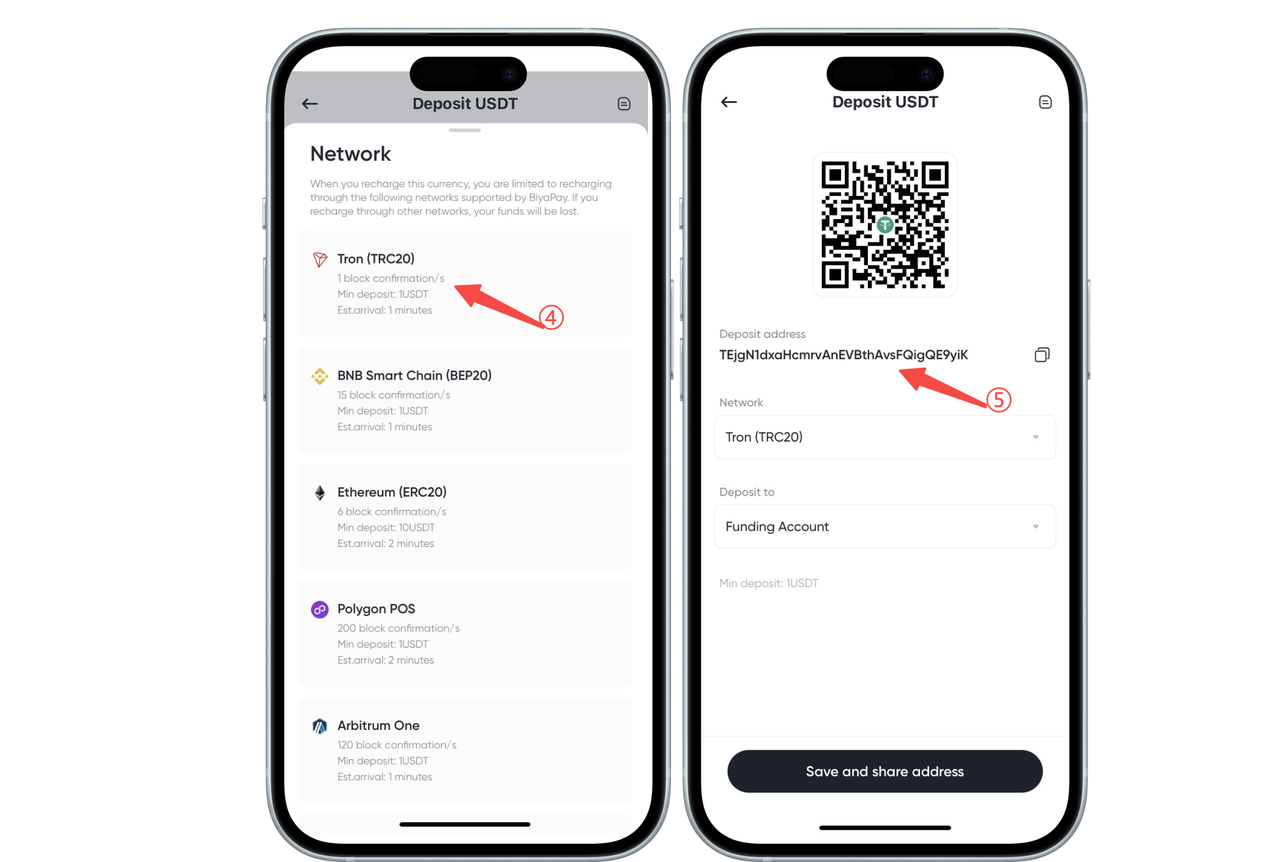
Note: When selecting a deposit network, the [withdraw/withdrawal network] on other exchanges or wallets must match the network that BiyaPay transfers to. For example, both must be USDT-TRC20; otherwise, the coins will be lost.
3. On the [Deposit] address page, click the recharge record icon in the upper right corner to view the order details.
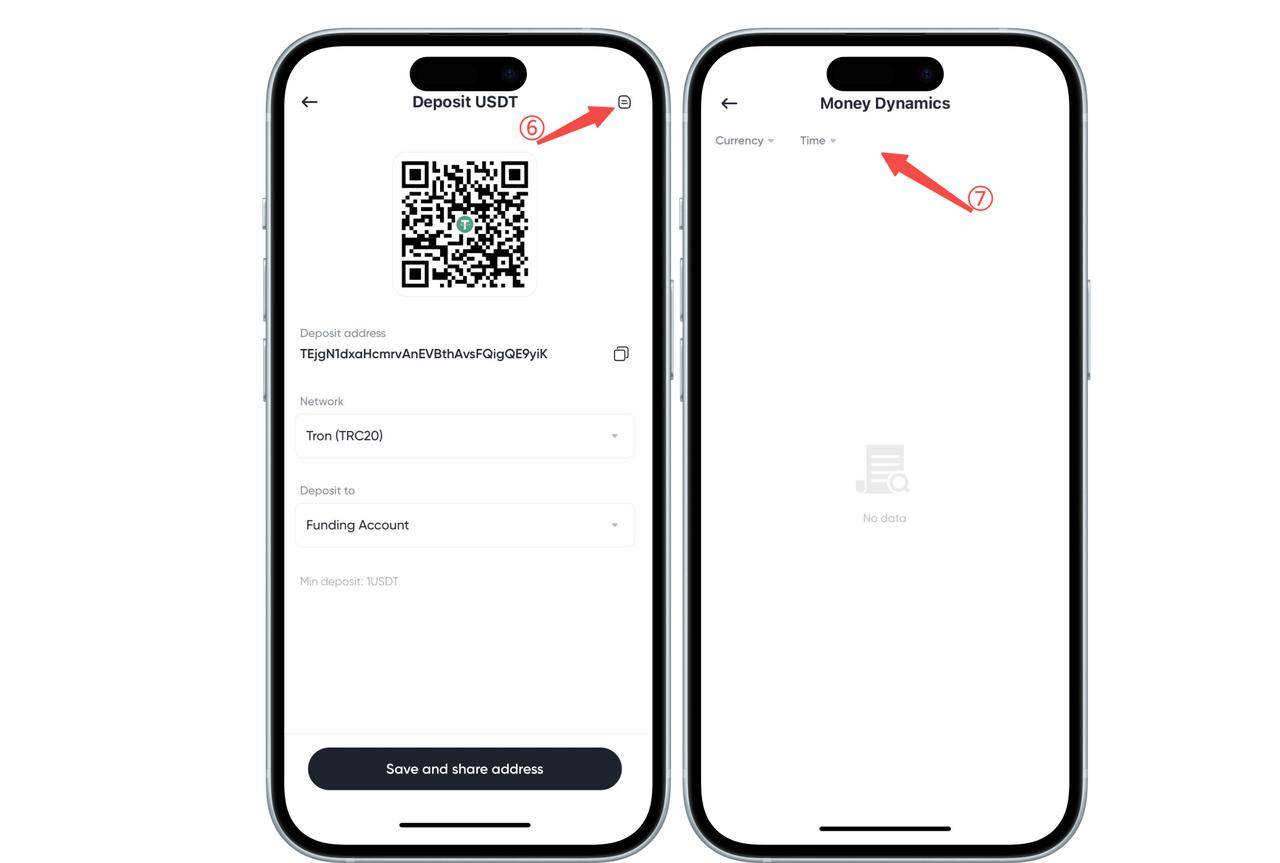
Note: Some currencies require a tag, such as XRP or EOS. The tag (MEMO) that needs to be filled in will be displayed above the deposit address, usually a string of numbers. When recharging these currencies, both the deposit address and the tag must be filled in; otherwise, the coins will be lost.
How to Recharge On-Chain via the Web:
1. Open [My Assets] - [Funds] in the upper right corner of the webpage, click [Transfer] - [On-Chain Recharge (Digital Currency)] on the funds page, for example, select the currency [USDT].
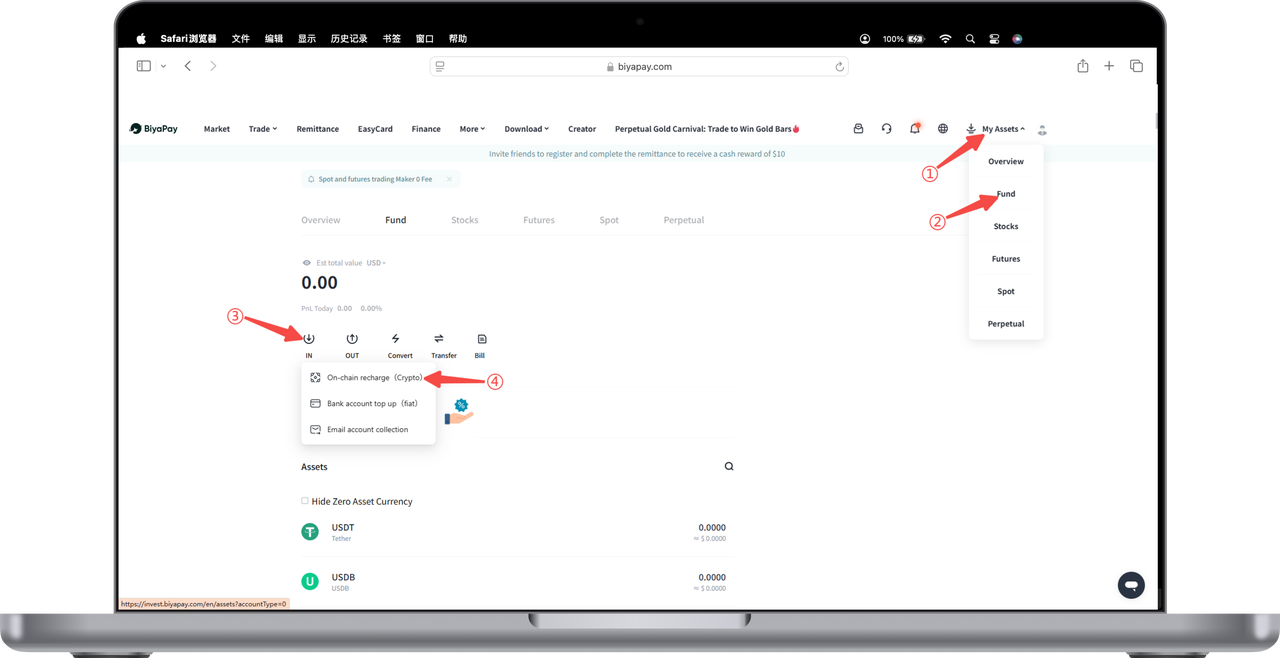
2. Select a deposit network, such as [USDT-TRC20] - obtain the deposit address, then open other platforms or wallets, paste the address, and complete the required operations to finish the deposit, or [share the address] with your social contacts.
Note: When selecting a deposit network, the [withdraw/withdrawal network] on other exchanges or wallets must match the network that BiyaPay transfers to. For example, both must be USDT-TRC20; otherwise, the coins will be lost.
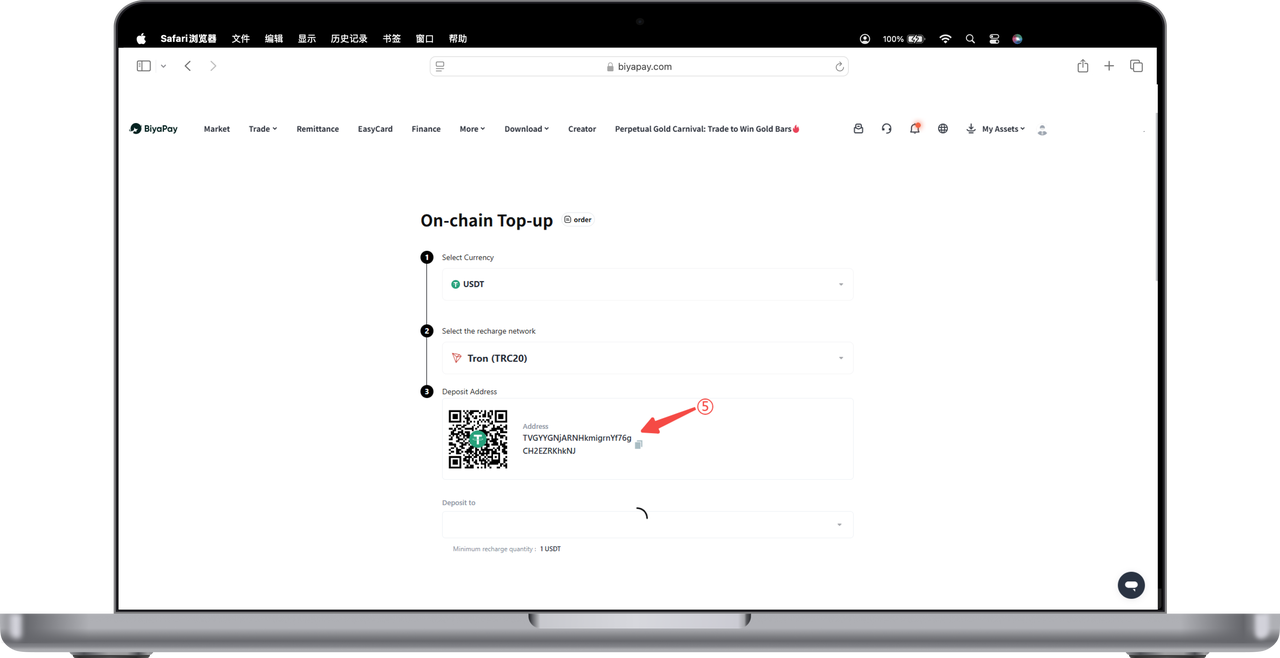
3. On the [Deposit] address page, click the recharge record icon in the upper right corner to view the order details.
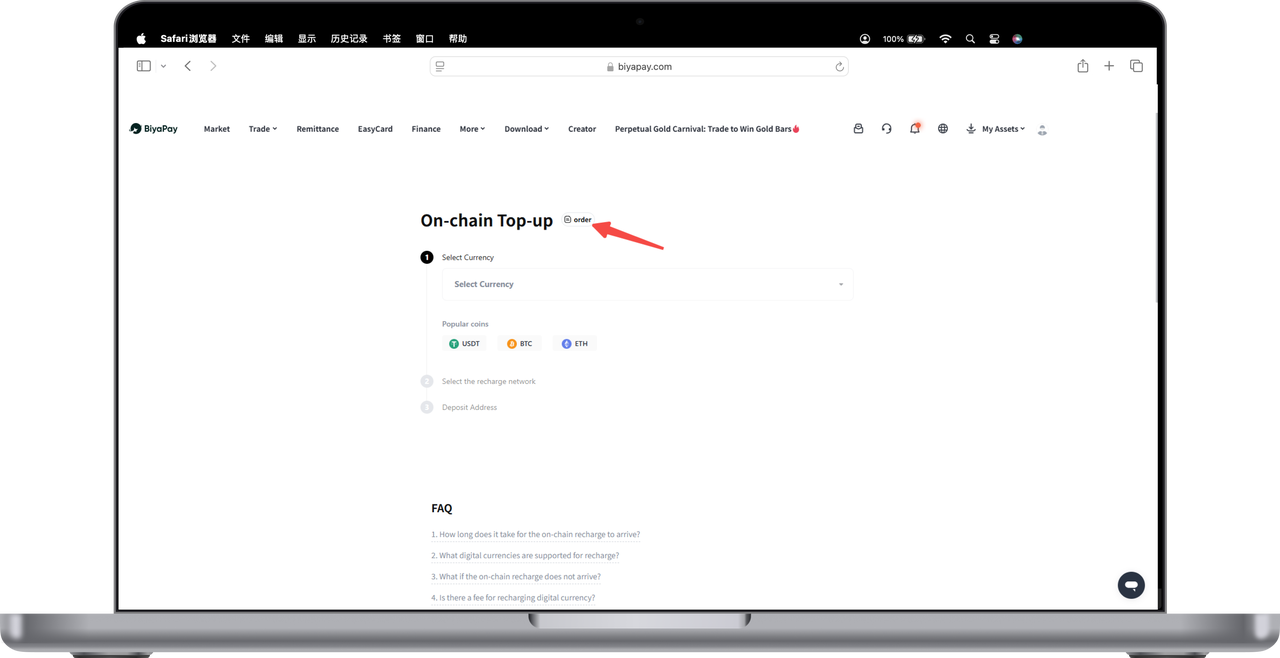
Note: Some currencies require a tag, such as XRP or EOS. The tag (MEMO) that needs to be filled in will be displayed above the deposit address, usually a string of numbers. When recharging these currencies, both the deposit address and the tag must be filled in; otherwise, the coins will be lost.

Contact Us




BIYA GLOBAL LLC is registered with the Financial Crimes Enforcement Network (FinCEN), an agency under the U.S. Department of the Treasury, as a Money Services Business (MSB), with registration number 31000218637349, and regulated by the Financial Crimes Enforcement Network (FinCEN).
BIYA GLOBAL LIMITED is a registered Financial Service Provider (FSP) in New Zealand, with registration number FSP1007221, and is also a registered member of the Financial Services Complaints Limited (FSCL), an independent dispute resolution scheme in New Zealand.