BiyaPay
Published on Updated on



The receiving bank account refers to the bank account linked to the user for withdrawing fiat currency from BiyaPay to the bank account. When users withdraw fiat currency on BiyaPay, the bank account they enter is the receiving bank account, and this account will receive the fiat currency funds withdrawn from BiyaPay.
How to Bind the Receiving Bank Account on the App:
How to bind the payee’s bank account?
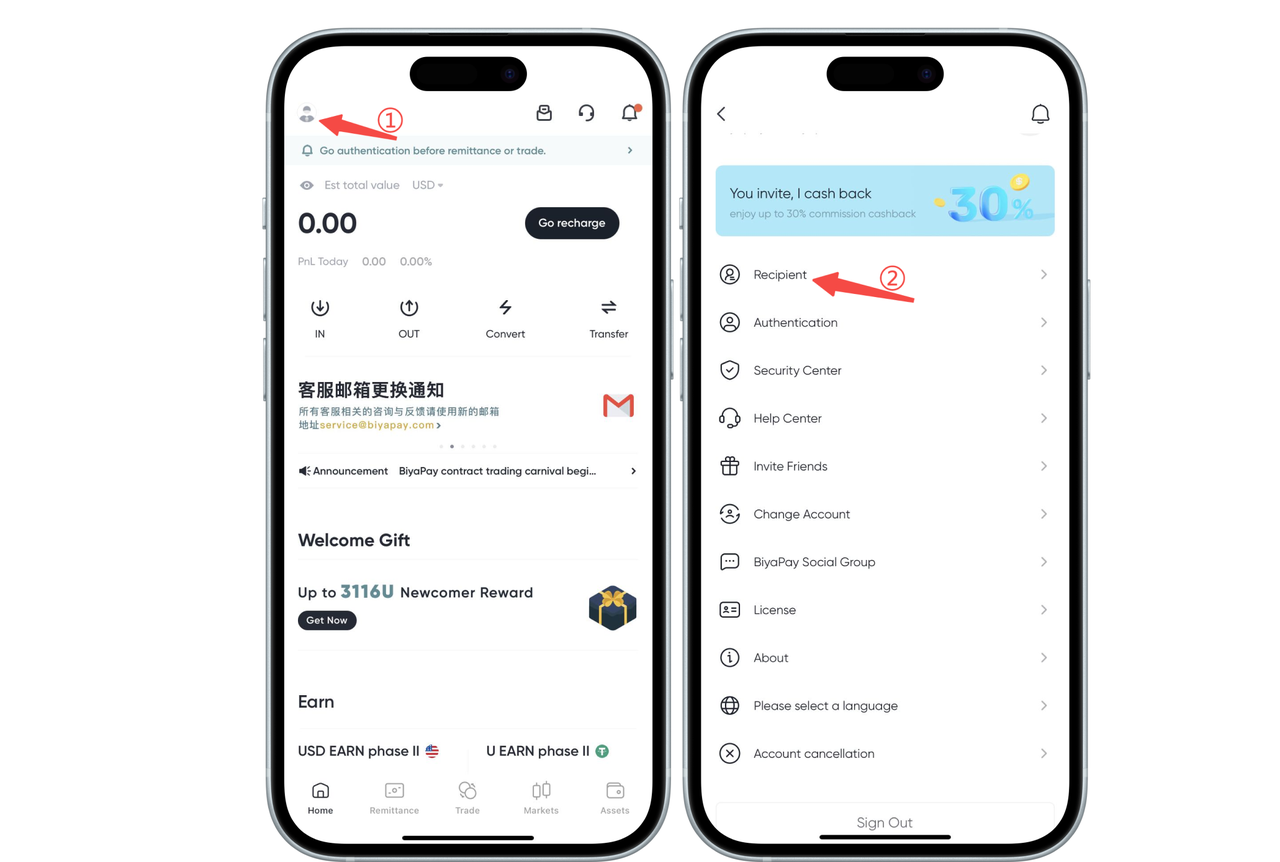
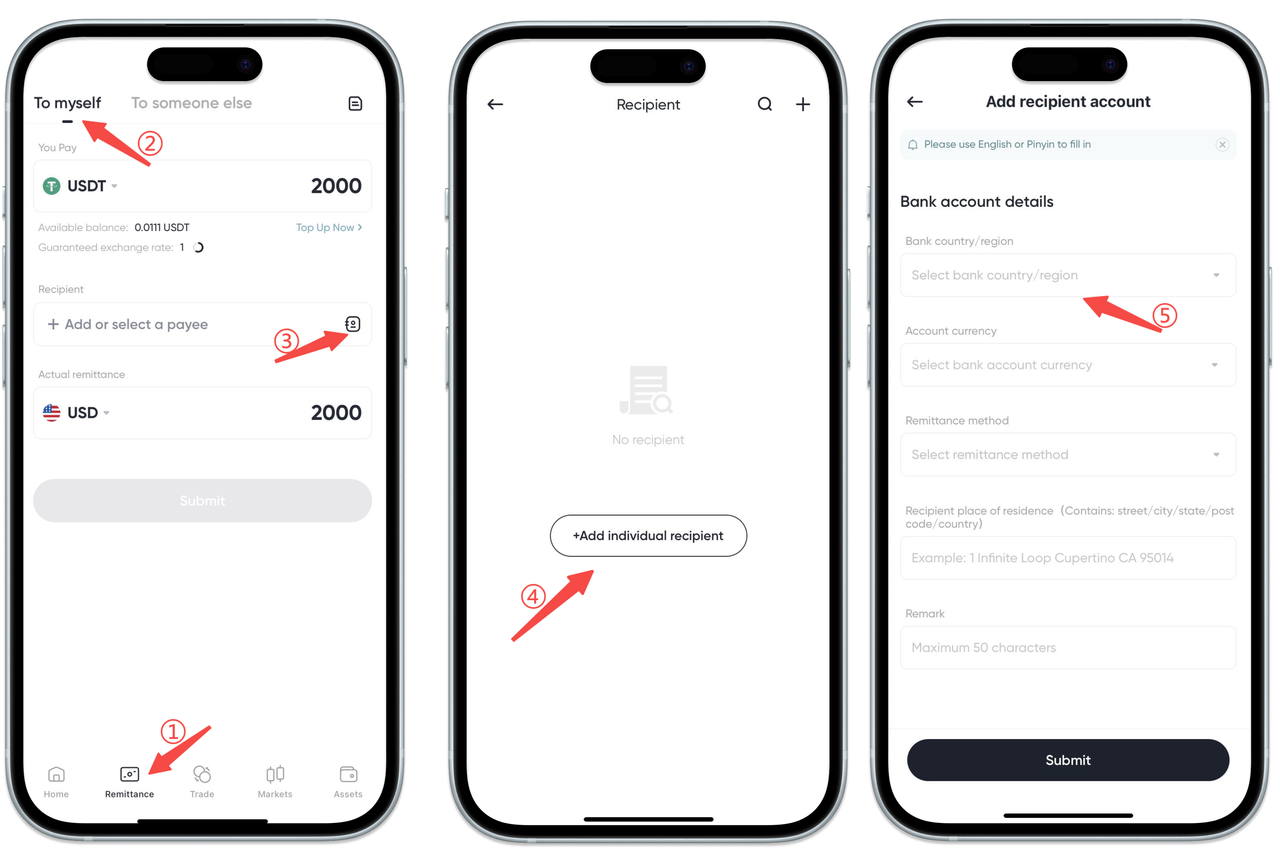
- There are two ways to bind the payee’s bank account:
- Click the avatar in the upper left corner of the APP homepage to enter [Personal Center], select [Payee Management], and add payee information
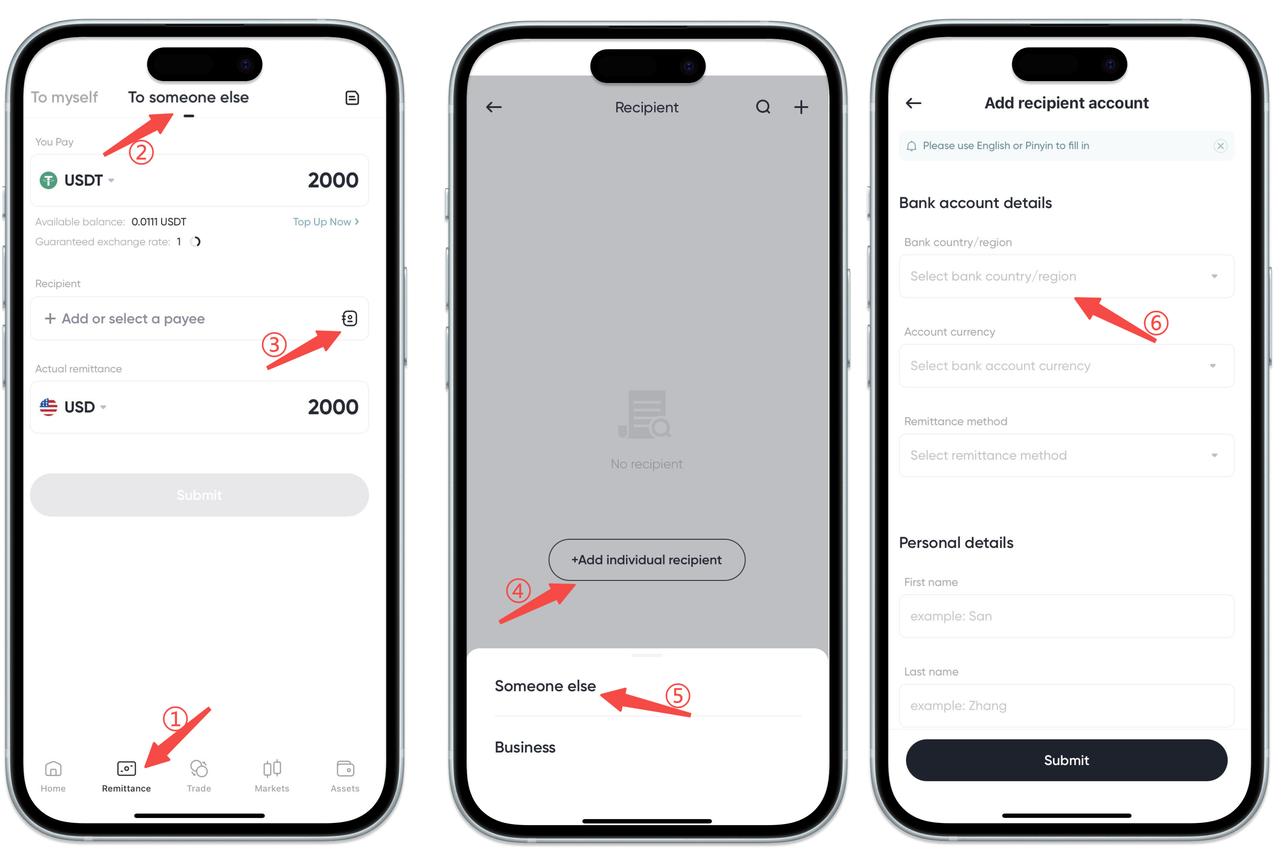
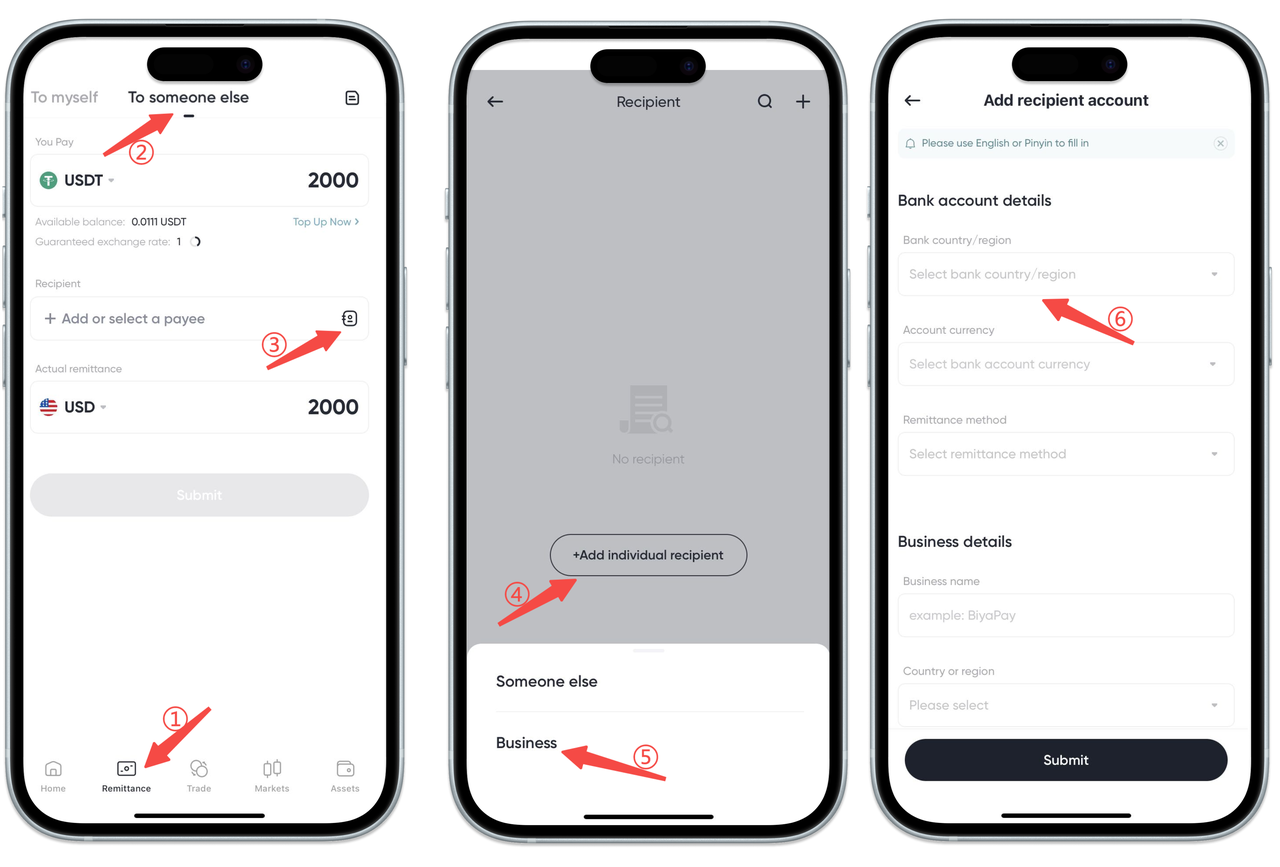
- Select the [Remittance] page at the bottom of the App, click [Remittance to yourself] or [Remittance to others], and add the payee information
- Add a payee, and you can choose the receiving bank account in three modes: [self], [others], and [commercial]:
- Select [Remit money to yourself], fill in the bank account information and personal information as required, then click Submit
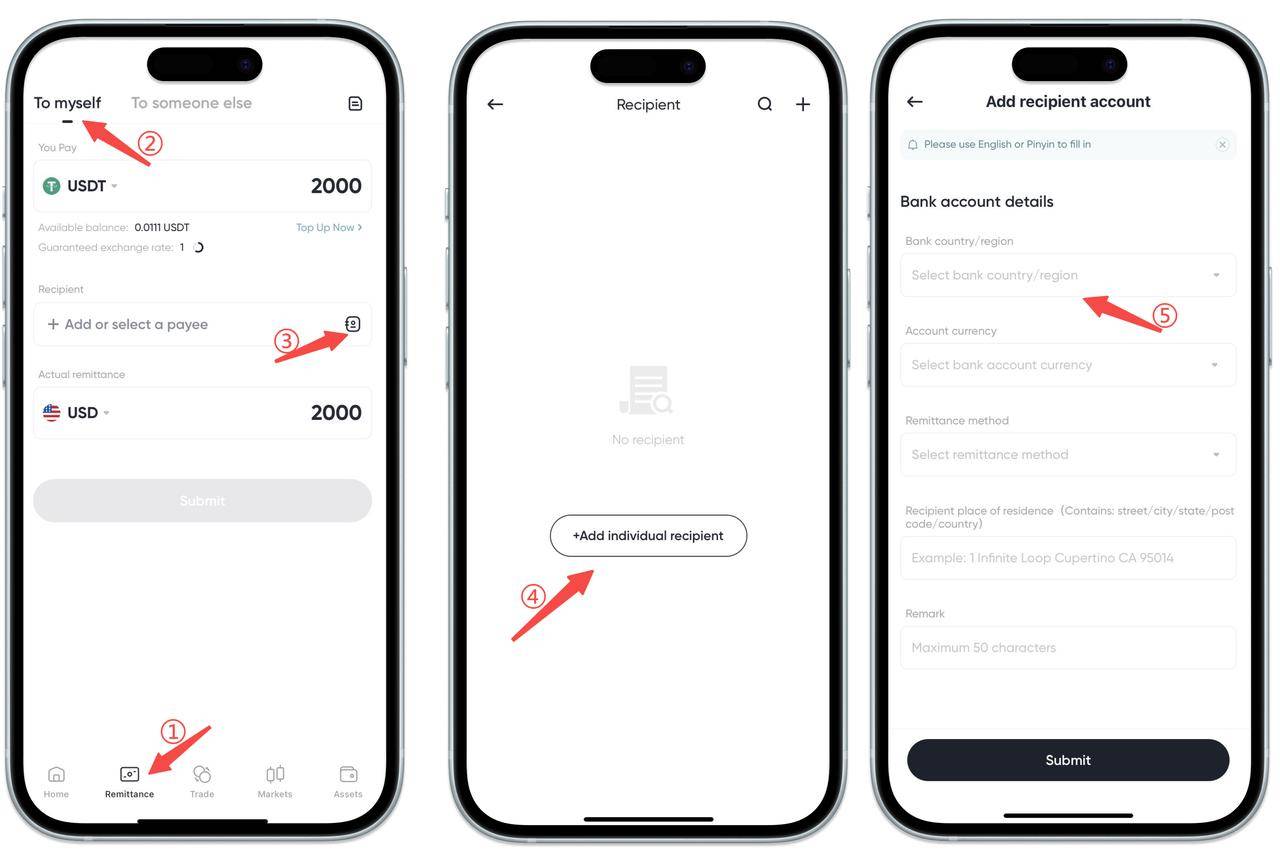
- Select [Remit money to others], fill in the other person's bank account information, personal information, and upload the payee's ID card or passport as required, then click Submit
- Select [Remittance to Business], fill in the bank account information and business information as required, then click Submit
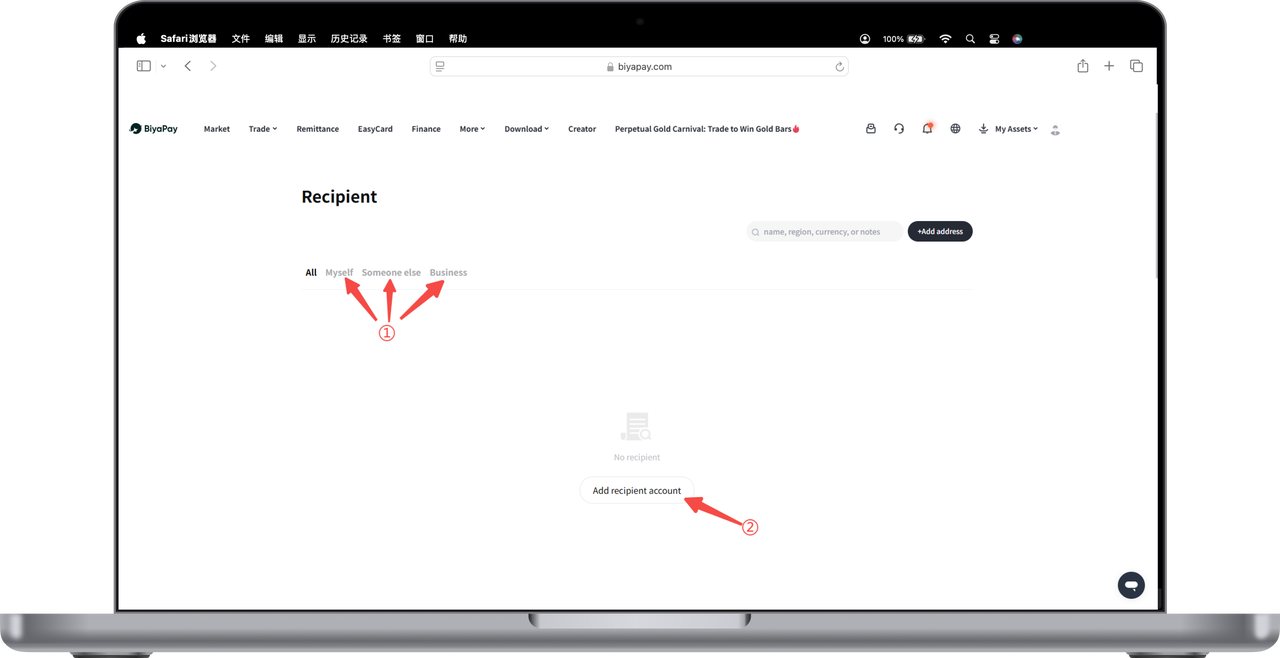
How to Bind the Receiving Bank Account on the Web:
How to bind the payee’s bank account?
- There are two ways to bind the payee’s bank account:
- Click the avatar in the upper right corner of the webpage to enter [Personal Center], select [Payee Management], and add payee information

- Select the [Remittance] page in the upper left corner of the webpage, click [Remittance to myself] or [Remittance to others] to add the payee information
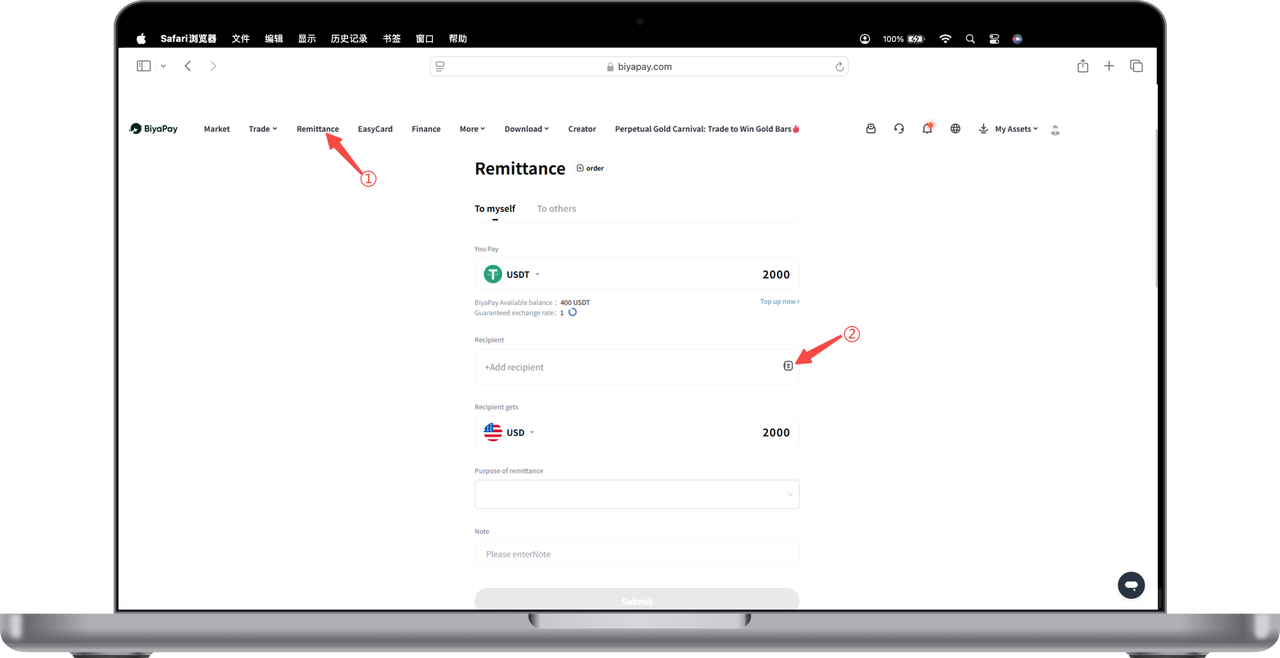
- Add a payee, and you can choose the receiving bank account in three modes: [self], [others], and [commercial]:
- Select [Remit money to yourself], fill in the bank account information and personal information as required, then click Submit
- Select [Remit money to others], fill in the other person's bank account information, personal information, and upload the payee's ID card or passport as required, then click Submit
- Select [Remittance to Business], fill in the bank account information and business information as required, then click Submit