BiyaPay
Published on Updated on



Please note that once you cancel your account, it cannot be recovered. Proceed with caution.
How to Cancel Your Account on the App:
You can complete the account cancellation by following these steps:
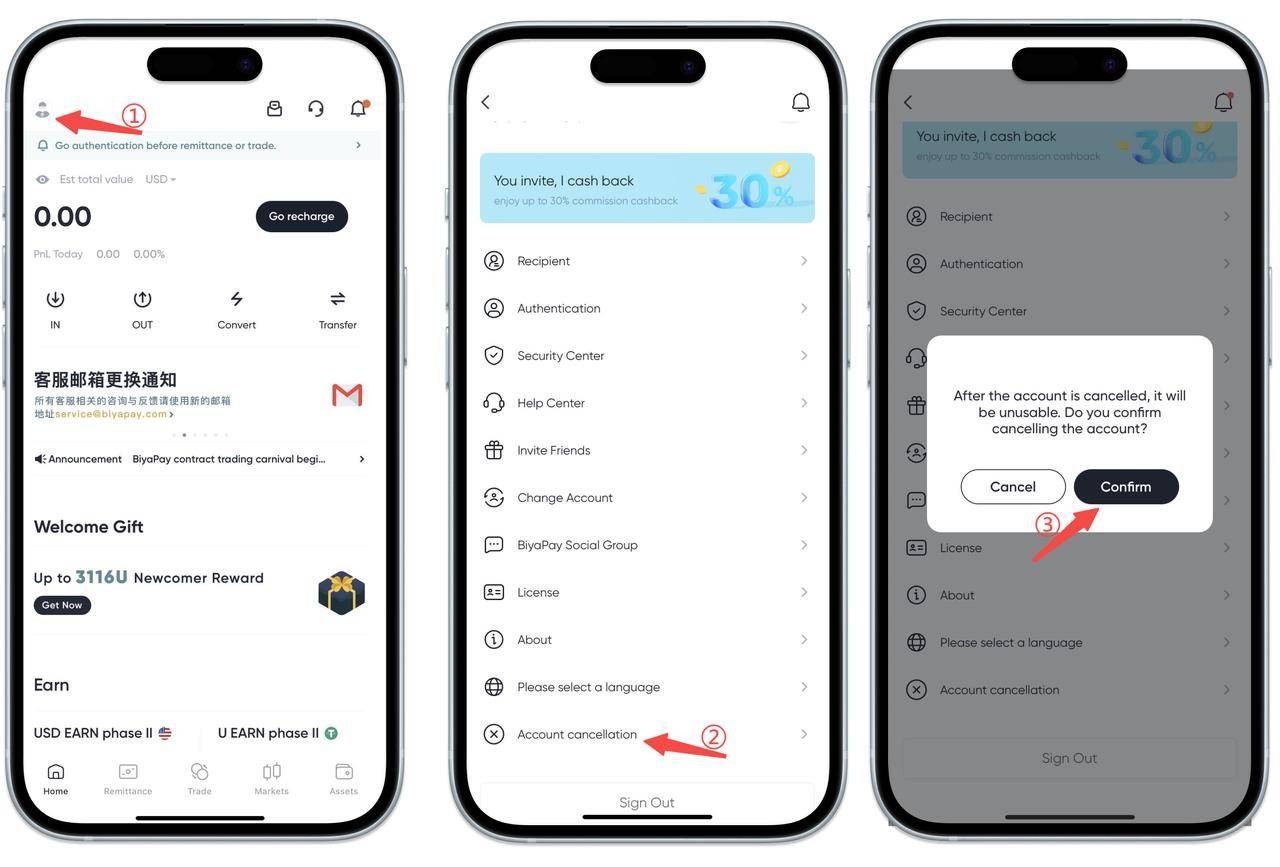
- Tap the avatar in the upper left corner of the app homepage to enter [Personal Center].
- Select [Cancel Account].
- Tap [Confirm to Cancel Account], enter the email verification code or Biya verification code, and the cancellation will be successful.
How to Log Out of Your Account on the Web:
You can complete the account cancellation by following these steps:
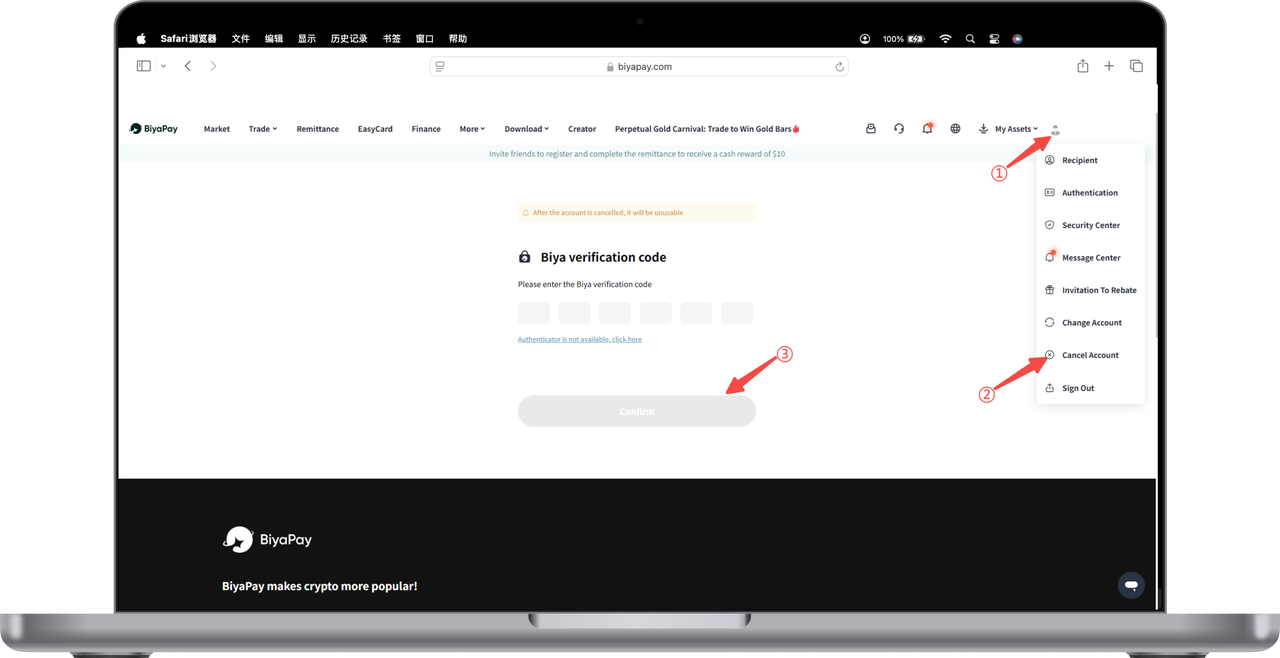
- Click the avatar in the upper right corner of the webpage to enter [Personal Center].
- Select [Cancel Account].
- Enter the email verification code or Biya verification code to log out successfully.