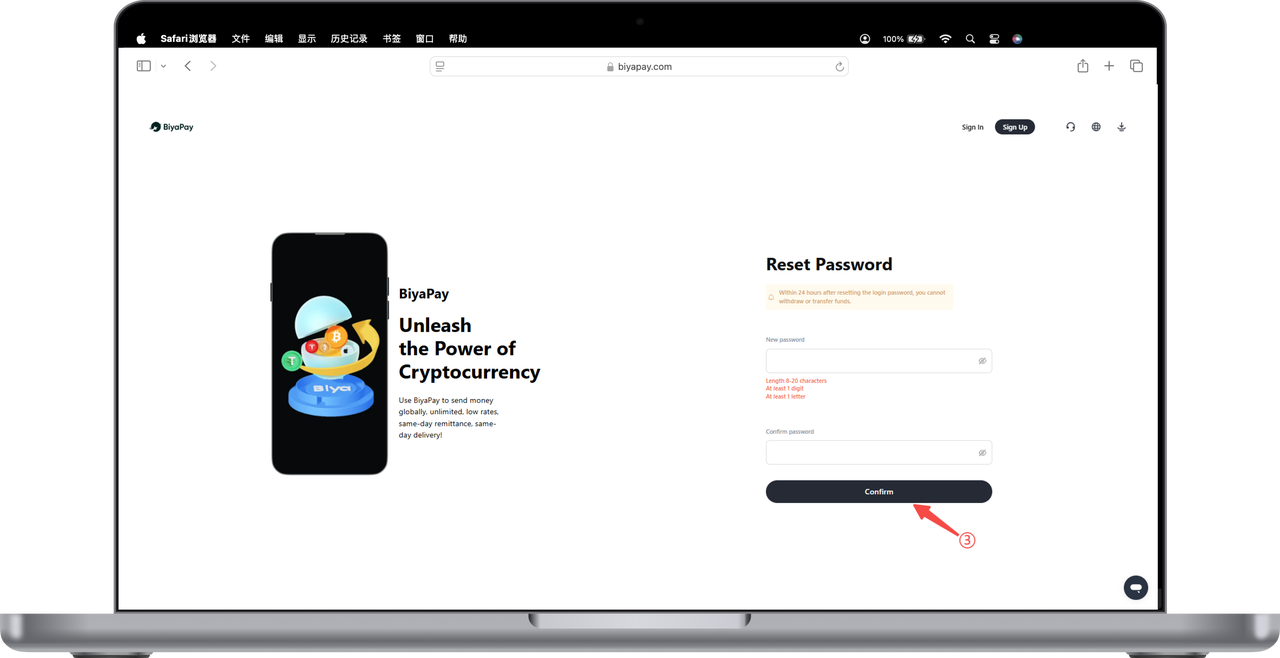
Please note that after changing the login password, cash withdrawals or transfers cannot be made within 24 hours.
How to change the login password after forgetting it on the App:
Change login password while logged in
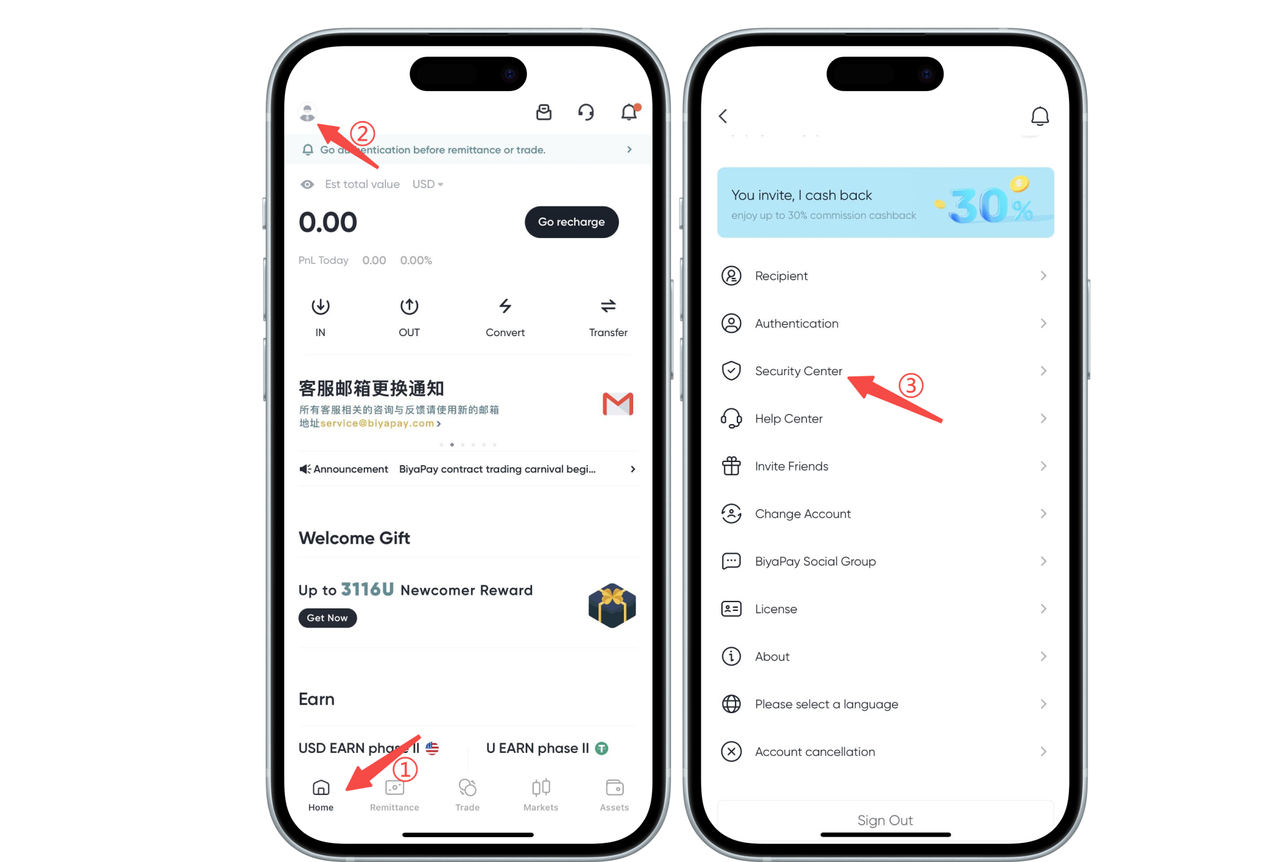
1. Click the avatar in the upper left corner of the app homepage, go to [Personal Center], then click [Security Center];
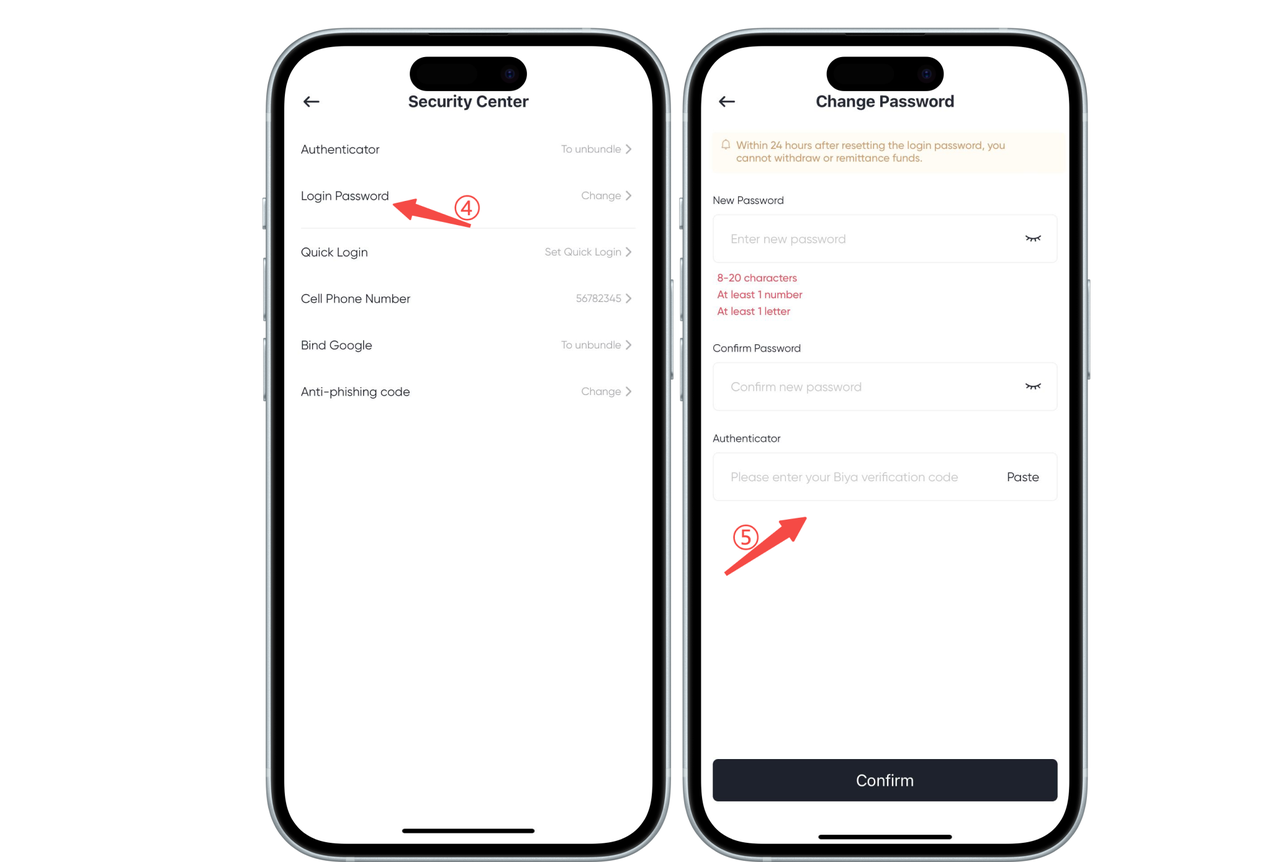
2. Click Change [Login Password], enter the [Change Password] page, and set a [New Password]
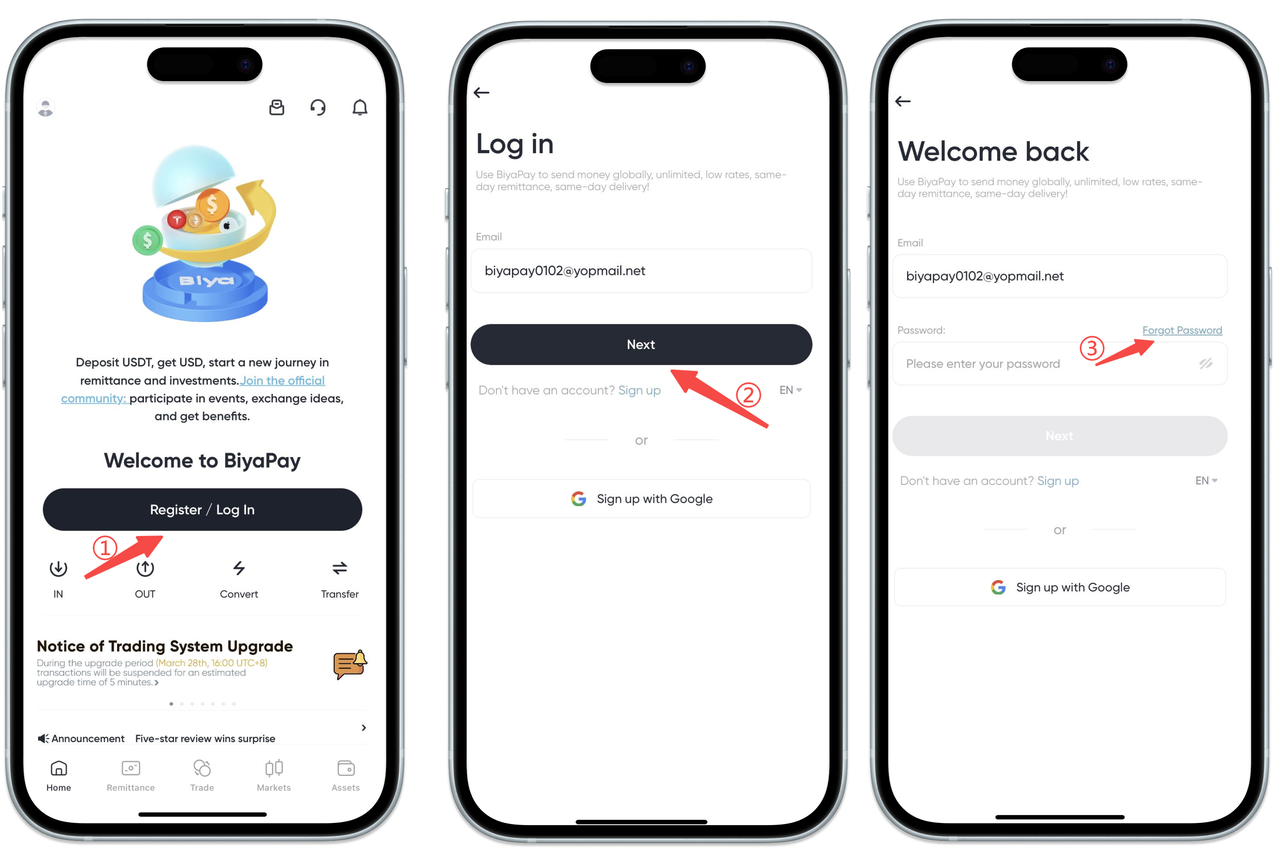
Change login password when not logged in
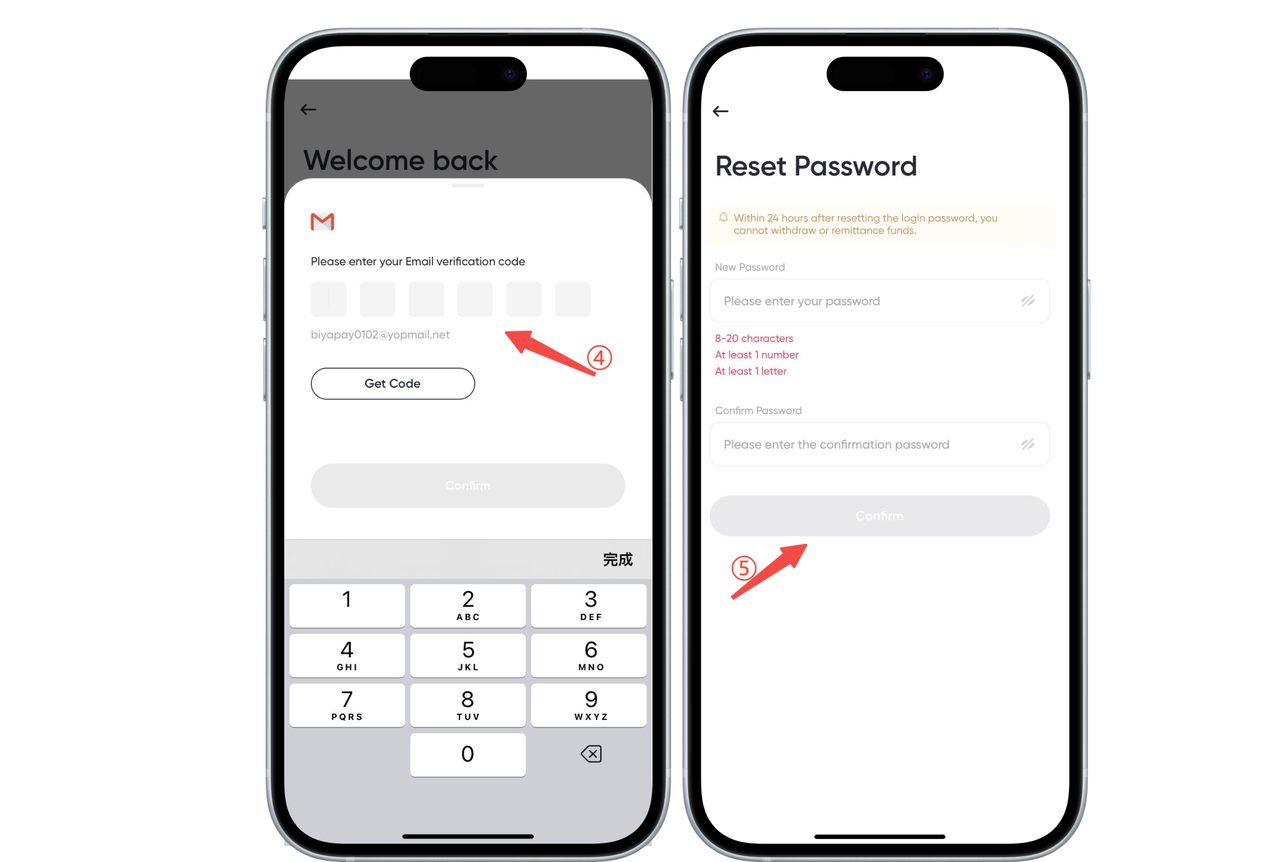
1. Click [Login], enter your email address, click [Next], then click [Forgot Password]
2. Enter the [email verification code] and set a [new password]
How to change the login password after forgetting it on the web:
Change login password while logged in
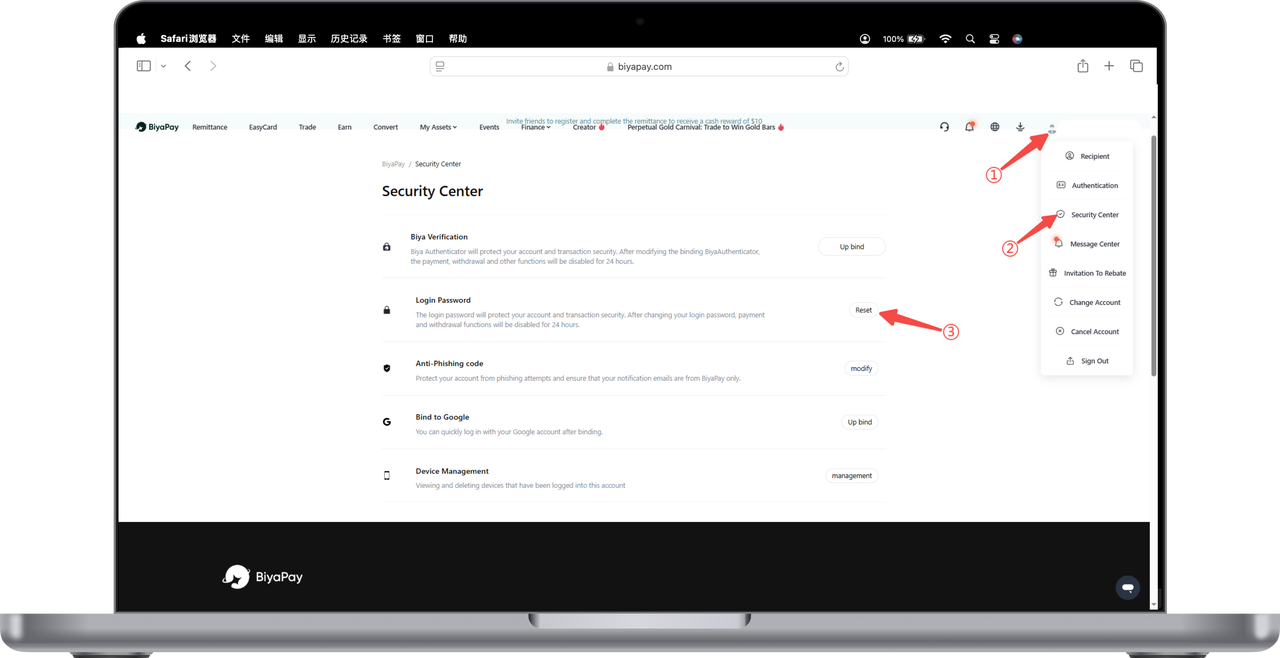
1. Click the avatar in the upper right corner of the webpage, go to [Personal Center], then click [Security Center]. Click [Reset] login password in the Security Center.
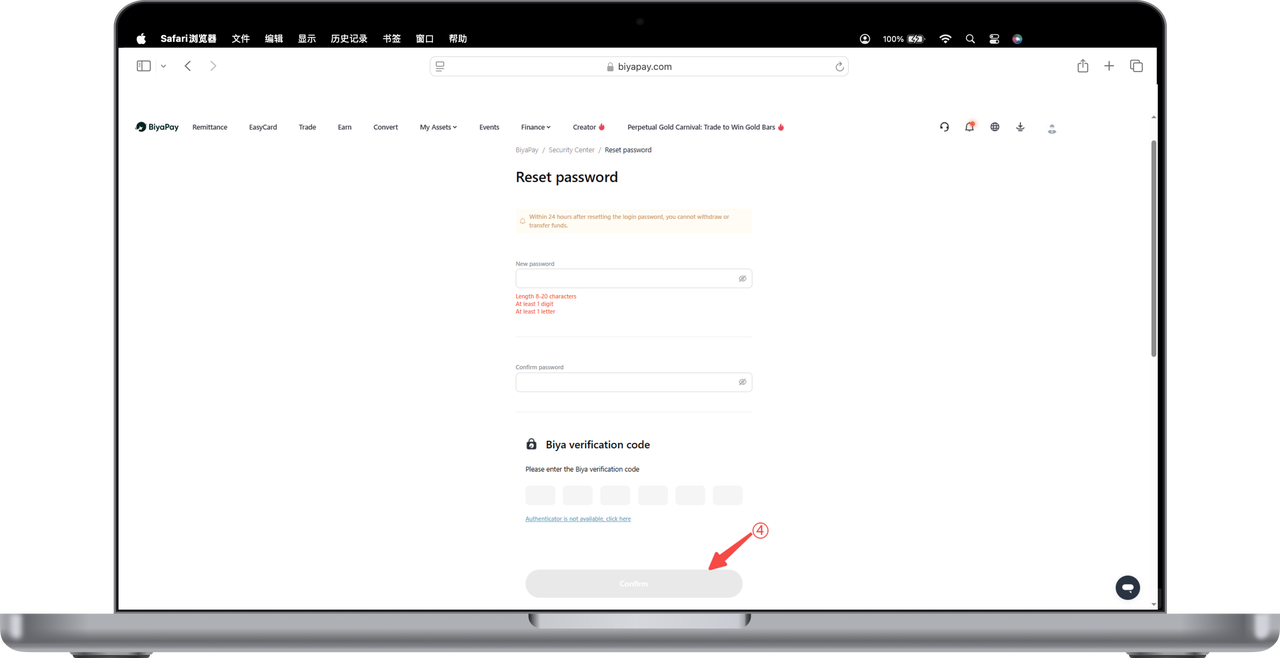
2. Enter the [Reset Password] page, set a [New Password], enter the email verification code or Biya verification code, and click [OK] to complete the login password reset.
Change login password when not logged in
1. Click [Login], enter your email address, click [Next], then click [Forgot Password]
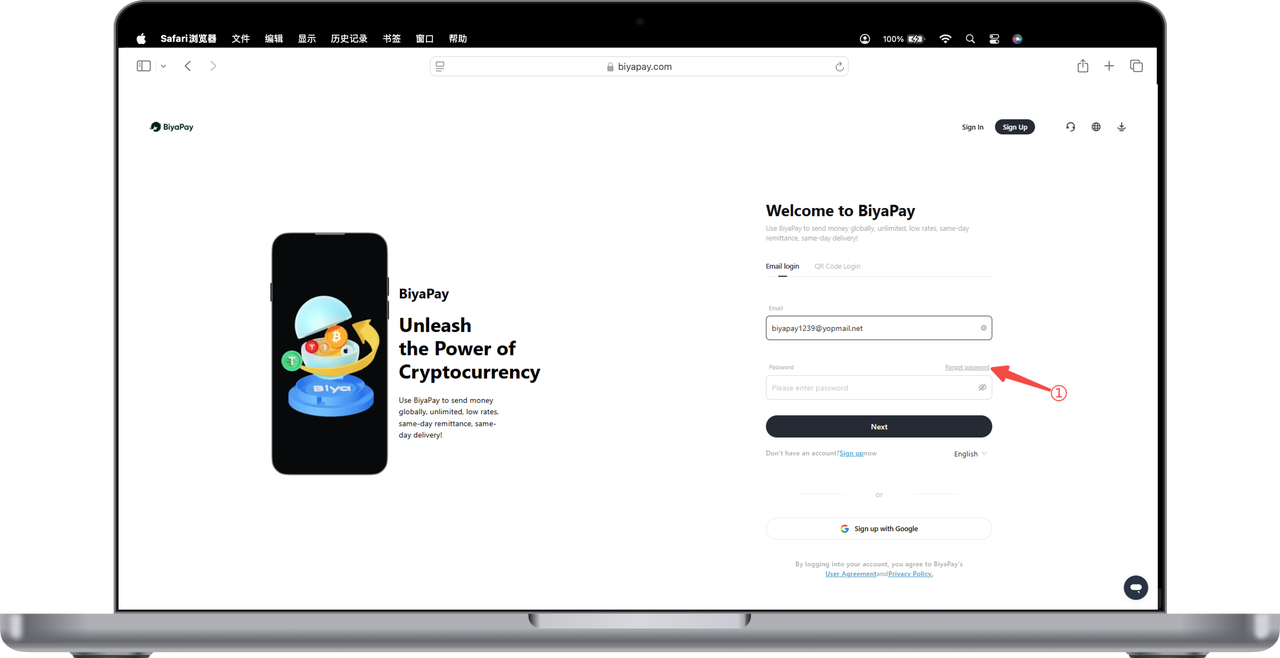
2. Enter the [email verification code]
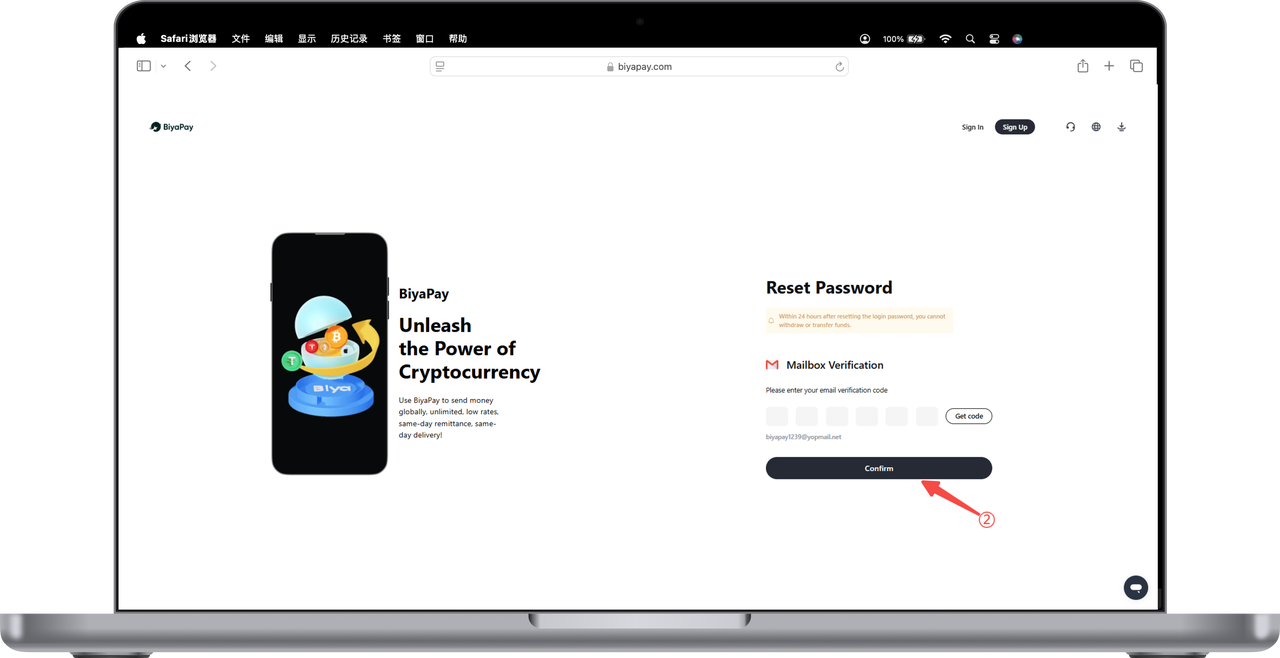
3. Enter a [New Password] and click [OK] to complete the login password reset.