BiyaPay
Published on Updated on

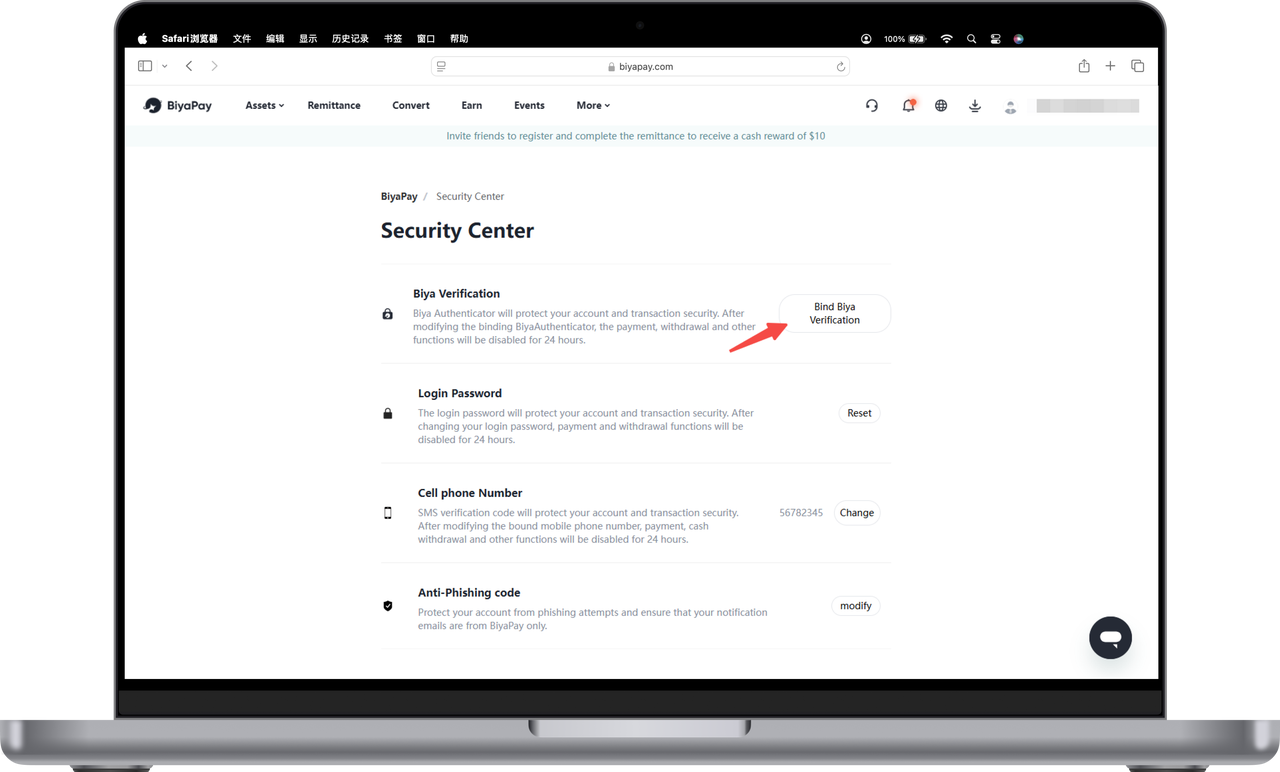
There are three steps to bind the Biya authenticator. First, download the Biya authenticator, then get the verification code, and finally bind the authenticator.

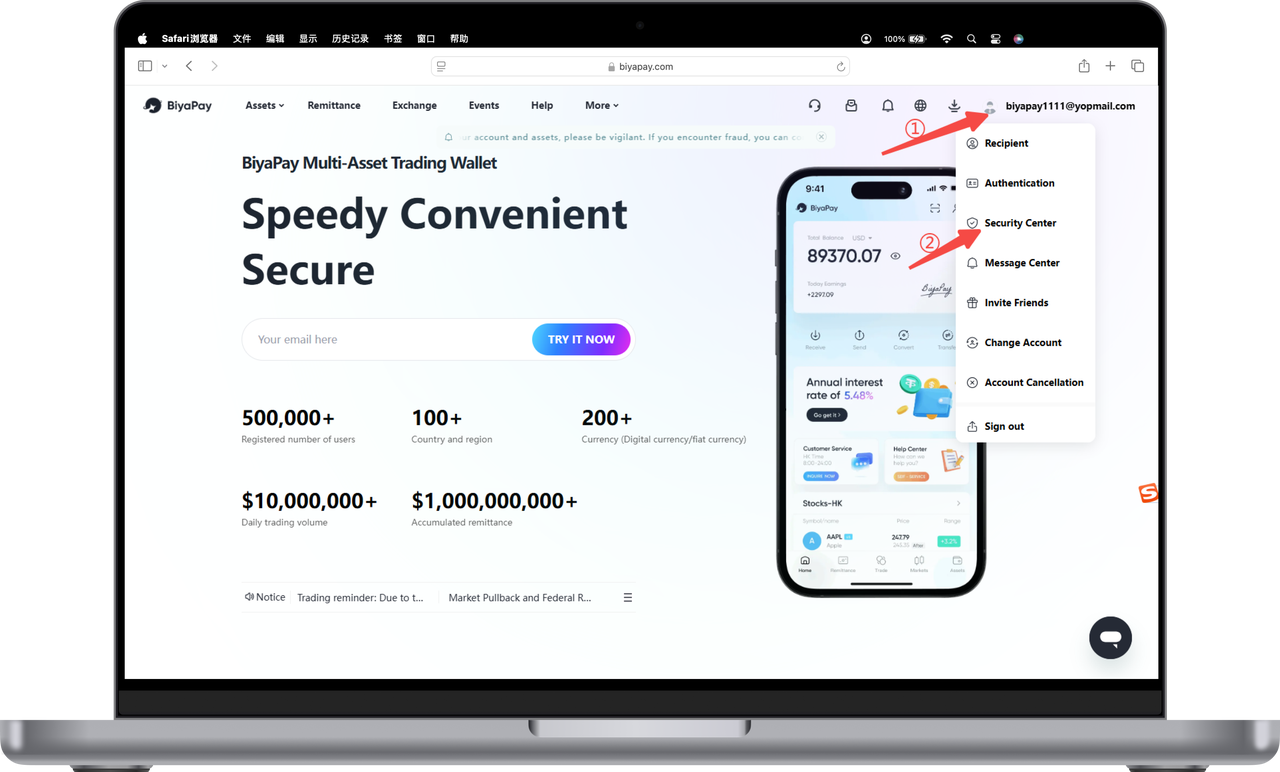
  1. Click the avatar in the upper right corner of the official website, and then click [Security Center]; image.png
  2. Click [Bind Biya Authenticator]; image.png

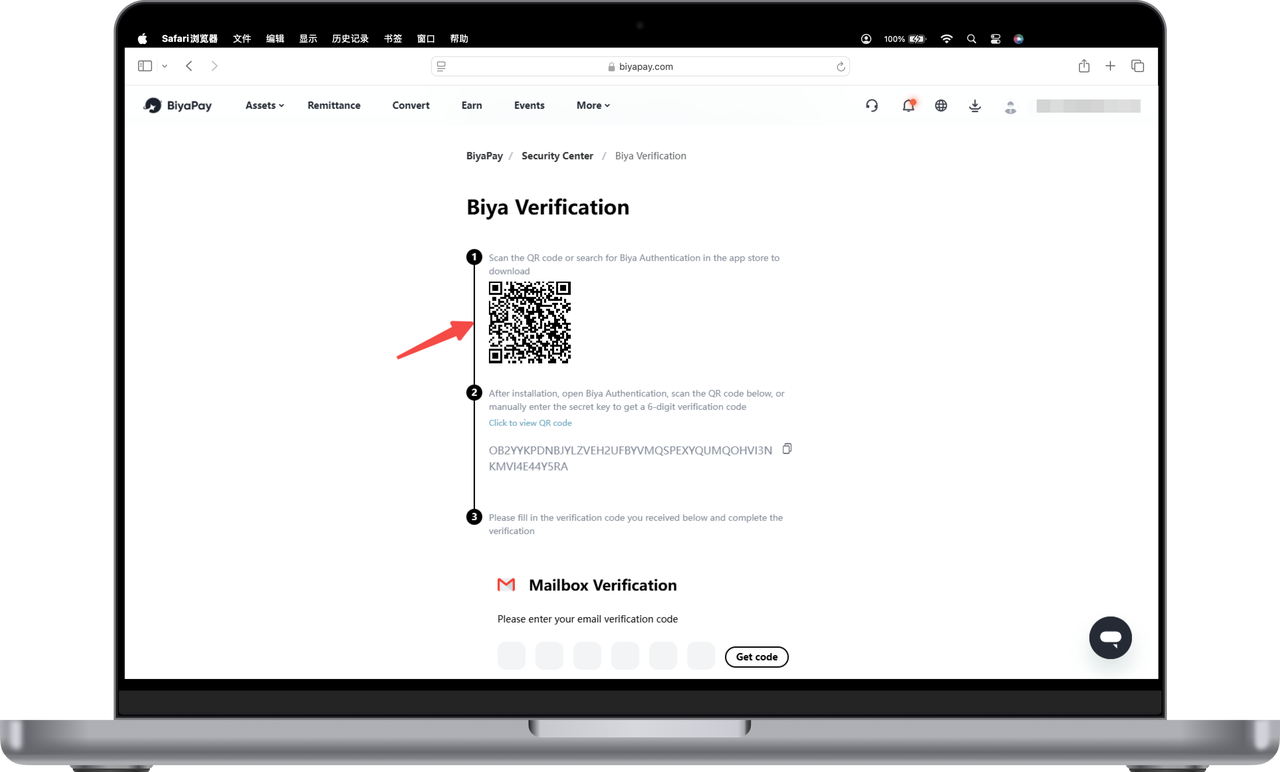
  3. Download the Biya Authenticator; Scan the QR code on your phone or search for "Biya Authentication" on Google and Apple App Stores to download the Biya Authenticator. image.png
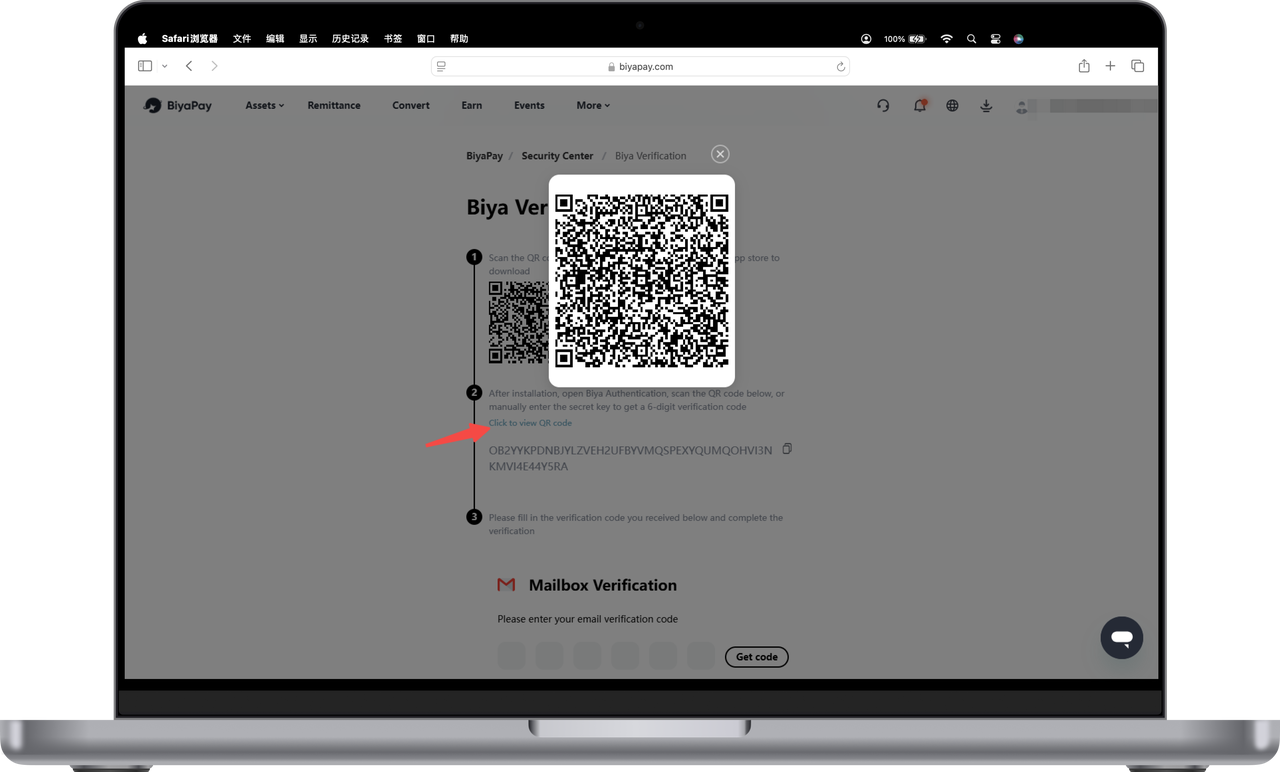
  4. Get the Biya verification code; Open the Biya authenticator on your phone, and use the Biya authenticator to scan the QR code in [Click to view QR code] (or copy the key and enter it into the authenticator) to get the Biya verification code. image.png
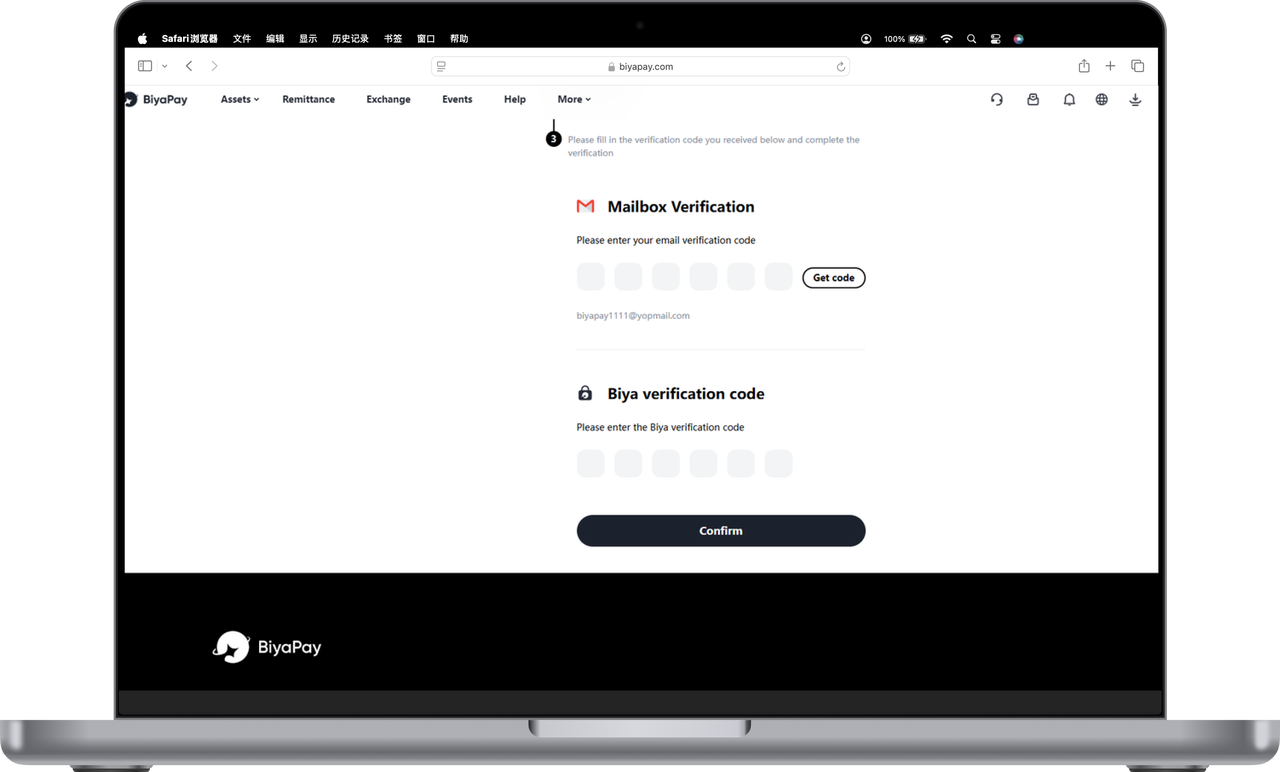
  5. Bind the authenticator. Enter the obtained email verification code and Biya verification code, click Confirm, and complete the binding of Biya authenticator. image.png
BiyaPay
BiyaPay makes crypto more popular!

Contact Us

Mail: service@biyapay.com
Customer Service Telegram: https://t.me/biyapay001
Telegram Community: https://t.me/biyapay_ch
Digital Asset Community: https://t.me/BiyaPay666
BiyaPay的电报社区BiyaPay的Discord社区BiyaPay客服邮箱BiyaPay Instagram官方账号BiyaPay Tiktok官方账号BiyaPay LinkedIn官方账号
Compliance Entity
Biya Global LLC is a U.S. limited liability company. It has completed federal MSB registration (Registration number 31000218637349) with FinCEN under the Bank Secrecy Act and is subject to FinCEN’s supervision.
Biya Global Limited is a New Zealand registered entity. It holds valid FSP registration (Registration number FSP1007221) on the Financial Service Providers Register (FSPR) under the Financial Service Providers (Registration and Dispute Resolution) Act 2008 and is subject to supervision by the Financial Markets Authority (FMA).
©2019 - 2026 BIYA GLOBAL LIMITED