BiyaPay
Published on Updated on



Please note that you cannot restore your account after cancelling it, so please proceed with caution. You can complete account cancellation by following the steps below:
-
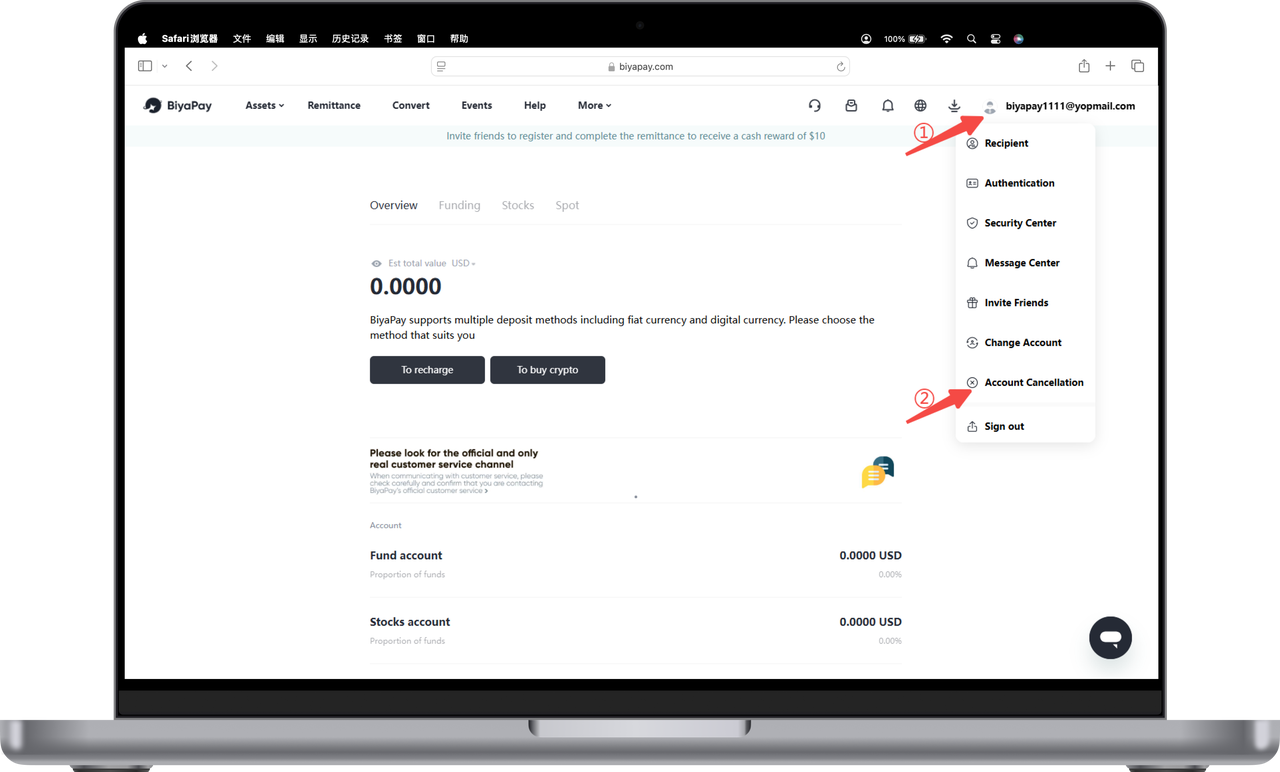
Click on the avatar in the upper right corner of the official website, and then click [Cancel Account];
-
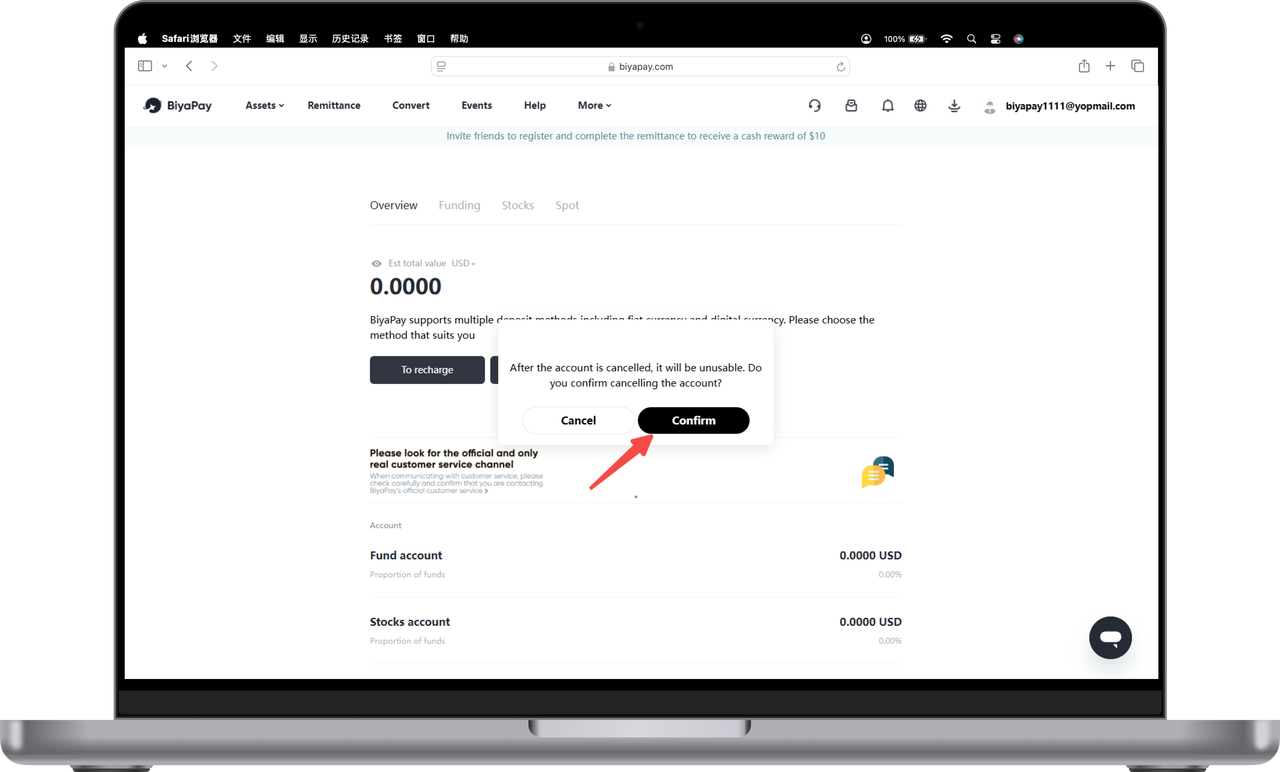
Click [Confirm] to confirm the logout;
-
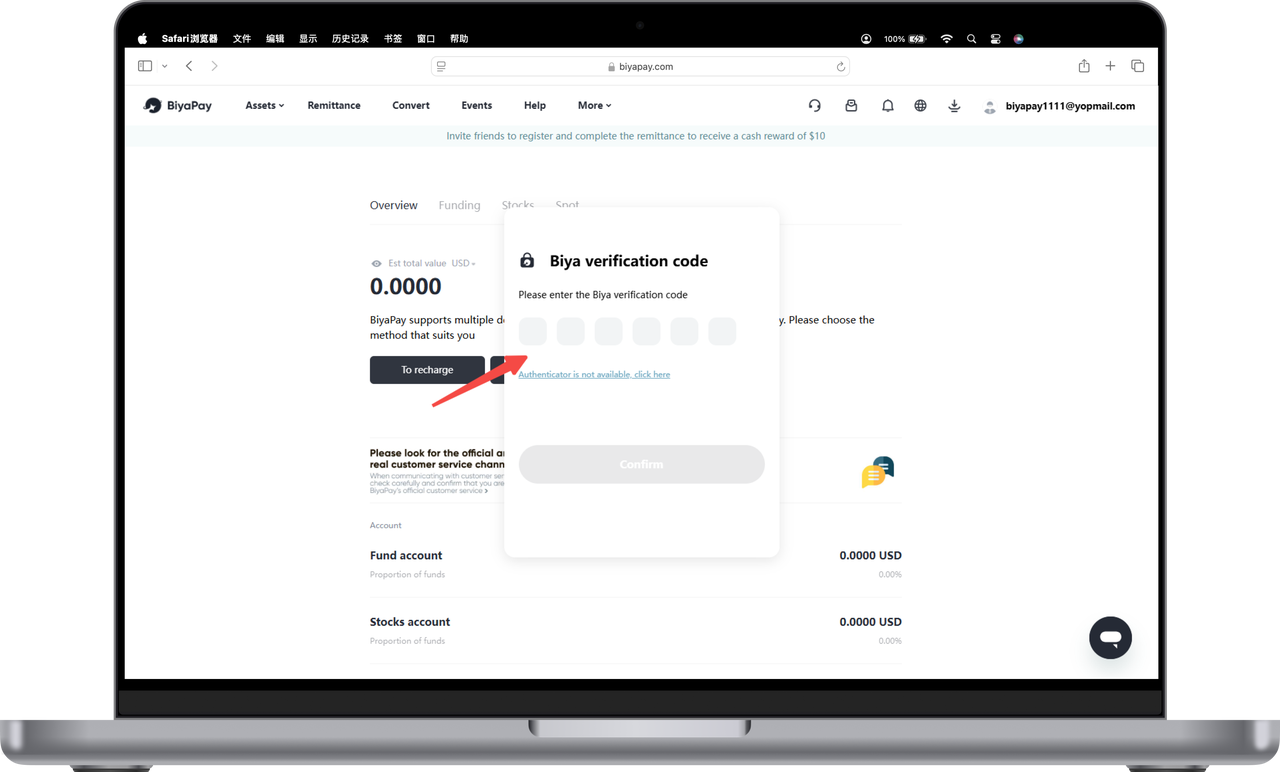
Enter the email verification code or Biya verification code, click OK, and the logout is successful.