Changing account without real-name authentication
-
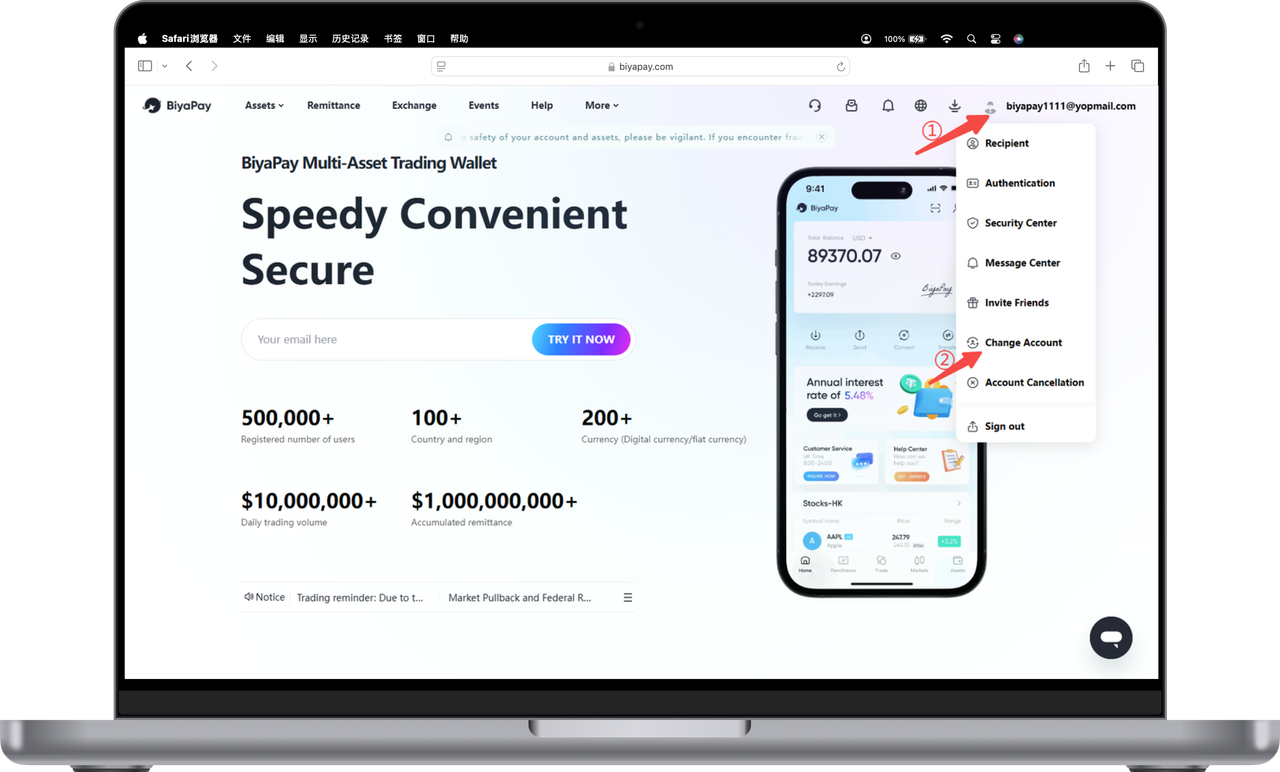
Click the profile picture in the upper right corner of the official website, then click [Change Account];
-
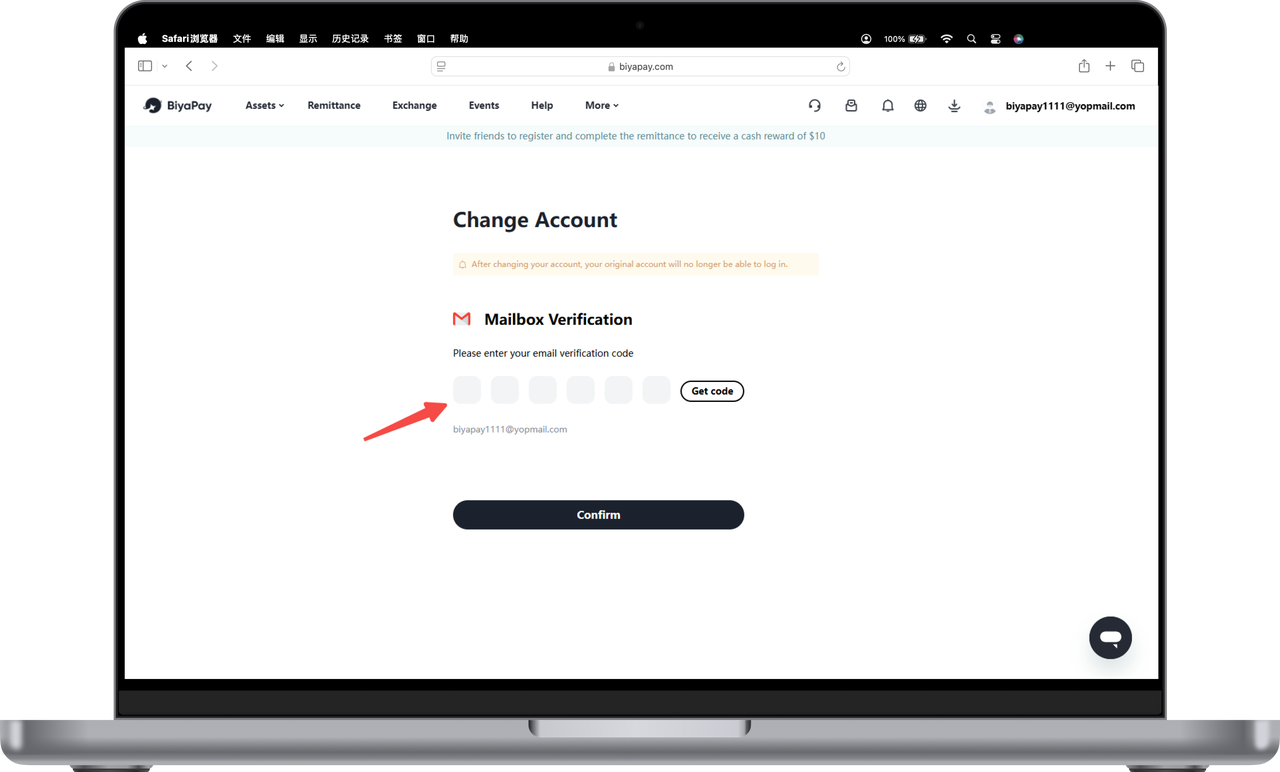
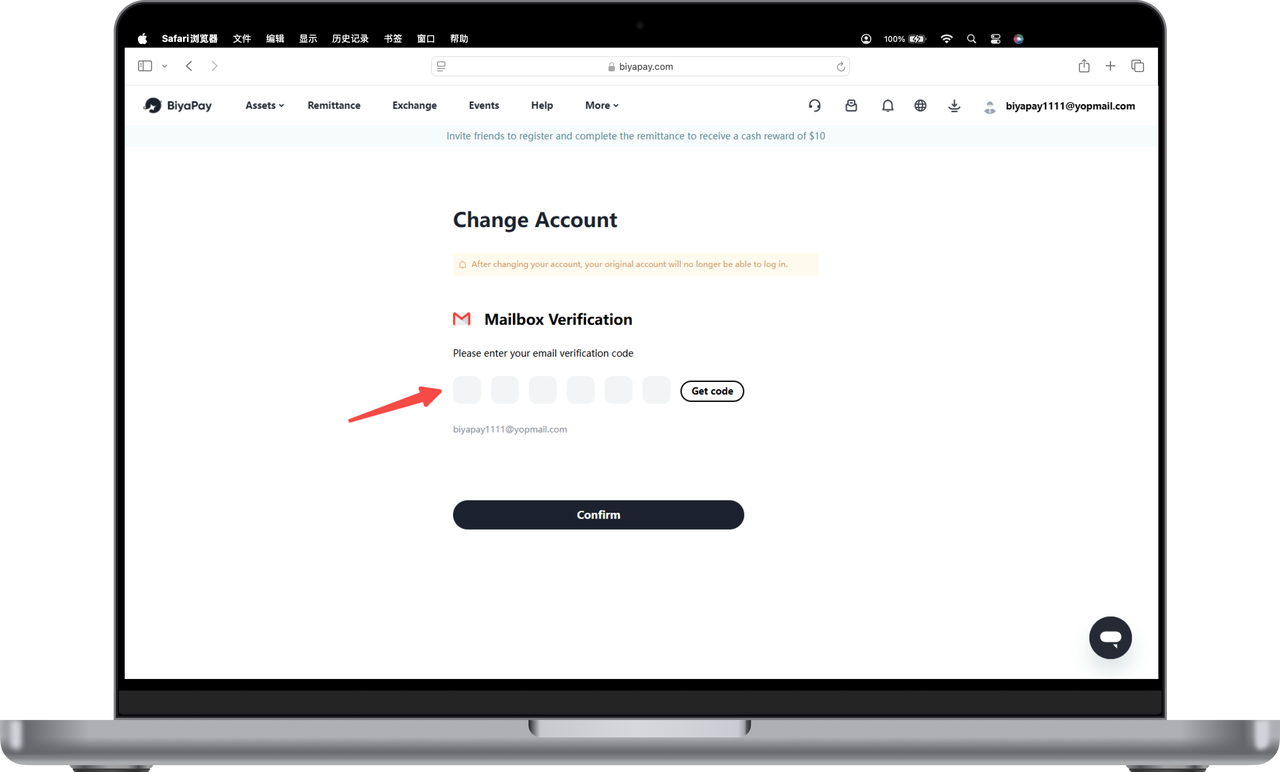
Enter the email verification code;
-
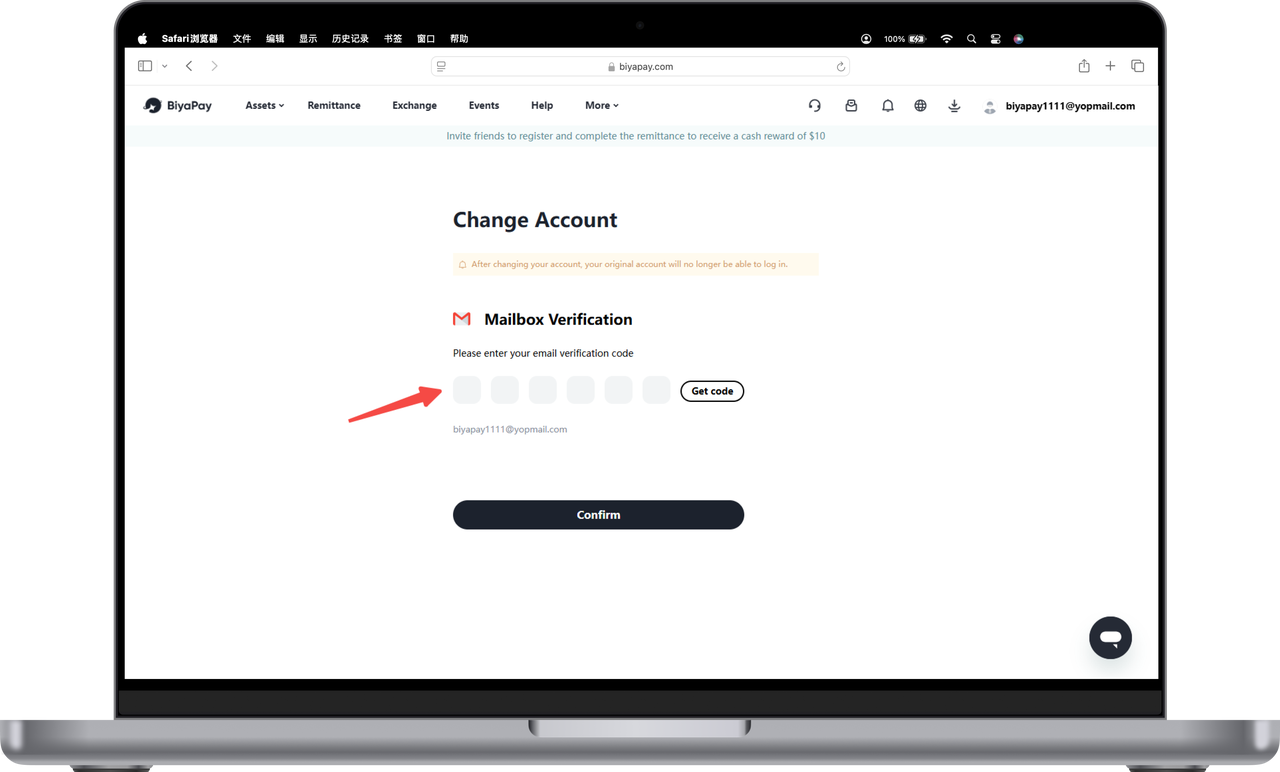
Enter the new email address and new email verification code, and click [OK];
-
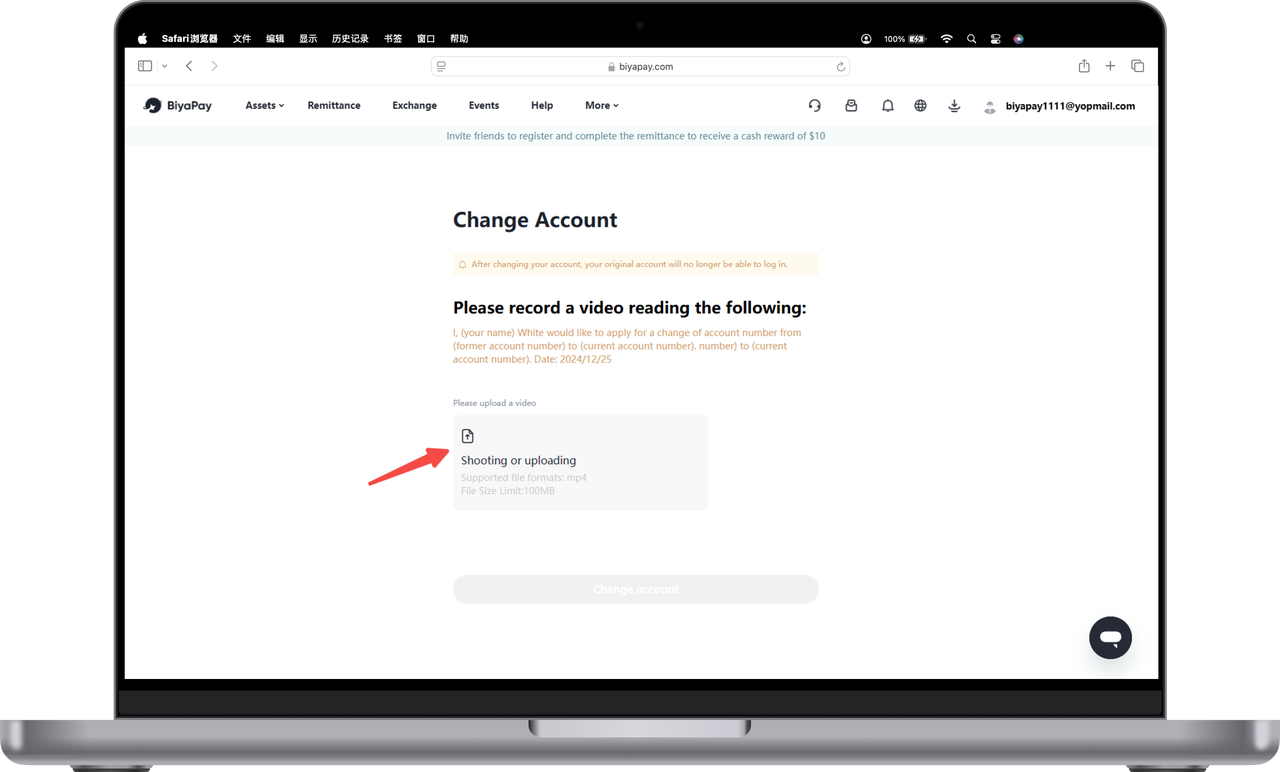
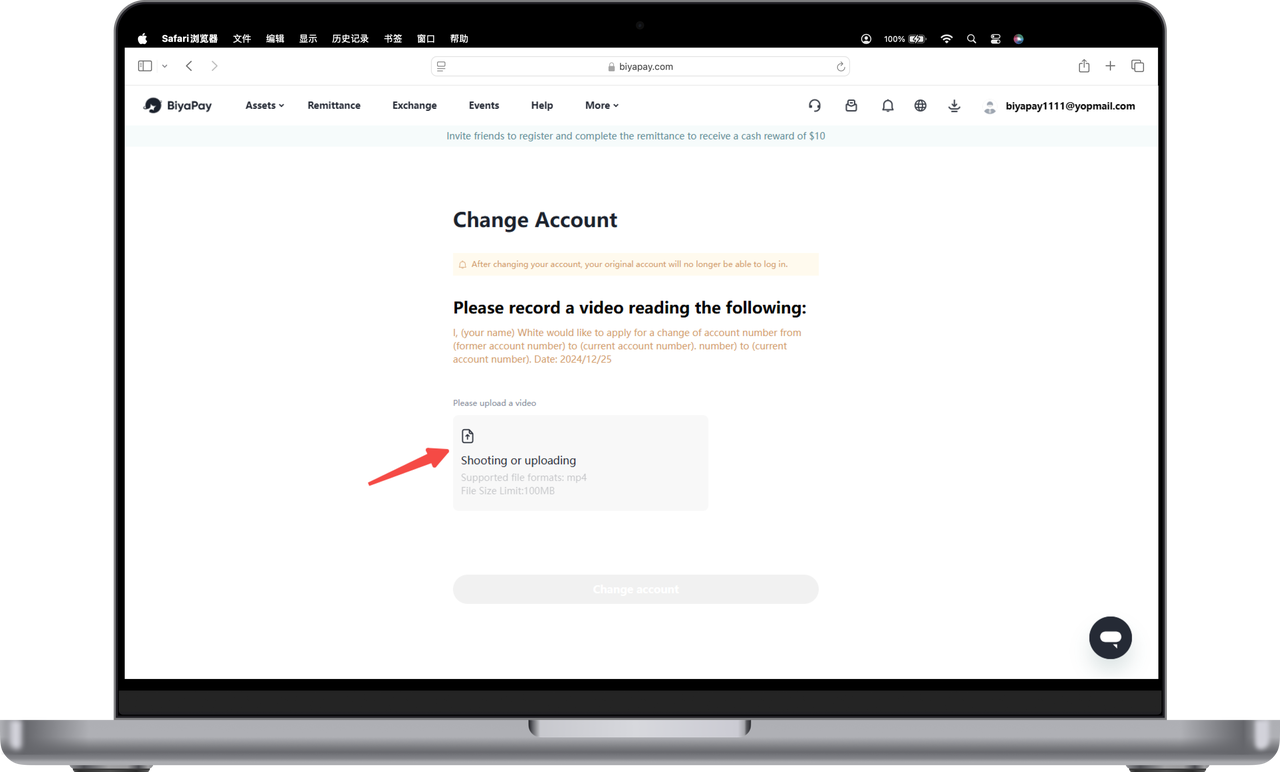
Follow the prompts, upload your [Video of Yourself], and you can modify your email address.
Changing account after real-name authentication
-
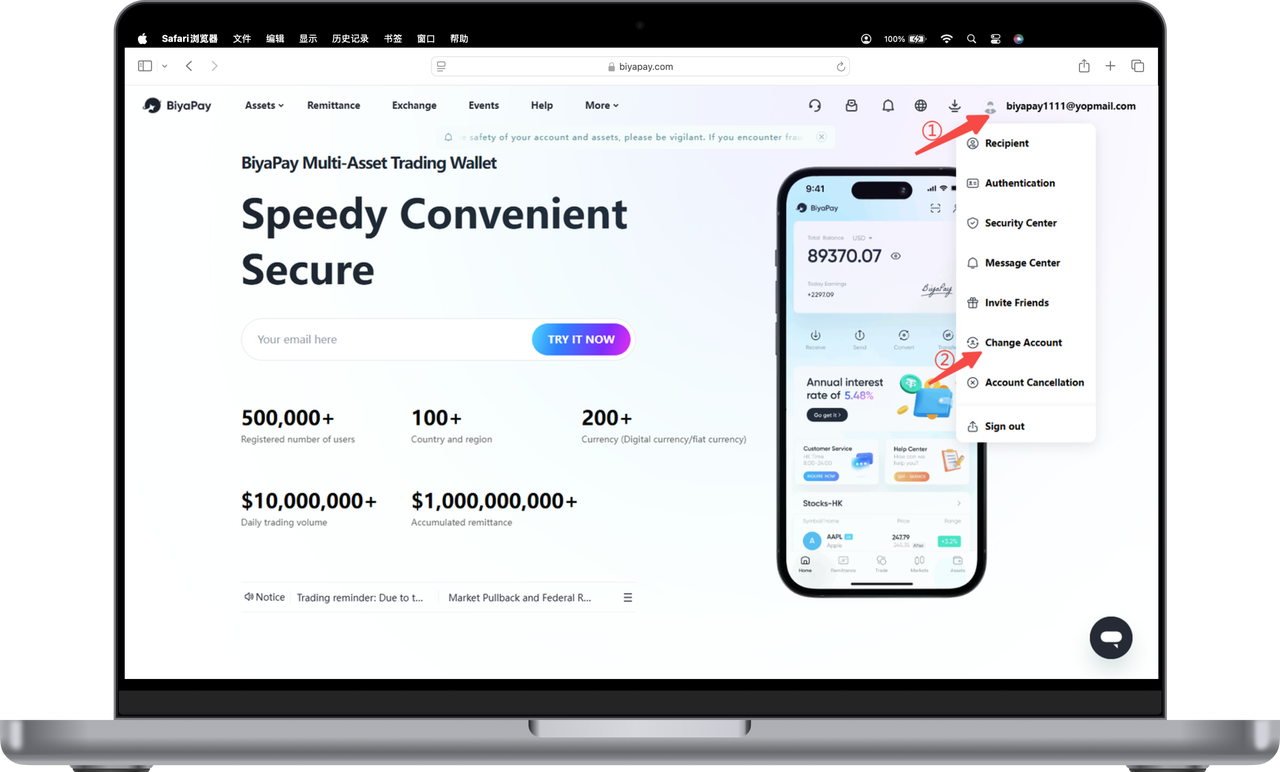
Click on the profile picture in the upper right corner of the official website, then click [Change Account];
-
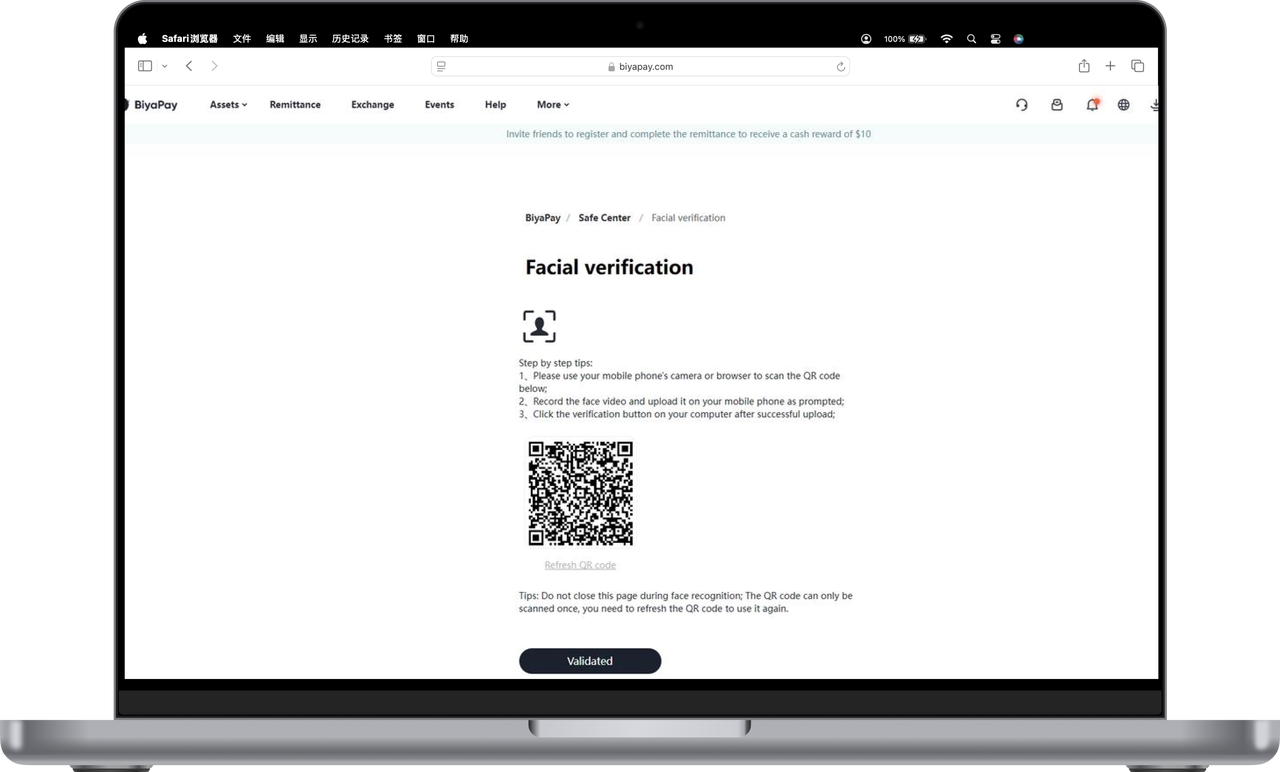
Scan the QR code with your mobile phone for face recognition;
-
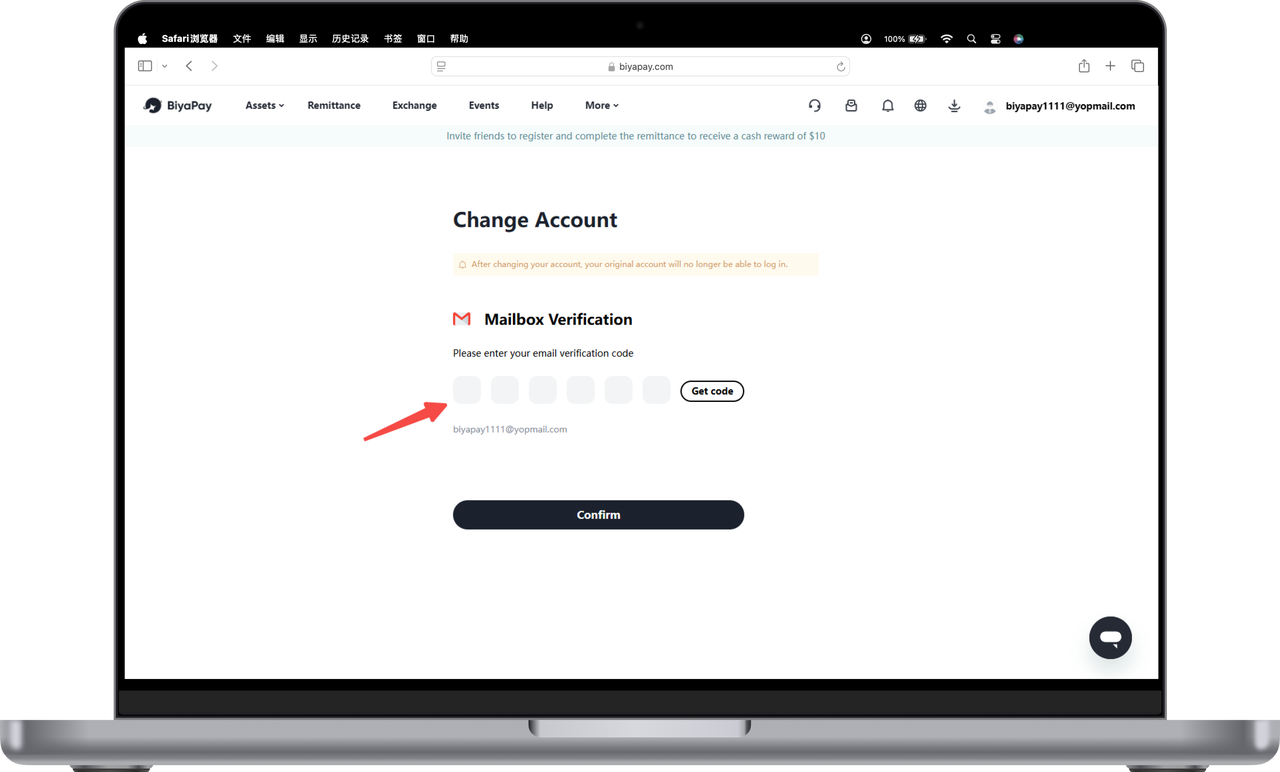
Enter the email verification code;
-
Enter the new email address and new email verification code, and click [OK];
-
Follow the prompts, upload your [Video of Yourself], and you can change your email address.