BiyaPay
Published on Updated on



-
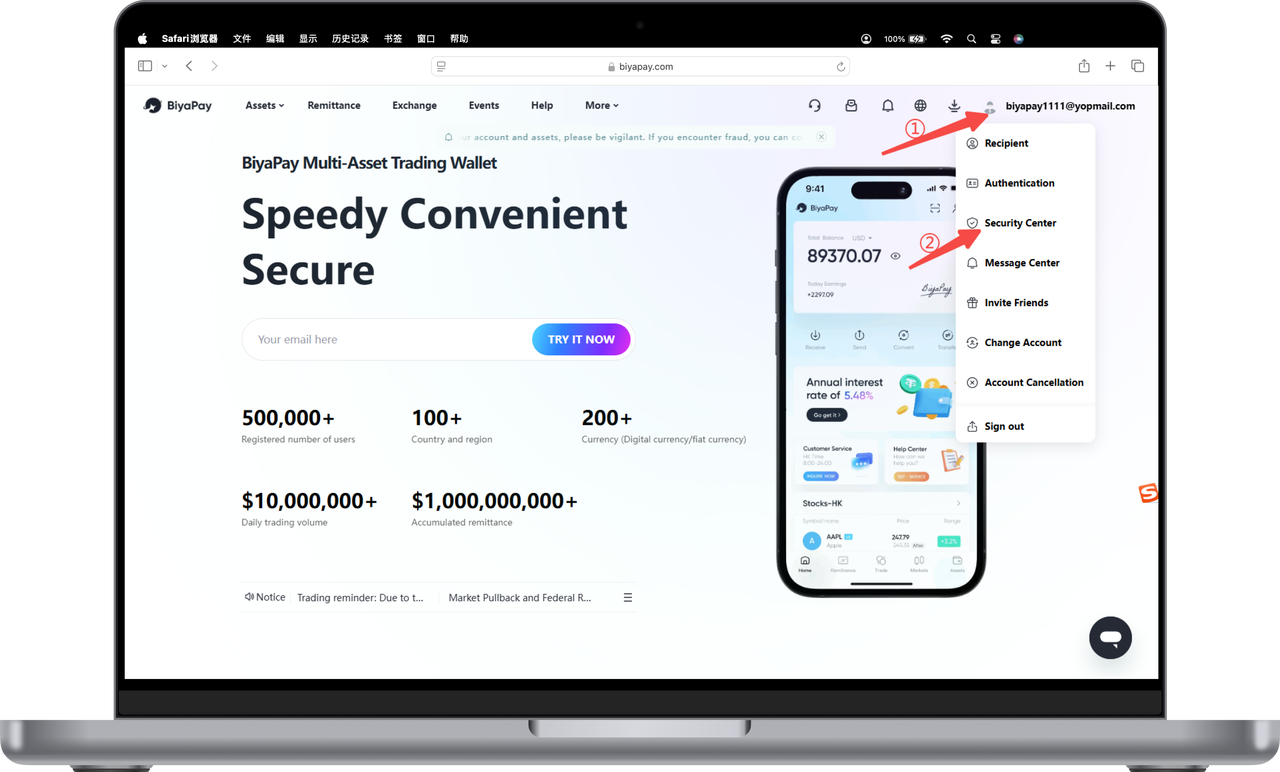
Click the avatar in the upper right corner of the official website, and then click [Security Center];
-
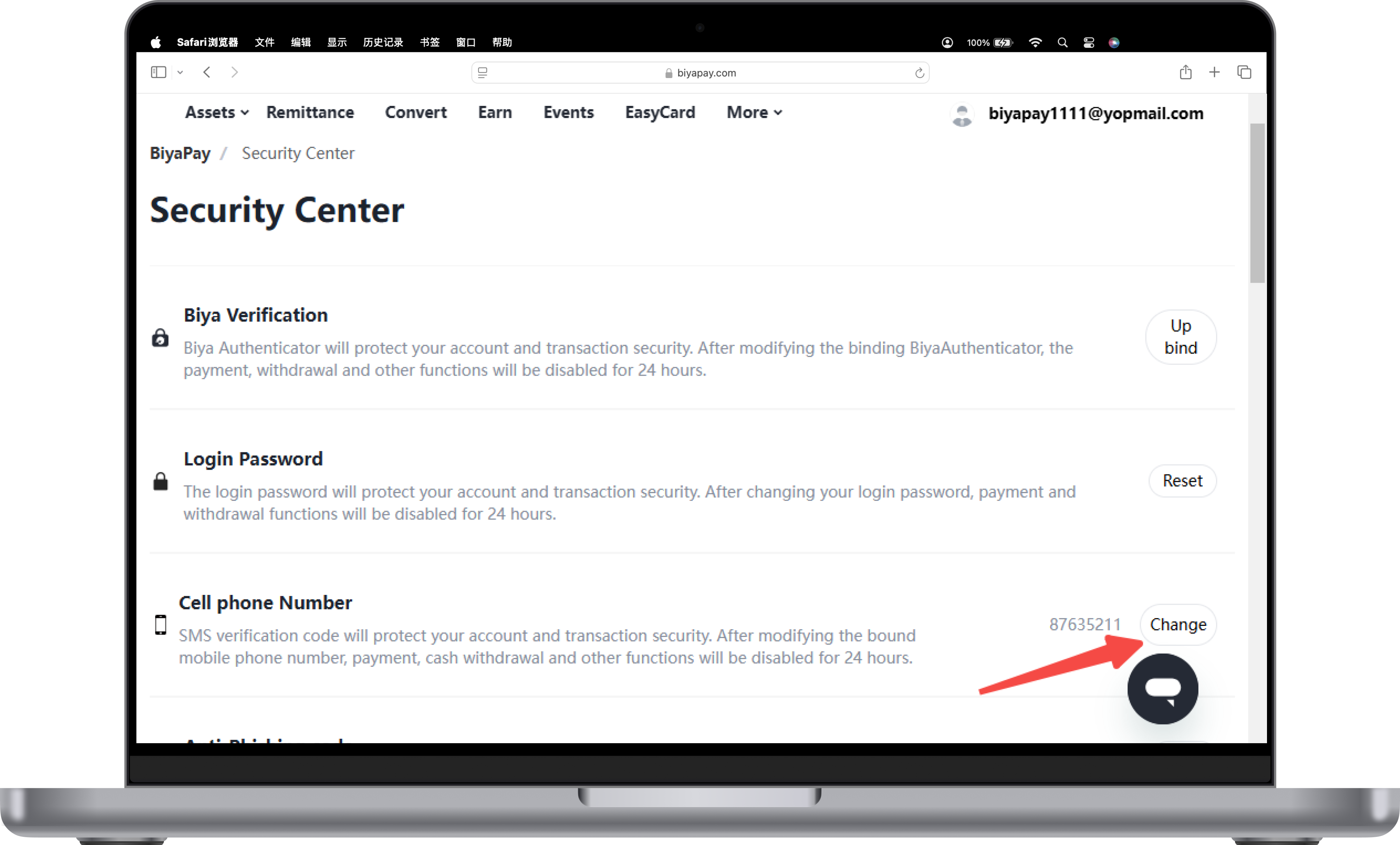
Click [Change] on the right side of [Phone Number];
-
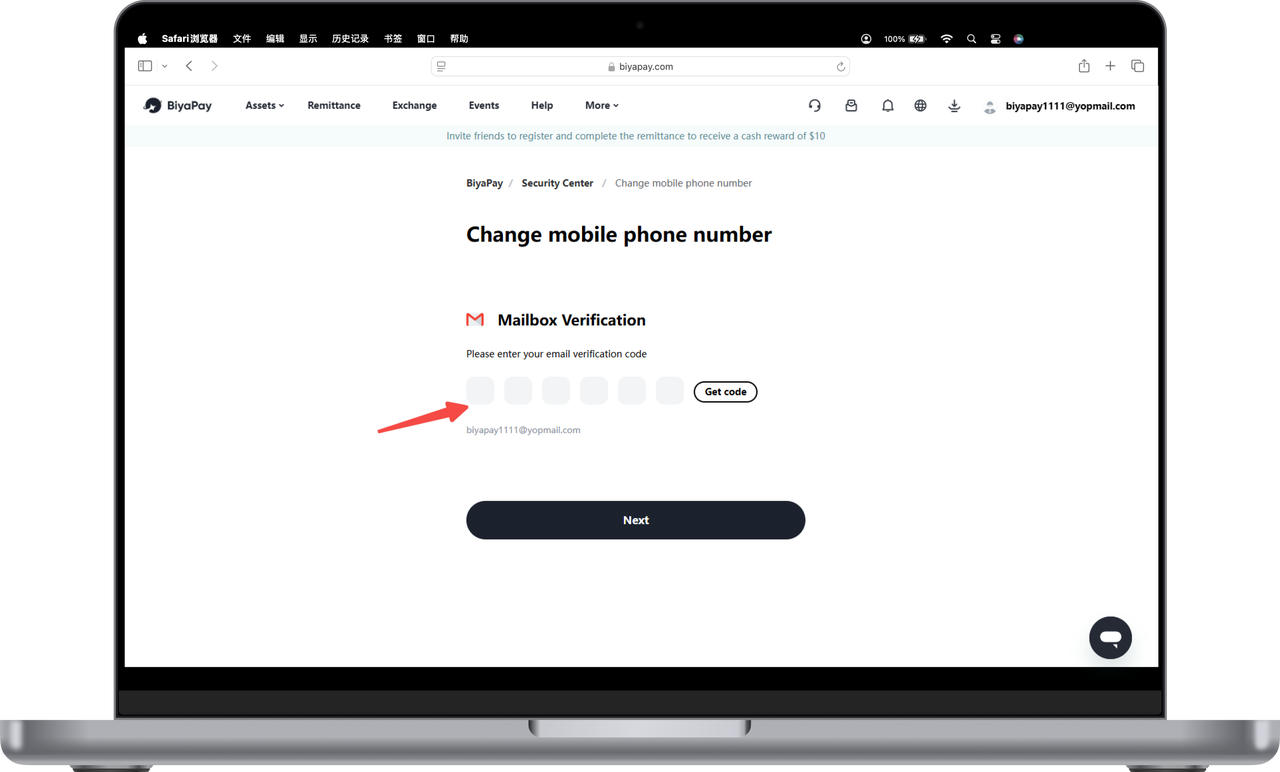
Enter the email verification code;
-
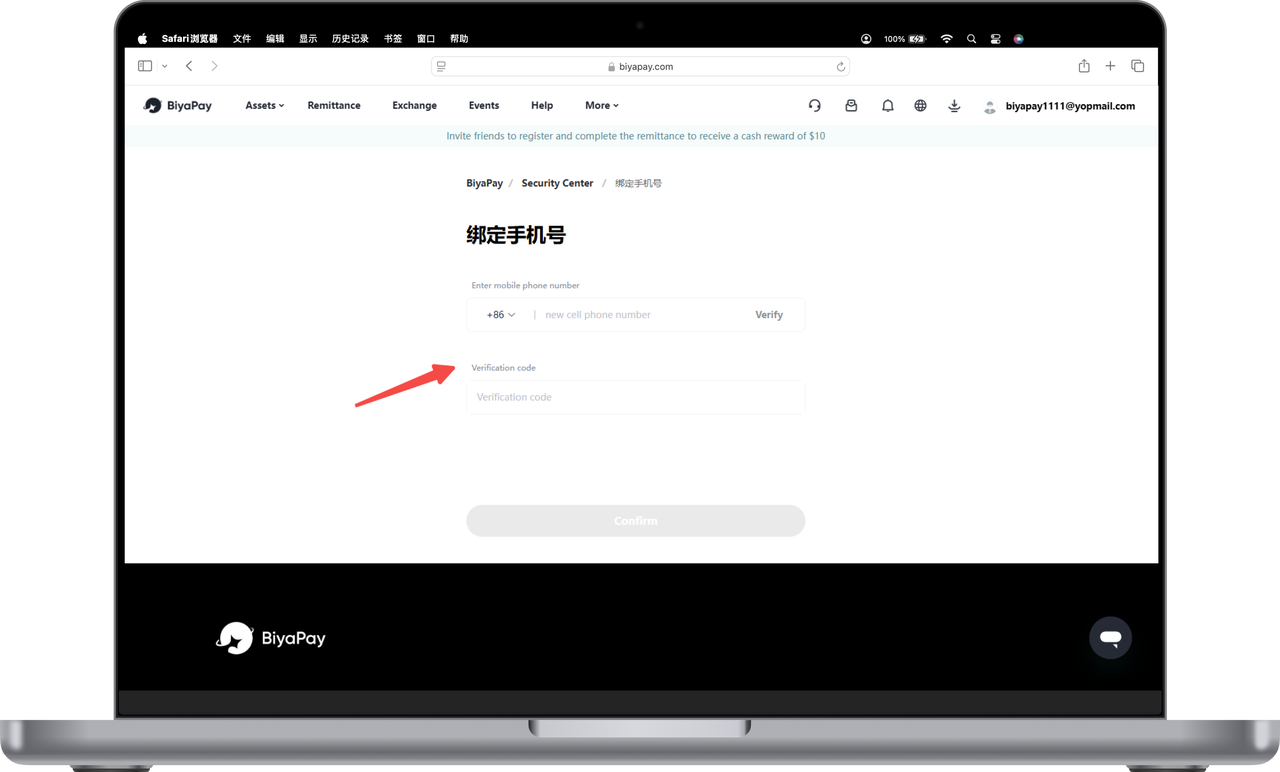
Fill in the new mobile phone number, enter the mobile phone verification code, and click OK to change the mobile phone number.