Sign In
Sign Up
Send Money
Markets
Trade
Earn
EasyCard
Events
News
More
Sign In
Sign Up
Download
English
Help Center
>
My Account
>
BiyaPay
Published on Updated on
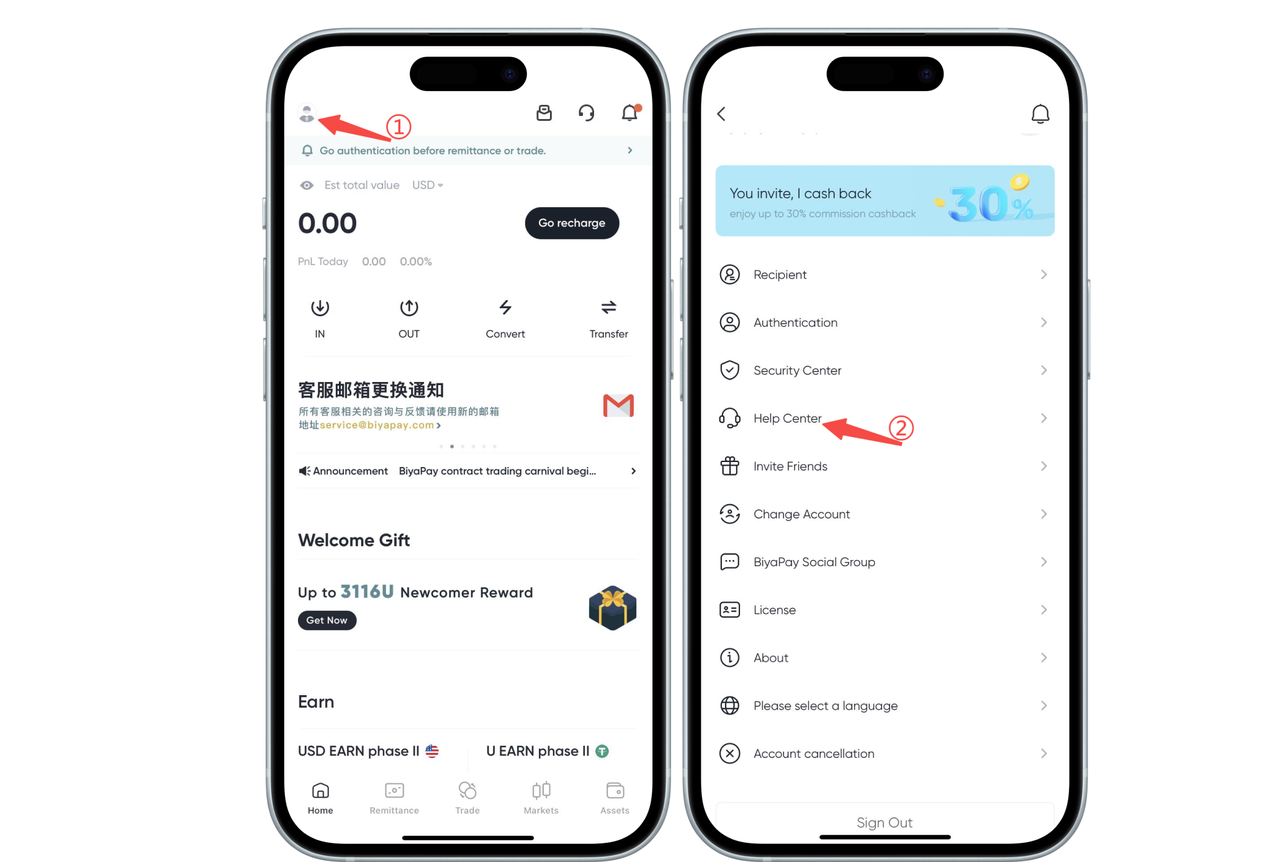
Click the avatar in the upper left corner of the app homepage, enter [Personal Center], and then click [Security Center];
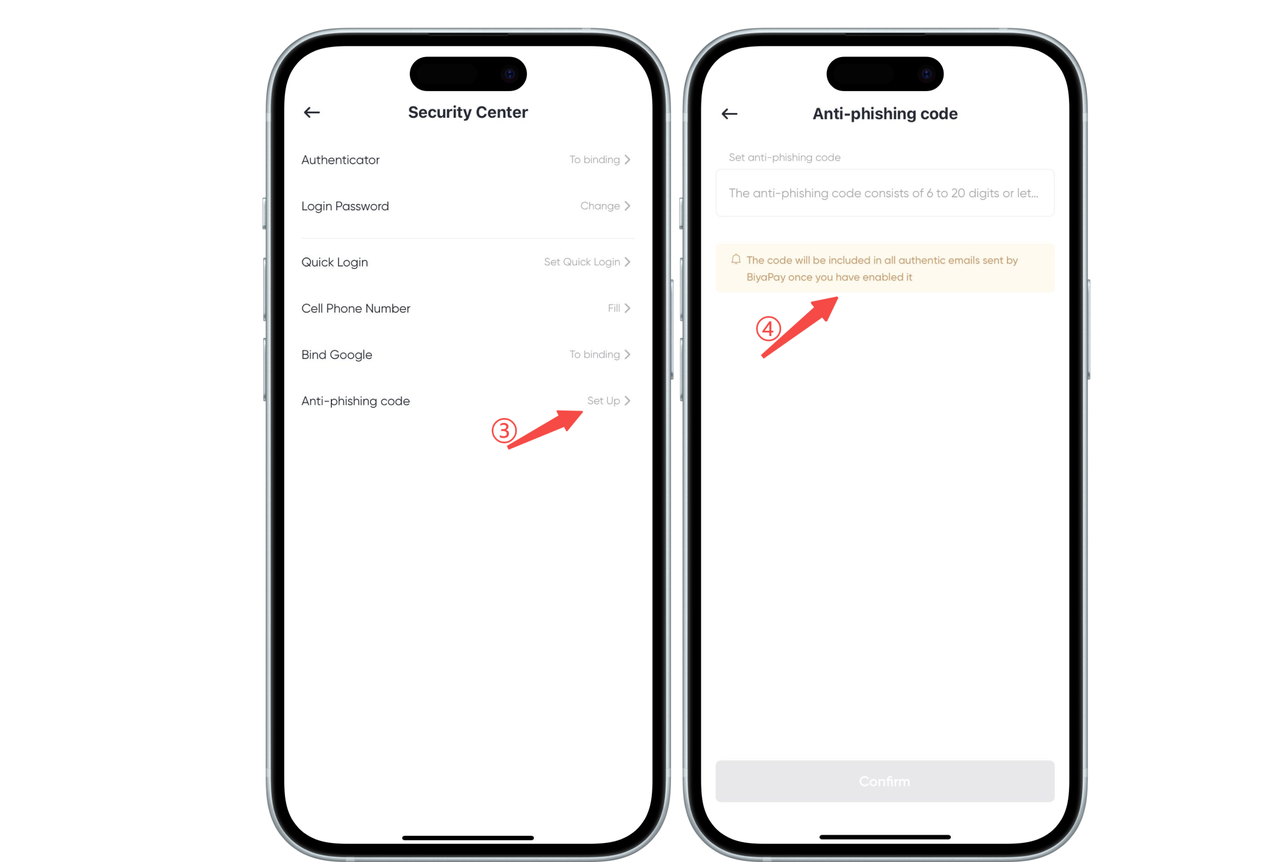
Click [Anti-Phishing Code] to set it up
No previous article
No next article