BiyaPay
Published on Updated on



Unbind Biya Authenticator after login
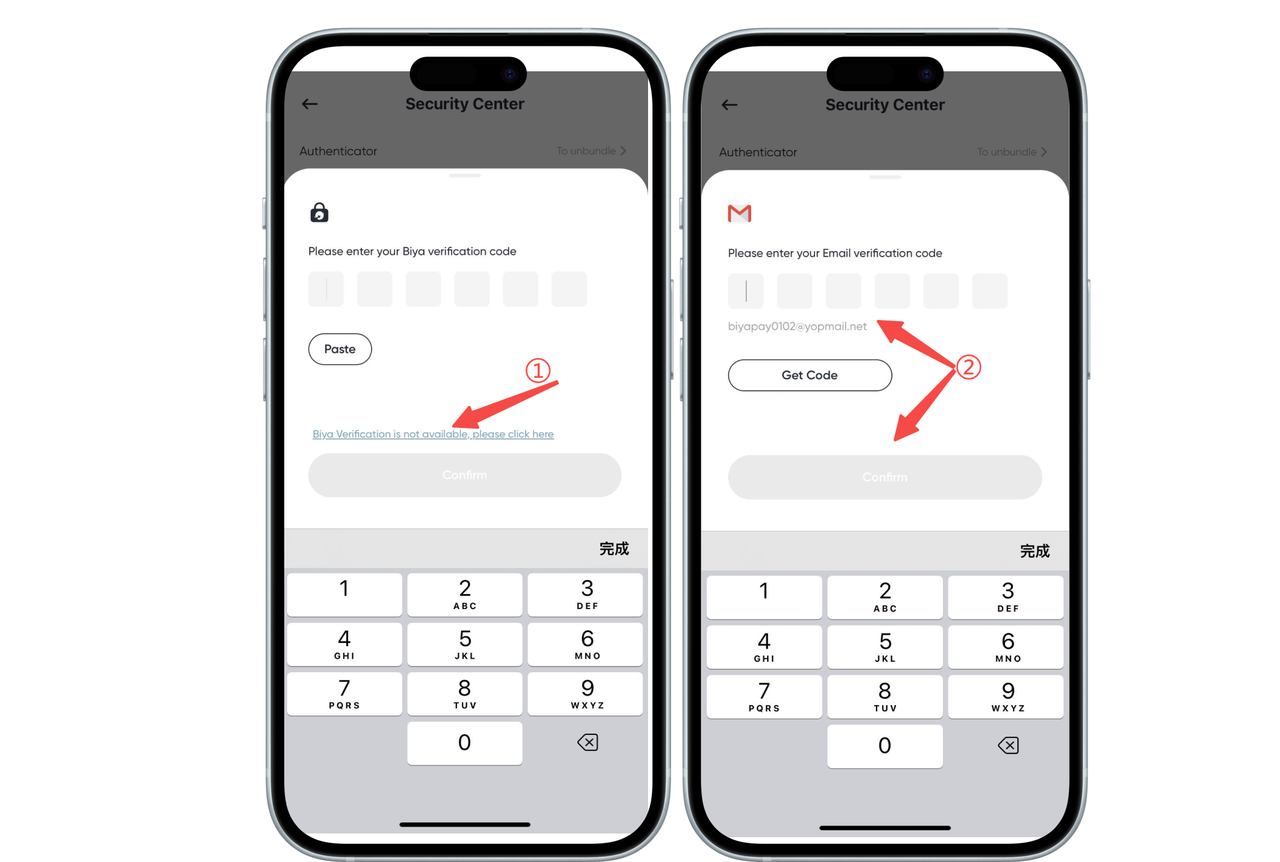
Unbind Biya Authenticator after logging in Click the avatar in the upper left corner, find and enter the Security Center, click Biya Verification, and unbind;
- If the Biya Authenticator is available, copy the verification code into the input box to unbind,
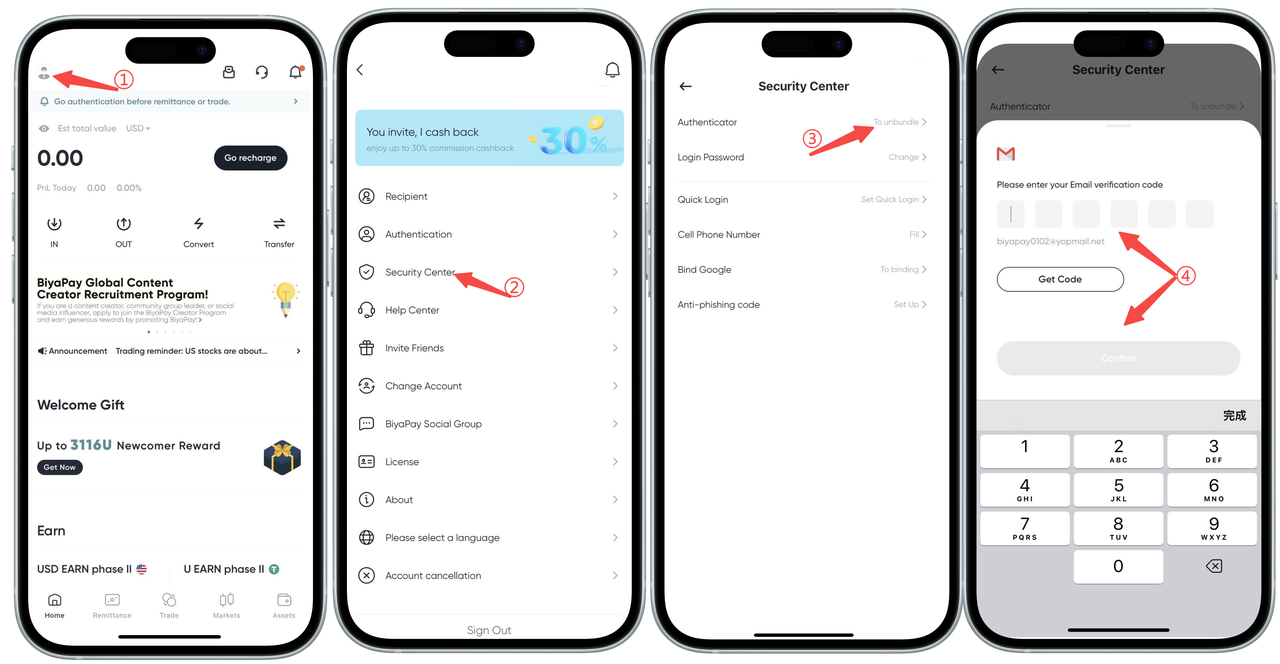
- If the Biya authenticator is unavailable, click [Biya authenticator is unavailable, please click this link] to unbind.
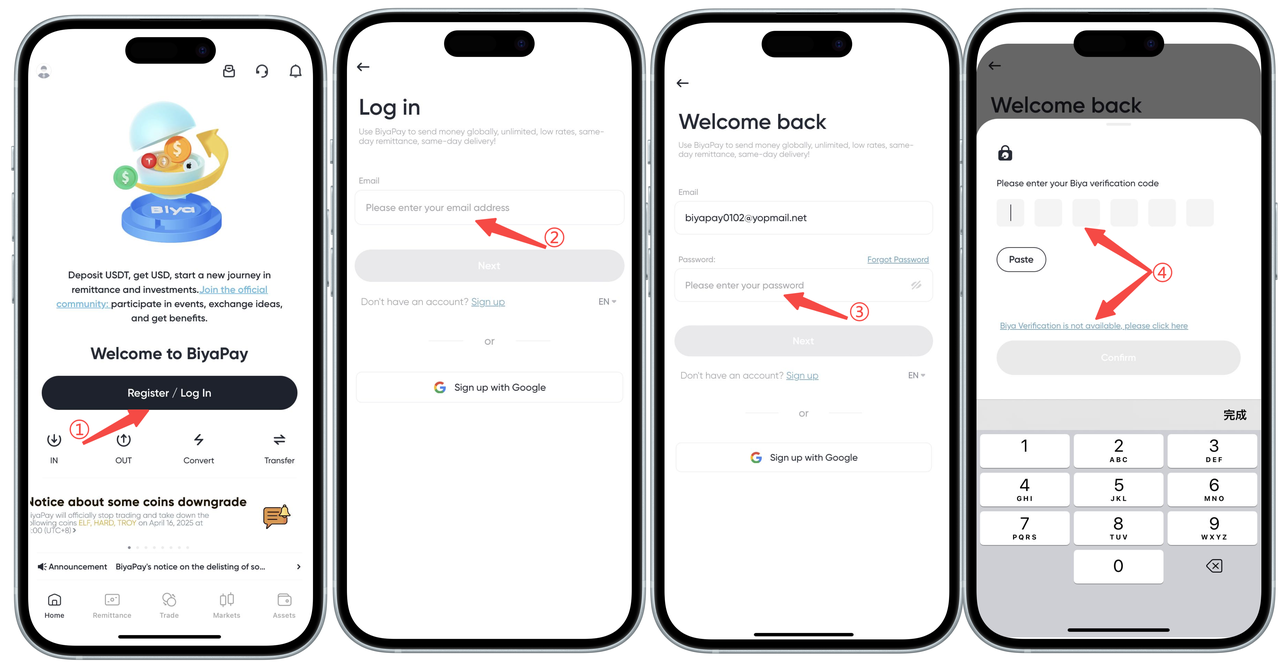
Not logged in Unbind Biya Authenticator
Unbind Biya Authenticator without logging in On the login page, Biya Authenticator page, go to unbind;
- If Biya Authenticator is available, copy the verification code into the input box to unbind,
- If Biya Authenticator is not available, click [Biya Authenticator is not available, please click this link] to unbind.