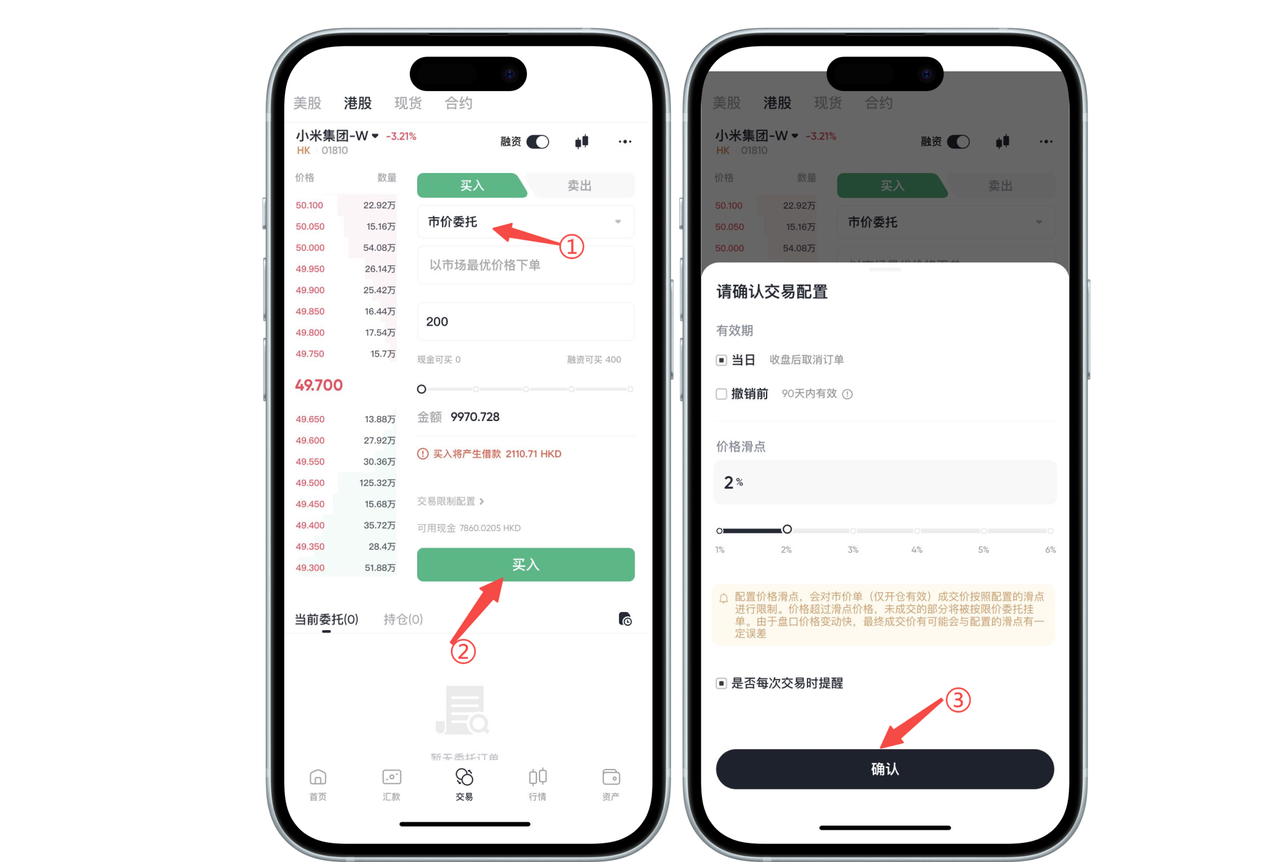
Click the [Confirm] button to complete the setup




? Important Notice
Configuring price slippage will limit the execution price of market orders (only effective for opening positions) according to the set slippage. If the price exceeds the slippage limit, the unfilled portion will be placed as a limit order. Due to rapid price fluctuations during trading hours, the final execution price may slightly differ from the configured slippage.
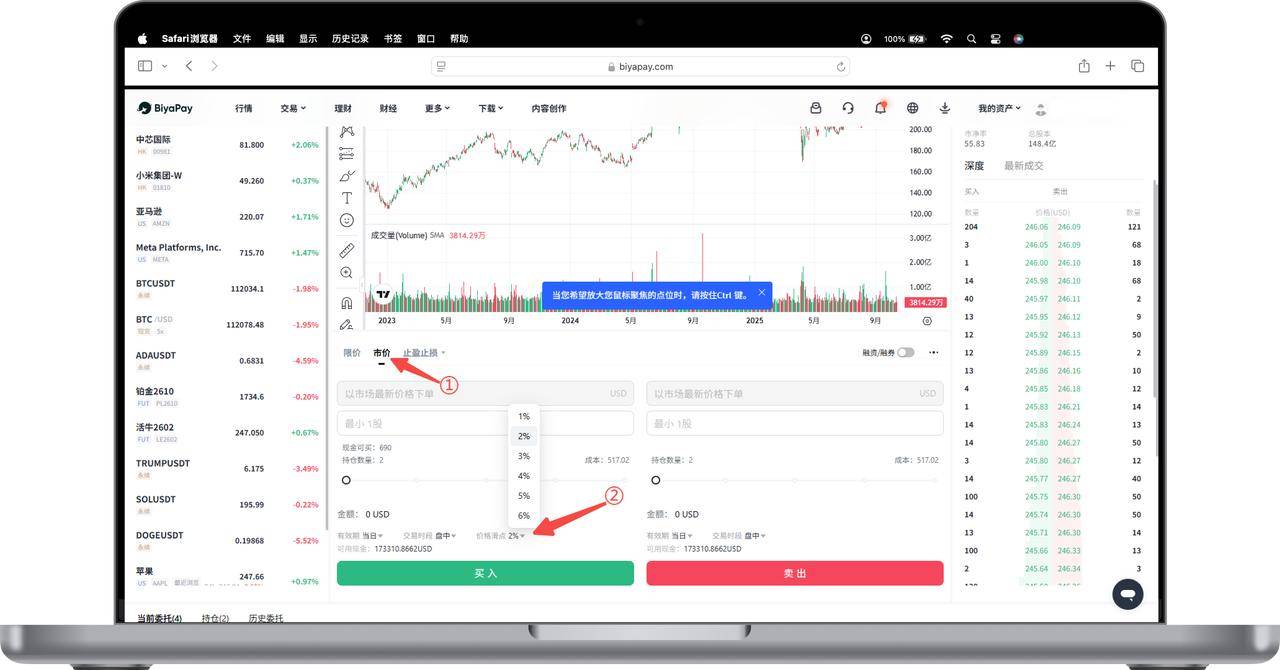
How to set stock market order price slippage on the Web platform:
On the stock [Trading] page, click [Market Order], then select [Buy] or [Sell]. Above the Buy and Sell buttons, click [Price Slippage]. Set the price slippage: The default slippage is 2%, adjustable between 1% and 6% according to your needs.
? Important Notice
Configuring price slippage will limit the execution price of market orders (only effective for opening positions) according to the set slippage. If the price exceeds the slippage limit, the unfilled portion will be placed as a limit order. Due to rapid price fluctuations during trading hours, the final execution price may slightly differ from the configured slippage.

Contact Us




BIYA GLOBAL LLC is registered with the Financial Crimes Enforcement Network (FinCEN), an agency under the U.S. Department of the Treasury, as a Money Services Business (MSB), with registration number 31000218637349, and regulated by the Financial Crimes Enforcement Network (FinCEN).
BIYA GLOBAL LIMITED is a registered Financial Service Provider (FSP) in New Zealand, with registration number FSP1007221, and is also a registered member of the Financial Services Complaints Limited (FSCL), an independent dispute resolution scheme in New Zealand.