How to Make Fiat Currency Deposits? [Web Version] (Completed)




How to check how to make fiat currency deposits on the App:
- Open the App homepage, click [Deposit] — [Bank Account Deposit (Fiat)], and add a payment account.
When adding a payment account, please add your own account that matches your identity verification.
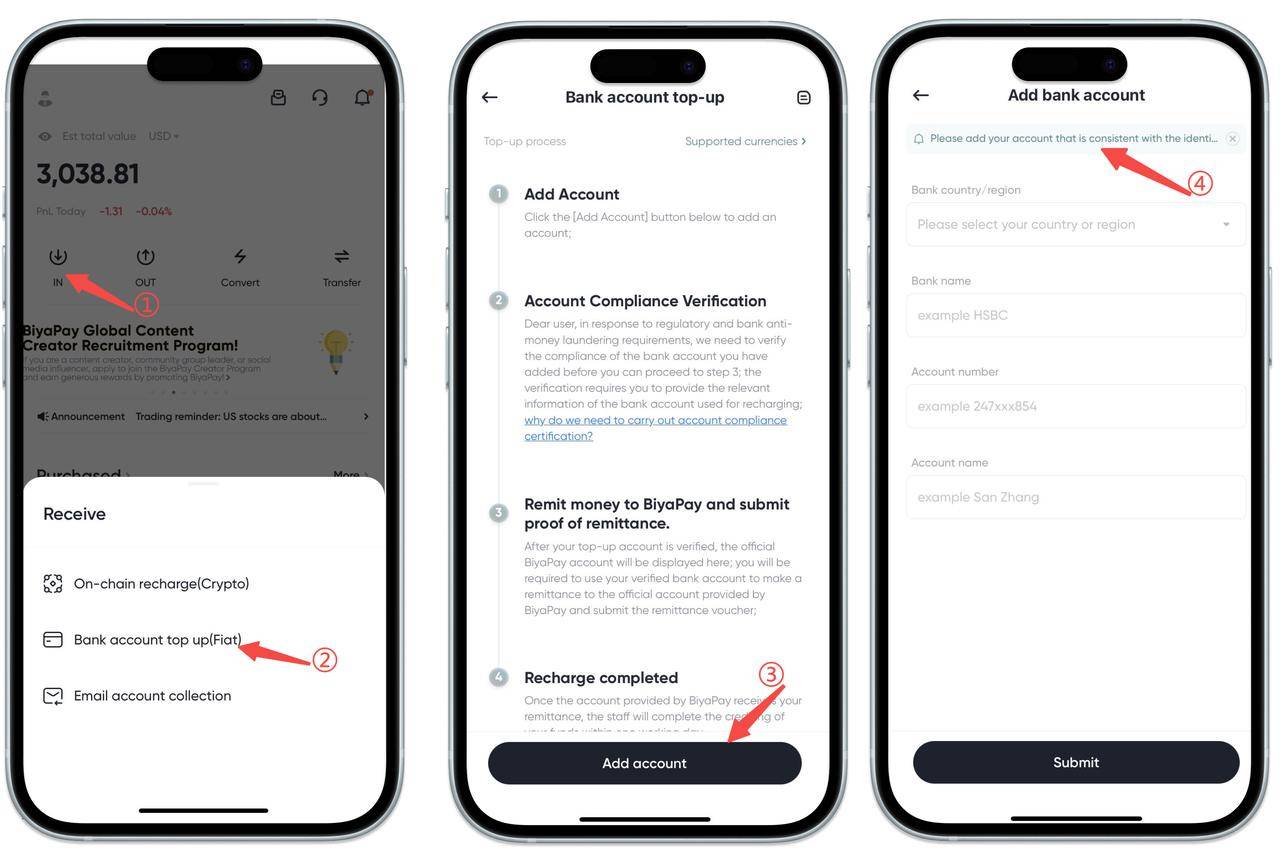
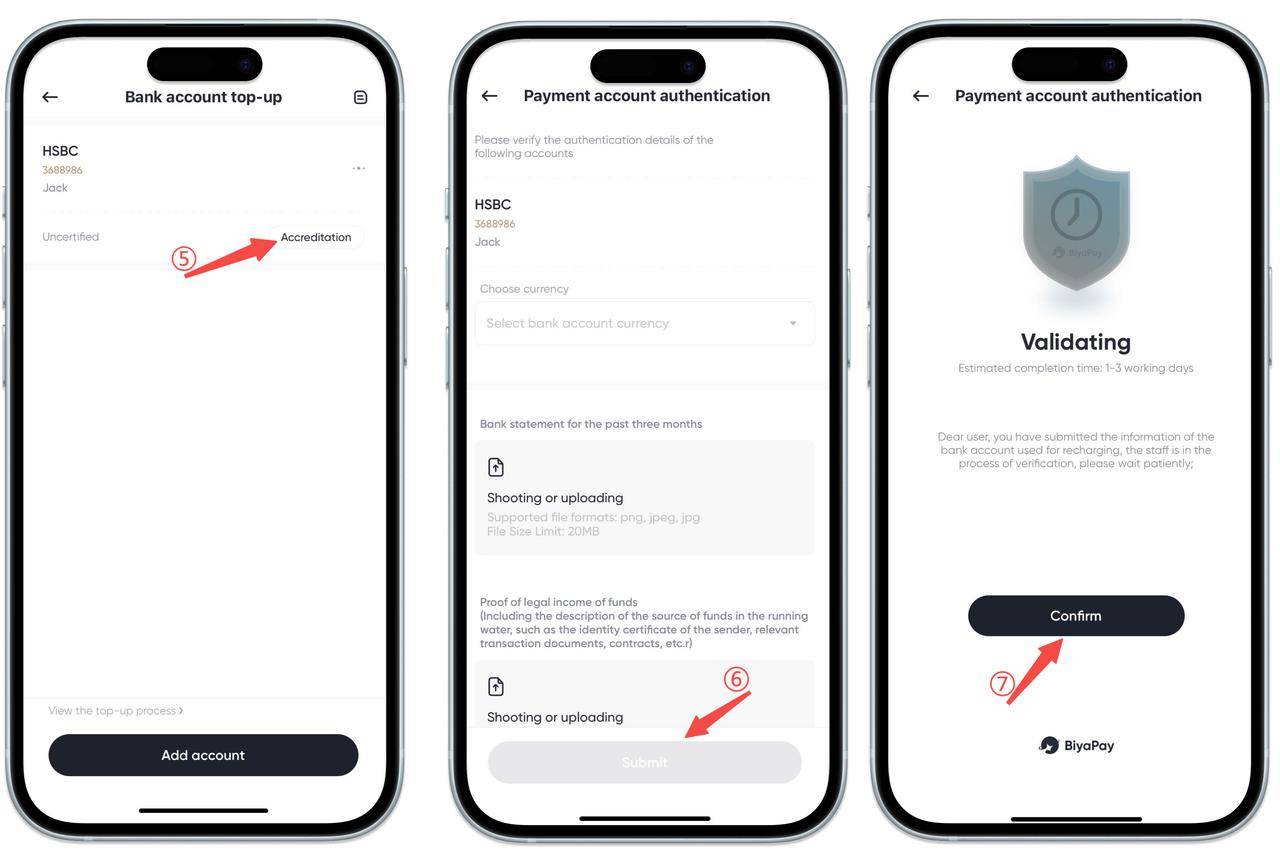
- After successfully adding the payment account, click [Go to Verify], select [Deposit Currency], and follow the instructions to upload [Bank Statements for the Last Three Months] and [Proof of Legitimate Income]. Then wait for approval.
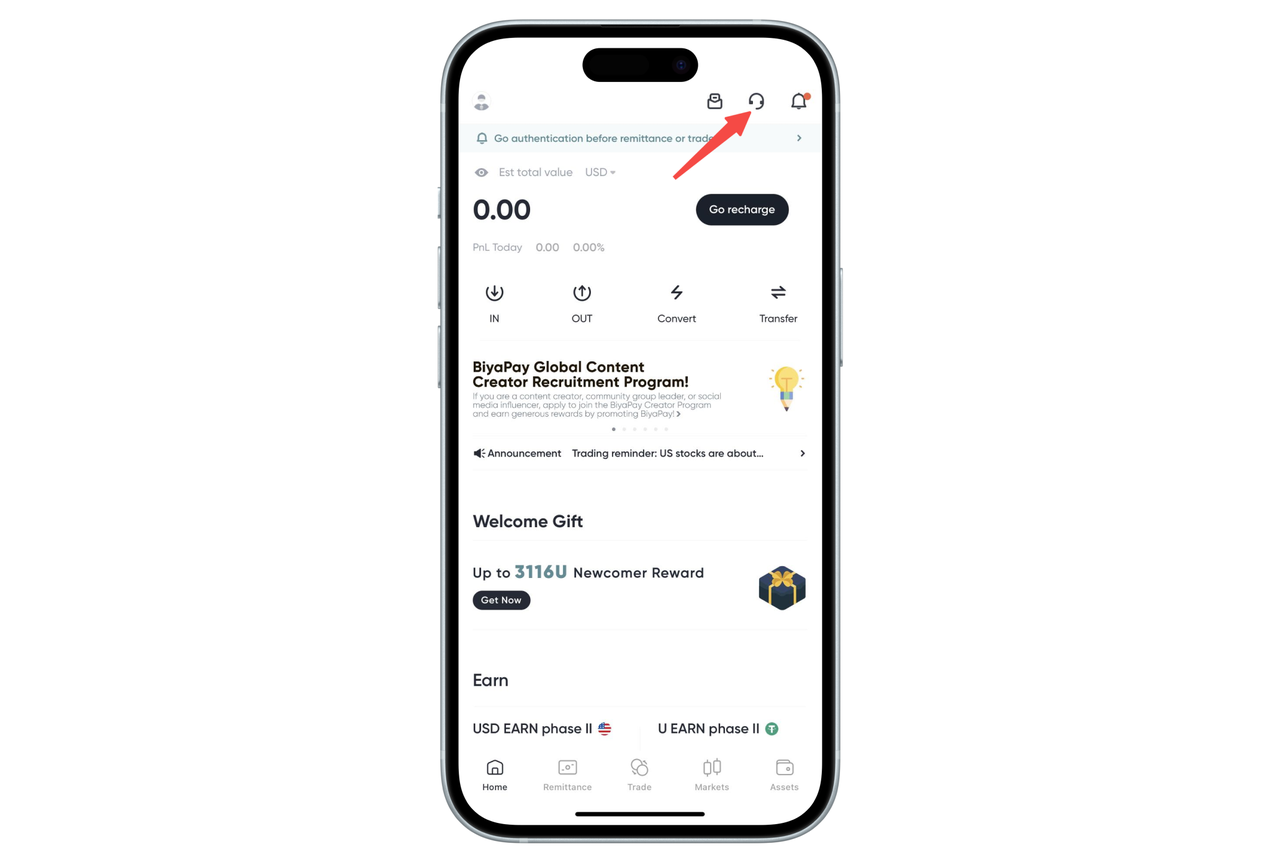
After submitting the deposit application, please log in to the BiyaPay app or official website, and communicate with the online customer service for verification matters Monday to Friday from 10:00 to 20:00.
- After approval, click [Deposit] at the bottom right of the verified account, complete the facial recognition authentication, and transfer funds to the displayed receiving bank account.
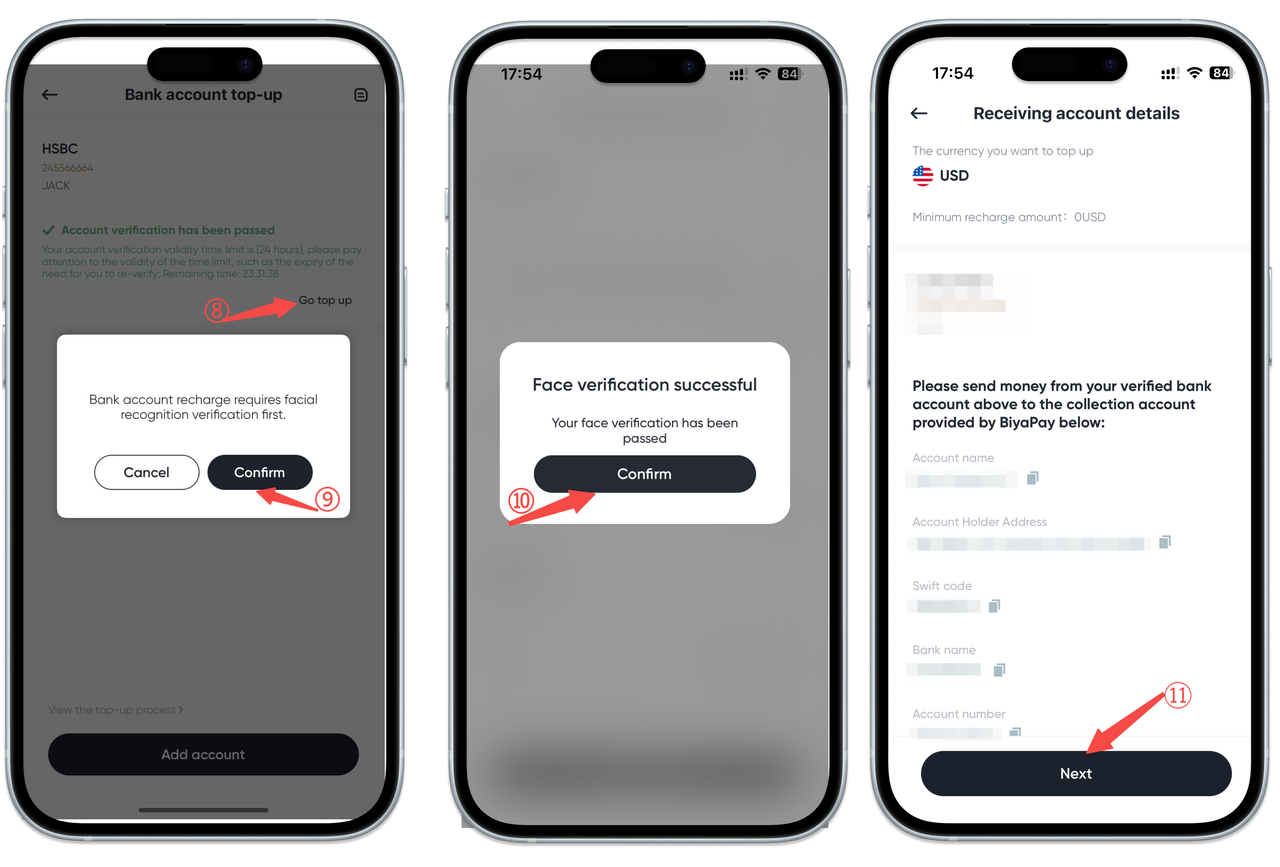
- After completing the transfer, enter the transfer amount, upload a screenshot of the transfer receipt, and click [Submit].
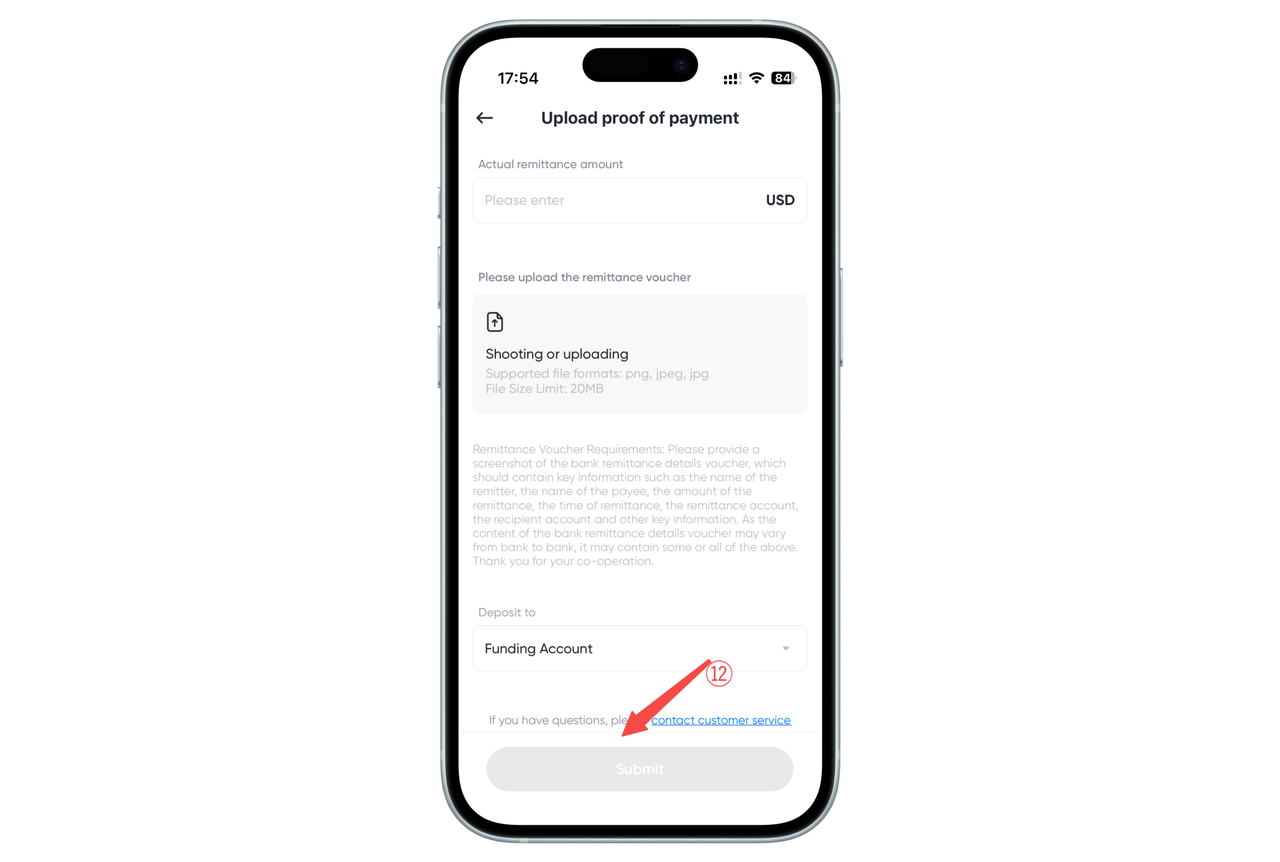
- After submitting the transfer receipt, please be patient. The transfer usually takes one to three business days to arrive.
How to check how to make fiat currency deposits on the Web:
- Open the App homepage, click [Deposit] — [Bank Account Deposit (Fiat)], and add a payment account.
When adding a payment account, please add your own account that matches your identity verification.
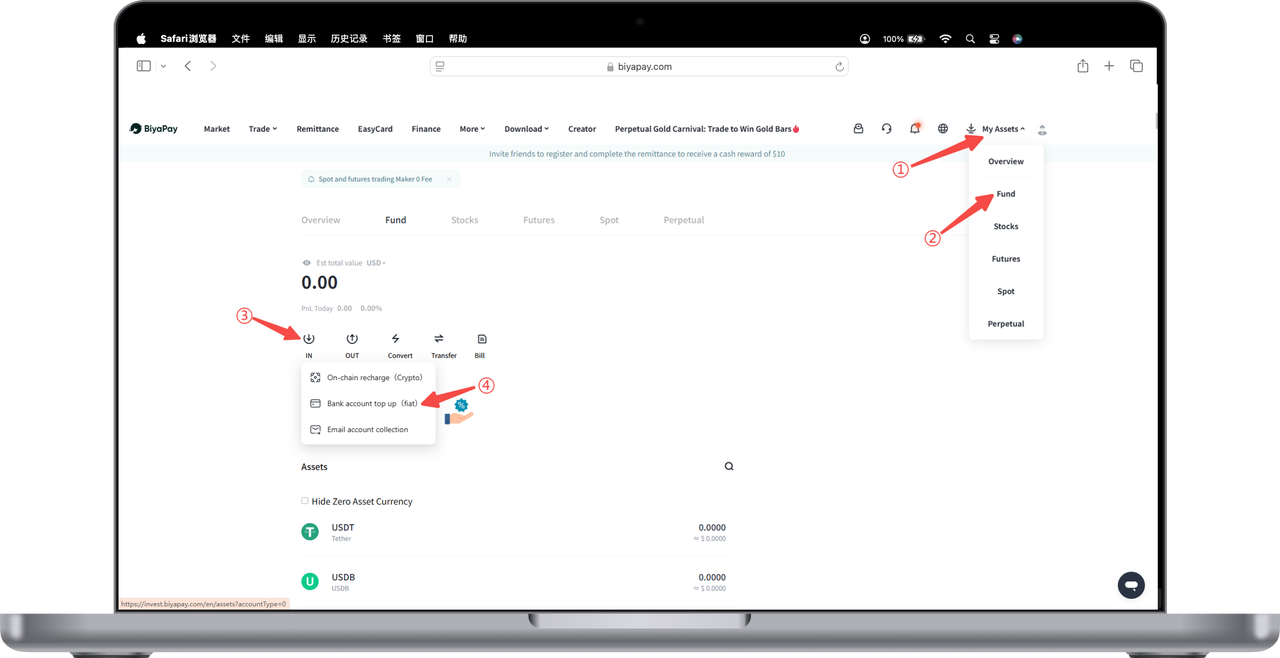
- After successfully adding the payment account, click [Go to Verify], select [Deposit Currency], and follow the instructions to upload [Bank Statements for the Last Three Months] and [Proof of Legitimate Income]. Then wait for approval.
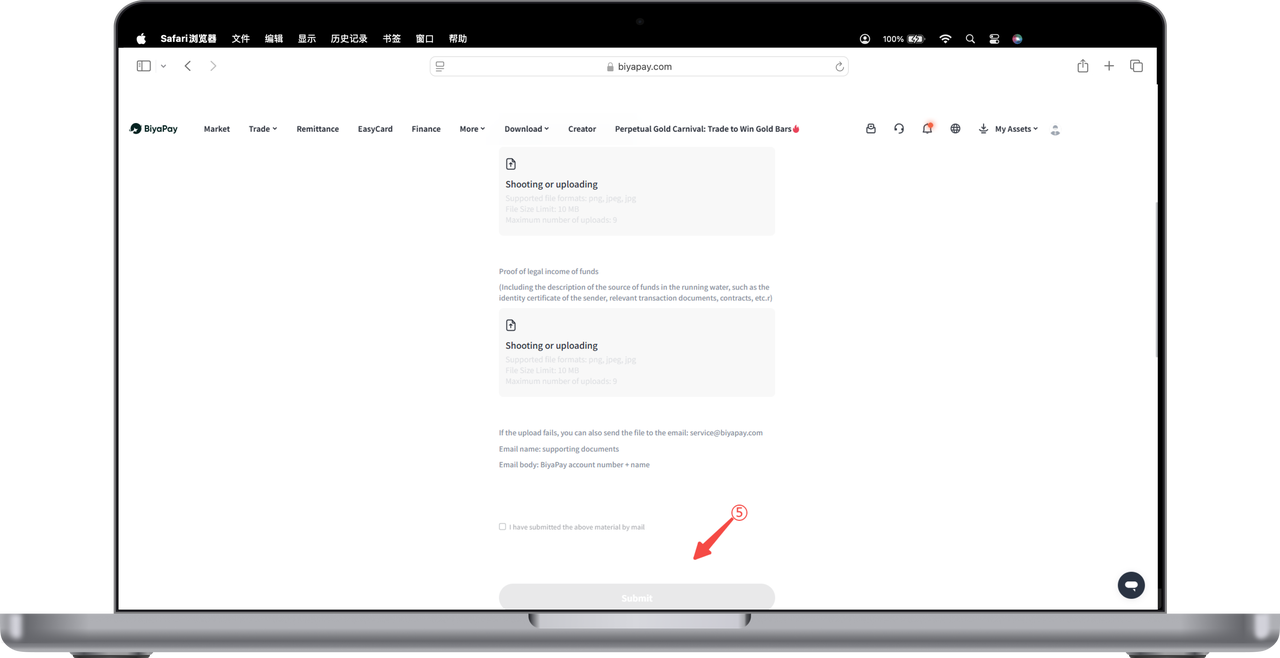
After submitting the deposit application, please log in to the BiyaPay app or official website, and communicate with the online customer service for verification matters Monday to Friday from 10:00 to 20:00.
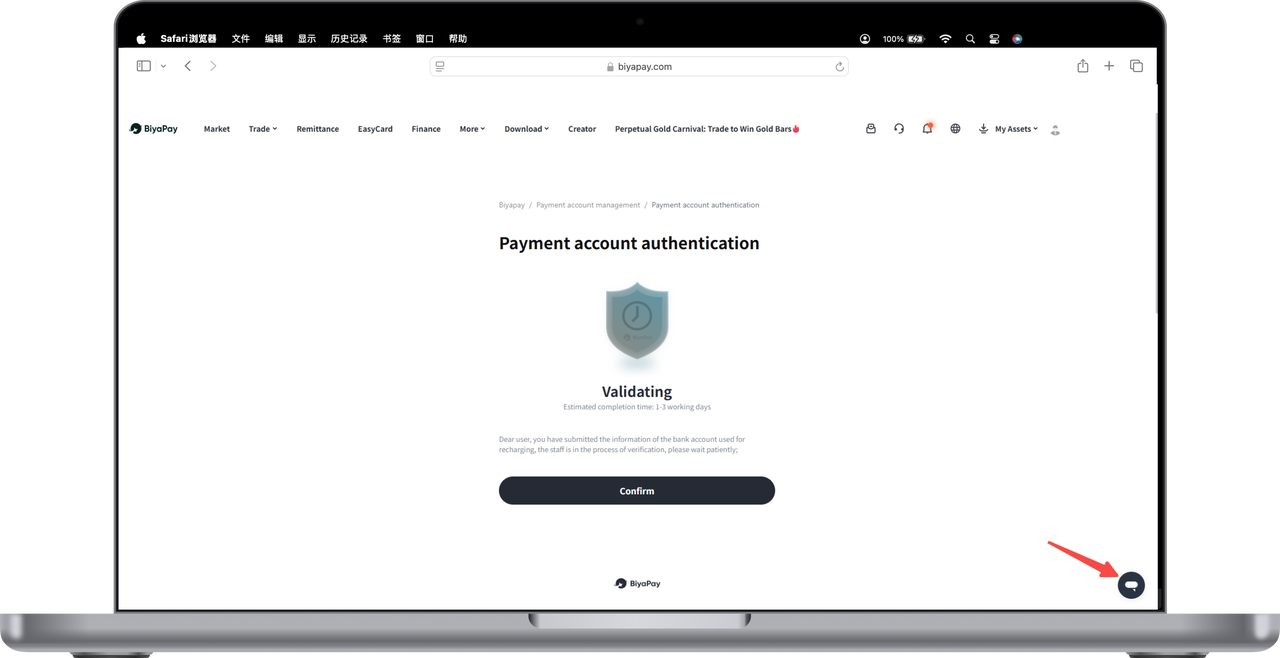
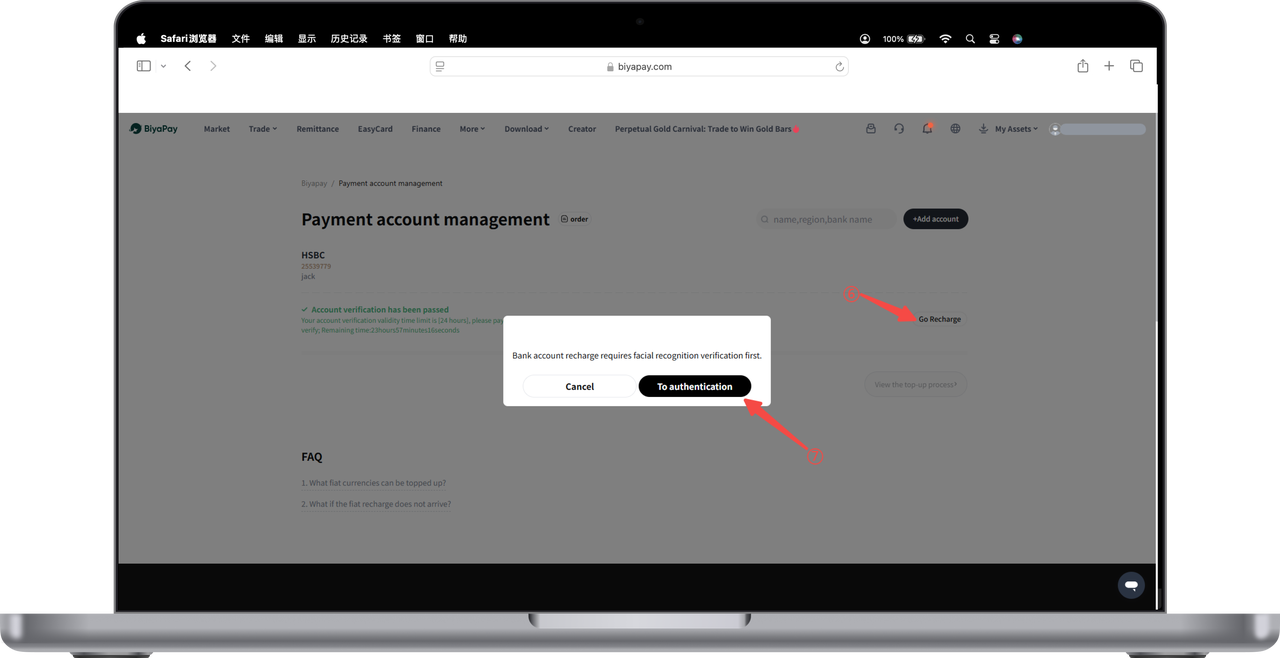
- After approval, click [Deposit] at the bottom right of the verified account, complete the facial recognition authentication, and transfer funds to the displayed receiving bank account.
-
After completing the transfer, enter the transfer amount, upload a screenshot of the transfer receipt, and click [Submit].
-
After submitting the transfer receipt, please be patient. The transfer usually takes one to three business days to arrive.

Contact Us




BIYA GLOBAL LLC is a licensed entity registered with the U.S. Securities and Exchange Commission (SEC No.: 802-127417); a certified member of the Financial Industry Regulatory Authority (FINRA) (Central Registration Depository CRD No.: 325027); regulated by the Financial Industry Regulatory Authority (FINRA) and the U.S. Securities and Exchange Commission (SEC).
BIYA GLOBAL LLC is registered with the Financial Crimes Enforcement Network (FinCEN), an agency under the U.S. Department of the Treasury, as a Money Services Business (MSB), with registration number 31000218637349, and regulated by the Financial Crimes Enforcement Network (FinCEN).
BIYA GLOBAL LIMITED is a registered Financial Service Provider (FSP) in New Zealand, with registration number FSP1007221, and is also a registered member of the Financial Services Complaints Limited (FSCL), an independent dispute resolution scheme in New Zealand.