A Beginner's Guide to Using Apple Pay in 2025



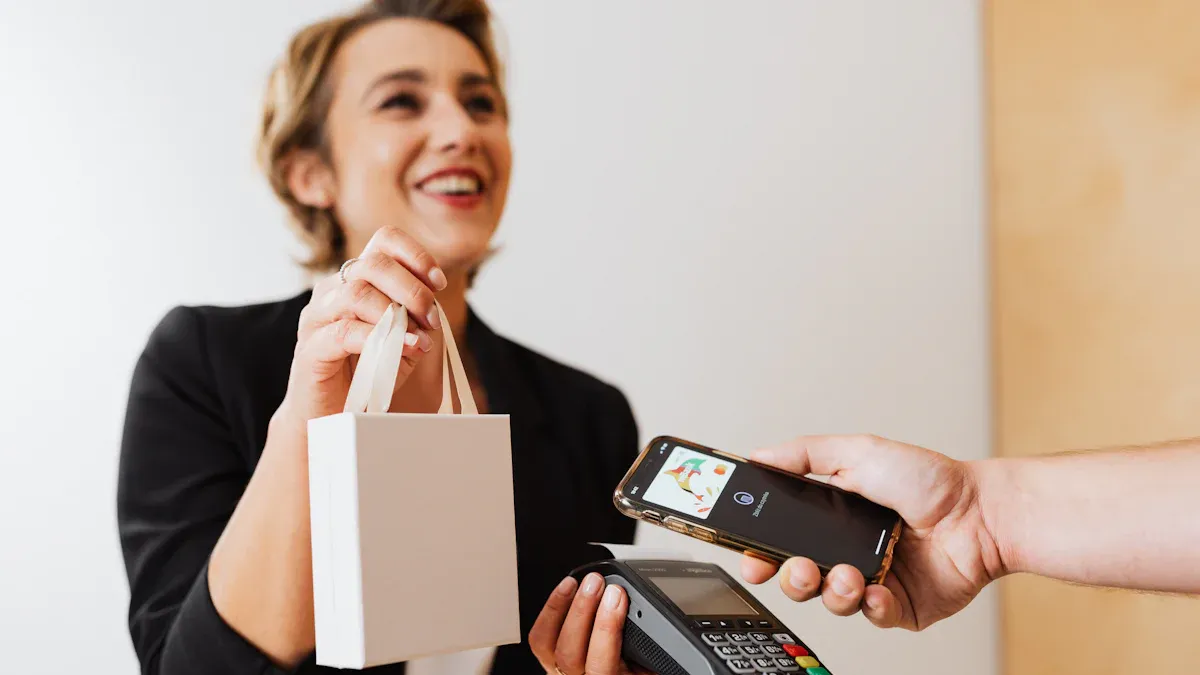
Image Source: pexels
Apple Pay is a trusted way to pay in 2025. It lets you buy things without using your wallet or typing card info. You can pay with your iPhone, Apple Watch, or even your voice. Isn’t that super easy?
Apple Pay is very safe to use. It uses fingerprint scans, face recognition, and other smart tools to protect your money. About 82% of people now like using fingerprints to pay. Also, encryption and tokenization keep your card details private. Whether you shop in stores or online, Apple Pay keeps your money safe and makes you feel secure.
Compared to other payment options, Apple Pay is special. Services like BiyaPay are good too, and if you’re interested, you can check out the BiyaPay sign up process. However, Apple Pay works perfectly with Apple devices. Ready to try the future of payments? Start using it today and join the millions who trust AAPL for their transactions!
Key Takeaways
- Apple Pay lets you pay easily with your iPhone or Watch.
- Setting it up is easy; add your card in Wallet.
- Apple Pay is safe, using Face ID, Touch ID, and encryption.
- Use Apple Pay in stores, online, or to send money fast.
- The Apple Card gives cashback and discounts for more benefits.
Setting Up Apple Pay
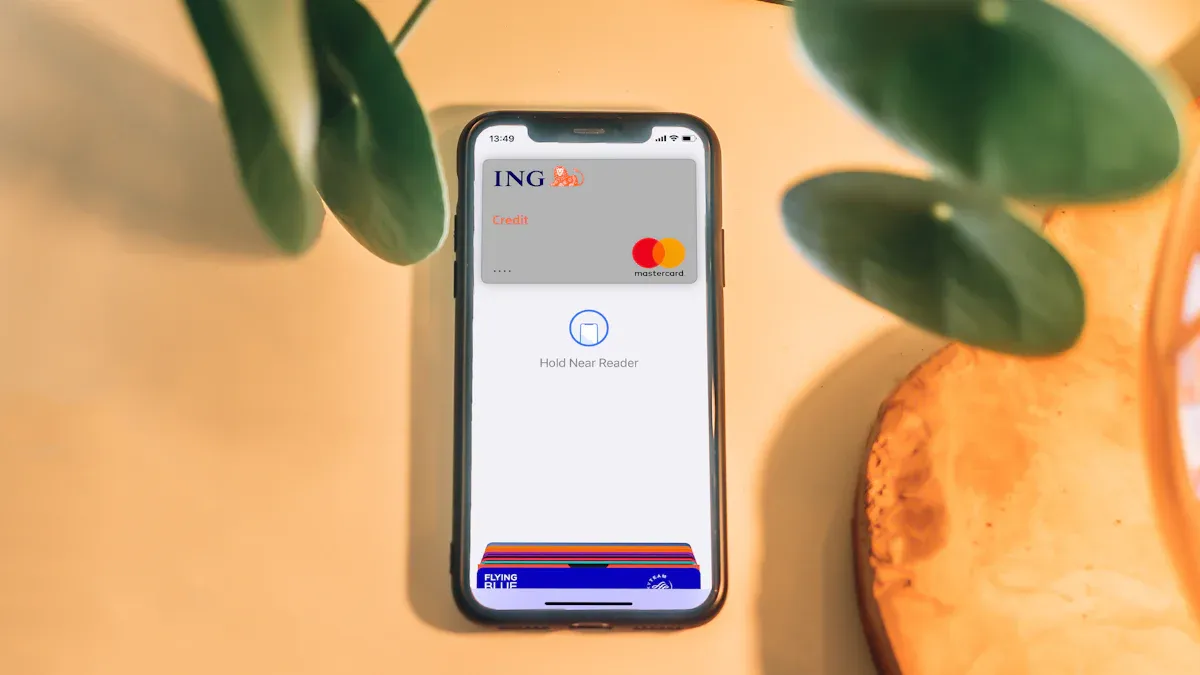
Image Source: unsplash
Getting started with Apple Pay is simple and quick. Whether you’re adding your first card or setting it up on multiple devices, this guide will walk you through the process step by step.
Adding Cards to Your Wallet
Adding a card to your Apple Wallet is the first step to using Apple Pay. It’s as easy as snapping a picture! Here’s how you can do it:
- Open the Wallet app on your iPhone.
- Tap the “+” button to add a new card.
- Choose the type of card you want to add—credit, debit, or even a rewards card.
- Follow the on-screen instructions to scan your card or enter the details manually.
Once your card is added, you can enjoy benefits like one-tap payments and rewards tracking. Businesses can also send you notifications about promotions or updates through your digital passes.
Tip: If you’re adding a membership or rewards card, check if it supports dynamic updates. This feature keeps your passes up-to-date with the latest offers and tier changes.
Setting Up Apple Pay on Different Devices
Apple Pay works seamlessly across all your Apple devices. Setting it up is slightly different for each one, but the process is straightforward. Here’s a quick guide:
| Device | Setup Steps |
|---|---|
| iPhone | 1. Open Wallet app, tap Add button, select card type, and follow prompts. |
| 2. Verify with your bank if needed. | |
| Apple Watch | 1. Open the Apple Watch app on your iPhone, go to Wallet & Apple Pay, and tap Add Card. |
| 2. Follow the prompts and verify with your bank if required. | |
| Mac | 1. Open Wallet & Apple Pay settings in System Settings. |
| 2. Select Add Card and follow the on-screen instructions. | |
| iPad | 1. Go to Settings > Wallet & Apple Pay, then select Add Card. |
| 2. Follow the steps on the screen. | |
| Apple Vision Pro | 1. Open Settings > Wallet & Apple Pay, then select Add Card. |
| 2. Follow the on-screen instructions. |
Note: Make sure all your devices are signed into the same Apple ID. This ensures your cards sync across your Apple ecosystem.
Verifying Your Card for Activation
Before you can start using Apple Pay, you’ll need to verify your card. This step ensures your account is secure and ready for transactions. Here are the most common verification methods:
- Text messages: You’ll receive a code via SMS to confirm your card.
- Emails: Some banks send verification codes to your registered email address.
- Phone calls: You may get a call from your bank to verify your identity.
- Third-party apps: If your bank supports it, you can verify through their app.
In some cases, you might need to contact your bank directly to complete the process. Apple has also introduced advanced security measures like selfie verification, where you take a photo of yourself to match with your ID. This adds an extra layer of protection to your account.
Troubleshooting Tip: If you encounter issues during verification, double-check your internet connection and ensure your card details are correct. Restarting your device or re-adding your card can also help resolve common problems.
With your card verified, you’re all set to enjoy the convenience and security of Apple Pay. Whether you’re shopping in-store, online, or sending money to friends, Apple Pay makes every transaction effortless.
Using Apple Pay for Payments
Making Contactless Payments in Stores
Paying in stores is super simple with Apple Pay. You don’t need your wallet—just tap your iPhone or Apple Watch. It’s quick, safe, and very handy. Whether buying coffee or groceries, Apple Pay makes it easy.
Here’s why people love Apple Pay for contactless payments:
- It’s faster than swiping a card or using cash.
- Your card info stays hidden with tokenization technology.
- Face ID or Touch ID ensures only you can pay.
Apple Pay leads the mobile payment market. Check out these cool stats:
| Statistic | Value |
|---|---|
| Number of banks supporting Apple Pay | 11,000 |
| Percentage of UK users using Apple Pay for point-of-sale transactions | 60% |
| Apple Pay’s mobile payment market share in the US | 43.9% |
| Percentage of mobile debit wallet market accounted for by Apple Pay | 92% |
| Number of Apple Pay users in 2022 | 507 million |
| Number of transactions handled by Apple Pay in 2024 | 1.8 billion |
| Increase in transactions compared to the previous year | 40% |
| Percentage of US retail establishments accepting Apple Pay in 2024 | 90% |
| Percentage of consumers citing ease of use as a reason for using Apple Pay | 90% |
| Likelihood of Apple Pay users recommending it to others | 98% |
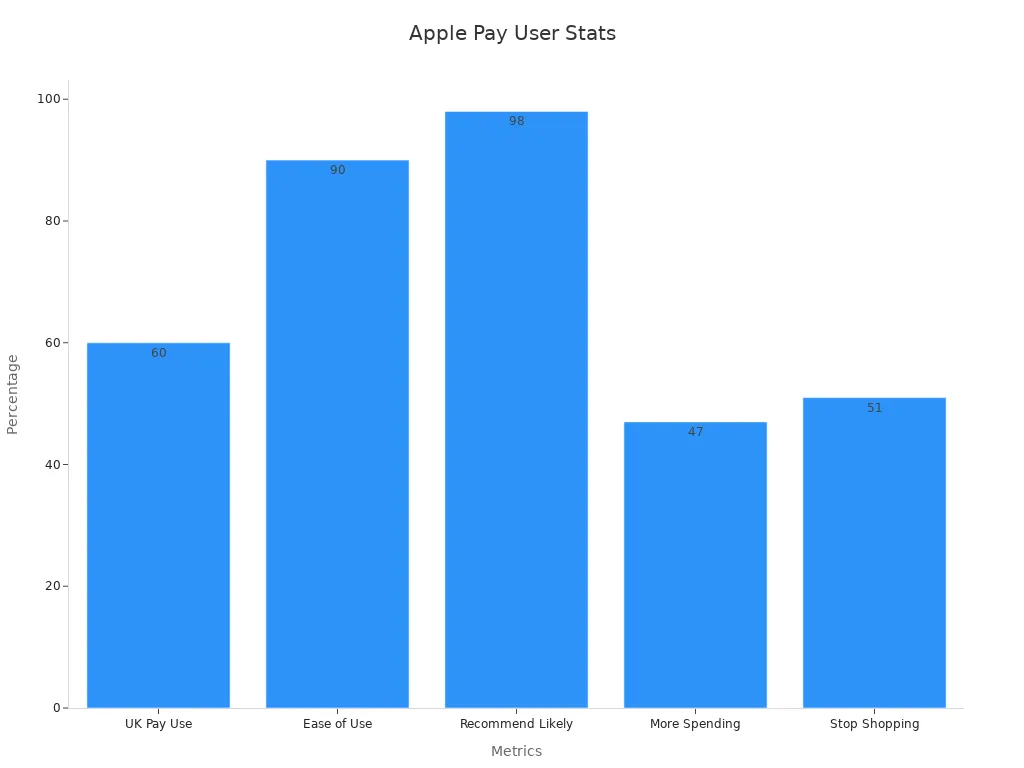
With 90% of U.S. stores accepting Apple Pay, it’s widely available. Plus, no physical contact means less risk of card theft.
Pro Tip: Keep your device near the payment terminal until you see a checkmark or hear a beep. That means your payment worked!
Shopping Online and In Apps
Apple Pay isn’t just for stores. It’s great for online shopping too. You don’t need to type your card info or address anymore. Apple Pay lets you check out in seconds.
Here’s how it works:
- Find the Apple Pay logo at checkout.
- Pick Apple Pay as your payment option.
- Confirm payment with Face ID, Touch ID, or your passcode.
This saves time and avoids mistakes. It’s also very secure.
“Apple Pay locks card data when added to the wallet. The data is stored safely on the device to block hackers. Merchants are checked before payments, and every transaction gets a unique token for extra safety. You must use fingerprint or face scans to approve purchases.”
Apple Pay also offers Buy Now, Pay Later (BNPL) options. These grew by 30% worldwide. BNPL helps you budget while enjoying digital payments.
| Metric | Value |
|---|---|
| BNPL transaction growth | 30% globally in 2024 |
| Impact on Apple Pay adoption | Increased adoption due to BNPL growth |
Sending Money to Friends and Family
Need to pay a friend back? Apple Pay makes it easy to send money. You can do it through Messages or Siri.
Here’s how to send money with Apple Pay:
- Open Messages and start a chat with the person.
- Tap the Apple Pay button and enter the amount.
- Confirm payment with Face ID, Touch ID, or your passcode.
It’s that simple! But keep these tips in mind:
- Check the recipient’s info before sending money. Mistakes can’t always be fixed.
- Watch out for scams. Some people misuse payment apps.
- Learn how your data is used to protect your privacy.
Apps like Zelle now confirm recipients before sending money. Apple Pay might add this feature to boost security.
Note: If unsure about a payment, double-check the details. Being careful can prevent problems.
Apple Pay makes digital payments easy and safe. Whether shopping in stores, online, or paying friends, Apple Pay has your back.
Advanced Features of Apple Pay
Benefits of Using Apple Card
The Apple Card makes paying with Apple Pay even better. It’s not just a regular credit card—it’s built to help you. You get cashback, discounts, and stronger security. You can use it almost anywhere, which is super handy.
Here’s why people like the Apple Card:
| Benefit | Percentage Range |
|---|---|
| Better Security | 32% - 59% |
| Easy to Use | 32% - 59% |
| Cashback Rewards | 32% - 59% |
| Special Discounts | 32% - 59% |
| Accepted Everywhere | 32% - 59% |
The Apple Card works perfectly with the Wallet app. You can see your spending, set limits, and check your cashback rewards. It’s a smart way to handle money while using Apple Pay.
How Apple Cash Simplifies Peer-to-Peer Payments
Apple Cash makes sending money to others super easy. Whether you’re splitting a bill or paying someone back, it’s quick and safe. You can send money in Messages or ask Siri to help.
Why Apple Cash is great:
- You can send money fast without any hassle.
- The ‘Tap to Cash’ feature lets you pay without touching cash.
- Tokenization keeps your card info private and secure.
With Apple Cash, you don’t need to carry cash or deal with tricky bank transfers. It’s all about making payments simple.
Managing Digital Tickets and Passes
Apple Pay isn’t just for buying things—it helps with tickets and passes too. You can store concert tickets, boarding passes, or gym memberships in your Wallet app.
Here’s how it helps:
- It makes ticket sales and check-ins faster and easier.
- Mobile features keep updates and transactions smooth.
Imagine showing your phone to enter an event. No paper tickets or worries about losing them. Apple Pay keeps everything organized and ready to use.
Security and Privacy with Apple Pay
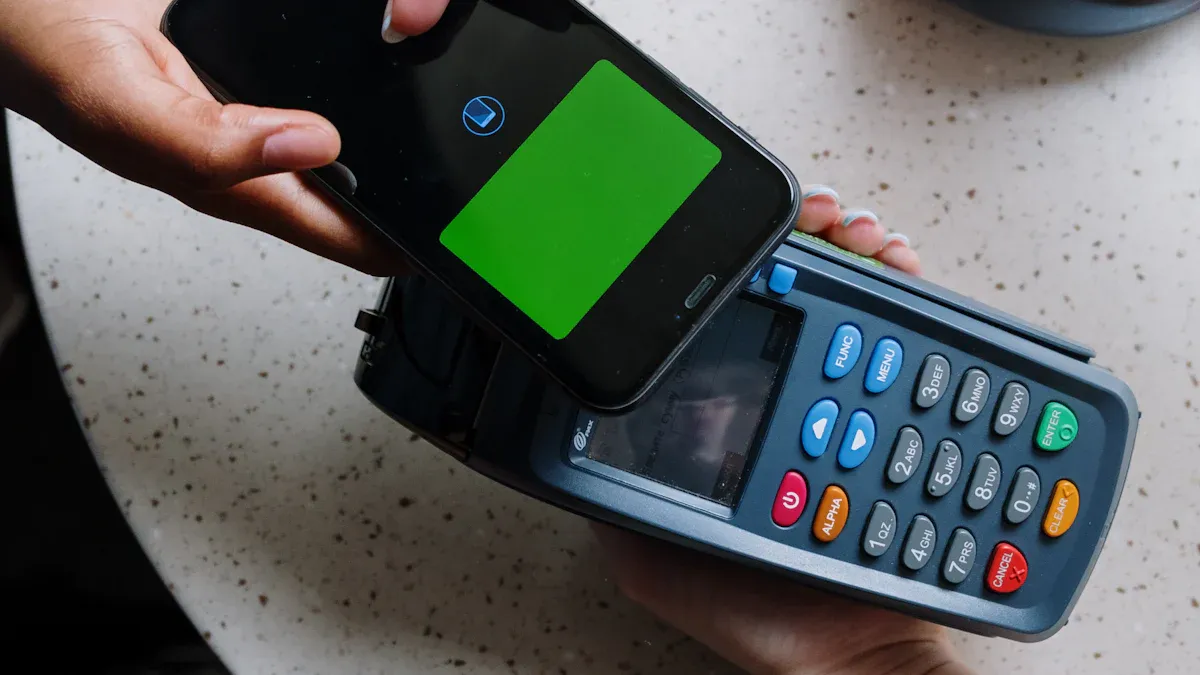
Image Source: pexels
How Apple Pay Protects Your Data
Apple Pay works hard to keep your data safe. It uses special encryption to hide your bank details during payments. Instead of sharing your card number, it creates a unique code for each purchase. This keeps your private information secure.
Face ID and Touch ID make sure only you can approve payments. If your device is lost or stolen, you can turn on Lost Mode. This stops anyone from using Apple Pay on your device. Apple also promises not to save or share your card details in its cloud.
Here’s how Apple Pay protects you:
- Biometric authentication ensures only you can access your account.
- Lost Mode blocks others from using your Apple Pay.
- Unique transaction codes replace your card info during payments.
- Buyer protection helps fix unauthorized charges.
Apple’s strong security system keeps hackers out. Only you can access your data, making Apple Pay very safe to use.
Tips for Keeping Your Account Secure
You can make Apple Pay even safer with a few steps. Turn on two-factor authentication for extra security. This adds a code to your password for logging in. Always use Face ID or Touch ID to approve payments.
Avoid using public Wi-Fi for changes to your account. A VPN can help protect your data on public networks. Use a credit card instead of a debit card for better fraud protection. Treat Apple Pay like cash—double-check requests and don’t send money to strangers.
Quick tips for safety:
- Turn on two-factor authentication.
- Don’t change settings on public Wi-Fi.
- Check payment requests before sending money.
- Block unknown people asking for money.
By following these tips, you can use Apple Pay safely and enjoy its benefits.
Using Siri and Splitting Payments Safely
Siri makes splitting payments simple with Apple Pay. Just say, “Hey Siri, send $20 to Alex,” and it’s done. But always check the recipient’s details before confirming. Mistakes can happen, so it’s better to be careful.
If someone asks for money, confirm their identity first. Ask a question only they can answer to avoid scams. Never send money to unknown people or websites.
Pro Tip: Treat splitting payments like giving cash. Always double-check before sending money.
By being cautious, you can use Siri and Apple Pay safely and without worry.
Apple Pay makes paying easy and safe for everyone. You won’t need to carry cash or type card numbers anymore. Its simple design, strong security, and fast checkout make it great for beginners.
| Feature | Description |
|---|---|
| User-Friendly Experience | Apple Pay is a quick, safe, and easy way to pay. |
| Advanced Security Measures | Uses fingerprint scans and tokenization to keep payments secure. |
| Simplified Transactions | Buy things with one tap and confirm using Face ID or Touch ID. |
With more than 535 million users worldwide, Apple Pay keeps growing. People trust it because it’s easy and helps lower cart abandonment.
Tip: Try Apple Pay now for fast and worry-free payments.
FAQ
How do I know if a store accepts Apple Pay?
Most stores display the Apple Pay logo or a contactless payment symbol near the checkout. If you don’t see it, just ask the cashier.
Tip: Look for the wave-like symbol on payment terminals. It’s a clear sign they accept contactless payments like Apple Pay.
Can I use Apple Pay without an internet connection?
Yes, you can! Apple Pay works offline for in-store payments. Your device securely stores the payment tokens, so you don’t need Wi-Fi or cellular data to complete a transaction.
Is Apple Pay free to use?
Absolutely! Apple Pay doesn’t charge you for making payments. However, your bank or card issuer might have fees for certain transactions, like international purchases.
What happens if I lose my device?
Don’t worry! Use the Find My app to lock your device remotely. This disables Apple Pay. You can also remove your cards from your Apple ID account for extra security.
Note: Lost Mode ensures no one can access your Apple Pay or other sensitive data.
Can I add multiple cards to Apple Pay?
Yes, you can add multiple cards to your Wallet app. You can even set a default card for quick payments. Switching between cards is easy and takes just a tap.
Pro Tip: Organize your cards by priority. This saves time when you’re in a rush.
*This article is provided for general information purposes and does not constitute legal, tax or other professional advice from BiyaPay or its subsidiaries and its affiliates, and it is not intended as a substitute for obtaining advice from a financial advisor or any other professional.
We make no representations, warranties or warranties, express or implied, as to the accuracy, completeness or timeliness of the contents of this publication.
Related Blogs of
Unlock U.S. Pre-Market Trading: Get Ahead of the Opening Bell and Stay in Front


US Stock Market After the AI Mania: 2026 Focus Shifts from Narrative to Cash Flow


Master US Stock Pre-Market and After-Hours Trading Rules: 7 Key Points to Avoid Costly Mistakes


Exploring the History of the S&P 500 Index: A Financial Journey Across Decades
Choose Country or Region to Read Local Blog
 Australia
 Austria
 Belgium
 Canada
 Cyprus
 Czech Republic
 Denmark
 Estonia
 Finland
 France
 Germany
 Greece
 Hong Kong
 India
India Indonesia
 Ireland
 Italy
Italy Japan
Japan Latvia
 Lithuania
 Luxembourg
 Malaysia
 Malta
Malta Morocco
 Nepal
Nepal Netherlands
 New Zealand
 Norway
 Pakistan
 Philippines
 Poland
 Portugal
 Romania
 Singapore
 Slovakia
 Slovenia
 South Africa
 South Korea
 Spain
Spain Sweden
 Thailand
 The United States
 Turkey
 United Arab Emirates
 United Kingdom
 Vietnam
Contact Us
Company and Team
BiyaPay Products
Customer Services




BIYA GLOBAL LLC is a licensed entity registered with the U.S. Securities and Exchange Commission (SEC No.: 802-127417); a certified member of the Financial Industry Regulatory Authority (FINRA) (Central Registration Depository CRD No.: 325027); regulated by the Financial Industry Regulatory Authority (FINRA) and the U.S. Securities and Exchange Commission (SEC).
BIYA GLOBAL LLC is registered with the Financial Crimes Enforcement Network (FinCEN), an agency under the U.S. Department of the Treasury, as a Money Services Business (MSB), with registration number 31000218637349, and regulated by the Financial Crimes Enforcement Network (FinCEN).
BIYA GLOBAL LIMITED is a registered Financial Service Provider (FSP) in New Zealand, with registration number FSP1007221, and is also a registered member of the Financial Services Complaints Limited (FSCL), an independent dispute resolution scheme in New Zealand.