Sending Money via Apple Pay with a Credit Card: Fees, Advantages, and Precautions



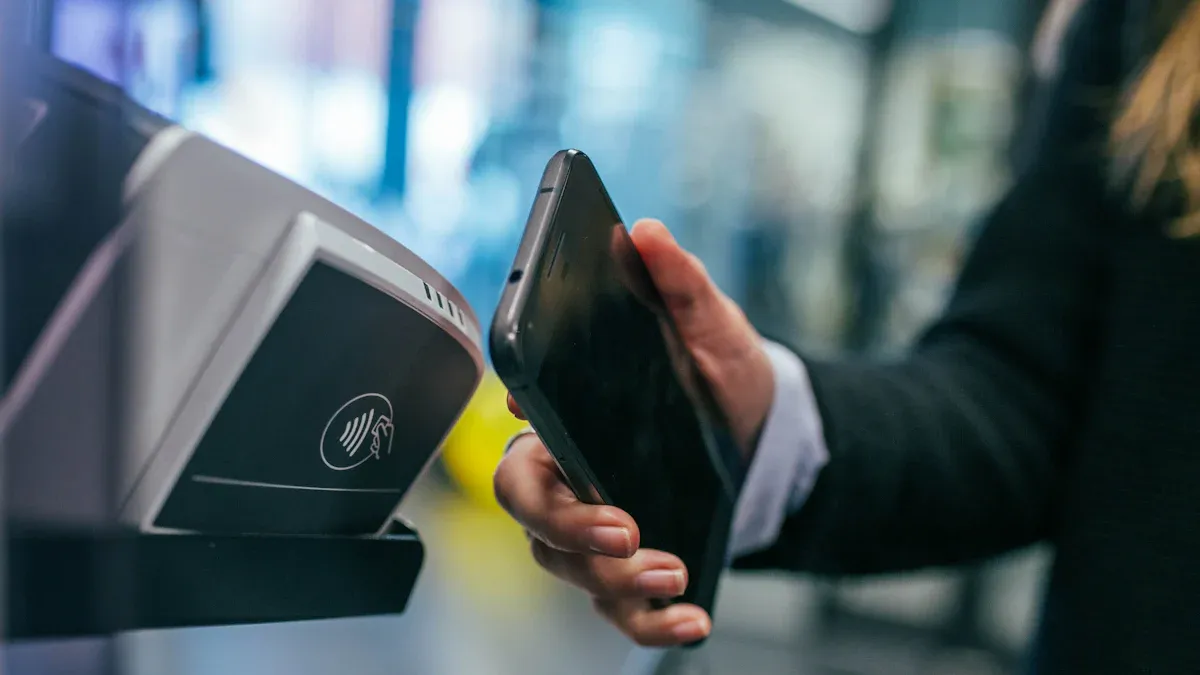
Image Source: unsplash
Yes, you can use a credit card for Apple Pay transfers.
Important Note: Your issuing bank will almost always classify such transactions as a “cash advance.” This classification is critical because it directly determines the fees and risks you’ll face, which are entirely different from regular card purchases.
Key Takeaways
- Using a credit card for Apple Pay transfers incurs fees and high interest because it’s treated as “cash withdrawal.”
- This transfer method is only suitable for particularly urgent situations due to its high costs, making it unsuitable for regular use.
- Apple Pay transfers are convenient and secure, but you typically won’t earn credit card points or cash back.
- This feature is currently only available in the U.S., and you must first check your bank’s fee policies.
- If you use a credit card for transfers, pay off the balance as soon as possible to minimize interest costs.
Core Fees of Credit Card Transfers
Using a credit card for Apple Pay transfers incurs costs far beyond the transfer amount itself. These additional fees are a direct result of banks treating such transactions as “cash advances.” Understanding these three core fees can help you evaluate whether this action is worthwhile.
Cash Advance Fee
This is the first fee you’ll encounter. As soon as you initiate the transfer, the bank will immediately charge a fee.
This fee is typically calculated as “the higher of” two options:
- Percentage-Based Fee: Usually 3% to 5% of the transfer amount.
- Minimum Fee Standard: A fixed amount, such as $10.
For example, issuers like American Express charge a cash advance fee of 5% of the transaction amount, with a minimum of $10. Institutions like Chase generally have rates between 3% and 5%.
Fee Calculation Example Assuming a fee structure of “5%, minimum $10”:
- If you transfer $100, 5% is $5. Since this is below the minimum, the bank will charge $10.
- If you transfer $300, 5% is $15. Since this exceeds the minimum, the bank will charge $15.
This fee is incurred regardless of your repayment behavior and applies as soon as the transaction occurs.
High Cash Advance Interest Rates
This is the most expensive cost of using a credit card for transfers. Unlike regular purchase transactions, cash advance interest has two costly characteristics:
- No Grace Period: Regular purchases typically come with a 20+ day interest-free repayment period. Cash advances have none. Interest accrues like a taxi meter starting from the moment of the transaction. As Bank of America notes, interest begins accumulating the day you withdraw cash.
- Very High Rates: The cash advance annual percentage rate (APR) is typically much higher than the purchase APR on your credit card. This rate can be as high as 25% or more, depending on your card’s terms.
This means even if you borrow funds for just a few days, you’ll pay significant interest until the balance is fully repaid.
Potential Platform Service Fees
In addition to bank fees, you need to check whether the transfer platform itself charges fees.
While Apple Cash (Apple’s peer-to-peer transfer service) currently allows credit card transfers without platform fees, this doesn’t apply to all platforms supporting Apple Pay.
Therefore, before clicking “send,” always review the fee disclosures of the app you’re using to avoid unexpected costs on top of bank fees.
Unique Advantages of Apple Pay Transfers

Image Source: unsplash
Despite the high costs of using a credit card for Apple Pay transfers, it offers unique advantages in specific scenarios. Understanding these benefits can help you make the best choice in emergencies.
Flexible Emergency Funding
This is the core value of using a credit card for transfers. Imagine needing to send money to family or friends urgently, but your debit card account balance is insufficient. In such emergencies, a credit card provides a temporary funding channel. It allows you to use your credit limit to complete the transfer, addressing urgent needs and offering valuable financial flexibility.
Convenient and Secure Transactions
Apple Pay’s payment experience is a major highlight. You don’t need to rummage through your wallet or manually enter lengthy credit card numbers, expiration dates, or security codes. The process is fast, smooth, and highly secure.
Compared to entering credit card details directly on websites, Apple Pay offers stronger security:
- Tokenization Technology: Apple Pay doesn’t share your actual credit card number with the recipient. It uses a unique “device account number” to process transactions, effectively preventing your sensitive financial information from being exposed during transmission.
- User Authentication: Every transaction requires your authorization. Before sending payment information, you must verify your identity through one of the following:
- Face ID or Touch ID
- Device passcode
- Privacy Protection: When using Apple Cash for peer-to-peer transfers, Apple does not retain transaction records traceable to your identity, further safeguarding your spending privacy.
Are Credit Card Rewards Applicable?
This is a common misconception you need to be aware of.
Key Fact: Banks almost always classify credit card transfers as “cash advances,” and cash advance transactions typically do not qualify for earning credit card points, cash back, or miles rewards.
Therefore, you shouldn’t use credit card transfers to earn rewards. Not only will you not earn rewards, but you’ll also incur high fees and interest. In rare cases, certain cards may have special terms, but the safest approach is to contact your issuing bank for confirmation before proceeding.
Key Precautions and Risk Mitigation
Image Source: unsplash
Before deciding to use a credit card for Apple Pay transfers, pause and carefully review the following points. These precautions and risk mitigation strategies will help you avoid unnecessary financial losses and make the most informed decision.
Regional Availability and Account Requirements
First, you need to confirm whether you meet the basic eligibility for this feature. Apple Pay’s peer-to-peer transfer function (Apple Cash) is not available globally.
Regional Restriction: According to Apple’s official support documentation, Apple Cash’s peer-to-peer payment service is only available in the U.S.. If you’re not in the U.S., you cannot use this feature for transfers.
Even if you’re in the U.S., you must meet specific account requirements.
- You must be at least 18 years old and a U.S. resident to set up and use an Apple Cash account for sending and receiving payments.
- If you’re under 18, a family member (as the family organizer) can set up an account for you through “Apple Cash Family.”
Before proceeding, ensure you meet all these conditions.
Confirm Bank Policies in Advance
This is the most critical step in the process. Since banks almost always treat these transactions as “cash advances,” you must understand your bank’s specific policies beforehand. Terms can vary significantly between banks.
You can confirm through the following methods:
- Review Your Credit Card Agreement: Your credit card agreement details which transactions are considered cash advances, along with associated fees and interest rates.
- Contact Customer Service: Call your issuing bank’s customer service and explicitly ask, “Will using a credit card for Apple Pay peer-to-peer transfers be treated as a cash advance?” and confirm the specific fee rate and APR.
Most issuers charge a fixed fee or a percentage of the transaction amount, whichever is higher. This fee is typically around 5% or $10. For example, the Capital One Savor Cash Rewards Credit Card’s cash advance fee is 5% of the transaction amount (minimum $5). Even banks in financially advanced regions like Hong Kong have similarly strict terms for cash advances. Never assume it’s the same as a regular purchase.
Carefully Evaluate Cost-Benefit
After understanding the fees, calculate the total cost of the transfer and assess whether it’s worth it. Convenience comes at a price, and that price can be steep.
Cost Calculation Example Suppose you need to transfer $500, and your credit card’s cash advance terms are:
- Fee: 5%
- Cash Advance APR: 29.99%
- You plan to repay the balance in 30 days.
Your total cost would be:
- Cash Advance Fee: $500 x 5% = $25
- 30-Day Interest: ($500 x 29.99% / 365) x 30 days ≈ $12.32
- Total Additional Cost: $25 + $12.32 = $37.32
For a $500 transfer, you’d pay over $37 in additional fees.
Comparing this to other payment methods reveals a significant gap.
| Payment Method | Estimated Fees (for $500) |
|---|---|
| Credit Card Apple Pay Transfer | $37.32 (fee + 30-day interest) |
| Debit Card Apple Pay Transfer | $0 (if choosing standard transfer) |
| Traditional Bank Wire Transfer | $15 - $50, varies |
Clearly, unless it’s an absolute emergency, the cost-benefit of using a credit card for transfers is low.
Repay the Balance as Soon as Possible
If you decide to use a credit card for a transfer, the most important risk mitigation strategy is: Pay off the balance in full as quickly as possible.
This is because of the bank’s repayment allocation rules. By law, when you have multiple balances with different interest rates, any payment above the minimum is applied to the highest-rate balance first. Cash advances typically have the highest rates, so your extra payments will prioritize paying them off.
💡 Repayment Tip: Credit card companies generally don’t allow you to specify which transaction a payment applies to. The safest approach is to make a single payment covering at least the “cash advance principal + fee + accrued interest” to ensure this high-interest debt is fully cleared.
The longer you delay, the more interest accumulates, snowballing your costs.
Consider Using a Debit Card Instead
In most cases, using a debit card for Apple Pay transfers is a smarter and more cost-effective choice. It almost entirely avoids the fees mentioned above.
- Fees: Using a debit card for Apple Cash peer-to-peer transfers is free. A 1.5% fee applies only if you transfer Apple Cash balance instantly to your debit card (minimum $0.25, maximum $15), but you can also opt for a free standard transfer taking 1-3 business days.
- Limits: Apple Pay sets generous limits for debit card transfers, sufficient for most daily needs.
- Up to $10,000 per single transfer.
- Up to $10,000 within a 7-day period.
Unless your debit card balance is zero and the situation is extremely urgent, always prioritize a debit card. This allows you to enjoy Apple Pay’s convenience while protecting your wallet.
When your needs shift from one-off emergencies to routine or cross-border remittances, a dedicated rail is safer than credit-card advances. BiyaPay is a multi-asset wallet that supports remittances across many regions and flexible conversion between multiple fiats and digital assets. Before sending, estimate costs with the free Currency Converter; during beneficiary setup, verify details via SWIFT Lookup or IBAN Lookup to reduce return and delay risk; once confirmed, initiate the transfer via Remit. Operating under licenses in multiple jurisdictions (e.g., U.S. MSB and New Zealand FSP), BiyaPay helps separate “emergency P2P” from “regular cross-border payments,” keeping costs and exposure in check.
Using a credit card for Apple Pay transfers comes with cash advance fees and high interest rates. This makes it an expensive method for transferring funds. Its true value lies in emergency funding, not as a daily option, and it’s primarily available in the U.S.
Final Advice: Before proceeding, confirm eligibility and bank terms. Always prioritize “paying off quickly” or “using a debit card” as your first principles.
FAQ
How Can I Avoid Cash Advance Fees?
You cannot avoid these fees when using a credit card for transfers, as banks classify it as a cash advance. To eliminate fees entirely, always prioritize using your debit card for Apple Pay transfers.
Can I Earn Credit Card Points or Cash Back?
Typically, no. Banks classify credit card transfers as cash advances, which usually don’t qualify for points or cash back rewards. You shouldn’t use this feature to earn rewards, as it will cost you significantly.
Can This Feature Be Used in Mainland China?
No. Apple Pay’s peer-to-peer transfer function (Apple Cash) is currently only available in the U.S. In mainland China, you cannot use a credit or debit card for direct peer-to-peer transfers via Apple Pay.
What’s the Best Way to Repay a Credit Card Transfer?
Pay in full immediately. Cash advance interest starts accruing from the transaction date with no grace period. Make a single payment covering the principal, fee, and accrued interest as soon as possible to minimize interest costs.
*This article is provided for general information purposes and does not constitute legal, tax or other professional advice from BiyaPay or its subsidiaries and its affiliates, and it is not intended as a substitute for obtaining advice from a financial advisor or any other professional.
We make no representations, warranties or warranties, express or implied, as to the accuracy, completeness or timeliness of the contents of this publication.
Related Blogs of

Decoding Hang Seng Index Key Levels: Master Your H2 2025 Hong Kong Stock Investment Strategy


Unlock U.S. Pre-Market Trading: Get Ahead of the Opening Bell and Stay in Front


US Stock Market After the AI Mania: 2026 Focus Shifts from Narrative to Cash Flow


Dow Jones Index Closing Roundup: Energy Sector Weakness Offsets Some Tech Gains

Choose Country or Region to Read Local Blog
 Australia
 Austria
 Belgium
 Canada
 Cyprus
 Czech Republic
 Denmark
 Estonia
 Finland
 France
 Germany
 Greece
 Hong Kong
 India
India Indonesia
 Ireland
 Italy
Italy Japan
Japan Latvia
 Lithuania
 Luxembourg
 Malaysia
 Malta
Malta Morocco
 Nepal
Nepal Netherlands
 New Zealand
 Norway
 Pakistan
 Philippines
 Poland
 Portugal
 Romania
 Singapore
 Slovakia
 Slovenia
 South Africa
 South Korea
 Spain
Spain Sweden
 Thailand
 The United States
 Turkey
 United Arab Emirates
 United Kingdom
 Vietnam
Contact Us
Company and Team
BiyaPay Products
Customer Services




BIYA GLOBAL LLC is a licensed entity registered with the U.S. Securities and Exchange Commission (SEC No.: 802-127417); a certified member of the Financial Industry Regulatory Authority (FINRA) (Central Registration Depository CRD No.: 325027); regulated by the Financial Industry Regulatory Authority (FINRA) and the U.S. Securities and Exchange Commission (SEC).
BIYA GLOBAL LLC is registered with the Financial Crimes Enforcement Network (FinCEN), an agency under the U.S. Department of the Treasury, as a Money Services Business (MSB), with registration number 31000218637349, and regulated by the Financial Crimes Enforcement Network (FinCEN).
BIYA GLOBAL LIMITED is a registered Financial Service Provider (FSP) in New Zealand, with registration number FSP1007221, and is also a registered member of the Financial Services Complaints Limited (FSCL), an independent dispute resolution scheme in New Zealand.